Vidmore Video Converter 1.3.12

Type: Shareware
Cost: $19.95
Size: 2.24 MB
Release date: Apr 13 2022
Platform: Win2000,WinXP,Win7 x32,Win7 x64,Windows 8,Windows 10,WinServer,WinOther,WinVista,WinVista x64
Publisher’s Site:  https://www.vidmore.com/
Publisher’s Product Page:  https://www.vidmore.com/video-converter/
Country: China

Vidmore Video Converter

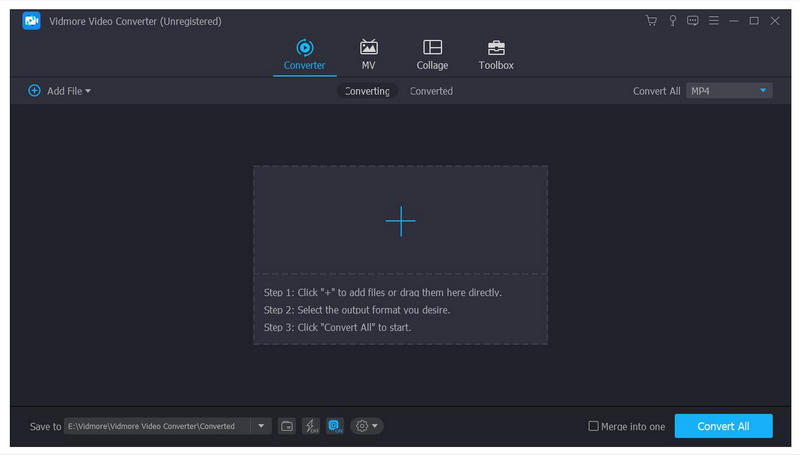
Vidmore Video Converter is amazing software which could help you convert media files to any other formats. You can edit your files before conversion and convert them without hassle.


Key functions:

1. Convert videos to various output formats
Vidmore Video Converter is powerful in converting media files to other formats, such as AVI/WMV/MOV/MKV/M4V/MPEG/FLV/WAV/M4A/AAC, etc. In addition, it supports various devices, including iPhone/iPad, Samsung/Huawei/Google/Xiaomi/LG/HTC and more.

2. Various video editing functions
Want to edit your videos before conversion? With Vidmore Video Converter, you could merge/trim/rotate/crop videos, add watermark to them or remove watermark from them, change the brightness/contrast/saturation/hue of videos. You could also enhance the video quality and compress large files to a smaller size.

3. Create MV, GIF Maker, 3D Maker, make collage
Vidmore Video Converter could not only convert media files to other formats, but also create wonderful MV for you. You are able to create your own fabulous MV with different themes. Moreover, it allows to you make customized GIFs with your video files. Creating 3D videos from 2D files is also possible. Moreover, you could make your own fantastic collage with different templates and filters. Furthermore, it is able to reverse videos, speed up or slow down videos.

4. High quality of output files
Vidmore Video Converter can keep the original quality of your videos, including those in 1080p HD and 4K Ultra HD, so there is no quality loss after conversion. With advanced hardware acceleration, it can also provide fast conversion speed for you.

Graphcat<

Print Conductor 8.0.2203.14130

Type: Freeware
Cost: $0
Size: 113.54 MB
Release date: Mar 14 2022
Platform: Win2000,WinXP,Win7 x32,Win7 x64,Windows 8,Windows 10,WinServer,WinOther,WinVista,WinVista x64
Publisher’s Site:  https://www.fcoder.com
Publisher’s Product Page:  https://www.print-conductor.com/
Country: Latvia


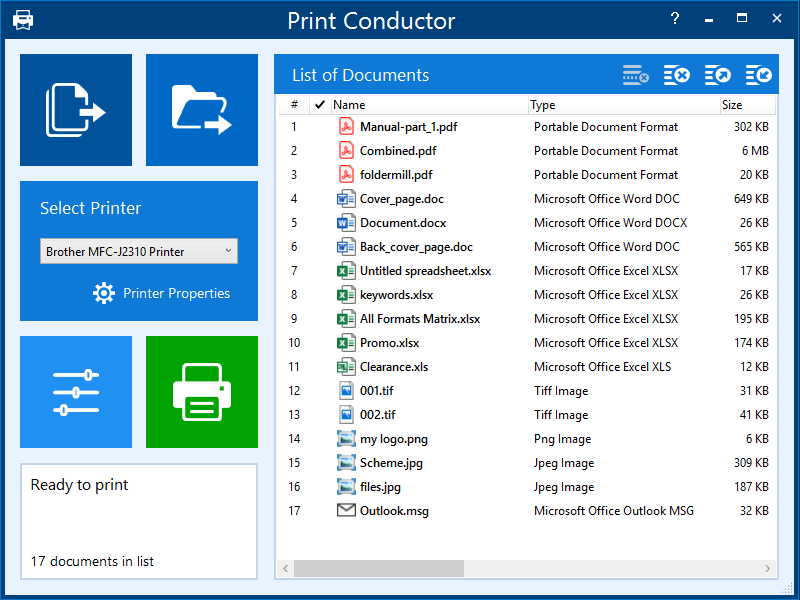
Print Conductor

Print Conductor is a batch printing software. If you regularly have to open and print multiple files, this smart tool can be a real time-saver.

Manually printing several files is tedious work – it generally requires opening and printing each file separately in the applications used to create them. Once you add files to print, Print Conductor automates the rest of the process.

Print Conductor is easy to use. Just add files to be printed to the list and click the ‘Start Printing’ button.

All popular file formats are supported: PDF files, plain texts, Microsoft Office and OpenOffice documents and presentations, RTF, HTML, MHT, XML files, AutoCAD, Solidworks and Inventor drawings, Visio charts, Photoshop PSD, JPG, TIFF, PNG, PCX, DCX, BMP and JBIG images, WMF and EMF metafiles.

Print Conductor can batch print large quantities of documents on any type of printer: desktop printers, network printers or virtual printers. If you select Universal Document Converter as a virtual printer to use with Print Conductor, you can batch convert a list of documents, presentations, worksheets or drawings to a variety of other formats: PDF, TIFF, JPEG, PNG, GIF, PCX, DCX, or BMP.

What’s new in version 8.0:
– Printing DOC, DOCX, and RTF files without Microsoft Word
– Printing EML, MSG message files without Microsoft Outlook
– Redesigned Advanced Settings panel with options to export/import current settings
– Ability to set paper source for a specific page range of a document
– Ability to skip repeated pages of documents
– Ability to reverse the order of files in the List of Documents
– Ability to resume printing only when the printer queue is empty
– Ability to process files without extension by checking their signature
– Printing XML and HTML files as source code
– Ability to print HTML files in "fit to page" mode
– Ability to limit the number of copies in a print job
– Other improvements

DataNumen Outlook Drive Recovery 8.5

Type: Shareware
Cost: $199.95
Size: 10.83 MB
Release date: Feb 18 2021
Platform: Win2000,WinXP,Win7 x32,Win7 x64,Windows 8,Windows 10,WinServer,WinOther,WinVista,WinVista x64
Publisher’s Site:  https://www.datanumen.com
Publisher’s Product Page:  https://www.datanumen.com/outlook-drive-recovery/
Country: Hong Kong


DataNumen Outlook Drive Recovery

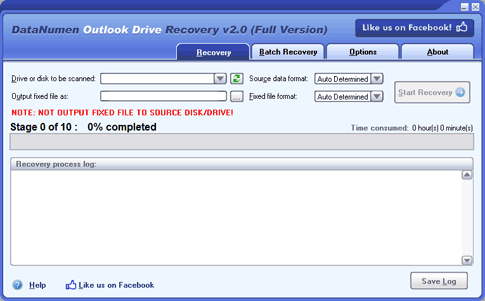
DataNumen Outlook Drive Recovery (DODR) (formerly Advanced Outlook Data Recovery) is the savior of your Outlook data. As long as you have stored Outlook data files (.pst files) on your local drives or disks in the past, then for whatever reason you cannot retrieve or access your Outlook data, you can always use this magic tool to recover Outlook emails and other objects from the drives or disks for you.

For example, if you:

1. Delete the .pst files and then empty the Recycle Bin by mistake.
2. Permanently delete the .pst files by mistake.
3. Format the drive containing the pst files by mistake.
4. Partition the disk by mistake and lost the drive containing the pst files.
5. Cannot read drive or disk containing the pst files due to hardware failure.
6. The drive or disk containing the pst files cannot be started or recognized due to corruption in MBR or partition table.
7. For all above cases, and any other cases when you cannot access the Outlook data stored in your local drives or disks, you can always resort to DODR. With this magic tool, you can scan the drives and disks, then recover Outlook data from them as much as possible.

Main Features:

1. Support Outlook 97 to 2013.
2. Support to recover mail messages, folders, posts, appointments, meeting requests, contacts, distribution lists, tasks, task requests, journals and notes. All properties, such as subject, to, from, cc, bcc, date, etc., are recovered.
3. Support to recover mail messages in plain text, RTF and HTML format.
4. Support to recover Outlook data with password protection, both compressible encryption and high encryption(or best encryption) are supported. The Outlook data can be recovered even if you don’t have the password.
5. Support to recover Outlook data from any kinds of drives or disks, such as hard disks, flash drives, Zip disks, CDROMs, etc.
6. Support to recover Outlook data from any kinds of file systems, such as FAT, FAT32, NTFS, Linux Ext2, Linux Ext3, etc.