Filmage Editor – Video Editor 1.1.5

Type: Freeware
Cost: $0
Size: 54.20 MB
Release date: Dec 20 2021
Platform: Mac OS X,
Publisher’s Site:  https://www.filmagepro.com
Publisher’s Product Page:  https://apps.apple.com/app/id1475051178
Country: China

Filmage Editor - Video Editor

>>> Key Frame Customizes Animations
– Set keyframes easily. Easily scale or change the positions to set a total customized animation effect for a sticker, a logo or a video clip.
– Remove keyframes without effort. All you need to do is to click again on the keyframe in Viewer to remove it directly.


>>> Professional Video Editing Suite
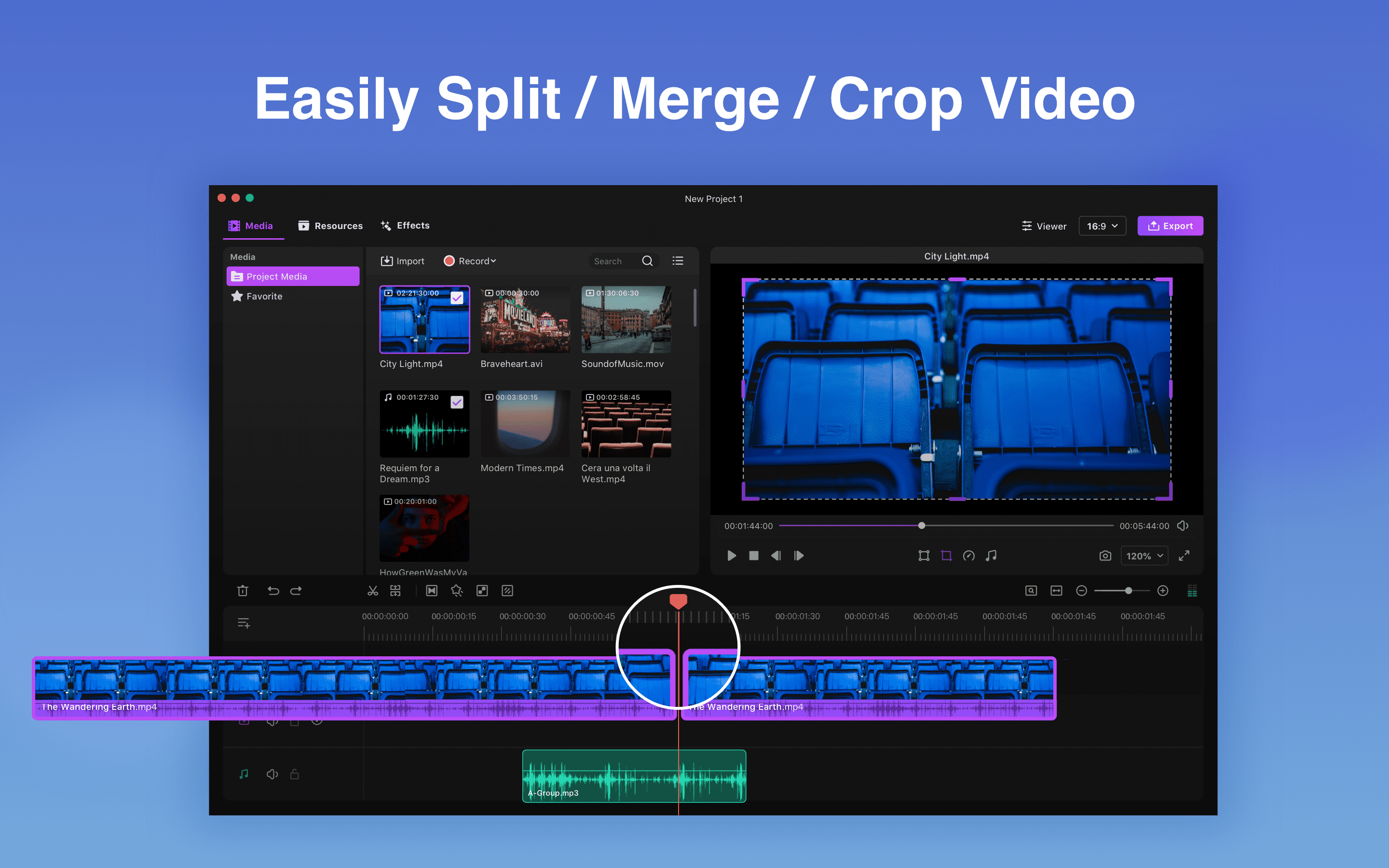
– Multi-track editing. Stunning video and audio tracks supported.
– Key frame. Customize the animation by changing the size, position, opacity and rotation angle.
– Frame by frame editing. Click Previous Frame or Next Frame to preview a specific frame and make a freeze frame.
– Easy-to-use color correction such as brightness, contrast, saturation and more.
– Blur effects. Use Mosaic to blur stationary objects like house numbers, face or phone numbers to protect privacy.
– Link clips. Link certain clips in the video to keep these clips moving synchronously. And the sequence of the story line wont be changed.

>>> Easy-to-use Video Maker
– Make your videos in minutes even if you are a beginner. All you need to do is to upload videos, photos, and music, then Filmage Editor will create the track for you.
– Total 40+ keyboard shortcuts enable you to finish your video editing with speed and fluency.
– Fully customizable videos. Cut, merge, trim, rotate, flip and crop your video with ease.
– Convenient Timeline.
– Screen recording.

>>> Customizable Built-in Video Resources (Titles, Filters, Transitions, etc.)
– 130+ stickers (still update) enables you to add marks, shapes, funny emojis and more on your video.
– Create a stunning movie by using 60+ filters.
– Rich built-in subtitles.
– Massive sound FX.

>>> Intuitive Audio Control Tools
– Remove background noise to avoid the interruption of hum.
– Adjust the speed, volume, and tone of your audio. Fully adjust any audio as you want.
– Equalize sound effects for more than 10 types.
– Fade audio clips in and out.

Graphcat<

Apeaksoft Android Data Recovery for Mac 1.1.38

Type: Shareware
Cost: $28.76
Size: 37.18 MB
Release date: Apr 19 2022
Platform: Mac OS X,
Publisher’s Site:  https://www.apeaksoft.com/
Publisher’s Product Page:  https://www.apeaksoft.com/android-data-recovery/
Country: China


Apeaksoft Android Data Recovery for Mac

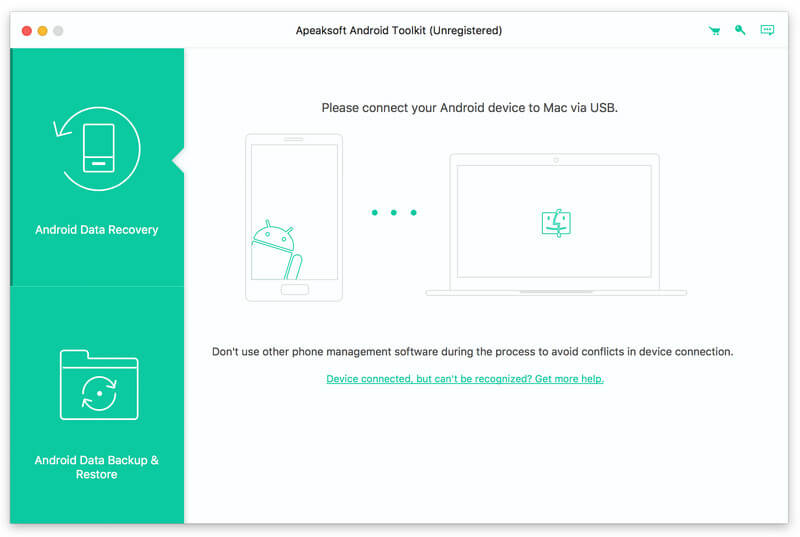
Apeaksoft Android Data Recovery for Mac can not only retrieve lost text messages, photos, contacts, videos, and more files, but also make backup for the files on Android devices. Besides, this software can support many Android devices such as Samsung, HTC, LG, Sony, Xiaomi, Huawei, ZET, Google phone and so on.

Key functions:

1. Recover lost data from Android devices and SD card
Apeaksoft Android Data Recovery for Mac can help you recover lost contacts, messages, call logs, photos, videos and more files from Android phones like Samsung, HTC, LG, Sony, Google phone, ZET and so on. It can also retrieve the data on the internal SD card. For example, if you have backed up your text messages in your SD card, but you lost them, with this software, you can get them back.

2. Back up and restore your data
With this powerful software you could back up the data on your Android devices in one click just in case you lose them for some reasons. And you could also restore the backed up files to your devices or Mac for future using.

3. Preview data before recovery
With Apeaksoft Android Data Recovery for Mac, you can preview all the deleted text messages, contacts, photos, call logs and more. Then you can decide to recover which files to computer. The software can also help you distinguish the deleted data from the existing ones via different colors.

4. Fast recovering speed and easy to use
Apeaksoft Android Data Recovery for Mac can help you recover your lost data in short time. You just need to connect your Android devices with Mac and open the USB debugging, then choose the files that you want to recover.

MacSonik MBOX to PDF Converter for Mac 21.4

Type: Shareware
Cost: $39
Size: 133.89 MB
Release date: Sep 11 2021
Platform: Mac OS X,
Publisher’s Site:  http://www.macsonik.com
Publisher’s Product Page:  http://www.macsonik.com/mbox/pdf/
Country: United States of America


MacSonik MBOX to PDF Converter for Mac

MacSonik MBOX to PDF Converter Tool is the most efficient tool to migrate the MBOX file to the PDF format without causing any loss of data. Its advanced algorithm helps to keep the files in the original structure after the process of conversion of files. This software also allows users to export or migrate the single or multiple MBOX files to PDF format in no time. This software is equipped with an advanced feature to migrate the file with or without attachments and also can import the attachments separately on a macOS device. This software has a unique feature of Mail Filter and Task Filter, using this feature users can select the date range, and the tool will convert and migrate only the MBOX to PDF format that ranges between those defined dates. The Guide User Interface of this software is so intuitive and smooth that it doesnt require any prior technical knowledge, It fits all kinds of technical and non-technical users. This makes the utility a safe and user-friendly tool to migrate the files. MacSonik MBOX to PDF Converter Tool for Mac allows the users to set the schedule of the conversion of Mac MBOX file to PDF format accordingly by different parameters like Once, Everyday, Every week etc. This Mac MBOX to PDF Converter is widely compatible and supports Mac versions of Mac 10.15 Catalina, 10.14 Mojave, 10.13 High Sierra, 10.12 Sierra, OS X 10.11 El Capitan, 10.10 Yosemite, 10.9 Mavericks, and 10.8 Mountain Lion. It does not pose any issues while converting the files on any version of Mac and permits the users to save the converted files on users personal storage device.