RPM Remote Print Manager Select 64 Bit 6.2.0.526.1

Type: Shareware
Cost: $324
Size: 52.98 MB
Release date: Mar 22 2021
Platform: Win2000,WinXP,Win7 x32,Win7 x64,Windows 8,Windows 10,WinServer,WinOther,WinVista,WinVista x64
Publisher’s Site:  http://www.brooksnet.com/
Publisher’s Product Page:  https://www.brooksnet.com/content/virtual-print-server
Country: United States of America

RPM Remote Print Manager Select 64 Bit

Printing should be one click away. but there are so many problems which make printing difficult if not impossible. RPM Remote Print Manager (RPM) has grown through the years from all the print problems our customers have brought to us. We are here to help you solve your printing problems.


RPM is our virtual printer product. Our customers have been using RPM for 20 years!
RPM as virtual printer

RPM does what you expect a virtual PDF printer to do, and more:

convert incoming print jobs to other formats, such as PDF, TIFF and PCL
save multiple documents into a single document
print the same job to multiple printers
in one pass, send to a printer and save to disk
print the same job multiple times, using separate paper trays

RPM as print server

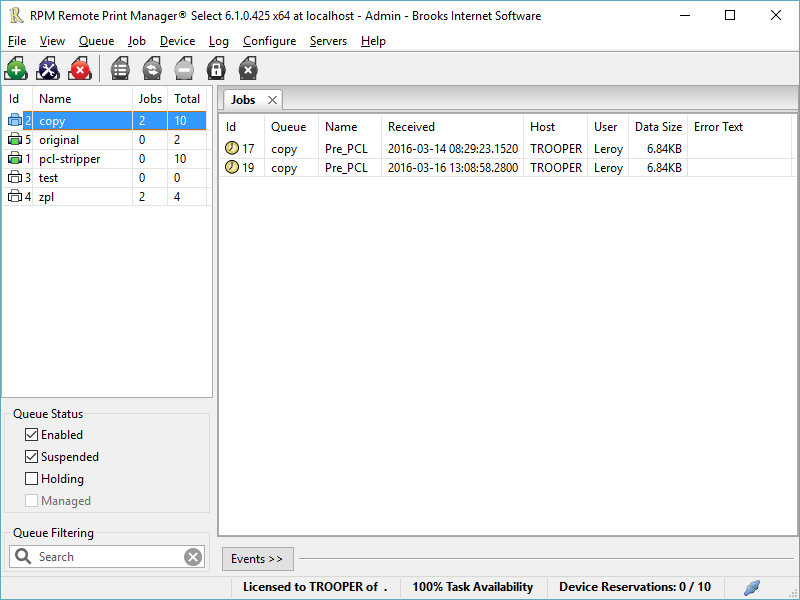
RPM is implemented as a Windows print server. Its core capabilities include:

managing your print workflow
send print jobs to any Windows printer
send print jobs to any printer on your network using core Windows print protocols, or LPR, or direct with port 9100
archive print jobs to local folders, shared folders, or anywhere via FTP
run any local application on your print job
send your print job via email as an attachment or in the message body

RPM also provides extensive data editing, manipulation and translation.

Windows version support

RPM 6.1 supports these versions of Windows: Vista, 7, Server 2008 (including R2), Windows 8 and 8.1, Server 2012 (including R2), and Windows 10. Support for Windows XP and Server 2003 has been dropped, so we no longer test new RPM versions on these older versions of Windows.

Graphcat<

Aiseesoft Video Enhancer 9.2.38

Type: Shareware
Cost: $16
Size: 40.65 MB
Release date: Mar 01 2022
Platform: Win2000,WinXP,Win7 x32,Win7 x64,Windows 8,Windows 10,WinServer,WinOther,WinVista,WinVista x64
Publisher’s Site:  https://www.aiseesoft.com/
Publisher’s Product Page:  https://www.aiseesoft.com/video-enhancer/
Country: China


Aiseesoft Video Enhancer

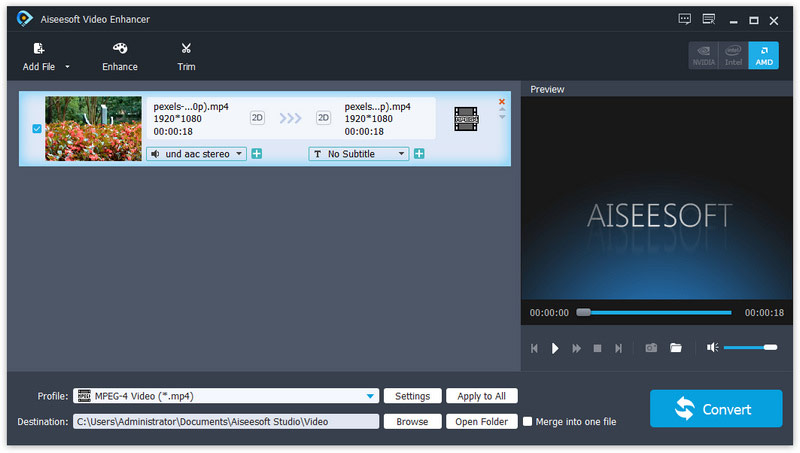
Aiseesoft Video Enhancer aims to help you improve the video quality from many aspects. You can easily get a high quality video with its enhancing functions. With it, you are able to upscale video resolution, optimize brightness and contrast, remove video noise and reduce video shaking. It has many other editing functions such as clipping, cropping, rotating, and adding watermark. Now it supports for new profile like iPhone 13 pro Max/13 Pro/13/12/ pro Max/12 Pro/12/11 Pro Max/11 Pro/11/XS/XR, etc.

Key Features

1. Upscale video resolution
It is unnecessary for you to worry about the low resolution of your video. With the professional Video Enhancer, you can upscale the video resolution with only one click. You can easily upscale your video from 480p to 720p, 1080 p or even 4K.

2. Optimize brightness and contrast
When you have a video and want to optimize its brightness and contrast, Aiseesoft Video Enhancer will be your best assistant. The converted video will show you clearly the difference from the former one.

3. Remove video noise
Aiseesoft Video Enhancer provides you with a good solution to remove the annoying white noise from your old movies and DVD videos. You will get the clear videos without any mosaic or white noise.

4. Stabilize video
You might get a shaky video when you are recording a video with your camera or phone. The slight shake of your hand will cause the video unstable and the recorded video cannot meet your need. Now with its video deshaking function, you are able to fix this problem with ease.

5. Rotate video to the right angle
Another great function of this Video Enhancer is that, you are able to rotate and flip the video to the right angle. It allows you to rotate 90 clockwise and 90 counterclockwise. Or you can flip the video horizontally and vertically according to your need.

UFS Explorer Standard Recovery 9.7

Type: Shareware
Cost: $69.95
Size: 17.10 MB
Release date: May 12 2022
Platform: Win2000,WinXP,Win7 x32,Win7 x64,Windows 8,Windows 10,WinServer,WinOther,WinVista,WinVista x64
Publisher’s Site:  https://www.sysdevlabs.com
Publisher’s Product Page:  https://www.ufsexplorer.com/ufs-explorer-standard-recovery.php
Country: Ukraine


UFS Explorer Standard Recovery

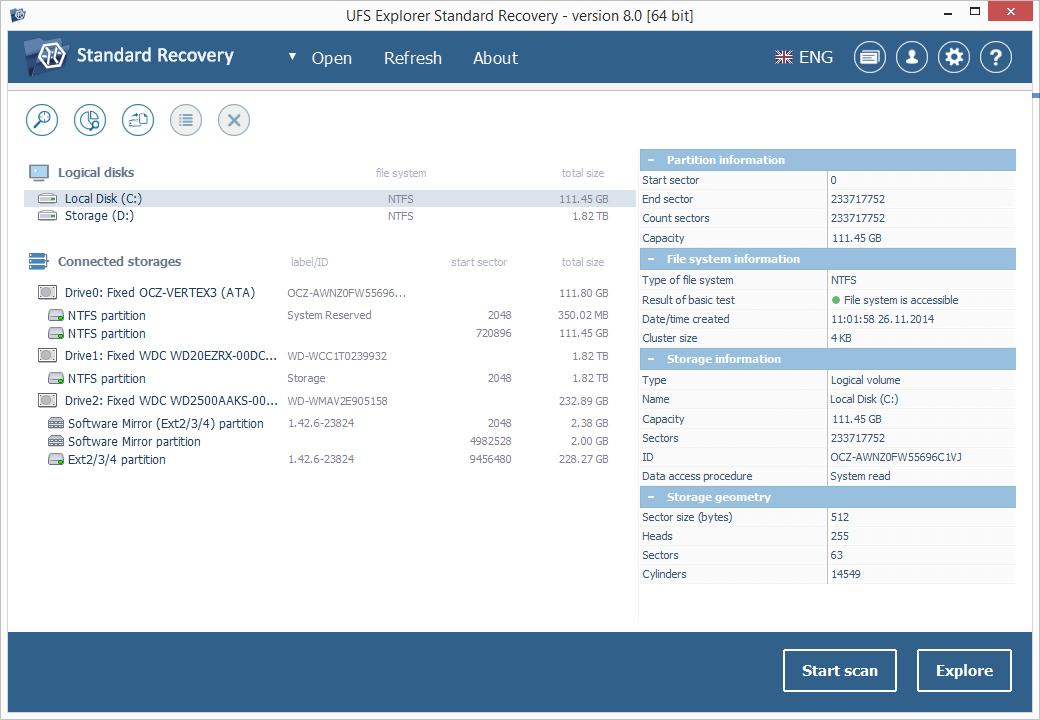
UFS Explorer Standard Recovery embraces sophisticated techniques that make it easy to recover accidentally deleted files and data lost due to logical damage after formatting, hardware or software crashes, malware attacks, etc. The program supports a wide range of file systems used in different environments, including Windows (FAT/FAT32/exFAT and NTFS), macOS (APFS, HFS+), Linux (XFS, Ext2, Ext3, Ext4, Linux JFS, ReiserFS, UFS/UFS2, big-endian UFS, Btrfs) and BSD/Solaris (UFS, simple ZFS volumes), and provides means for the immediate decryption of volumes encrypted by APFS or BitLocker. Spanned volumes created with mdadm, LVM, Apple Disk Utility, LDM and others are automatically recognized and assembled by the software, without any additional user actions. The application is capable of restoring files from different devices, like your PC, USB flash drive, memory card, external hard drive, etc. In addition to that, it effectively works with disk images and virtual disks created by major virtualization software, like VMware, Hyper-V, VirtualBox, performing equally successful data recovery from both physical and virtual storages. Moreover, the application is enhanced with various supplementary possibilities. It displays the state of the recovered files, offers an advanced file search and filters, allows previewing files of common types and sorting them by different criteria. Furthermore, the utility enables the user to select the method of disk access and define a timeout for cases when reading fails due to an I/O device error. The embedded disk imager allows adjusting the imaged area and such parameters as reading timeout, block size, direction, protocol, etc. A set of rules can also be specified for skipping damaged blocks. UFS Explorer Standard Recovery applies the most advanced algorithms to scan the device for lost data and recovers lost and deleted files while working in a safe read-only mode, which prevents any modifications to the initial storage content.