VideoSolo Blu-ray Player 1.1.18

Type: Shareware
Cost: $49.95
Size: 56.26 MB
Release date: Oct 15 2018
Platform: Win2000,WinXP,Win7 x32,Win7 x64,Windows 8,Windows 10,WinServer,WinOther,WinVista,WinVista x64
Publisher’s Site:  https://www.videosolo.com/
Publisher’s Product Page:  https://www.videosolo.com/blu-ray-player/
Country: United States of America

VideoSolo Blu-ray Player

VideoSolo Blu-ray player is a great tool for freeing your BD disc from being locked in to specific platers, regions, or formats. It supports playback commercial Blu-ray and homemade Blu-ray discs regardless of protection and restrictions armed on the disc. In a word, it is a professional player for the latest Blu-ray Disc, BD ISO, BD Folders, and BNMV files.


It also enables users to play all popular videos or movies on PC, including the 4K video, 1080p HD video, and SD videos in MP4, WMV, AVI, AVC, MTS, MKV, MXF, AVCHD, MPEG, etc. format. Briefly, it is not only a Blu-ray player software for PC but also powerful enough to play any type of DVD disc. Better yet, in order to match your visual experience with the best audio available, VideoSolo Blu-ray Player offers a lossless audio effect for your movies. It has Dolby and DTS support, and all audio has lossless playback for a crystal-clear listening experience.

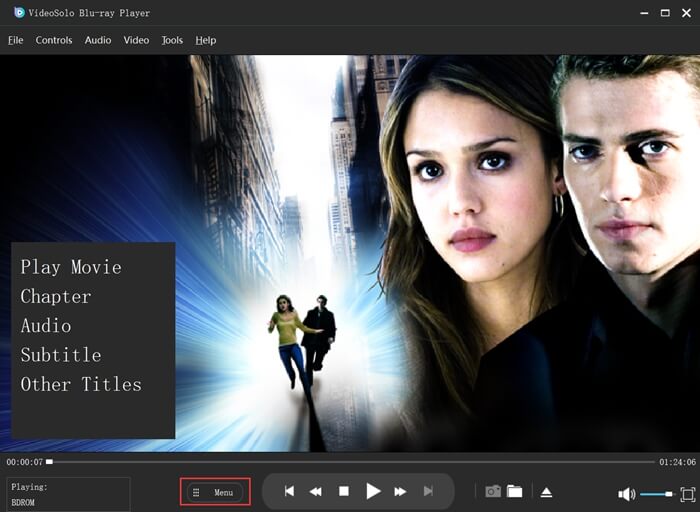
This software is easy to use. The main interface is straightforward, showing the main functions of the program in full view: you can either open a locally stored file or play the media available on the inserted Blu-ray disc. It is easy to change the size of the screen, switch chapters, and create snapshots anytime you want. It also lets you modify the hue, brightness, and saturation of the picture quality. OS Supported: Windows XP (SP2 or later), Windows Vista, Windows 7, Windows 8, Windows 10

Graphcat<

UFS Explorer Standard Recovery 9.4

Type: Shareware
Cost: $69.95
Size: 17.04 MB
Release date: Jan 17 2022
Platform: Win2000,WinXP,Win7 x32,Win7 x64,Windows 8,Windows 10,WinServer,WinOther,WinVista,WinVista x64
Publisher’s Site:  https://www.sysdevlabs.com
Publisher’s Product Page:  https://www.ufsexplorer.com/ufs-explorer-standard-recovery.php
Country: Ukraine


UFS Explorer Standard Recovery

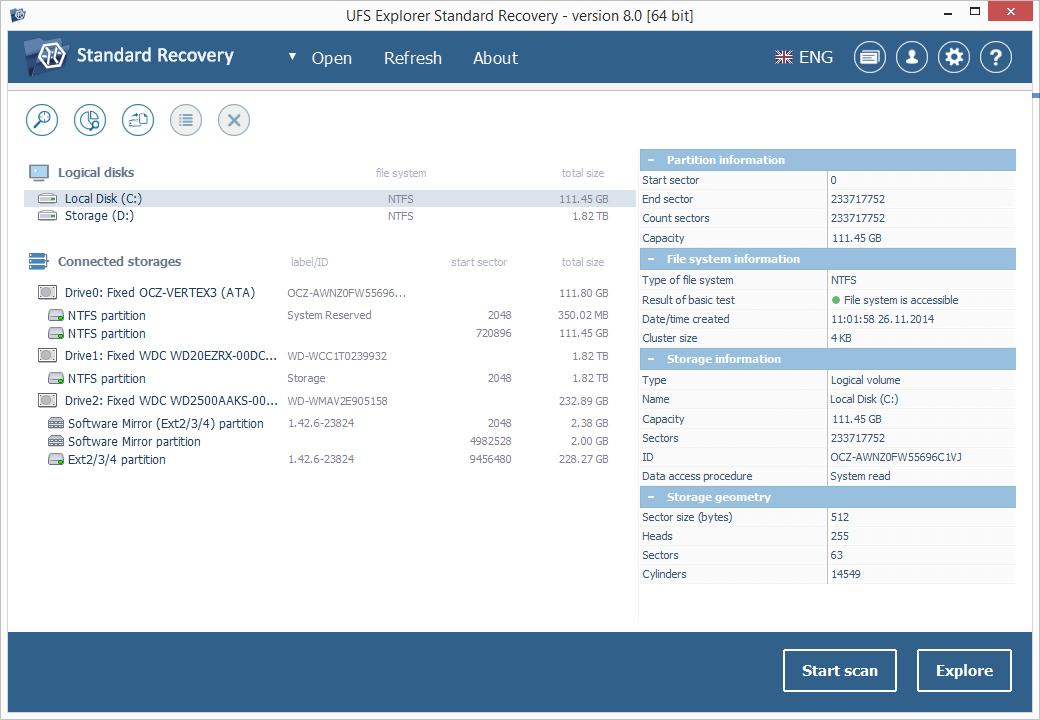
UFS Explorer Standard Recovery embraces sophisticated techniques that make it easy to recover accidentally deleted files and data lost due to logical damage after formatting, hardware or software crashes, malware attacks, etc. The program supports a wide range of file systems used in different environments, including Windows (FAT/FAT32/exFAT and NTFS), macOS (APFS, HFS+), Linux (XFS, Ext2, Ext3, Ext4, Linux JFS, ReiserFS, UFS/UFS2, big-endian UFS, Btrfs) and BSD/Solaris (UFS, simple ZFS volumes), and provides means for the immediate decryption of volumes encrypted by APFS or BitLocker. Spanned volumes created with mdadm, LVM, Apple Disk Utility, LDM and others are automatically recognized and assembled by the software, without any additional user actions. The application is capable of restoring files from different devices, like your PC, USB flash drive, memory card, external hard drive, etc. In addition to that, it effectively works with disk images and virtual disks created by major virtualization software, like VMware, Hyper-V, VirtualBox, performing equally successful data recovery from both physical and virtual storages. Moreover, the application is enhanced with various supplementary possibilities. It displays the state of the recovered files, offers an advanced file search and filters, allows previewing files of common types and sorting them by different criteria. Furthermore, the utility enables the user to select the method of disk access and define a timeout for cases when reading fails due to an I/O device error. The embedded disk imager allows adjusting the imaged area and such parameters as reading timeout, block size, direction, protocol, etc. A set of rules can also be specified for skipping damaged blocks. UFS Explorer Standard Recovery applies the most advanced algorithms to scan the device for lost data and recovers lost and deleted files while working in a safe read-only mode, which prevents any modifications to the initial storage content.

UFS Explorer Network RAID 9.5

Type: Shareware
Cost: $239.95
Size: 17.96 MB
Release date: Feb 15 2022
Platform: Win2000,WinXP,Win7 x32,Win7 x64,Windows 8,Windows 10,WinServer,WinOther,WinVista,WinVista x64
Publisher’s Site:  https://www.sysdevlabs.com
Publisher’s Product Page:  https://www.ufsexplorer.com/ufs-explorer-network-raid.php
Country: Ukraine


UFS Explorer Network RAID

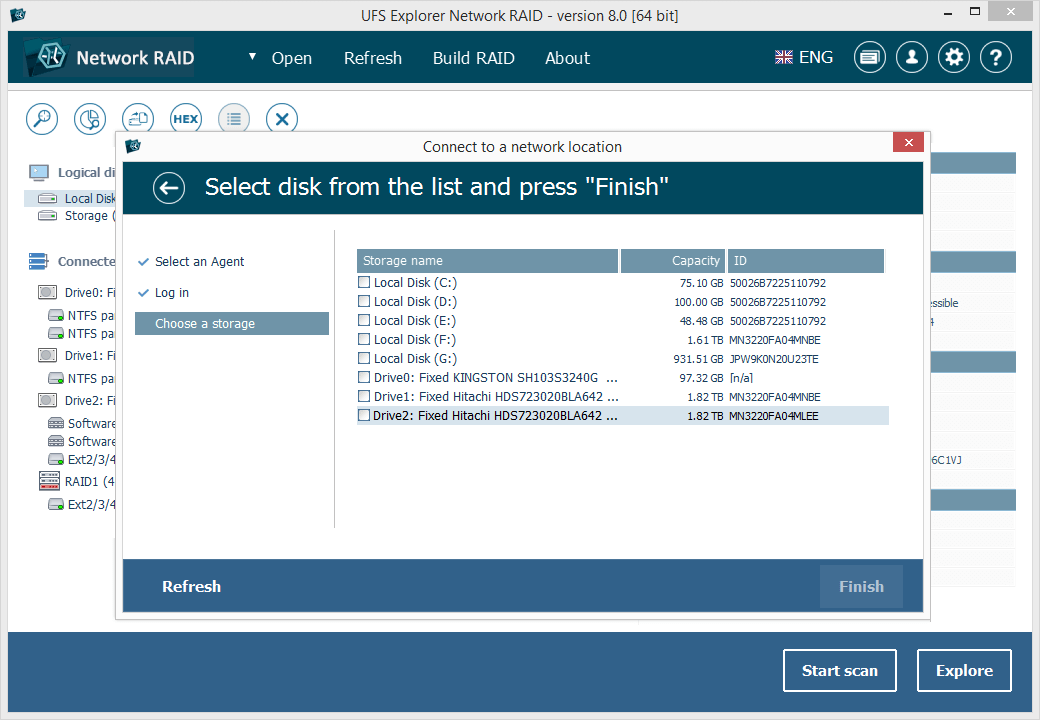
UFS Explorer Network RAID is an advantageous software product suitable for both local and distributed data recovery over LAN from a linear storage medium or complex RAID system. The program allows restoring files from any storage attached to another remote computer, even if it is running a different operating system, and makes it possible to assemble RAID from drives connected to two or more PCs. RAID sets of various complexity are supported, including standard RAID patterns, nested/hybrid RAID levels and custom RAID configurations. A flexible RAID builder with an embedded script handler makes it easy to define and modify RAID configurations, while a hexadecimal viewer allows analyzing raw data of partitions and drives. In addition to RAID, the application works with PCs, laptops, USB flash drives, memory cards, external hard drives, virtual disks of VMware, Hyper-V, VirtualBox, QEMU, XEN, Parallels and disk image files of various formats. The software supports a wide range of file systems of Windows (NTFS, FAT, FAT32, exFAT), macOS (HFS+, APFS), Linux (Ext2, Ext3, Ext4, XFS, JFS, ReiserFS, UFS/UFS2, Btrfs), BSD/Solaris (ZFS) and is capable of handling a variety of modern storage technologies, like mdadm and LVM, Windows dynamic disks and MS Storage Spaces, Apple Software RAID and Fusion Drive, Drobo BeyondRAID, Synology Hybrid RAID and Btrfs-RAID, BitLocker and APFS encryption, etc. UFS Explorer Network RAID provides direct access via LAN and allows recovering data from drives containing bad sectors connected via a DeepSpar Disk Imager device. In addition to that, the software features various options for work with damaged drives. It allows configuring parameters for access and usage of a storage device, creating a full or partial disk image with various settings and rules for processing bad blocks. Drives and arrays with bad blocks can be handled using bad sector maps generated during imaging, through recognition of a given pattern or created by third-party tools.