Unlock_ALD 1.0

Type: Shareware
Cost: $57
Size: 11.09 MB
Release date: Jan 12 2022
Platform: Win2000,WinXP,Win7 x32,Win7 x64,Windows 8,Windows 10,WinServer,WinOther,WinVista,WinVista x64
Publisher’s Site:  http://www.pdf-analyzer.com
Publisher’s Product Page:  https://www.is-soft.de/pdfanalyzer/mprod26.html
Country: Germany

Unlock_ALD

Purpose of application:
If a pdf-form – originally created by an Adobe product – was processed and modified by an external third party tool it’s possible that an error message will raise while opening the form with the Acrobat Reader like:
"This document enabled extended features in Adobe Acrobat Reader. The document has been
changed since it was created and use of extended features is no longer available. Please
contact the author for the original version of this document.".
Now this form can’t be used as a form – now it’s only a simple document.


There are no such problems using our Unlock_ald first!
After converting a pdf-form created by an Adobe product – for example the LiveCycle Designer – with Unlock_ald… the converted pdf-form can be used with any third party tool/sdk without any further problems while using it again with the Adobe Reader or other Adobe products later.

As an internal addon you’re able to strip any rights from a pdf-file – even if a main password is set.
A user password can prevent from doing this but you’ll rarely find a file with a user password set ;-)

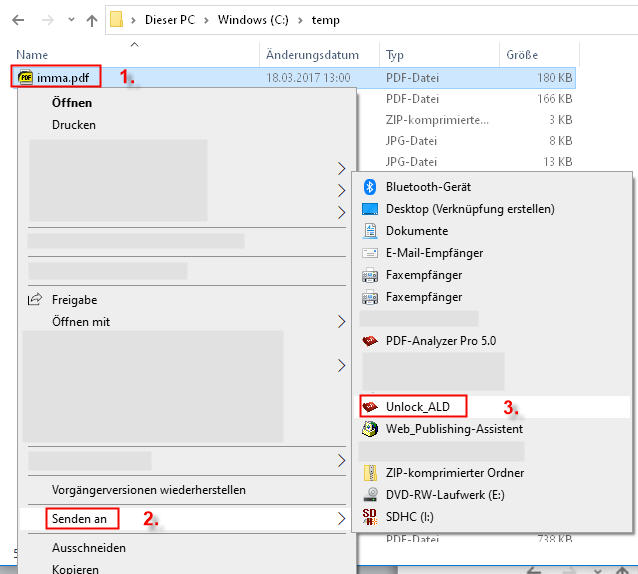
Unlock_ALD comes along as a console application (exe) for windows – so it can be used in nearly any programming language, script-/batch-language, manually on the commandline or via explorer context "send to"…
The package contains two versions 32 bit and 64 bit.

Graphcat<

Aiseesoft Screen Recorder 2.2.66

Type: Shareware
Cost: $25
Size: 2.05 MB
Release date: Nov 23 2021
Platform: Win2000,WinXP,Win7 x32,Win7 x64,Windows 8,Windows 10,WinServer,WinOther,WinVista,WinVista x64
Publisher’s Site:  https://www.aiseesoft.com/
Publisher’s Product Page:  https://www.aiseesoft.com/screen-recorder/
Country: China


Aiseesoft Screen Recorder

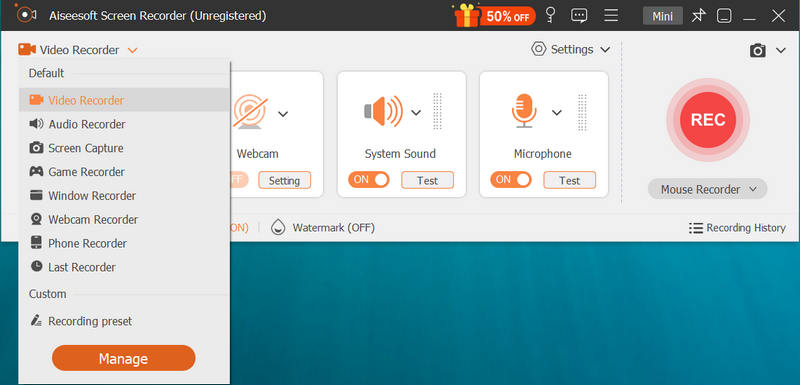
Aiseesoft Screen Recorder helps to capture almost any video played on your computer, including 4K videos. You can use this screen capture software to record various kinds of videos, like movies, video conference, video tutorials, gameplay, video calls, etc. When you record the screen, you can choose to record the sound of the video itself or record your own voice through microphone.

Key features:

1. Record any video on your computer
Aiseesoft Screen Recorder is a professional video recording application. With this recording software, you don’t have to buy another downloader because it will save more time and bandwidth to record than download. It is more powerful than downloader because it can save more, including game play process, video meetings and video/audio calls, etc. It even enables you to record 4K videos.

2. Record any audio source as you like
When you record a video, you can choose to record the voice of the video itself by using the system audio or record your own voice by enabling microphone voice. The former one fits for recording movies while the latter one is fit for making video presentations. If you want to record a video meeting, you should turn both on. Now, you can choose H.265 video codec, which can let you save your screen in high quality.

3. Edit recording and snapshots
This screen recording tool also carries lots of necessary editing features to help you get a preferred output file. You can add arrow, text, line, rectangle, ellipse and more while recording, clip recorded video/audio, trim recorded video or audio file freely to only save the useful part. You can also put your personal labels like new arrow, line, text and more on snapshot.

4. Phone Recorder
The newly-added function, Phone Recorder, allows you to mirror your iPhone screen to computer to record any video and audio from your iPhone on your computer screen.

JRiver Media Center 28.0.94

Type: Shareware
Cost: $59.98
Size: 38.67 MB
Release date: Dec 09 2021
Platform: Win2000,WinXP,Win7 x32,Win7 x64,Windows 8,Windows 10,WinServer,WinOther,WinVista,WinVista x64
Publisher’s Site:  https://www.jriver.com
Publisher’s Product Page:  https://www.jriver.com
Country: United States of America


JRiver Media Center

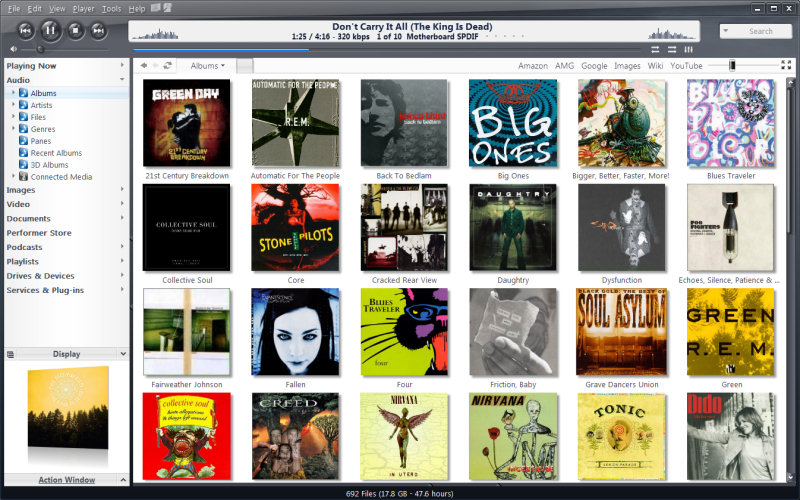
High quality media solution for large libraries. Organize, play, tag all types of media files. Rip, Burn, serve to Xbox, PS3, UPnP, DLNA, TiVo. Audiophile quality, DSD, madVR, Ten foot mode, remote control, HD TV recording in real time. Customizable media views. 3D views. Supports iPods, cameras, 90+ media file formats. Integration with Facebook, Flickr, Audible, Amazon MP3, Google, Youtube, Wikipedia, Hulu, Last.FM, Twitter. Cover art lookup.

Three skinned interfaces. A Visualization Studio feature lets you create your own visualizations, and a DSP Studio allows personalization of the listening environment. Media Scheduler for sleep, alarm and recording functions, Media Editor for editing sound files. Smartlists based on rules. Drag-and-drop for easy Playlist creation. Unique media browsing views for faster, easier and more powerful file search and play. Tagging studio. Integrated CD labeler. Support for CD and DVD database and support for popular handheld players, Sony PSP and PlaysForSure devices.