VideoSolo DVD Creator 1.2.58

Type: Shareware
Cost: $34.95
Size: 66.44 MB
Release date: Nov 06 2018
Platform: Win2000,WinXP,Win7 x32,Win7 x64,Windows 8,Windows 10,WinServer,WinOther,WinVista,WinVista x64
Publisher’s Site:  https://www.videosolo.com/
Publisher’s Product Page:  https://www.videosolo.com/dvd-creator/
Country: United States of America


VideoSolo DVD Creator

If you have been thinking of creating your own DVD, now it’s time to give it a start with the help of VideoSolo DVD Creator. VideoSolo DVD Creator can convert almost all popular video formats including AVI, MPEG, 3GP, MP4, VOB, FLV, M2TS, MTS, TS, SWF, MKV, MPG, MOV, QT, RMVB, etc. to DVD disc/folder/ISO file.


With this program, home-made movies or videos downloaded from online websites can be burned into DVD. Besides, this program supports creating different DVD types, like DVD-5/9, etc. The illustrated toolbar on VideoSolo DVD Creator gives users the immediate opportunity to get started straight away, regardless of their level of experience.

You can burn your DVD in just three steps: import media files customize your own DVD menu start DVD burning. It offers a variety of diversified and fabulous DVD menu templates for you to choose from, such as holiday, family, wedding, and more. After choosing the menu template your like, you can edit the menu text content and define its font, size, color. What’s more, you can set the background music, background picture, and the opening film with your local music, picture, and video separately. Or if you don’t need a menu, there’s a No Menu option provided. In addition, VideoSolo DVD Creator is designed with a powerful video editing feature which makes it easy for both pros and beginners to create professional-looking DVDs. It lets you adjust video effects, such as brightness, saturation, hue, volume, and contrast. It also has the ability to trim the video length, crop video, change the aspect ratio, set position and transparency and add text or image watermark to the video. You can preview your DVD video before burning it to ensure all goes as you want.

In conclusion, VideoSolo DVD Creator is a fully packed DVD burning software with numerous features and options to customize your own custom DVDs. It is one of the best DVD-burning software. Supported OS: Windows 10, Windows 8, Windows 7, Windows Vista, Windows XP

Graphcat<

Apeaksoft Blu-ray Player 1.1.18

Type: Shareware
Cost: $39.20
Size: 1.75 MB
Release date: Jan 18 2022
Platform: Win2000,WinXP,Win7 x32,Win7 x64,Windows 8,Windows 10,WinServer,WinOther,WinVista,WinVista x64
Publisher’s Site:  https://www.apeaksoft.com/
Publisher’s Product Page:  https://www.apeaksoft.com/blu-ray-player/
Country: China


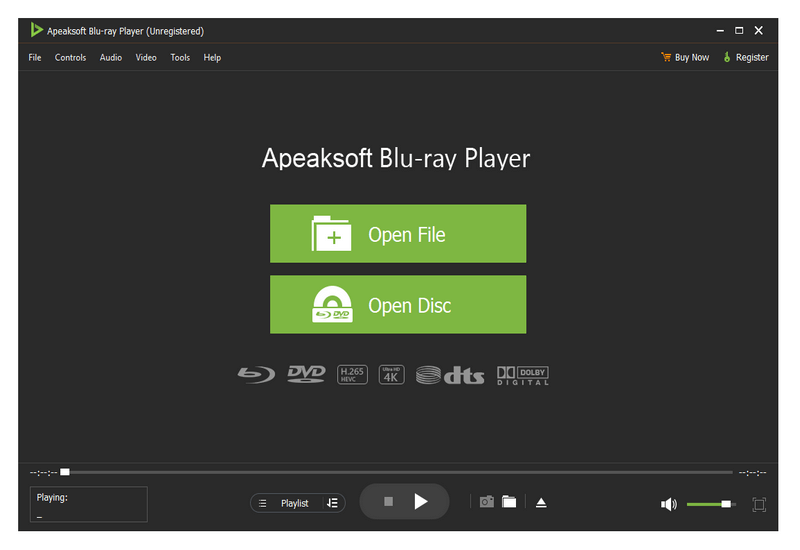
Apeaksoft Blu-ray Player

Apeaksoft Blu-ray Player can play DVD/Blu-ray disc/folder/ISO files with high image quality. Meanwhile, it can also support 4K and 1080p HD videos. Besides, it allows you to play common videos including MP4, MOV, AVI, M4V, MPEG, MKV, FLV, etc. This magical software also enables you to select your needed audio track, subtitle track as well as the video track.

Key functions:

1. Play DVD/Blu-ray disc/folder/ISO files with perfect effect
This professional Blu-ray Player can play DVD/Blu-ray disc/folder/ISO files with high-quality and it would bring you wonderful watching experience.

2. Play 4K videos, 1080p HD videos and common videos
With the assistance of Apeaksoft Blu-ray Player, you can play your 4K videos like 4K H.265 MP4, 4K H.264 TS, 4K MKV and others with high-quality. Furthermore, it is able to play 1080p videos like HD AVI Video (.avi), HD H.264/MPEG-4 AVC Video (.mp4), HD MKV Video Format (.mkv), HD MOV Video (.mov) and so on. Meanwhile, it can also play common videos like MP4, MOV, AVI, M4V, MPEG, MKV, FLV, TS etc.

3. Region free and various playback modes
As we all know that more and more Blu-ray discs have a region code, Apeaksoft Blu-ray Player could do you a favor in this case. With it, you could play any Blu-ray disc for region free. In addition, it provides various playback modes for users. When watching videos, you could change the screen size and move to the chapter or part you want to watch according to your need.

4. Customize your watching experience
This Blu-ray player software also allows you to adjust image and audio effect. You are able to change audio track, audio channel and audio device to get better audio effect. You can also choose video track or subtitle.

Apeaksoft Blu-ray Player for Mac 1.1.58

Type: Shareware
Cost: $39.20
Size: 36.84 MB
Release date: Jan 25 2022
Platform: Mac OS X,
Publisher’s Site:  https://www.apeaksoft.com/
Publisher’s Product Page:  https://www.apeaksoft.com/blu-ray-player/
Country: China


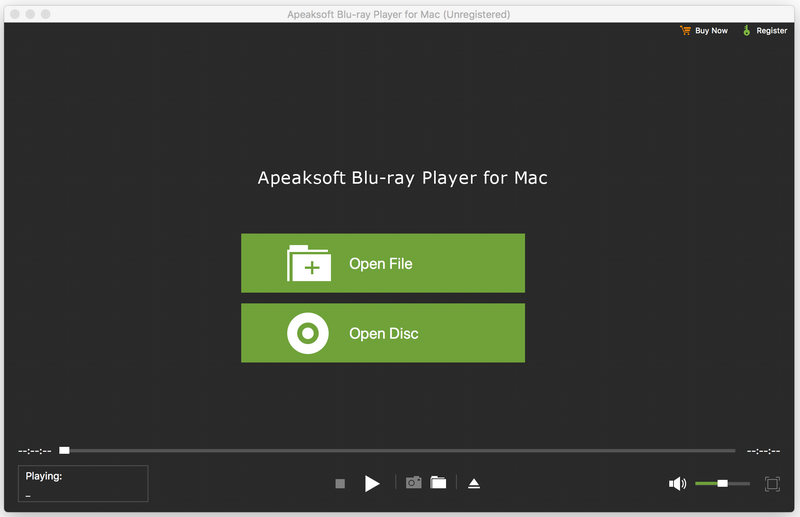
Apeaksoft Blu-ray Player for Mac

Apeaksoft Blu-ray Player for Mac allows you to enjoy Blu-ray disc/folder/ISO files with lossless quality on Mac. Apart from that, it enables you to play 4K UHD, 1080p/720p HD and SD videos including HD MPG, HD MPEG, HD MPEG2, HD MPEG4, HD MP4, QuickTime HD MOV and common video files like MP4, MTS, MKV, AVI, FLV, MOV and more. Moreover, it enables you to choose your needed video and audio track. You can also choose your needed language as you like.

Key functions:

1. Play any Blu-ray disc/folder/ISO files on Mac
This Blu-ray Player enables you to play any 2D/3D Blu-ray disc, Blu-ray folder/ISO image files with high quality of video and audio. So you can enjoy your videos with perfect image quality.

2. Play any video like 4K UHD, 1080p/720p HD and SD, MP4, MOV, etc.
This professional Mac Blu-ray Player can also play 4K UHD, 1080p/720p HD and SD videos for better watching experience. You can enjoy any HD videos like HD AVI, HD H.264/MPEG-4 AVC, HD MKV, etc. Meanwhile, you can play common videos like MP4, MOV, M4V, MKV, AVI, WMV, TS, etc. on Mac.

3. Choose your needed video and audio track
With this Blu-ray Player for Mac, you can set the most suitable subtitle track by clicking video, and then clicking video track. You can also click audio, and then choose your needed audio track, audio channel and audio device.

4. Wonderful user experience
Apeaksoft Blu-ray Player for Mac is an easy-to-use media player program. Its simple operation steps let you use it easily without any confusion.