FonePaw HEIC Converter Free 1.5.0

Type: Freeware
Cost: $0
Size: 12.30 MB
Release date: Jan 22 2019
Platform: Win2000,WinXP,Win7 x32,Win7 x64,Windows 8,Windows 10,WinServer,WinOther,WinVista,WinVista x64
Publisher’s Site:  http://www.fonepaw.com/
Publisher’s Product Page:  https://www.fonepaw.com/heic-converter/
Country: Hong Kong

FonePaw HEIC Converter Free

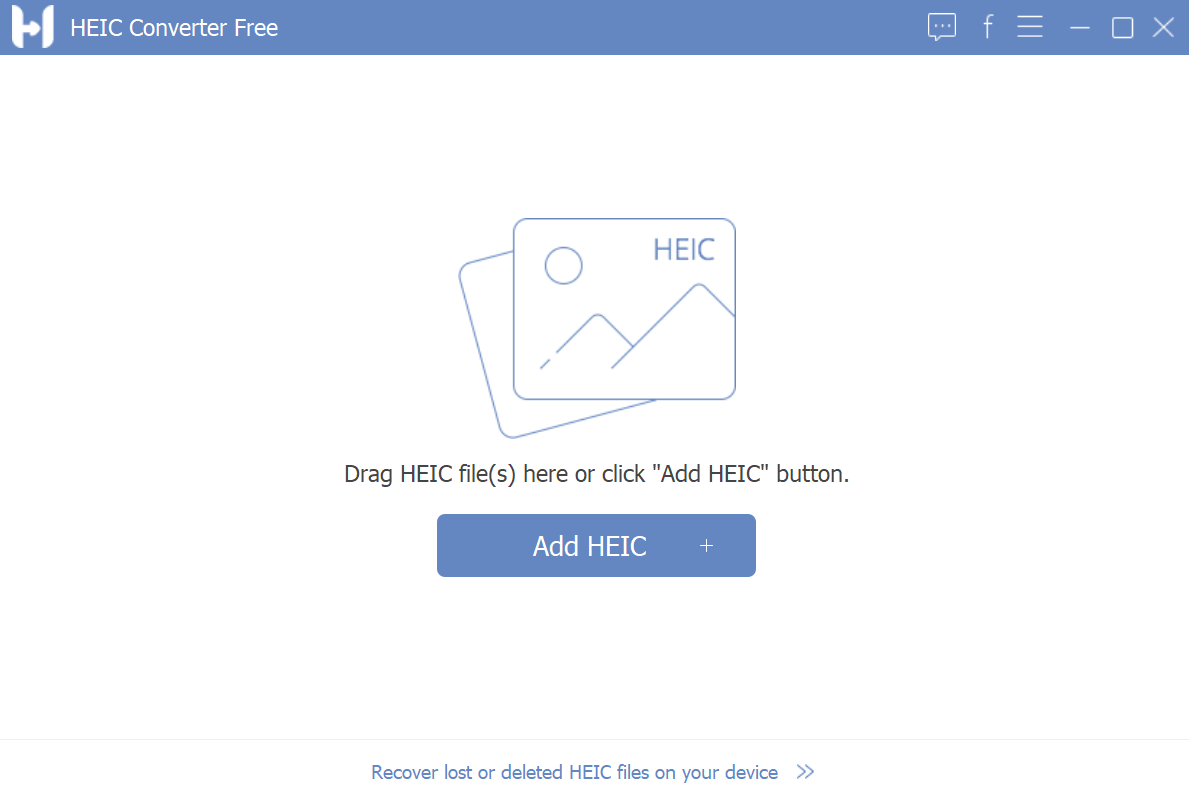
HEIF/HEIC is Apple’s new image format, which takes less space but keeps good image quality. It only available on Apple devices with latest iOS 11 and latest macOS while the older macOS versions or iOS or Windows is not supported. To make them recognized on Windows and viewed on any device, FonePaw HEIC Converter is an offline file converter to meet your need.Without any steps to get the license code or waiting for a long time to register, just begin to use after downloading. Just add the .heic files and then select output path and ideal format. Wait for seconds and the HEIC conversion is completed. Thus, you can view those HEIF photos as .jpg/.png on Windows or Android phones.

Graphcat<

FTPGetter Professional 5.97.0.255

Type: Shareware
Cost: $85
Size: 18.78 MB
Release date: Jan 12 2022
Platform: Win2000,WinXP,Win7 x32,Win7 x64,Windows 8,Windows 10,WinServer,WinOther,WinVista,WinVista x64
Publisher’s Site:  http://www.ftpgetter.com
Publisher’s Product Page:  http://www.ftpgetter.com
Country: Ukraine


FTPGetter Professional

With FTPGetter Professional, users have an simpler way to get to files from a server using an FTP/SFTP client. Normally, their only option is to manually log in and move, check, or add files. This can be time-consuming for any worker and is not the most efficient use of time. Plus, users who need to stay abreast of the most recent file changes and updates can easily miss them when having to search for them manually. The FTPGetter Professional program will automate FTP and SFTP transfers so this time-consuming manual approach becomes a thing of the past. The application allows users to set up tasks, such as synchronizing the files on the server with those in the user’s local folder, and schedule their frequency (once per day, several days per week, etc.). Then the software takes care of the tasks while the worker goes about their normal routine. The ability to automate FTP and SFTP transfers also means users can stay up to date with the files more simply and can even send or receive email notifications when specific jobs are finished. The easy-to-use interface of the software is another bonus. Users can set up and schedule tasks with a few clicks of the mouse. Wizards incorporated into the program make this part of the set-up a breeze even for novice users. This will be a relief to the end users, as well as to the organisation’s IT department. Using an FTP/SFTP client to access server files is a good idea, particularly in a business setting, but the FTPGetter Professional software allows that good idea to be implemented more efficiently.

Outlook4Gmail 5.4.0

Type: Shareware
Cost: $28.98
Size: 15.88 MB
Release date: Nov 02 2021
Platform: Win2000,WinXP,Win7 x32,Win7 x64,Windows 8,Windows 10,WinServer,WinOther,WinVista,WinVista x64
Publisher’s Site:  https://scand.com/
Publisher’s Product Page:  https://outlook4gmail.scand.com/
Country: Belarus


Outlook4Gmail

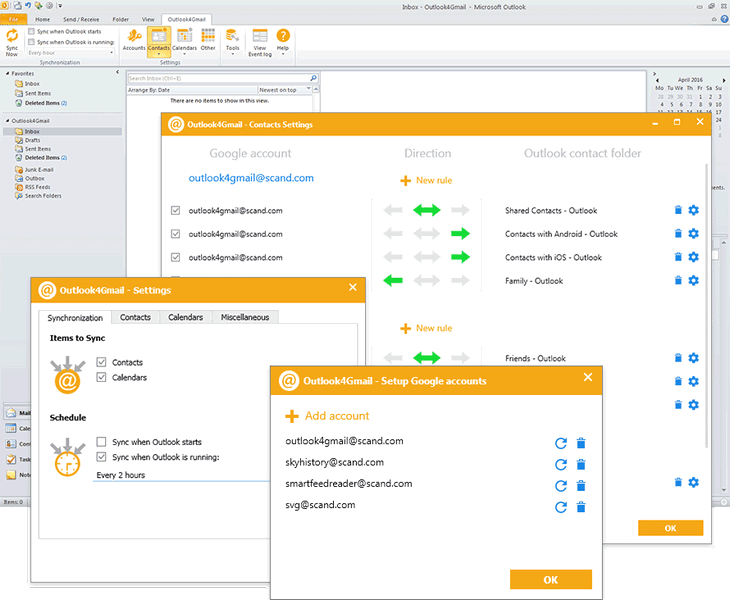
Outlook4Gmail is an Outlook add-in that helps you to perform Google calendars sync with Outlook as well as the contacts and tasks sync. It is a perfect syncing tool for Outlook users who have one or multiple Google accounts.


This plug-in supports synchronizing of Outlook and Google contacts with maximum details: Name, Company, Phones, Emails, Addresses, Dates, Persons, Notes, Contact Picture, Categories and Google Groups, etc.

Outlook4Gmail provides various ways of syncing Calendars: Import a calendar from Google into Outlook, Export an Outlook calendar to Google, Syncing existing calendars, Creating new calendars, etc.

In addition to contacts and calendars syncing, Outlook4Gmail also provides the synchronization of Google tasks with Outlook tasks folders. You could sync multiple Outlook tasks folders and subfolders with Google task lists. Synchronization of Outlook recurrent tasks is also supported.

Outlook4Gmail allows to automate synchronization with help of automatic check-up for contacts updates by time interval (every 30 minutes, every hour or every 2, 4, 8, 12, 24 hours). All you need is to configure the settings just once and that would be enough for the add-in to update your contacts information automatically without any efforts from user.

What’s more, Outlook4Gmail supports synchronizing of multiple Google accounts. Apart from synchronization of Google contacts and calendars, the add-in synchronizes Outlook contacts and appointments to Google as well. When you select two-way synchronization, the data will be read in two iterations and contacts will be synchronized both for Outlook and Google accounts.

If you use Outlook for more than one work and personal stations you can easily synchronize all clients by completing of two-way synchronization of Outlook clients with the required number of Google accounts.