SentiVeillance SDK Trial 8.1

Type: Shareware
Cost: $865
Size: 3.29 GB
Release date: Feb 21 2022
Platform: Win2000,WinXP,Win7 x32,Win7 x64,Windows 8,Windows 10,WinServer,WinOther,WinVista,WinVista x64
Publisher’s Site:  http://neurotechnology.com/
Publisher’s Product Page:  http://www.neurotechnology.com/sentiveillance.html
Country: Lithuania

SentiVeillance SDK Trial

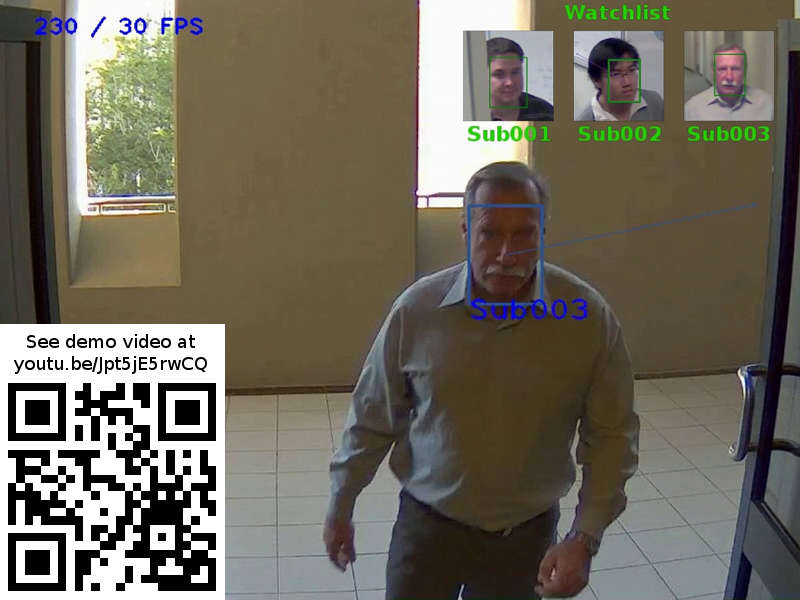
Real-time biometric facial recognition and pedestrian or vehicle tracking in live video streams. Available as SDK (software developing kit) for technology integration into small and large surveillance systems.


The proprietary technology provides automatic operation with multiple face detection, tracking, persons’ gender determination, mask wearing detection, enrollment and identification. Vehicle make and model estimation. Vehicle orientation angle estimation. Automatic license plate (number plate) recognition (ALPR/ANPR). Cloth and gender estimations for pedestrians, including face mask and partial or full nudidity detection.

Can be used in law enforcement, security, attendance control, visitor counting, traffic monitoring solutions.
Some applications may require to enroll the users in advance (such as list of employees or watch-list of unwanted persons or suspect criminals), whereas other just work on the general public passing by (i.e. detect if passers-by draw attention to certain ads or billboards).

The SDK allows to create networked applications and systems with multiple cameras and data processing nodes on Windows and Linux platforms.
Includes programming samples in Java, .NET, C, as well as all necessary components (the biometric technology, camera support, network synchronization).

The trial requires constant Internet connection.

Graphcat<

Nero Platinum Suite 24.5.63

Type: Shareware
Cost: $49.95
Size: 145.96 MB
Release date: Mar 17 2022
Platform: Win2000,WinXP,Win7 x32,Win7 x64,Windows 8,Windows 10,WinServer,WinOther,WinVista,WinVista x64
Publisher’s Site:  http://www.nero.com
Publisher’s Product Page:  http://www.nero.com/eng/products/nero-platinum/
Country: Germany


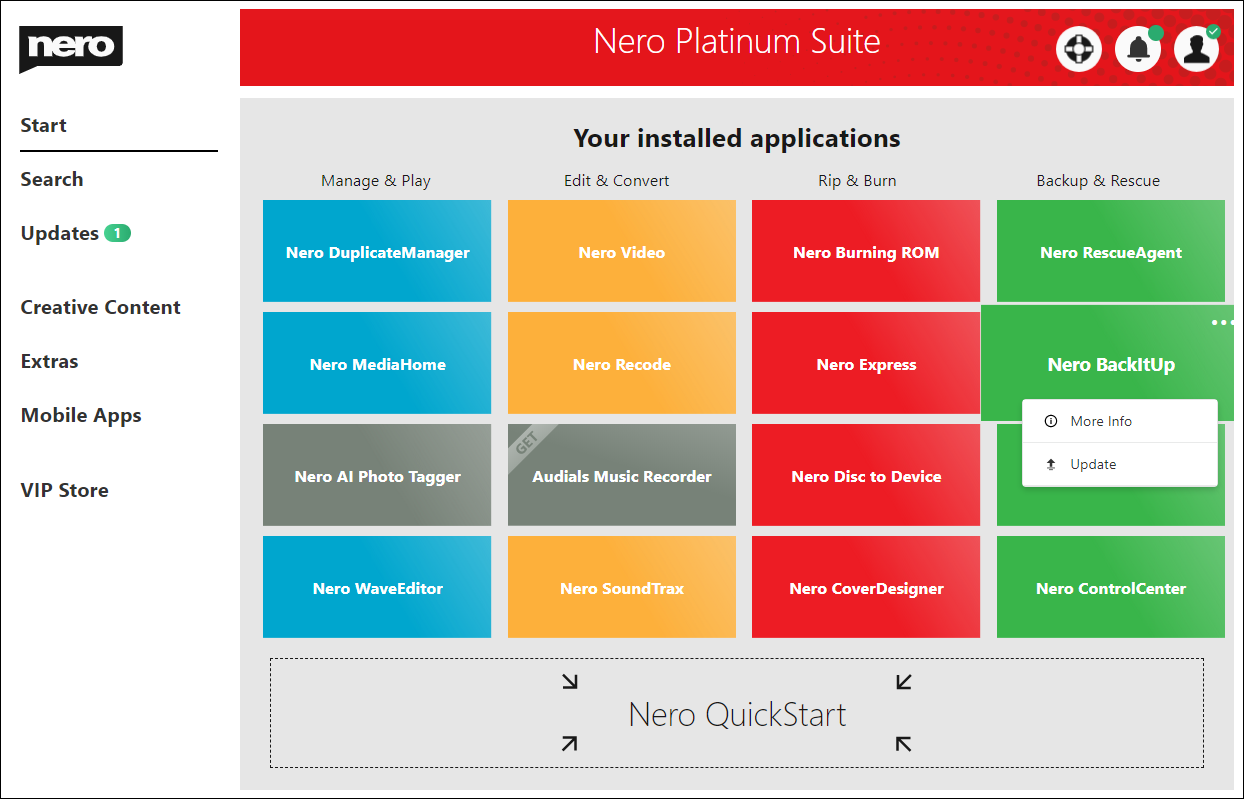
Nero Platinum Suite

Nero DuplicateManager Photo cleans your photo archive quickly and reliably.

Nero BackItUp
Nero BackItUp quickly and easily backs up your valuable data to an external hard drive, optical media, or the cloud.

Nero Video
Nero Video leaves nothing to be desired when it comes to creating videos and slideshows in an easy, fast and professional way. Get sharper than reality with the 8K playback feature.

Nero Recode
Nero Recode converts and rips videos and music to all standard formats for your mobile devices.

Nero MediaHome
Nero Media Home is the ultimate media organizer. Now featuring a world first: the Nero AI Photo Tagger.

Nero Burning ROM
Nero Burning ROM is still the #1 software for burning and copying data, video, photos, and music to CD, DVD, and Blu-ray Discs.

Aiseesoft Burnova 1.3.86

Type: Shareware
Cost: $23.20
Size: 1.95 MB
Release date: Apr 28 2022
Platform: Win2000,WinXP,Win7 x32,Win7 x64,Windows 8,Windows 10,WinServer,WinOther,WinVista,WinVista x64
Publisher’s Site:  https://www.aiseesoft.com/
Publisher’s Product Page:  https://www.aiseesoft.com/burnova/
Country: China


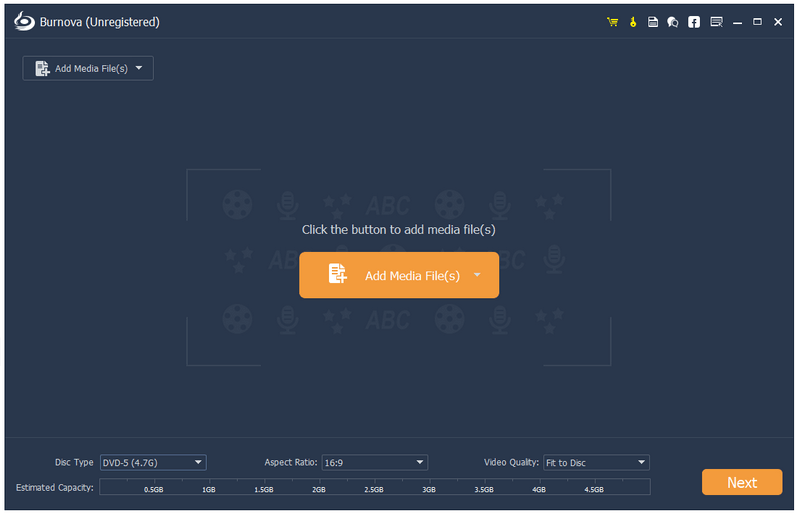
Aiseesoft Burnova

Aiseesoft Burnova is compatible with almost all video formats for DVD/Blu-ray making. You are able to import videos in MP4, AVI, WMV, MKV, M4V, MOV, M2TS/MTS, 3GP, VOB, FLV, MPEG, MPG, DV, RMVB, TOD, ASF, etc. formats, even HD video files are supported. It lets you add external audio track from MP3, AAC, AIFF, FLAC, WAV, WMA, OGG, AC3, MPA, MP2, etc. audio files to make your own video.

Key Features:

1. Create various video files to DVD/Blu-ray disc/folder/ISO files
Aiseesoft Burnova enables you to burn any popular video to DVD/Blu-ray disc/folder and ISO files. And there are two Blu-ray types for you to choose: BD-25 and BD-50. You can also burn movies to various DVD types, like DVD-R, DVD+R, DVD-RW, DVD+R DL, DVD-R DL, DVD-5, DVD-9, etc.

2. Burn DVD/Blu-ray with various menu templates
Burnova provides you with various templates (holiday, family, travel, wedding and more styles) to specify your different types of movies or videos. You can also add your own images as the background to tell your own story for the video. For the title, menu and play button, you are allowed to edit or drag the buttons to the place you want. For the opening film, you are capable of importing your favorite video clips.

3. Edit videos before burning
Before you burn your video or movie to a DVD or Blu-ray disc, you are allowed to edit the video effects by rotating, flipping, adjusting brightness and contrast, adding watermark etc. to make your video more perfect.

4. Add and set audio track/subtitle
Users can add audio track and subtitle to the Blu-ray/DVD. It’s also possible to add your own audio track.