BestCrypt Volume Encryption 5.05

Type: Shareware
Cost: $99.50
Size: 46.26 MB
Release date: Jan 13 2022
Platform: Win2000,WinXP,Win7 x32,Win7 x64,Windows 8,Windows 10,WinServer,WinOther,WinVista,WinVista x64
Publisher’s Site:  https://www.jetico.com
Publisher’s Product Page:  https://www.jetico.com/data-encryption/encrypt-hard-drives-bestcrypt-volume-encryption
Country: Finland

BestCrypt Volume Encryption

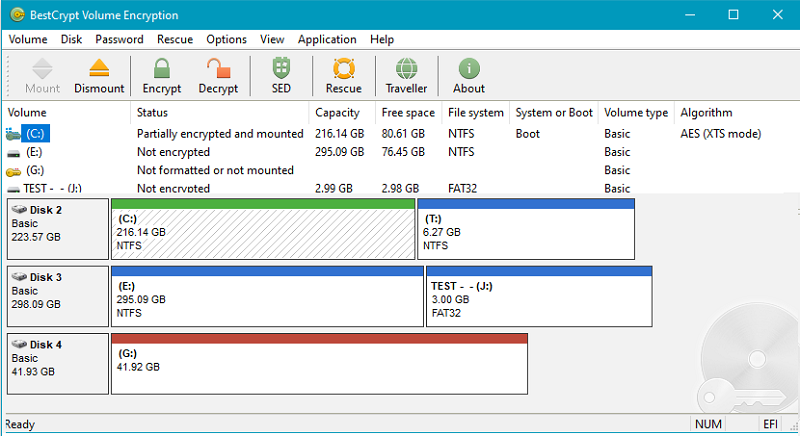
BestCrypt Volume for Disk Encryption protects all data on all types of volumes residing on fixed and removable disks – simple volumes, mount points, multipartition volumes (spanned, mirrored, striped, RAID-5), while also working on UEFI and GPT partitions. Jetico’s encryption software provides protection from physical threats – such as lost computers and USB sticks – to protect your privacy and comply with regulations (HIPAA, PCI). BestCrypt Volume Encryption utilizes a wide variety of algorithms (AES, Twofish, Serpent) and the largest possible key sizes with XTS, LRW encryption modes. By working with volumes, Jetico’s disk encryption is the best TrueCrypt alternative.
Disk encryption features:
– Encrypt system and boot volumes
– Support for UEFI-based computers, including secure boot
– Encrypt RAID and all types of volumes residing on fixed and removable disks
– Pre-boot authentication
– Support for Tokens for secure hardware storage of encryption keys
– Two-factor authentication with removable disk drives
– User-friendly encryption
– Option to boot encrypted volumes only from trusted network
– Support for Trusted Platform Module (TPM) for unattended reboot
– Secure hibernation
– Rescue functions to decrypt volumes in emergency case
– Central management for deployment, monitoring, encryption policy distribution and password recovery (Enterprise Edition only)

Graphcat<

Vivaldi for Windows 64 5.1

Type: Freeware
Cost: $0
Size: 77.81 MB
Release date: Feb 09 2022
Platform: Win2000,WinXP,Win7 x32,Win7 x64,Windows 8,Windows 10,WinServer,WinOther,WinVista,WinVista x64
Publisher’s Site:  http://vivaldi.com
Publisher’s Product Page:  http://vivaldi.com
Country: Norway


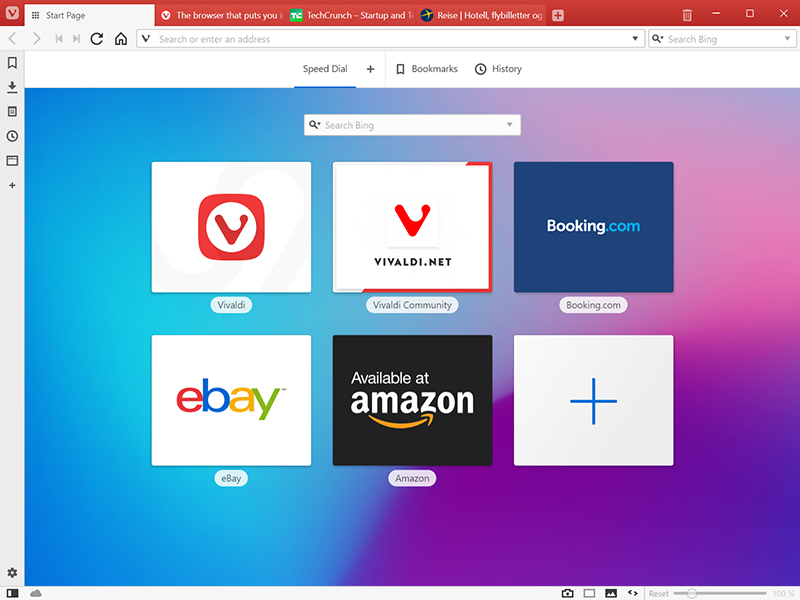
Vivaldi for Windows 64

The Vivaldi browser does not track its users and offers more features than any other modern browser. Steered by Jon von Tetzchner (co-founder of Opera browser), Vivaldi is driven by the real needs of users today and ensures that they have the best tool to browse and do the job.


Users can tailor Vivaldi to suit their browsing needs with no limit to customization options. Vivaldi takes browsing to the next level with its numerous features that give users a more dynamic experience of the web. Vivaldi demonstrates that a browser can be the most useful tool to enhance time spent online and not just a means of accessing web pages.

Some of the highlight features that make Vivaldi a personal, do-it-your-way browser include:

Advanced tab management ability to group, tile, move and pin tabs.
Private and Secure Syncing across computers with end to end encrypted Synchronization.
Side Panel with easy access to bookmarks, downloads, tree-style tab manager, notes, browsing history and websites of users choice.
Built-in functionality such as the screenshot Capture tool, Notes and Image Properties.
Powerful History overview that lets users explore their browsing patterns.
Unique and customizable look and feel of the browser interface with custom Themes and more.
Keyboard Shortcuts and Mouse Gestures for quick browser commands.
Built in e-mail client and calendar.
Built in ad-blocker

For more details, visit https://vivaldi.com

Vidmore DVD Monster 1.0.20

Type: Shareware
Cost: $29.95
Size: 1.60 MB
Release date: Mar 11 2021
Platform: Win2000,WinXP,Win7 x32,Win7 x64,Windows 8,Windows 10,WinServer,WinOther,WinVista,WinVista x64
Publisher’s Site:  https://www.vidmore.com/
Publisher’s Product Page:  https://www.vidmore.com/dvd-ripper/
Country: China


Vidmore DVD Monster

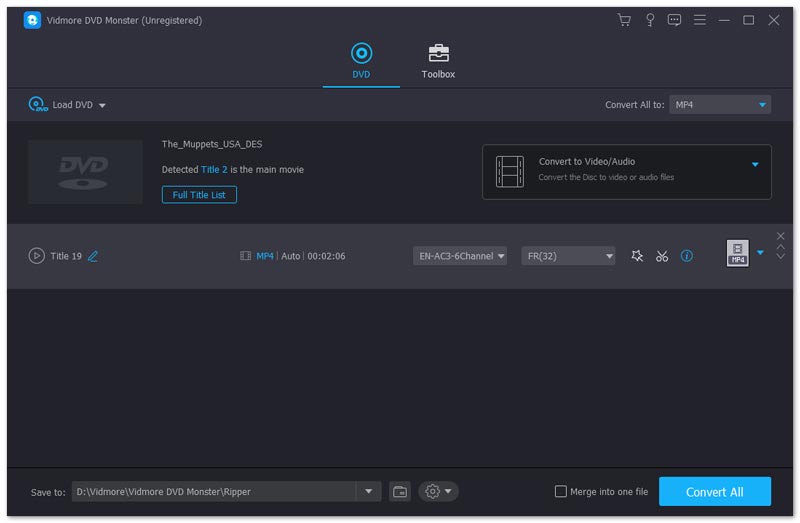
Vidmore DVD Monster could help you a lot if you want to convert your DVD to any other common formats. You could convert your DVD to various video and audio formats. You could also convert it to many kinds of devices, such as iPhone, iPad, Samsung, Huawei, LG, Xiaomi, Sony, Apple TV, Xbox, PS4 and more, so that you could watch it at any time as you like.

Key functions:

1. Convert entire DVD completely
Vidmore DVD Monster could help you convert your DVD to all kinds of formats and devices without losing the original video quality. In addition, during the converting process, it will not lose the DVD file structures, so that you could get an uncompressed and genuine digital copy of the original DVD.

2. Support various formats and devices
With the advanced design, Vidmore DVD Monster supports various video and audio formats, such as MP4, MKV, AVI, MOV, WMV, FLV, WebM, TS, MPG, MP3, M4A, AAC, OGG, WMA, FLAC, WAV and so on. You could also choose to convert it to iPhone, iPad, Samsung, Huawei, LG, Xiaomi, Sony, Apple TV, Xbox, PS4, etc.

3. Edit your DVD
With the powerful edit function, you could merge multiple DVD titles into a single file and adjust brightness, contrast, saturation, hue of the movie picture as well as the sound volume. Adding an external subtitle file and watermark to the DVD is also possible.

4. Other popular tools
Vidmore DVD Monster allows you to compress your video files to the proper size you need. In addition, you are able to enhance your video quality, such as upscaling the resolution, reduce video shaking, etc. Moreover, you could create 3D files or make GIF with your media files.