STOR2RRD 7.20.0

Type: Freeware
Cost: $0
Size: 10.24 MB
Release date: Jun 10 2021
Platform: Linux,Linux Console,Linux Gnome,Linux GPL,Linux Open Source
Publisher’s Site:  https://www.xorux.com/
Publisher’s Product Page:  https://www.stor2rrd.com
Country: Czech Republic

STOR2RRD

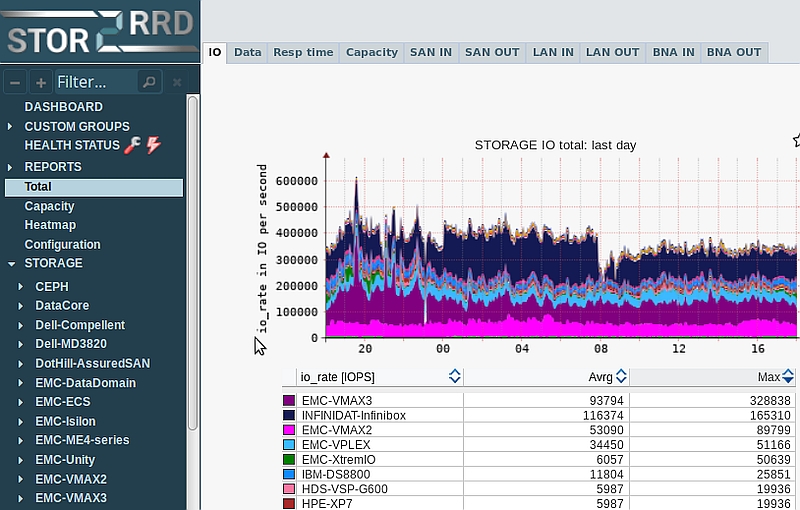
Performance Monitoring Storage, SAN, LAN:IBM,EMC,NetApp,HPE,Hitachi,PowerMax,VMAX,XtremIO,VPLEX,ECS,Unity,VNX,DataDomain,PowerScale,Isilon,Celerra,PowerVault,Nimble,Primera,StorageWorks,XP7,XP8,StoreOnce,StoreVirtual,LeftHand,SolidFire,StorageGRID,FlashSystem,V9000,Storwize,SVC,XIV,A9k,HNAS,HCP,Ceph,DataCore,AssuredSAN,FalconStor,FreeStor,ETERNUS,OceanStor,Dorado,INFINIDAT,InfiniBox,FreeNAS,ZFS,Pure Storage,FlashArray,FlashBlade,QNAP,StorNext,Qumulo,RAIDIX,Synology,Veritas NetBackup,MacroSAN,EqualLogic
The tool offers you end-to-end views of your storage environment including NAS and SAN and can save you significant money in operation monitoring and by predicting utilization bottlenecks in your virtualized environment.
You can also generate policy-based alerts, view overall health status of your systems, reduce service downtime, use capacity and forecasting data, and simplify the identification of virtualization or cloud aspirant.

Graphcat<

PDF-XChange Editor 9.2.359

Type: Shareware
Cost: $46.50
Size: 341.63 MB
Release date: Nov 23 2021
Platform: Win2000,WinXP,Win7 x32,Win7 x64,Windows 8,Windows 10,WinServer,WinOther,WinVista,WinVista x64
Publisher’s Site:  https://www.tracker-software.com
Publisher’s Product Page:  http://www.tracker-software.com/product/pdf-xchange-editor
Country: Canada


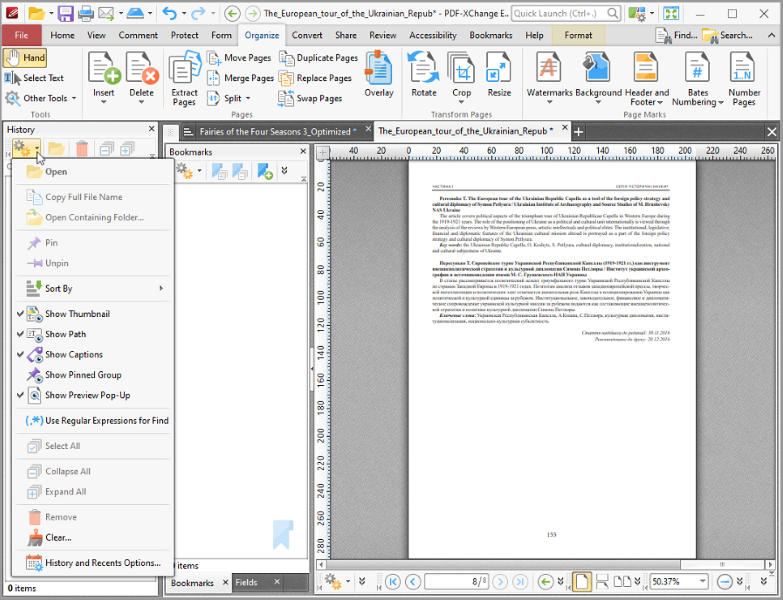
PDF-XChange Editor

Full Page Text Content Editing, Extended OCR options, OCR, Google Drive, One Drive, Microsoft Office, SharePoint, Dropbox, Box.com Support, Spellchecker, Expanded XFA forms support, Listen/add audio comments, Add/Edit/Move Bookmarks, View embedded Multimedia support, Significantly improved rendering and page load speed, New Extended Digital Signature Support, PDF Security Support, Add Comments and Annotations, Add & apply Custom Stamps, Direct Content Editing (Paths & Images), Combine PDFs open/closed pdfs, Import Directly from XPS and other support formats, Bates Numbering, Send PDF files via email, Crop/Insert/Delete Pages, Scan Direct to PDF, Compatible with Windows XP and later, Plug-Ins for both MS IE or Firefox Browser’s, Fastest Document search, Convert PDF to Power Point, Portfolio Create and Support, 3D annotation, Plug-in, PDF Optimization, Full Java-script engine included, Plug-Ins for both MS IE or Firefox Browser’s included, Combine PDFs open/closed pdfs, Import Directly from XPS and other support formats

Print Conductor 8.0.2203

Type: Freeware
Cost: $0
Size: 113.54 MB
Release date: Mar 14 2022
Platform: Win2000,WinXP,Win7 x32,Win7 x64,Windows 8,Windows 10,WinServer,WinOther,WinVista,WinVista x64
Publisher’s Site:  https://www.fcoder.com
Publisher’s Product Page:  https://www.print-conductor.com/
Country: Latvia


Print Conductor

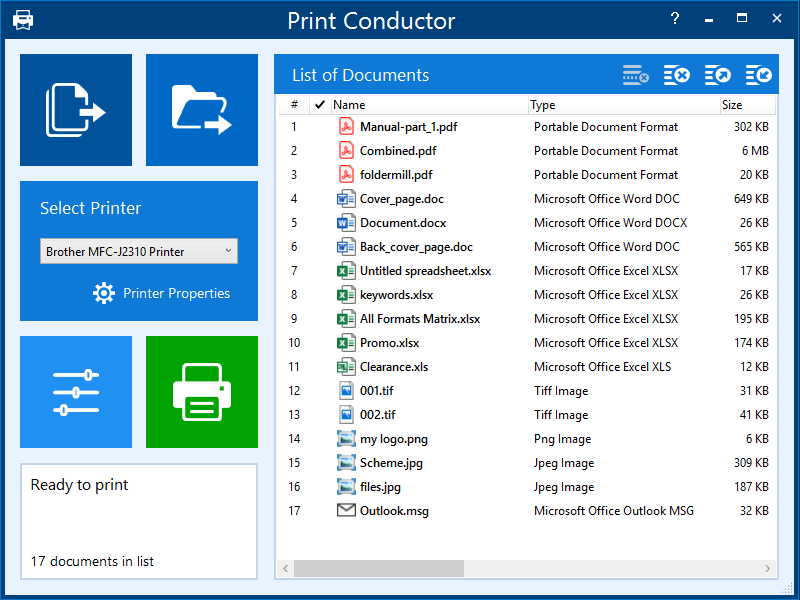
Print Conductor is a batch printing software. If you regularly have to open and print multiple files, this smart tool can be a real time-saver.


Manually printing several files is tedious work – it generally requires opening and printing each file separately in the applications used to create them. Once you add files to print, Print Conductor automates the rest of the process.

Print Conductor is easy to use. Just add files to be printed to the list and click the ‘Start Printing’ button.

All popular file formats are supported: PDF files, plain texts, Microsoft Office and OpenOffice documents and presentations, RTF, HTML, MHT, XML files, AutoCAD, Solidworks and Inventor drawings, Visio charts, Photoshop PSD, JPG, TIFF, PNG, PCX, DCX, BMP and JBIG images, WMF and EMF metafiles.

Print Conductor can batch print large quantities of documents on any type of printer: desktop printers, network printers or virtual printers. If you select Universal Document Converter as a virtual printer to use with Print Conductor, you can batch convert a list of documents, presentations, worksheets or drawings to a variety of other formats: PDF, TIFF, JPEG, PNG, GIF, PCX, DCX, or BMP.

What’s new in version 8.0:
– Printing DOC, DOCX, and RTF files without Microsoft Word
– Printing EML, MSG message files without Microsoft Outlook
– Redesigned Advanced Settings panel with options to export/import current settings
– Ability to set paper source for a specific page range of a document
– Ability to skip repeated pages of documents
– Ability to reverse the order of files in the List of Documents
– Ability to resume printing only when the printer queue is empty
– Ability to process files without extension by checking their signature
– Printing XML and HTML files as source code
– Ability to print HTML files in "fit to page" mode
– Ability to limit the number of copies in a print job
– Other improvements