Datavare Exchange Restore Software 1.0

Type: Shareware
Cost: $499
Size: 24.15 MB
Release date: Feb 09 2021
Platform: Win2000,WinXP,Win7 x32,Win7 x64,Windows 8,Windows 10,WinServer,WinOther,WinVista,WinVista x64
Publisher’s Site:  http://www.datavare.com
Publisher’s Product Page:  http://www.datavare.com/software/exchange-restore.html
Country: South Africa

Datavare Exchange Restore Software

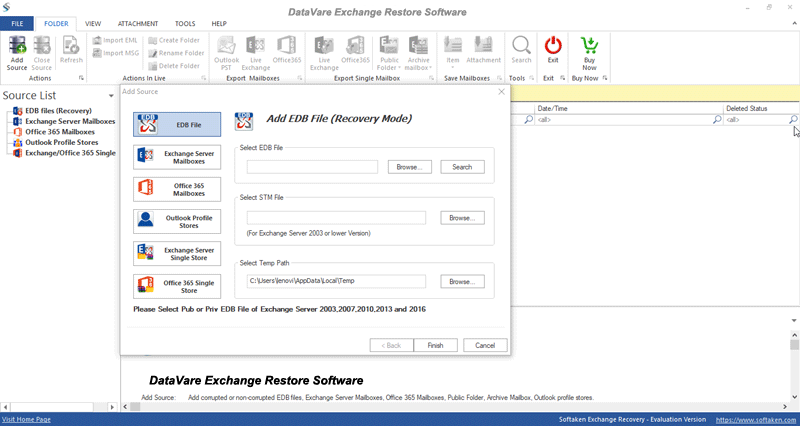
Datavare Exchange Restore Software is a wonderful tool to restore PST data to Exchange Server. In a few simple clicks, PST file items are saved into Exchange Server. Without considering PST file size & type, users can restore PST file to Exchange Server. The program is designed in a manner that all users can effortlessly handle it. All the steps are self-introductory so no hassles are faced by users in operating it. No need for Outlook installation to restore PST to Exchange Server. However, all version PST files are supported by the software. Users are allowed to restore multiple mailboxes from PST to MS Exchange Server with this software. There are date range filters to restored specific data from PST file to Exchange Server. A log report can be saved at the end of the process that will provide complete details of the restoration process. The software smoothly restores all data from PST to MS Exchange Server all versions. It is a safe and smart application that does not misplace or corrupt any file while restoring Exchange database. All the data from PST file is fetched and exported into Exchange Server in its original form. To know the software in detail, one can simply download Datavare Exchange Restore Software free version that allows restoring first 50 items per folder. Users are free to install the software on all versions of Windows such as Windows XP, Vista, 7, 8, 8.1, 10, etc. No interruptions are faced by users in using this program. For any kind of trouble, users are free to connect our support staff 24*7 via emails or live chat. The team resolves all queries of users asap.

Graphcat<

BootIt Collection 1.30-1.78

Type: Shareware
Cost: $39.95
Size: 9.16 MB
Release date: Jan 15 2022
Platform: Win2000,WinXP,Win7 x32,Win7 x64,Windows 8,Windows 10,WinServer,WinOther,WinVista,WinVista x64
Publisher’s Site:  http://www.terabyteunlimited.com
Publisher’s Product Page:  https://www.terabyteunlimited.com/bootit-collection/
Country: United States of America


BootIt Collection

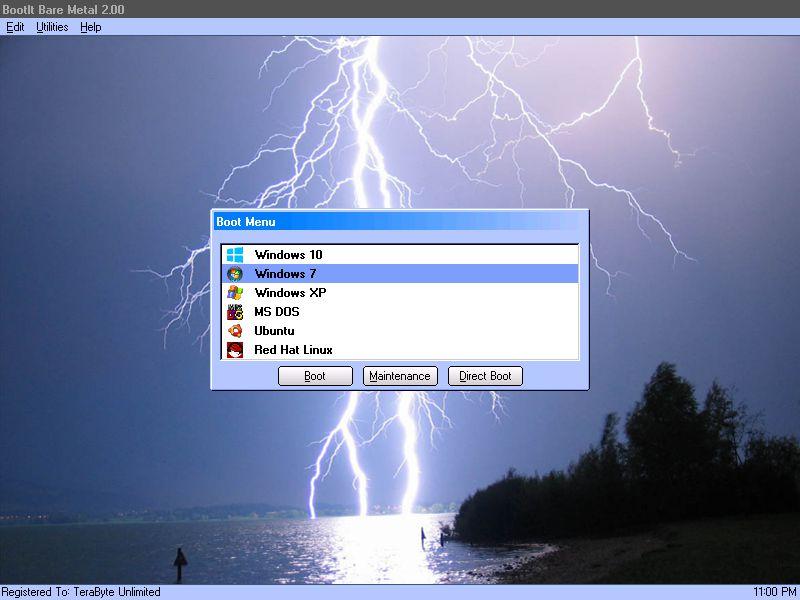
BootIt Collection contains both BootIt Bare Metal and BootIt UEFI providing a high-quality partition manager, boot manager, and disk imaging program for both legacy BIOS and UEFI systems in single package, further enforcing TeraByte’s position as a leading innovator of advanced multi-booting software.


Some of the many partition operations include non-destructive resizing, converting, creating, copying, moving, deleting, and undeleting on hard drives beyond 16 exabytes in size. Standard MBR, EMBR, and GPT type disks are all supported, as is safely converting between them. The built-in BCD editor provides an easy way to fix Windows BCD booting problems. Users can easily enable Windows partition alignment standards and more advanced users will appreciate the full control over drive geometry.

Boot operating systems from any partition on any hard drive (up to 16) or boot multiple operating systems from a single partition. With a host of options available for each boot item, BootIt provides an unequaled level of flexibility in configuring a multi-boot system. When using EMBR type disks (which support over 200 primary partitions), load only the partitions needed for that operating system – great when OS isolation is required. The system can be further customized and secured with user IDs and passwords.

Create and restore backup images of partitions or entire drives using the included full version of TeraByte’s Image for DOS and Image for UEFI – accessible directly from the BootIt desktop. Easily migrate to a larger drive or recover from hard drive failure or corruption. Image files can be saved to internal or external drives and have full compatibility with Image for Windows and Image for Linux.

BootIt features a simple, mouse-driven graphical interface, and is entirely self-contained, requiring no operating system to install and run. In addition, partitioning and disk imaging functions can be easily implemented from the boot media – no installation required.

Aiseesoft HD Video Converter 9.2.28

Type: Shareware
Cost: $25.60
Size: 43.53 MB
Release date: Feb 24 2021
Platform: Win2000,WinXP,Win7 x32,Win7 x64,Windows 8,Windows 10,WinServer,WinOther,WinVista,WinVista x64
Publisher’s Site:  https://www.aiseesoft.com/
Publisher’s Product Page:  https://www.aiseesoft.com/hd-video-converter.html
Country: China


Aiseesoft HD Video Converter

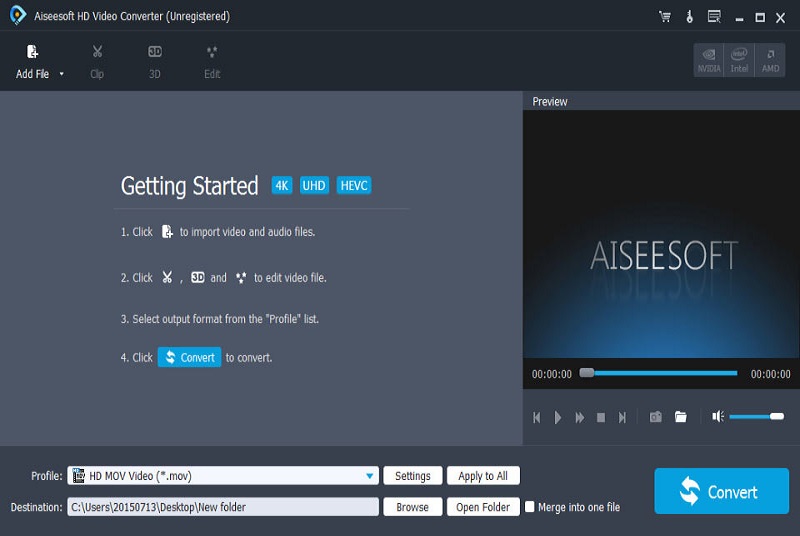
Aiseesoft HD Video Converter supports any high definition converting from 720p, 1080i, 1080p, 1440p to 2160p (4K) in high speed without any quality loss. Equipped with the latest encoding/decoding technology, it enables you to convert 4K video to 4K UHD/1080p/720p video, or upscale video from low resolution to high definition in 38402160 reversely.

Key features:

1. Convert from/to 4K/1080p/1080i/720p/720i
Whether you want to convert 4K videos in any popular formats to 4KUHD/1080p/720p video, or upscale video resolution from 280720, 19201080 to video file in 38402160 reversely, Aiseesoft HD Video Converter can easily do you a favor.

2. Support various video formats
Aiseesoft HD Video Converter can convert HD/SD videos among formats of M2TS/MTS/TS, MOD/TOD, MXF/P2 MXF, MP4, MOV, AVI, MPEG, MKV, WMV, FLV, M4V, SWF, VOB, WebM, etc. It also allows you to extract audio from 4K/HD/SD video files.

3. Convert HD videos to any portable devices and players

Aiseesoft HD Video Converter provides a large amount of profiles that are compatible with popular mobile phones like iPhone(iPhone 12 included), iPad, Samsung, HTC, MOTO, Sony and many other 4K phones, video editing software like Sony Vegas, Adobe Premiere Pro, Windows Movie Maker, etc.

4. Edit HD videos
This HD video converter also carries various video editing options that enable users to enhance video quality, edit video effects, crop videos, etc.