DataNumen Disk Image 2.2

Type: Shareware
Cost: $49.95
Size: 5.79 MB
Release date: Dec 24 2020
Platform: Win2000,WinXP,Win7 x32,Win7 x64,Windows 8,Windows 10,WinServer,WinOther,WinVista,WinVista x64
Publisher’s Site:  https://www.datanumen.com
Publisher’s Product Page:  https://www.datanumen.com/disk-image/
Country: Hong Kong

DataNumen Disk Image

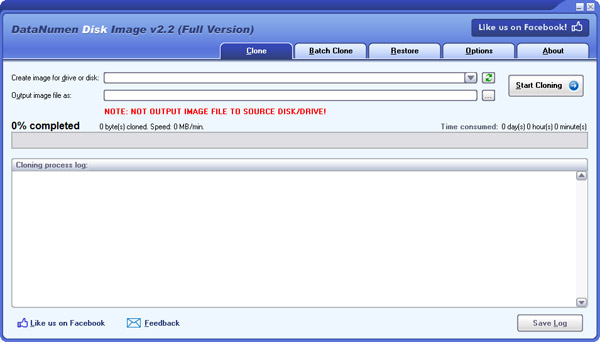
DataNumen Disk Image is a powerful tool to clone and restore disks or drives. It can create and restore the disk image or drive image byte by byte. Useful for data backup & recovery, disk/drive copy & cloning, and forensic.


Main Features:

1. Support all kinds of disks and drives.

2. Support Windows 95, 98, ME, NT, 2000, XP, Vista, 7, 8, 8.1, 10 and Server 2003/2008/2012/2016/2019.

3. Support to restore image data back to drives.

4. Support to clone data from corrupted media.

5. Support to replace damaged sectors with specified data.

6. Support to clone multiple disks and drives in batch.

7. Ideal to be used as a computer forensic tool and electronic discovery(or e-discovery, eDiscovery) tool.

Graphcat<

AVAide Screen Recorder for Mac 1.0.6

Type: Shareware
Cost: $18
Size: 27.37 MB
Release date: Mar 16 2022
Platform: Mac OS X,
Publisher’s Site:  https://www.avaide.com/
Publisher’s Product Page:  https://www.avaide.com/screen-recorder/
Country: Hong Kong


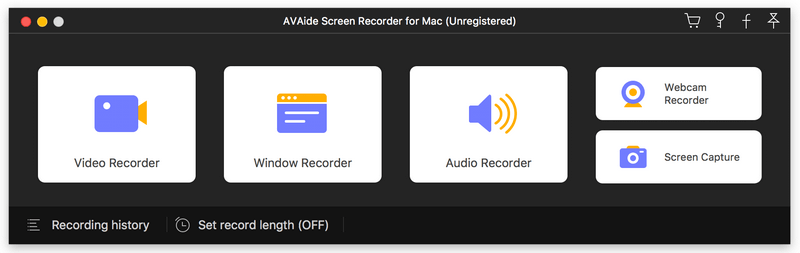
AVAide Screen Recorder for Mac

AVAide Screen Recorder for Mac can record videos, and audio you desire on Mac. It allows you to select video size like full screen, customized size. It can also select the area that you want to record. Besides, you can choose to record with the system audio or microphone audio according to your needs. Apart from that, it enables you to edit the video when recording.

Key Functions:
1. Record screen, video and audio
With AVAide Screen Recorder for Mac, you can record screen activities, audio, video tutorials, game videos and others. Meanwhile, these recordings can be recorded in HD quality and saved as MP4/MOV/M4V for easy playback.

2. Choose specific video size
This screen recorder software allows you to choose the video size like full screen, customized size on Mac. Meanwhile, you can also record your video in specific area. You can also adjust the frame rate/video quality of the recorded video to adjust the size to record.

3. Set the audio source or microphone voice
AVAide Screen Recorder for Mac allows you to choose the audio options when you record audio. You can choose the system audio or microphone audio, or select both of them according to your needs.

4. Edit video while recoding
AVAide Screen Recorder for Mac enables you to edit the recordings with its cursor options – highlight cursor or highlight clicks. You are able to add arrow, text, line, rectangle, ellipse and more while recording the video on your Mac.

5. Complete the screen capture and preview it
AVAide Screen Recorder for Mac allows you to preview the video after you finish capturing it. Thus, you can get your most desire video.

Recovery Explorer Professional 9.6

Type: Shareware
Cost: $199.95
Size: 18.10 MB
Release date: Apr 11 2022
Platform: Win2000,WinXP,Win7 x32,Win7 x64,Windows 8,Windows 10,WinServer,WinOther,WinVista,WinVista x64
Publisher’s Site:  https://www.sysdevlabs.com
Publisher’s Product Page:  https://www.r-explorer.com/recovery-explorer-professional.php
Country: Ukraine


Recovery Explorer Professional

Recovery Explorer Professional is a feature-packed software application for access and recovery of files in various cases of data loss or file system damage, easy comprehensible for both technical experts and advanced home users. The software works with a broad set of devices, including RAID of various complexities, and supports a wide variety of file systems: FAT32/exFAT/NTFS/ReFS/ReFS3 of Windows, HFS+/APFS file systems of macOS, Ext2/Ext3/Ext4, UFS/UFS2, Adaptec UFS, big-endian UFS, XFS, ReiserFS, JFS, Btrfs, F2FS of Linux, ZFS of SUN/FreeNAS and VMFS/VMFS6 of VMware. In addition to physical storages and various disk images, the program handles virtual disks of VMware, Hyper-V, QEMU, XEN, VirtualBox and Parallels. What is more, the utility incorporates embedded decryption techniques for BitLocker, LUKS, TrueCrypt, VeraCrypt, eCryptFS, Apple APFS, FileVault 2 and other encrypted volumes, that make use of the available password or decryption key and allow restoring files from an encrypted device like from one utilizing no encryption. Microsoft Storage Spaces, Dynamic disks, NTFS/ReFS volumes with enabled data deduplication, Apple Core Storage, mdadm, LVM with thin provisioning Btrfs-RAID, Drobo BeyondRAID and RAID-Z volumes are automatically detected by the software for further data recovery or access to files. Besides, the application can boast a wide variety of means for data analysis: for decomposition of RAID configurations, low-level analysis of data consistency on drives, partitions or files in the hexadecimal mode and others. The process of data evaluation is enhanced with the opportunity to see the state of each file, preview files of common formats, perform file search/sorting, etc. Recovery Explorer Professional can be also used to handle failing drives with definition of parameters as to the access and usage of the device, and the possibility to read out the storage only once and save the processed data to a sparse image file.