AnyMP4 iPhone Transfer Pro 9.1.36

Type: Shareware
Cost: $29.25
Size: 1.85 MB
Release date: Dec 08 2021
Platform: Win2000,WinXP,Win7 x32,Win7 x64,Windows 8,Windows 10,WinServer,WinOther,WinVista,WinVista x64
Publisher’s Site:  https://www.anymp4.com/
Publisher’s Product Page:  https://www.anymp4.com/iphone-transfer/
Country: China

AnyMP4  iPhone Transfer Pro

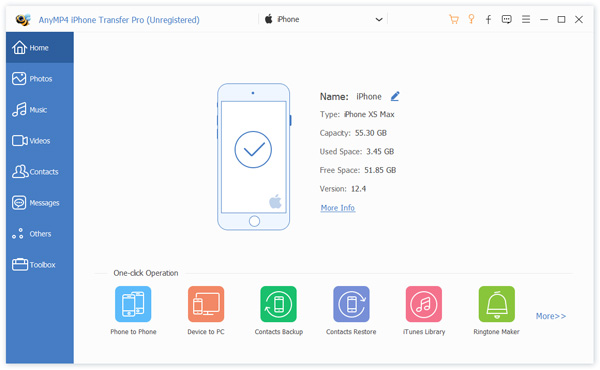
AnyMP4 iPhone Transfer Pro is professional iPhone transfer software. It enables you to transfer contacts, photos, and videos with just several clicks. It could transfer contacts, photos and videos between computer and iPhone. In addition, you can transfer files from your smashed iPhone or old iPhone to new iPhone. It has the advantage of transferring files to iPhone without data loss compared with iTunes.


Key Features:

1. Transfer data between iPhone/iPad/iPod touch and PC.
AnyMP4 iPhone Transfer Pro can transfer data between iOS devices and computer such as music, movies, contacts, ePub, PDF, TV shows, music videos, podcasts, playlists, photo albums. You can back up your important file to your computer at your disposal. At the same time, you can import videos, images, music to iPhone, iPad or iPod touch.

2. Transfer files between iOS devices.
AnyMP4 iPhone Transfer Pro can transfer videos, songs, photos, eBooks, contacts, playlists, and albums between two iOS devices. For example, you can transfer iPhone contacts to new iPhone, transfer music from iPod touch to iPhone, or transfer iPad videos to iPhone.

3. Backup iPhone contacts and messages on PC.
AnyMP4 iPhone Transfer Pro can help you to manage your contacts, you are allowed to add new contacts, edit the information, change photos, divide into groups, add new groups and export in various file formats. If you want to export iPhone messages to your PC for print or backup, it can export them as excel, text or HTML file.

4. Make ringtone and convert HEIC images easily.
With AnyMP4 iPhone Transfer Pro, you can create your own ringtones. You can choose the songs from your iOS device/computer and adjust the start and end time according to your demand. And it can convert HEIC images to JPEG/PNG format without quality loss.

Graphcat<

DataNumen SQL Recovery 5.9

Type: Shareware
Cost: $499.95
Size: 7.97 MB
Release date: May 03 2021
Platform: Win2000,WinXP,Win7 x32,Win7 x64,Windows 8,Windows 10,WinServer,WinOther,WinVista,WinVista x64
Publisher’s Site:  https://www.datanumen.com
Publisher’s Product Page:  https://www.datanumen.com/sql-recovery/
Country: Hong Kong


DataNumen SQL Recovery

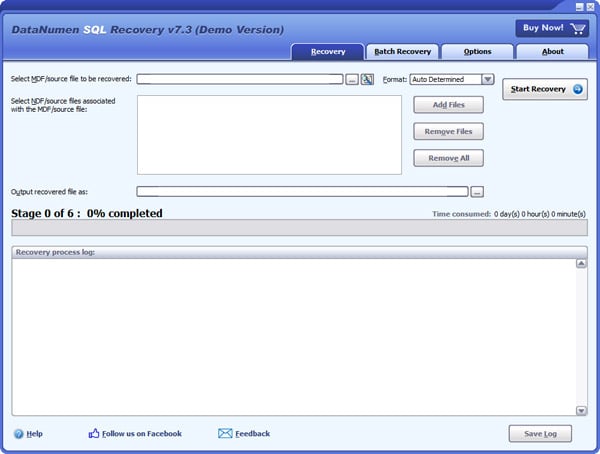
DataNumen SQL Recovery is a powerful tool to repair and recover corrupt SQL Server MDF database files. It can scan the MDF files and associated NDF files, then recover your data in them as much as possible, so to minimize the loss in file corruption.

Main Features:

Support SQL Server 2005, 2008, 2008 R2, 2012, 2014, 2016, 2017, 2019.
Support to recover the structure and data in the tables.
Support to recover all data types, except for XML type.
Support to recover sparse column.
Support to recover deleted records.
Support to recover indexes.
Support to recover views, triggers, rules and defaults.
Support to recover stored procedures, scalar functions, inline table-valued functions and multistatement table-valued functions.
Support to recover and decrypt encrypted objects.
Support to recover multiple files, including MDF file and its associated NDF files.
Support to output recovered data in MDF file.
Support to recover MDF/NDF data from undamaged or damaged VMWare VMDK(Virtual Machine Disk) files(*.vmdk), Virtual PC VHD(Virtual Hard Disk) files(*.vhd), Acronis True Image files(*.tib), Norton Ghost files(*.gho, *.v2i), Windows NTBackup files(*.bkf), ISO image files(*.iso) and Nero image files(*.nrg).
Support to recover MDF and NDF files as large as 16TB.
Support to repair MDF files on corrupted medias, such as floppy disks, Zip disks, CDROMs, etc.
Support to repair a batch of MDF files.
Integrated with Windows shell, so you can repair a MDF file with context menu in the Explorer easily.
Support drag and drop operation.
Support command line parameters.

Recovery Explorer Professional 9.7

Type: Shareware
Cost: $199.95
Size: 18.06 MB
Release date: May 12 2022
Platform: Win2000,WinXP,Win7 x32,Win7 x64,Windows 8,Windows 10,WinServer,WinOther,WinVista,WinVista x64
Publisher’s Site:  https://www.sysdevlabs.com
Publisher’s Product Page:  https://www.r-explorer.com/recovery-explorer-professional.php
Country: Ukraine


Recovery Explorer Professional

Recovery Explorer Professional is a feature-packed software application for access and recovery of files in various cases of data loss or file system damage, easy comprehensible for both technical experts and advanced home users. The software works with a broad set of devices, including RAID of various complexities, and supports a wide variety of file systems: FAT32/exFAT/NTFS/ReFS/ReFS3 of Windows, HFS+/APFS file systems of macOS, Ext2/Ext3/Ext4, UFS/UFS2, Adaptec UFS, big-endian UFS, XFS, ReiserFS, JFS, Btrfs, F2FS of Linux, ZFS of SUN/FreeNAS and VMFS/VMFS6 of VMware. In addition to physical storages and various disk images, the program handles virtual disks of VMware, Hyper-V, QEMU, XEN, VirtualBox and Parallels. What is more, the utility incorporates embedded decryption techniques for BitLocker, LUKS, TrueCrypt, VeraCrypt, eCryptFS, Apple APFS, FileVault 2 and other encrypted volumes, that make use of the available password or decryption key and allow restoring files from an encrypted device like from one utilizing no encryption. Microsoft Storage Spaces, Dynamic disks, NTFS/ReFS volumes with enabled data deduplication, Apple Core Storage, mdadm, LVM with thin provisioning Btrfs-RAID, Drobo BeyondRAID and RAID-Z volumes are automatically detected by the software for further data recovery or access to files. Besides, the application can boast a wide variety of means for data analysis: for decomposition of RAID configurations, low-level analysis of data consistency on drives, partitions or files in the hexadecimal mode and others. The process of data evaluation is enhanced with the opportunity to see the state of each file, preview files of common formats, perform file search/sorting, etc. Recovery Explorer Professional can be also used to handle failing drives with definition of parameters as to the access and usage of the device, and the possibility to read out the storage only once and save the processed data to a sparse image file.