
Aiseesoft Final Cut Pro Converter for Mac 1.1.8

Type: Shareware
Cost: $30.40
Size: 49.73 MB
Release date: May 11 2021
Platform: Mac OS X,
Publisher’s Site:  https://www.aiseesoft.com
Publisher’s Product Page:  https://www.aiseesoft.com/final-cut-pro-converter-for-mac
Country: China
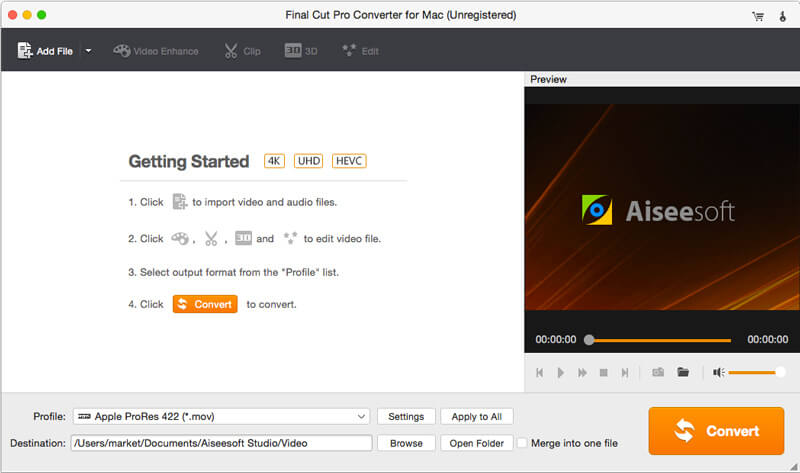

Aiseesoft Final Cut Pro Converter for Mac

PC410, Computer Services in Carroll County Maryland
Aiseesoft Final Cut Pro Converter for Mac is specially developed for Mac users who need to play videos in Final Cut Pro X supported formats. It enables you to convert videos to video/audio formats like MOV, MP4, AVI, 3GP, MP3, AAC, AIFF, etc. Also, it can help you edit video like rotate/crop/clip video, adjust output image/sound effects, enhance video quality and so on. It can be the best Final Cut Pro converter and editor.

Key Functions:

1. Convert videos to Final Cut Pro X supported formats.

This Final Cut Pro alternative can help you easily convert videos to Final Cut Pro X supported video/audio format like MOV, MP4, AVI, 3GP, MP3, AAC, AIFF, and more on Mac. 4K/HD video is also supported.

Graphcat

2. Video editor.

With Aiseesoft Final Cut Pro Converter for Mac, you are able to edit video effects and enhance video quality by rotating/cropping/clipping video, adjusting output image/sound effects, adding personal watermark effects, and so on.

3. Get various output format without quality loss.

Aiseesoft Final Cut Pro Converter for Mac can convert and save the video files originally. There is no need to worry about the quality loss during conversion. Whats more, you can get suitable output formats by choosing the frequently-used categories. There are many kinds of video/sound categories available, like 4K Video, HD Video, iPhone, Samsung, Sony, Xbox, Final Cut Pro category, etc. When you move the mouse on the word Final Cut Pro , you can choose one Final Cut Pro X supported formats freely.
UFS Explorer RAID Recovery 9.6

Type: Shareware
Cost: $149.95
Size: 17.78 MB
Release date: Apr 11 2022
Platform: Win2000,WinXP,Win7 x32,Win7 x64,Windows 8,Windows 10,WinServer,WinOther,WinVista,WinVista x64
Publisher’s Site:  https://www.sysdevlabs.com
Publisher’s Product Page:  https://www.ufsexplorer.com/ufs-explorer-raid-recovery.php
Country: Ukraine


UFS Explorer RAID Recovery

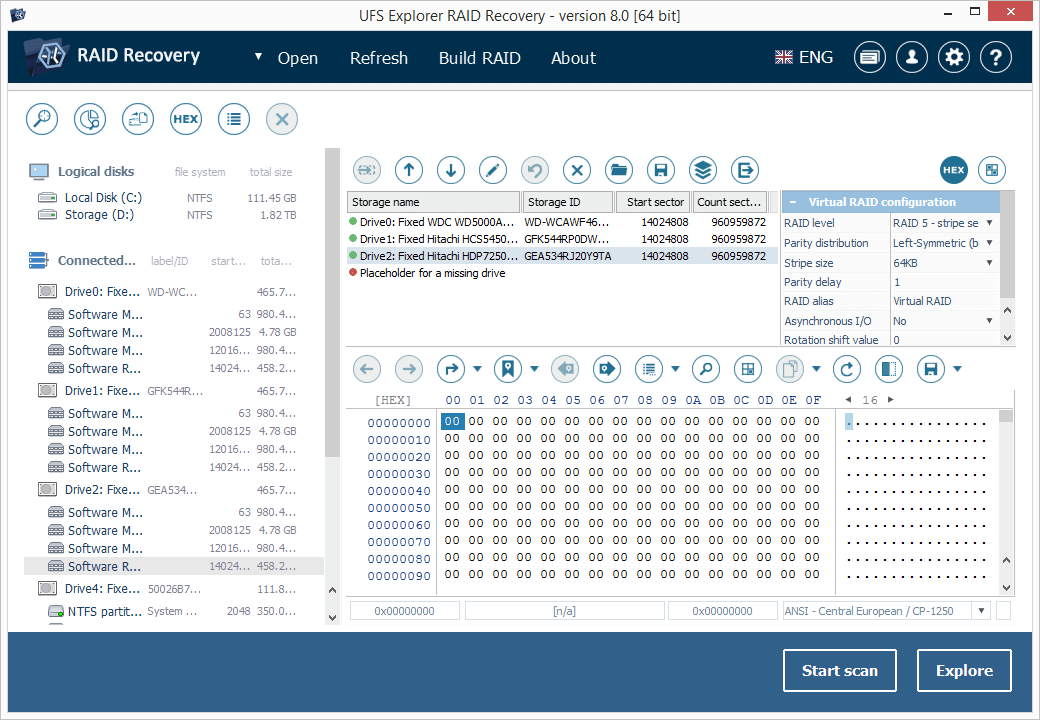
UFS Explorer RAID Recovery is an accomplished software product geared towards RAID-related data recovery cases, besides usual simple tasks. The program allows reconstructing RAID systems of various configurations, including standard, nested or custom RAID patterns, and effectively restores data lost due to various logical issues, while a set of helpful options like file sorting, search, filters, preview, indication of a state, etc. make the process easy and smooth. The software supports a wide range of file systems used in Windows (NTFS, FAT, FAT32, exFAT), macOS (HFS+, APFS), Linux (Ext2, Ext3, Ext4, XFS, JFS, ReiserFS, UFS/UFS2, Btrfs), BSD/Solaris (ZFS) and is capable of working with various modern storage technologies, like mdadm, LVM, LDM, MS Storage Spaces, Drobo BeyondRAID, Synology Hybrid RAID, Btrfs-RAID, Apple Software RAID, Apple Fusion Drive, BitLocker and APFS encryption. The utility makes it possible to build RAID in a virtual mode, edit RAID parameters or save them for further work. Also, the software features an embedded hexadecimal viewer for brief analysis of data on partitions and disks. Furthermore, the program provides an extensive set of instruments for work with damaged drives. It allows defining settings related to access and usage of a storage device, creating a full or partial disk image with configurable parameters and rules for the omission of bad blocks. Drives and arrays with bad blocks can be processed using bad sector maps generated during imaging, through recognition of a given pattern or created by other compatible tools. In addition to RAID and RAID-based devices, like NAS, the software is applicable for data recovery from other storages: PCs and laptops, USB flash drives, memory cards, external hard drives, virtual machines, disk image files, etc. Among the supported virtual technologies are VMware, Hyper-V, VirtualBox, QEMU, XEN, Parallels, disk images of Apple, EnCase, R-Studio and other formats.

UFS Explorer Professional Recovery 8.16

Type: Shareware
Cost: $659.95
Size: 18.05 MB
Release date: May 14 2021
Platform: Win2000,WinXP,Win7 x32,Win7 x64,Windows 8,Windows 10,WinServer,WinOther,WinVista,WinVista x64
Publisher’s Site:  https://www.sysdevlabs.com
Publisher’s Product Page:  https://www.ufsexplorer.com/ufs-explorer-professional-recovery.php
Country: Ukraine


UFS Explorer Professional Recovery

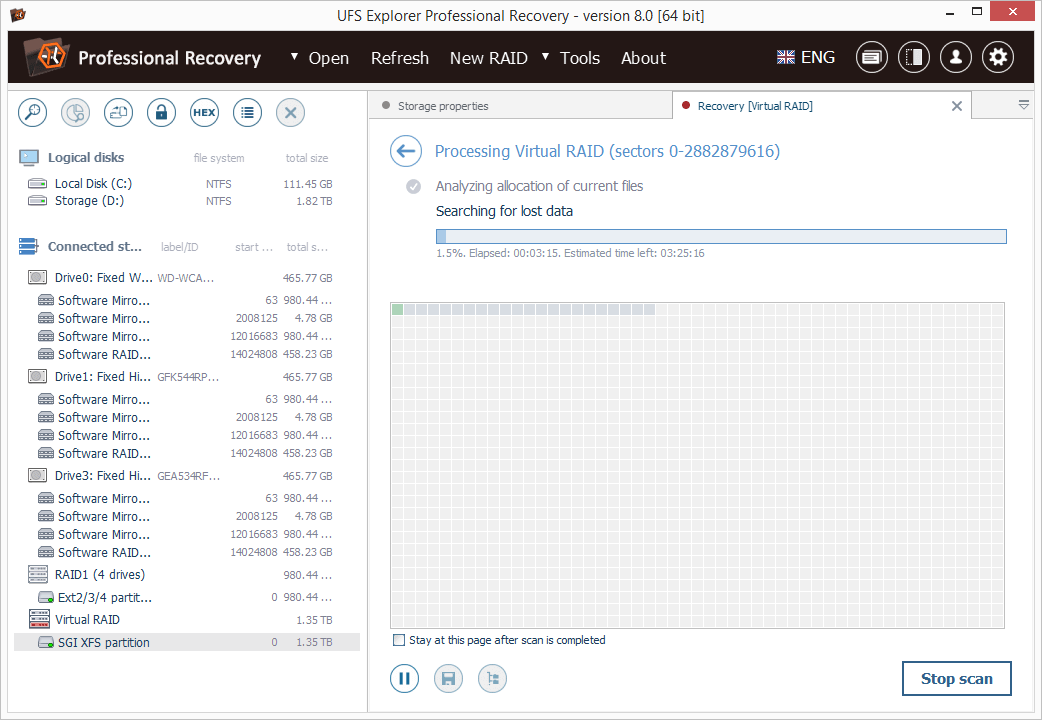
UFS Explorer Professional Recovery combines advanced disk reading and data recovery techniques with extensive means for processing defective storage media and manipulations with binary data. The application offers access to the available content and several options for the extraction of lost data from file systems applied in Windows (NTFS, FAT32, exFAT, ReFS/ReFS2), macOS (HFS+, APFS), Linux (Ext2-Ext4, XFS, JFS, ReiserFS, UFS, Btrfs), BSD (ZFS) and VMware (VMFS, VMFS6). Besides stand-alone storages, the software works with RAID-based devices of different configurations, including standard, nested, custom and specific types, like Drobo BeyondRAID, Synology SHR, RAID-Z and Btrfs-RAID. Embedded decryption tools make it possible to unlock volumes encrypted with BitLocker, LUKS, FileVault2 and APFS directly in the application. The utility also supports other modern storage technologies, including Windows LDM, Storage Spaces, deduplication, Apple Core Storage, Fusion Drive, Linux mdadm and LVM with thin provisioning, as well as various disk image formats and virtual disks. The program allows specifying different parameters as to the access and usage of a storage device, like I/0 timeout, and provides the possibility to read out the storage only once and save the processed data to a sparse image file. Drives connected to DeepSpar Disk Imager can be operated by the application via LAN without any third-party solutions. A full, partial or map-based disk image can also be created directly in the software with configurable read timeout, block size and settings for the omission of bad blocks. Reading errors occurring in the imaging process are reflected in a defects map, which can also be created on the basis of occupied file system space or by external compatible solutions. The built-in hexadecimal viewer and editor provide the opportunity to analyze the raw content of files or storages and perform the necessary corrections relying on many supplementary tools and functions.
