
AnyMP4 Screen Recorder 1.3.28

Type: Shareware
Cost: $29.25
Size: 1.84 MB
Release date: Mar 31 2021
Platform: Win2000,WinXP,Win7 x32,Win7 x64,Windows 8,Windows 10,WinServer,WinOther,WinVista,WinVista x64
Publisher’s Site:  https://www.anymp4.com
Publisher’s Product Page:  https://www.anymp4.com/screen-recorder/
Country: China
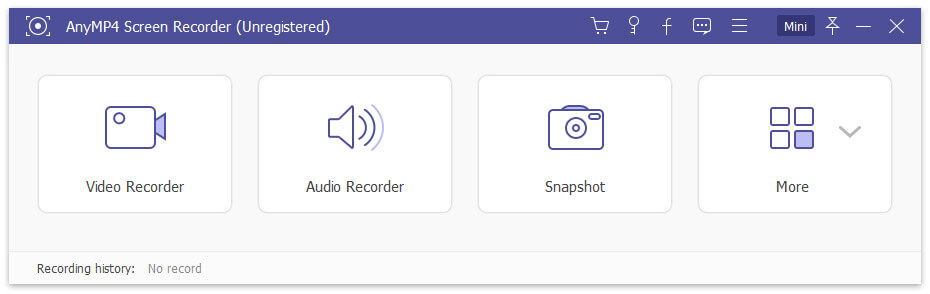

AnyMP4 Screen Recorder

PC410, Computer Services in Carroll County Maryland
AnyMP4 Screen Recorder helps to capture almost any video played on your computer, including 4K videos. You can use this screen capture software to record various kinds of videos, like online movies, video conferences, video tutorials, gameplay and other videos you want to save. When you record the screen, you can choose to record the sound of the video itself or record your own voice through microphone.

Key features:

1. Record any videos on your computer.
AnyMP4 Screen Recorder is a professional video recording product. With this recording software, you don’t have to buy another video downloader because it will save more time and bandwidth to record rather than download. It is more powerful than downloader because it can save more, including gameplay process, video meetings and online streaming videos, etc. You can record any video formats on your computer, even 4K videos.

2. Highlight the mouse cursor as you like.
This is especially useful when you make video presentations. You can highlight the mouse cursor to make your actions easier to track on screen. Also, you can define the color and the shape of the highlighted cursor.

Graphcat

3. Record any audio source as you like.
When you record a video, you can choose to record the system audio or record your own voice by enabling microphone voice. The former one fits for recording movies. The latter one fits for making video presentations. If you want to record a video meeting, you should turn both on.

LoMag Inventory Management 7.1

Type: Shareware
Cost: $30
Size: 15.25 MB
Release date: Feb 28 2022
Platform: Win2000,WinXP,Win7 x32,Win7 x64,Windows 8,Windows 10,WinServer,WinOther,WinVista,WinVista x64
Publisher’s Site:  https://www.lomag.eu/
Publisher’s Product Page:  https://www.LoMag.eu
Country: Poland


LoMag Inventory Management

LoMag Warehouse Management is a simple intuitive tool, prefect for the management of a small or medium-sized enterprise. It allows you to manage any number of warehouses, makes creating warehouse documents easy and offers you the option of working on several computers at the same time. Working with LoMag is fast and safe.
Simple, intuitive user’s interface:
The program puts great emphasis on user-friendliness. It employs the standard Windows components: menus, tool bars and other typical controls. Thanks to this approach, you can start working very fast without any training.
Adjusting the configuration to your needs:
In LoMag the support of prices and accounts is optional. If you don’t need to manage accounts, you can mark this option and the windows in the program will not display the accounts or ask you to type them in. You may also adjust the composition and content of all tables in the program, e.g. hide the unneeded columns in the report or add your own. If you need to describe a given item, you may add your own description fields or columns, e.g. weight, length.
Designing your own document templates and labels:
We also offer you a visual designer of documents, in which you may create your own printouts, e.g. with your own logo. The editor allows you to use barcodes for any of the program fields, e.g. you can add a barcode to any given field in a table with a list of issued items, so that you do not have to enter any values manually. You may also add photos of the items to the printouts. The advanced label designer even allows you to create complex labels of various sizes. You can also print out many small labels on one page, e.g. 10 labels on one A4 sheet (5 rows, 2 labels each).
Support of barcode readers and label printers:
The advanced label designer supports almost all label printers and label sizes. The program supports both stationary barcode readers, as well as wireless data collectors.

Apeaksoft Free HEIC Converter for Mac 1.1.18

Type: Freeware
Cost: $0.00
Size: 15.54 MB
Release date: Mar 29 2021
Platform: Mac OS X,
Publisher’s Site:  https://www.apeaksoft.com/
Publisher’s Product Page:  https://www.apeaksoft.com/heic-converter/
Country: China


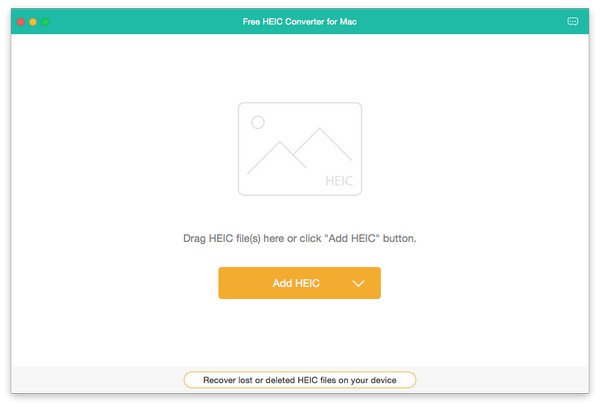
Apeaksoft Free HEIC Converter for Mac

Apeaksoft Free HEIC Converter for Mac can convert all your HEIC (.heif) photos to JPG/JPEG or PNG without any hassle. This software supports nearly all Mac operating system such as Mac OS X 10.6 or above (including macOS 10.15 Catalina). With simple interface, you could use this software conveniently.

Key functions:

1. Convert HEIC pictures to JPG/JPEG/PNG for free
Even though you are a novice, with this powerful converter software, you could convert the HEIC pictures to JPG/JPEG/PNG without any problem. It is easy to use for every customer. The most important thing is that it is free without any additional expense.

2. Adjust the quality of the output image files and batch convert HEIC files
With this software you could adjust the quality of the converted pictures as you like. And it is really time-saving because you could batch convert your files at one time.

3. Keep the EXIF metadata of source HEIC files after conversion
Are you worried about that after conversion, you will lose the EXIF metadata of your HEIC files? With this convenient software, you could choose to maintain the EXIF metadata without any trouble.

4. Fast conversion speed and super-high quality
With advanced technology, Apeaksoft Free HEIC Converter for Mac has amazing fast conversion speed, the conversion process will be completed when you enjoy a song. The most important thing is it has the ability to convert HEIC pictures with high output quality.
