IP Tools for Excel 3.6.2.36514.2

Type: Shareware
Cost: $39.95
Size: 9.81 MB
Release date: Apr 01 2019
Platform: Win2000,WinXP,Win7 x32,Win7 x64,Windows 8,Windows 10,WinServer,WinOther,WinVista,WinVista x64
Publisher’s Site:  https://CheckTheNetwork.com
Publisher’s Product Page:  https://CheckTheNetwork.com/ip-tools-for-excel
Country: United States of America


IP Tools for Excel

PC410, Computer Services in Carroll County Maryland
NEW Version – IP Tools for Excel – Add-in / Plug-in for Microsoft Excel

Instant Productivity – Instant Results – in Microsoft Excel

Provides functionality to execute and display results from commands and functions: ping, nslookup, tracert, OpenTCP, OpenHTTP, GetCertificateSSL()

— Ping sweep or nslookup an entire list of IP addresses or names instantly – Very Fast Results
— Subnet Calculator in Excel

Graphcat

Features:

– Right click and choose command on any cell or range including entire column up to 1,048,576
– Get SSL certificate from server and test the expiry date. Any x.509 certificate field
– Nslookup – DNS lookup forward or reverse — Do they match
– Trace Route via the tracert command
– Ping any selected list of IP addresses or host names – sweep it – run continuous
– openTCP ports and scan – openHTTP to test web
– Ping packet parameters are customizable – 1 to 200k pings per address
– Launch to http or https from any list of host names or IP addresses
– Launch SSH Telnet RDP connections
– Sort IP Addresses in Excel – 192.168.45.252 does not come before 192.168.45.54
– Output directly in Excel with 1000’s of output and format options
– Set output to ANY cell
Comments
Cell Shading
Text Color
– Subnet Calculator
– IPAM
– And more

*** GUI interface for setting options and settings

Very Fast Results output with as many display options.

The installation contains also contains IP Tools for Excel Maintenance which is available from the Start Menu. Useful to enable or disable IP Tools startup in Excel. Additionally the installation provides for clean removal via Control Panel – Add Remove programs if required.

Used by network engineers, system administrators, NOC personnel, network security professionals and auditors. Plenty of positive feedback received.

try it now for FREE

Thank you.

Productive Solutions Inc. at https://checkthenetwork.com/
Tuxera NTFS for Mac 2020.1.0

Type: Shareware
Cost: $15
Size: 97.53 MB
Release date: Jan 15 2021
Platform: Mac OS X,
Publisher’s Site:  https://www.tuxera.com
Publisher’s Product Page:  https://ntfsformac.tuxera.com/
Country: Finland


Tuxera NTFS for Mac

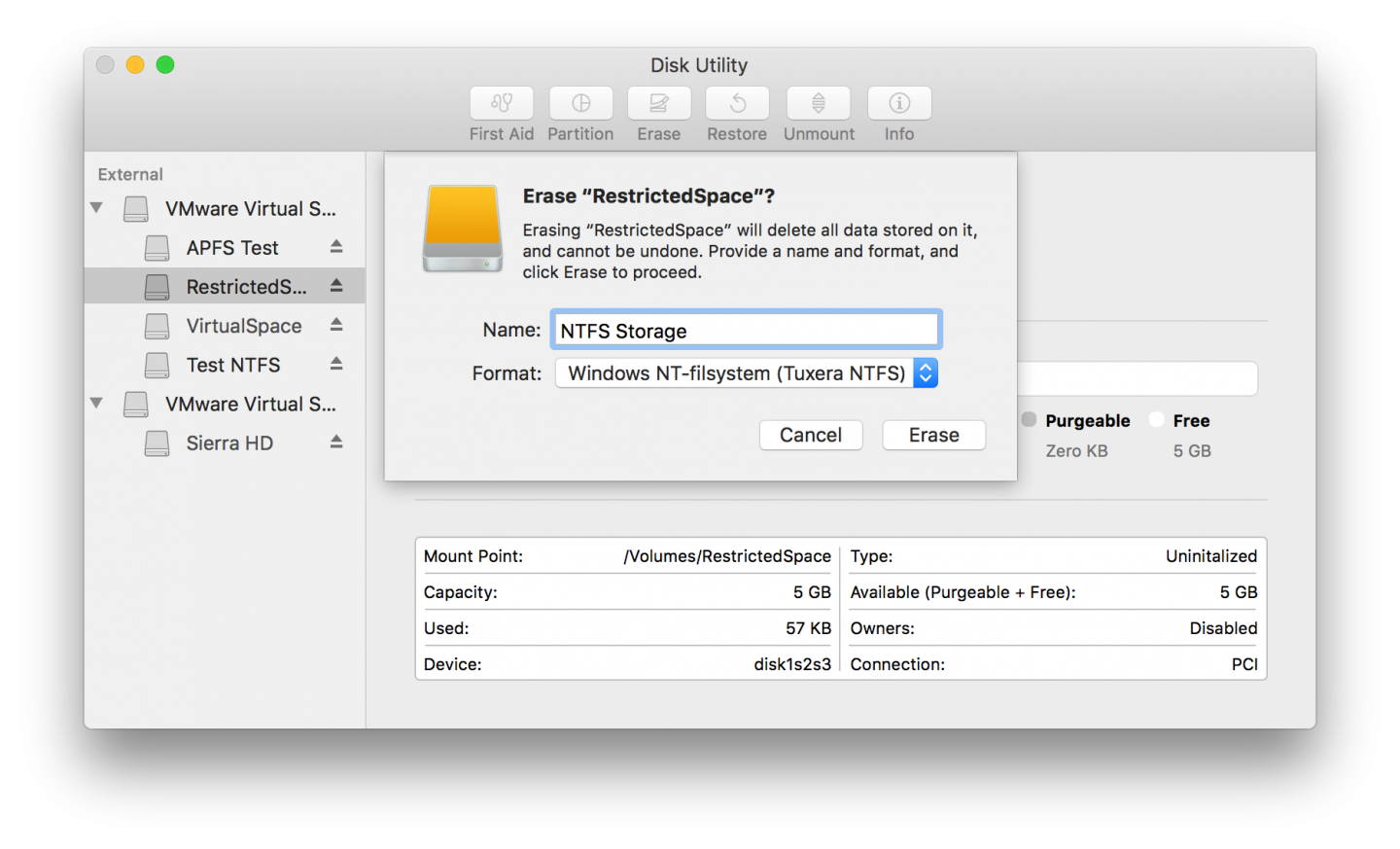
Mac OS X does not support writing to Microsoft Windows formatted NTFS volumes out-of-the box. The solution is here. Tuxera NTFS for Mac is our commercial read/write NTFS software for Mac users. It builds and extends upon the proven stability of Tuxera’s popular open source NTFS-3G to deliver a full featured, commercial grade NTFS driver for your Mac. With Tuxera NTFS for Mac you can access your Windows disks as easily as any Mac disk. Tuxera NTFS for Mac delivers the fastest NTFS data transfer speeds you can have on Mac while protecting your data with its new, smart caching layer.

The software has full support for the new 64-bit kernels introduced with Snow Leopard and OS X Mavericks, and comes with advanced features only available from Tuxera such as support for NTFS extended attributes. Tuxera NTFS for Mac is compatible with popular virtualization and encryption solutions including Parallels Desktop, VMware Fusion and TrueCrypt. The newest version, Tuxera NTFS for Mac 2018, supports OS X High Sierra and Sierra, OS X El Capitan, and all previous OS X versions from 10.4 (Tiger) onward.

15 Languages supported: Arabic, Simplified and Traditional Chinese, English, French, German, Italian, Japanese, Korean, Polish, Brazilian Portuguese, Portuguese, Russian, Spanish and Turkish.

Verify and repair disks integrated in Mac OS X Disk Utility.

Lunacy for Mac 8.4

Type: Freeware
Cost: $0
Size: 131.68 MB
Release date: Mar 18 2022
Platform: Mac OS X,
Publisher’s Site:  https://icons8.com
Publisher’s Product Page:  https://icons8.com/lunacy
Country: United States of America


Lunacy for Mac

Lunacy is a vector graphic software for UI/UX and web design. It’s faster than Figma, smarter than Sketch!

100% FREE
Lunacy is absolutely free for personal and commercial use.

CROSS-PLATFORM APP
Lunacy runs on Windows, macOS, and Linux.

REAL-TIME COLLABORATION
Users working on different platforms can collaborate over the same design in real-time.

LOW SYSTEM REQUIREMENTS
Lunacy is not demanding on hardware and runs smoothly even on moderate laptops.

BUILT-IN GRAPHICS
Icons
Photos
Illustrations

AI-POWERED TOOLS ONBOARD
Background remover
Image upscaler
Avatar generator
Text generator

WORKS ONLINE AND OFFLINE
You can work both with cloud and local documents. It’s up to you to choose. You can switch between the cloud and local modes whenever you want.

MINIMUM LEARNING CURVE
If you have experience with Sketch or Figma, in Lunacy youll feel like home.

FULL SUPPORT FOR SKETCH FILES
Open
Edit
Save

NO BOUNDS
Thanks to the native support for the Sketch format, you can use Lunacy with all major hand-off and version control tools like Avocode, Zeplin, Abstract, Simpli, etc.
If it is necessary, you can easily import .sketch files to Figma or XD.