epuBear 2.0.1

Type: Demo
Cost: $699
Size: 241.00 kB
Release date: Dec 28 2016
Platform: Win2000,WinXP,Win7 x32,Win7 x64,Windows 8,Windows 10,WinServer,WinOther,WinVista,WinVista x64
Publisher’s Site:  https://scand.com/
Publisher’s Product Page:  https://epubear.scand.com/
Country: Belarus


epuBear

PC410, Computer Services in Carroll County Maryland
epuBear SDK is a C++ solution for EPUB readers development created by SCAND mobile app developers. It is fully compatibility with EPUB2 and partially with EPUB3. Open, unpack and parse EPUB documents from file or memory (byte array), get EPUB document info, render pages to bitmaps and more with this lightweight and easily customizable cross-platform SDK.

We prepared native wrappers in Java (Android), Swift (iOS), C# (Xamarin) and React Native for our toolkit to be compatible with your project. The code of the wrappers acts as a proxy between the native code and the core.

Cross-platform close Core of epuBear SDK provides the following functions

Go to Page
Go to Chapter
Open Link
Change Font Size
Switch to DoublePage Mode
Switch to Night Mode
Bookmarks
Text Search
Select Text
Change Text Color
Change Background Color
Audio and Video Support
Set Custom Fonts
Open Image in a Separate Window
Vertical and Right-to-Left Writing

Graphcat

Find more at https://epubear.scand.com/
AVAide Screen Recorder 1.0.6

Type: Shareware
Cost: $18
Size: 2.05 MB
Release date: Mar 03 2022
Platform: Win2000,WinXP,Win7 x32,Win7 x64,Windows 8,Windows 10,WinServer,WinOther,WinVista,WinVista x64
Publisher’s Site:  https://www.avaide.com/
Publisher’s Product Page:  https://www.avaide.com/screen-recorder/
Country: Hong Kong


AVAide Screen Recorder

Do you want to capture the highlight moment of your gameplay? Do you want to record your voice for presentation or save the precious videos played on your computer? Just try AVAide Screen Recorder, it will make your life easier.

Key functions:

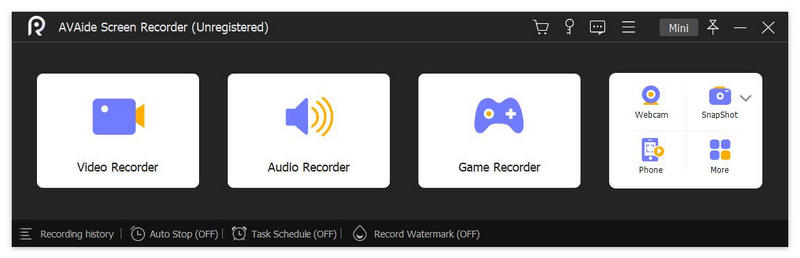
1. Record videos
AVAide Screen Recorder lets you choose to record the entire screen or customize the area along with sound. You could record Zoom meetings, online courses, video call in lossless quality. You could also add mouse clicks’ effects, perform real-time annotations/drawings, adjust volume, trim recordings, etc.

2. Record audio
With AVAide Screen Recorder, you are able to record the system audio from your computer and your voice from microphone professionally. The microphone enhancement and microphone noise cancellation functions help you record the audio with high quality.

3. Record webcam and gameplays, mirror the phone screen
If you want to record the webcam for lectures, just turn on the webcam button, you could record the webcam easily. More over, you are able to capture the fantastic moment of your gameplay in 1080p quality. AVAide Screen Recorder also provides useful solution to capture your phone. It can record the screen of your phone with or without sound simply.

4. Take screenshot and schedule recording
The Snapshot function allows you to take screenshots and edit the images. While recording, you are also able to take screenshots. When your computer is not in your hand, you could use the task schedule function, which could help you start and stop the recording automatically. You just need to set the start and end time of the recording.

Acronis Backup for Virtual Host 12.5.16386

Type: Shareware
Cost: $619
Size: 9.96 MB
Release date: Dec 04 2020
Platform: Win2000,WinXP,Win7 x32,Win7 x64,Windows 8,Windows 10,WinServer,WinOther,WinVista,WinVista x64
Publisher’s Site:  http://www.acronis.com
Publisher’s Product Page:  https://www.acronis.com/en-us/solutions/backup/virtual-machine/
Country: United States of America


Acronis Backup for Virtual Host

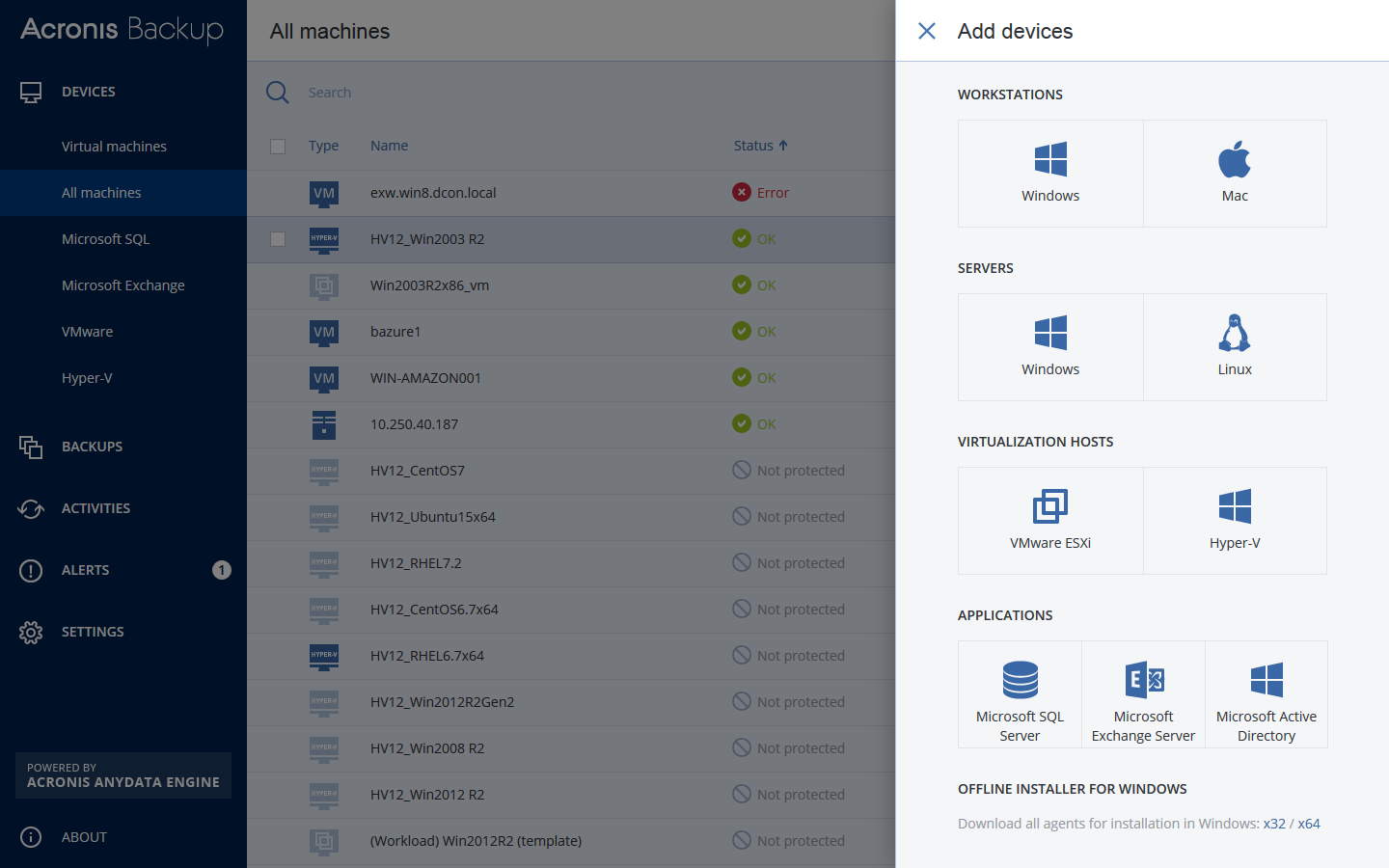
Protect your VMs with Acronis Backup 12 – the world’s fastest, easiest virtual backup!

– NEW! Protect VMware ESXi & Microsoft Hyper-V – both on premise & remotely
– NEW! Achieve RTOs of 15 seconds or less with exclusive Acronis Instant Restore
– NEW! Back up all VMs/hosts via 1 unified web console accessible from any device
– NEW! Capture an entire host (including application data) with powerful 1-click imaging
– NEW! Back up unlimited VMs per host without any extra costs
– Restore anything in record time – files, application data, VMs, hosts, more!
– Restore to new, dissimilar hardware without complications
– Enjoy built-in replication & WAN optimization, failover, sandboxing & failback
– Enjoy unlimited P2V/V2V migrations (even from a different hypervisor)
– Disaster-proof your VMs with easy auto-backup to the ultra-secure Acronis Cloud

How does Acronis Backup 12 compare to Veeam? Network Testing Labs performed an independent review of both products, and determined that Acronis Backup 12 is:
– Over 60% faster
– Works better with more system types & environments
– Easier to use, more intuitive & more responsive
– Simpler licensing (per host, not socket) & significantly more affordable