
AnyMP4 DVD Ripper for Mac 9.0.16

Type: Shareware
Cost: $26.25
Size: 103.64 MB
Release date: Jul 07 2021
Platform: Mac OS X,
Publisher’s Site:  https://www.anymp4.com/
Publisher’s Product Page:  https://www.anymp4.com/dvd-ripper-for-mac/
Country: China
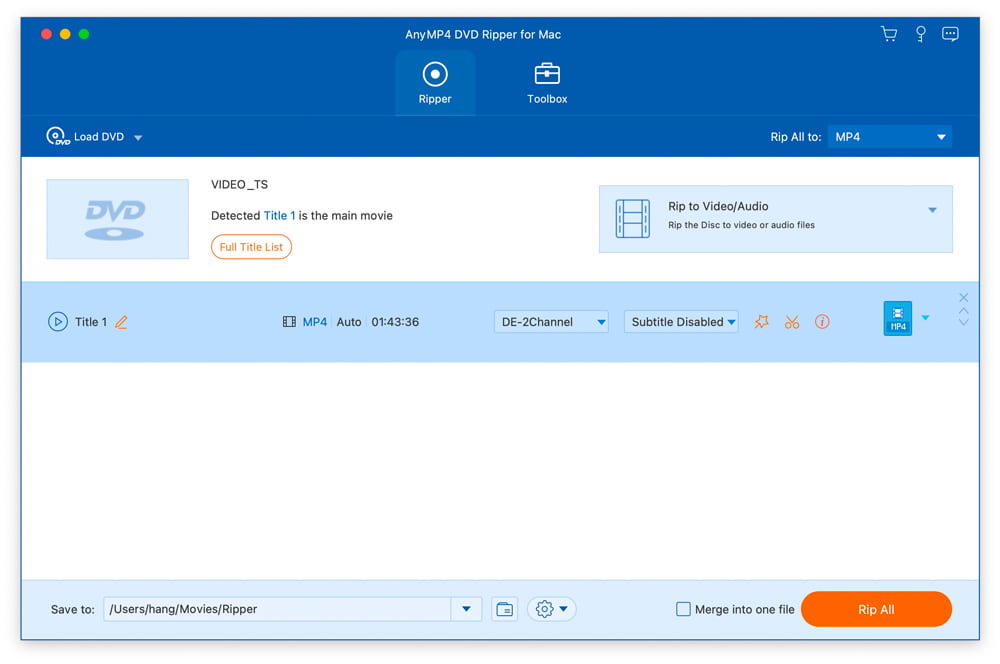

AnyMP4 DVD Ripper for Mac

PC410, Computer Services in Carroll County Maryland
AnyMP4 DVD Ripper for Mac is designed with many pre-defined output profiles, so you can choose one profile at your disposal. It highly supports most portable iOS and Android devices, such as iPhone 12/11 Pro Max/11 Pro/11, iPhone XS, iPhone XS Max, iPhone XR, iPhone X, iPhone 8, iPad, iPod, Samsung Galaxy S10, HTC, HUAWEI, etc. It allows you to easily view DVD movies on your smart phone or tablet.

Key Features:

1. Convert DVD to any video or audio files.
AnyMP4 DVD Ripper for Mac can help you convert DVD to popular videos like MP4, MKV, AVI, MOV, WMV, FLV, M4V, TS, DivX, WebM, 3GP and it can also rip DVD to popular audio formats including MP3, WAV, OGG, M4A, WMA, AC3, etc. with high ripping speed and quality.

2. Edit DVD and adjust video effects.
AnyMP4 DVD Ripper for Mac is equipped with many useful editing features to help you customize video effects before ripping the DVD. For instance, you can rotate video position, cut the video length to only save the necessary part, crop video to remove the black edge, add personal text and image watermark, adjust output video effects like brightness, contrast, saturation, and hue.

Graphcat

3. New functions for Mac version.
In the latest Mac version, you can enhance video quality easily. And you can compress a large HD/SD video in MTS, TS, MP4, MOV, etc. into a smaller size file according to you need. And you can make GIF image with it conveniently.
WinNc 9.9.0.0

Type: Shareware
Cost: $35.27
Size: 9.72 MB
Release date: Jul 23 2021
Platform: Win2000,WinXP,Win7 x32,Win7 x64,Windows 8,Windows 10,WinServer,WinOther,WinVista,WinVista x64
Publisher’s Site:  https://ontwerpbureaudunes.nl
Publisher’s Product Page:  https://www.winnc.com/
Country: Netherlands


WinNc

Norton Commander Filemanager

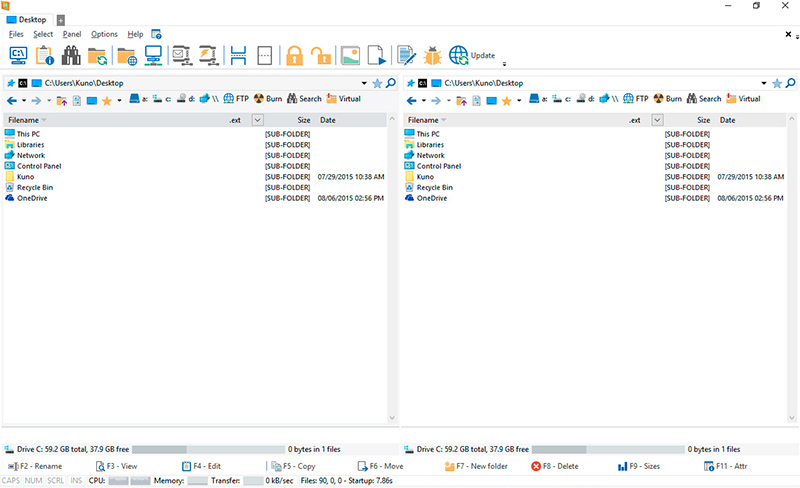
WinNc is a tabbed file manager especially developed for Windows 10. It also works on the older versions of Windows. This NC clone file manager is inspired on the dual panel concept of the old file manager Norton Commander. It has shortcuts to all the Windows special folders and the multiple tabbed interface allows you to organize your data by projects.

Projects can include files and folders from all over the disks that relate to the project tab and are stored virtually in the project folder as a link. With a new Windows 10 interface WinNc can do all the basic tasks you expect from a modern file manager like copy, move, delete, compress, uncompress and create links. WinNc uses logical colors for the file actions so you can quickly see if a file is being copied (green), being moved (orange) or being packed (yellow).

WinNc allows you to perform multiple tasks by setting the maximum parallel tasks to more than one task in the configuration panel. Otherwise WinNc will wait to start the new action until the previous action has finished. WinNc also converts audio, burns files on dvd and cd, creates and reads iso files, sets file attributes and you are able to keep you files synchronized using an internal sync module. From existing zip files it allows the creation of self extracting .exe files. It has a built in slideshow viewer, an audio preview player and a video player for quickly browsing and skipping through your media.

WinNc is available in the following languages:
English, German, Dutch, French, Spanish. (More languages available in beta version)

AnyMP4 DVD Creator 7.2.66

Type: Shareware
Cost: $35.00
Size: 1.79 MB
Release date: Apr 08 2021
Platform: Win2000,WinXP,Win7 x32,Win7 x64,Windows 8,Windows 10,WinServer,WinOther,WinVista,WinVista x64
Publisher’s Site:  https://www.anymp4.com
Publisher’s Product Page:  https://www.anymp4.com/dvd-creator/
Country: China


AnyMP4  DVD Creator

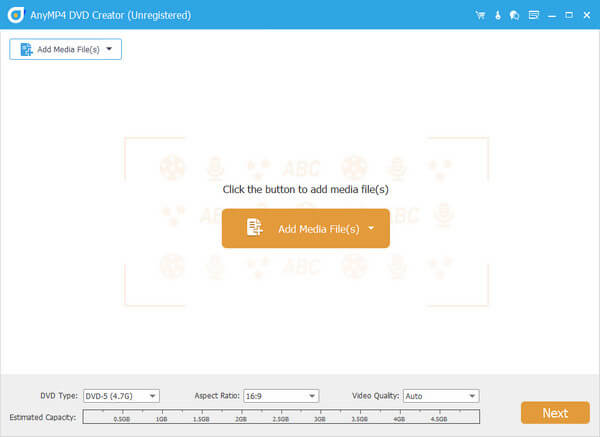
AnyMP4 DVD Creator is intended to create DVD disc, DVD folder and DVD ISO files from TS, MTS, M2TS, TRP, TP, MGP, MPEG, MPEG-2, MPA, VOB, DAT, MP4, M4V, RM, RMVB, WMV, ASF, MKV, AVI, 3GP, 3G2, FLV, SWF, F4V, MPV, MOD, TOD, QT, MOV, DV, DIF, MJPG, MJPEG, NSV, WEBM video formats. It supports DVD-5 (4.7GB), DVD-9 (8.5GB), and DVD format like DVD-R, DVD+R, DVD-RW, DVD+RW and DVD-RAM.

Key Features:

1. Create DVD from various video files.
Nearly all kinds of video can be burned into DVD disc, DVD folder or DVD ISO files, such as 3GP, AVI, DV, VOB, FLV, M2TS, MTS, SWF, MKV, MPG, MPEG, MPA, DAT, MP4, TS, NSV, MOV, QT, RMVB, etc.

2. Edit the source video.
AnyMP4 DVD Creator provides users with powerful video editing functions. With it, users can clip the video to any time length by setting the start and end time, cut off unwanted playing areas of the video to fit different portable players, personalize the video with the image or text watermarks, even adjust the video brightness, saturation, contrast, hue, and volume. Also, you can now add video filtering effect to video before burning.

3. Create stylish DVD menu.
This DVD Creator allows users to attach menus before burning. You can choose the menu template, select the menu frame, and button style, edit the menu text content, and define its font, size and color, even add the background picture and music.

4. Add and set audio track.
You can choose the audio track and add your own audio track or background music to the DVD. Users are also allowed to adjust the volume, and choose audio encoder, bitrate, and channels.
