UFS Explorer RAID Recovery 8.17

Type: Shareware
Cost: $149.95
Size: 17.31 MB
Release date: Jun 14 2021
Platform: Win2000,WinXP,Win7 x32,Win7 x64,Windows 8,Windows 10,WinServer,WinOther,WinVista,WinVista x64
Publisher’s Site:  https://www.sysdevlabs.com
Publisher’s Product Page:  https://www.ufsexplorer.com/ufs-explorer-raid-recovery.php
Country: Ukraine


UFS Explorer RAID Recovery

PC410, Computer Services in Carroll County Maryland
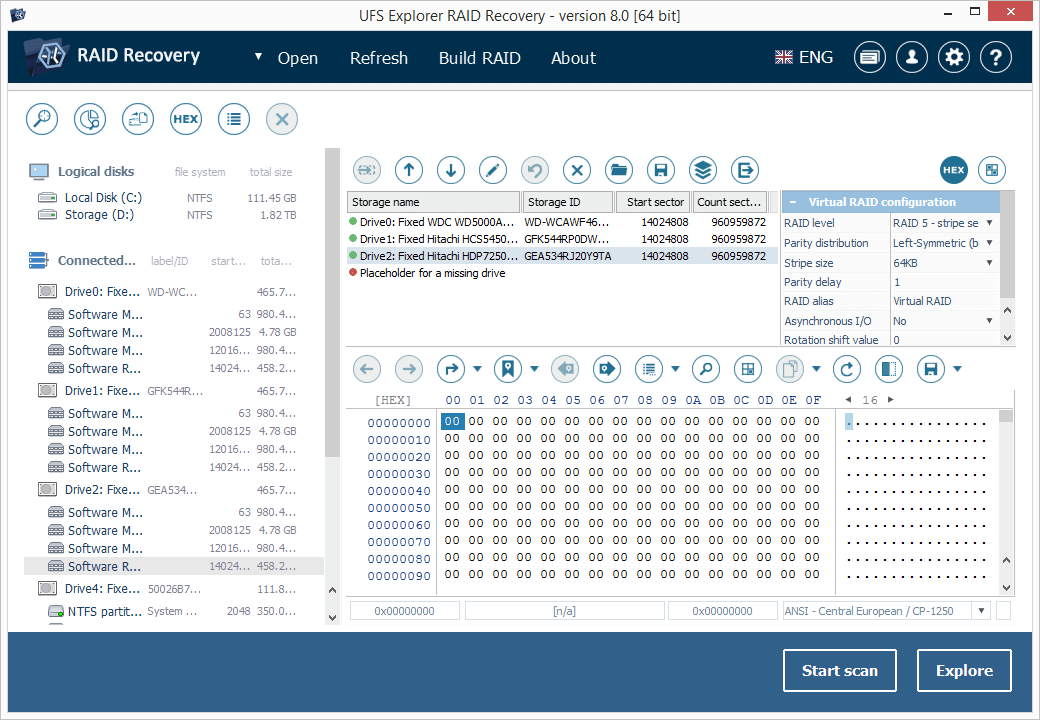
UFS Explorer RAID Recovery is an accomplished software product geared towards RAID-related data recovery cases, besides usual simple tasks. The program allows reconstructing RAID systems of various configurations, including standard, nested or custom RAID patterns, and effectively restores data lost due to various logical issues while a set of helpful options like file sorting, search, filters, preview, etc. make the process easy and smooth. The software supports a wide range of file systems used in Windows (NTFS, FAT, FAT32, exFAT), macOS (HFS+, APFS), Linux (Ext2, Ext3, Ext4, XFS, JFS, ReiserFS, UFS/UFS2, Btrfs), BSD/Solaris (ZFS) and is capable of working with various modern storage technologies, like mdadm, LVM, LDM, MS Storage Spaces, Drobo BeyondRAID, Synology Hybrid RAID, Btrfs-RAID, Apple Software RAID, Apple Fusion Drive, Intel Matrix and others. The utility makes it possible to build RAID in a virtual mode from physical disks or a set of disk images, edit RAID parameters or save them for further work. Also, the software features an embedded hexadecimal viewer for brief analysis of data on partitions and disks. Furthermore, the program provides an extensive set of instruments for work with damaged disks. It allows defining settings related to access and usage of a storage device, creating a full or partial disk image with configurable read timeout, block size and rules for the omission of bad blocks. Disks and arrays with bad blocks can be processed using bad sector maps generated during imaging, through recognition of a given pattern or created by other compatible tools. In addition to RAID and RAID-based devices, like NAS, the software is applicable for data recovery from other storages: PCs and laptops, USB flash drives, memory cards, external hard drives, virtual machines, disk image files, etc. Among the supported virtual technologies are VMware, Hyper-V, VirtualBox, QEMU, XEN, Parallels, disk images of Apple, EnCase, R-Studio and other formats.

Database Workbench Pro 5.8.0

Type: Shareware
Cost: $316
Size: 33.29 MB
Release date: Jul 05 2021
Platform: Win2000,WinXP,Win7 x32,Win7 x64,Windows 8,Windows 10,WinServer,WinOther,WinVista,WinVista x64
Publisher’s Site:  http://www.upscene.com
Publisher’s Product Page:  http://www.upscene.com/database_workbench/
Country: Netherlands


Database Workbench Pro

Cross database engine developer IDE for PostgreSQL, InterBase, SQL Server, Firebird, MySQL, Oracle, NexusDB, MSDE and Sybase SQL Anywhere including many tools like: Diagramming Tools, Visual Object Editors, Schema Browser, Test Data Generator, SQL Insight (SQL Intellisense), Cross Database Migrator and Compare, Data Compare, Object Templates, SQL Catalog, Stored Procedure Debugger, Two-way Visual Query Builder, Dependency Browsing, Data Export and Import Tools, Metadata Printing, BLOB Viewer/Editor (including several image formats, hex view and others), Drag – Drop editing and much more.

Aiseesoft FoneLab iPhone Data Recovery 10.3.6

Type: Shareware
Cost: $55.96
Size: 1.78 MB
Release date: May 20 2021
Platform: Win2000,WinXP,Win7 x32,Win7 x64,Windows 8,Windows 10,WinServer,WinOther,WinVista,WinVista x64
Publisher’s Site:  https://www.aiseesoft.com
Publisher’s Product Page:  https://www.aiseesoft.com/iphone-data-recovery/
Country: China


Aiseesoft FoneLab iPhone Data Recovery

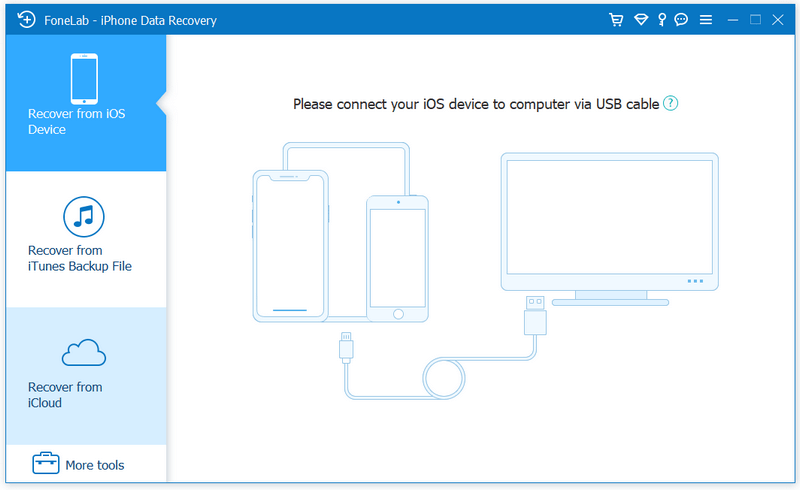
FoneLab, as the best iPhone Data Recovery software, can recover lost/deleted messages, contacts, call history, calendar, notes, WhatsApp/Kik/Line/WeChat/QQ etc. data from iPhone/iPad/iPod and from iTunes backup restore up files. It supports all iOS portable devices like iPhone (the latest iPhone 12 series included), iPad, iPod touch, etc. And you can preview your lost data before recovering it.

Main functions:

1. Recover lost or deleted data from iOS device directly or iTunes/iCloud backup Aiseesoft iPhone Data Recovery enables you to recover Contacts, Messages, Call History, Calendar, Notes, Reminder, Safari bookmark, Camera Roll, Photo Library, Photo Stream, Message attachments, Voice memos, WhatsApp data, Kik/Line/WeChat/QQ messages and photos, etc. from iOS device directly or iTunes/iCloud backup.

2. Preview files before recovery.
This data recovery software for iPhone/iPad/iPod allows you to preview deleted data before recovery. It also allows you to rotate photos when previewing.

Graphcat

3. iOS System Recovery.
It can help you fix your iOS device from DFU mode, recovery mode, Apple logo, headphone mode, etc. to normal state. Moreover, now it also enables you to upgrade or downgrade iOS system according to your demand.

4. iOS Data Backup & Restore.
This software also enables you to back up your iOS data to computer. What’s more, you can also restore data from backup files to iOS device.

5. WhatsApp Transfer
The new WhatsApp Transfer function enables you to transfer WhatsApp files between iOS devices directly, back up WhatsApp messages, photos, videos, attachments, and restore WhatsApp from backup history or local iTunes backup.