
AnyMP4 MXF Converter 8.0.10

Type: Shareware
Cost: $22.50
Size: 42.13 MB
Release date: May 13 2021
Platform: Win2000,WinXP,Win7 x32,Win7 x64,Windows 8,Windows 10,WinServer,WinOther,WinVista,WinVista x64
Publisher’s Site:  https://www.anymp4.com
Publisher’s Product Page:  https://www.anymp4.com/mxf-converter/
Country: China
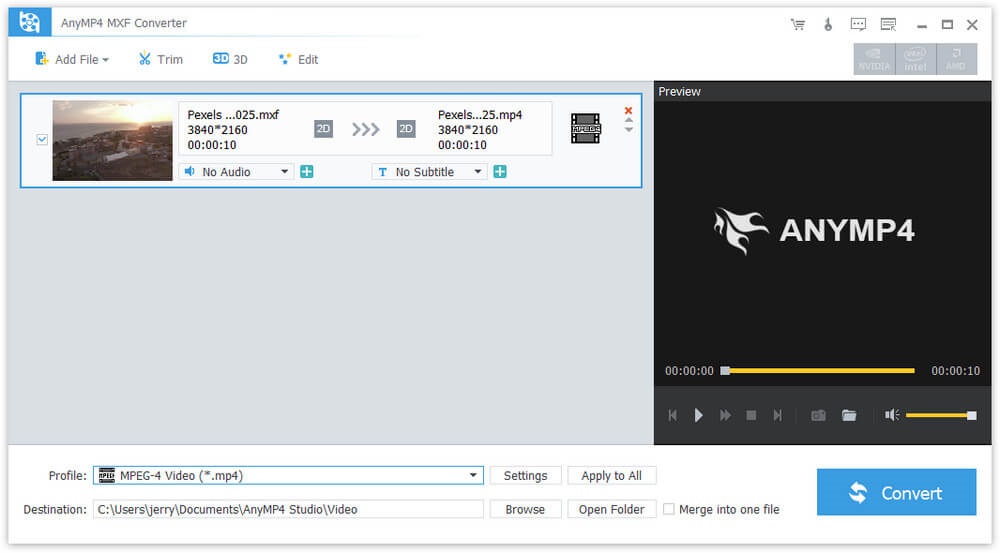

AnyMP4 MXF Converter

PC410, Computer Services in Carroll County Maryland
AnyMP4 MXF Converter can help you convert MXF to any video formats like MP4, AVI, WMV, MKV, MOV, M4V, TS, 4K UHD and so on. Besides, you can also convert MXF to 3D videos and HD videos. Meanwhile, this software has multiple editing functions. With this software, you can play your videos on many mainstream portable devices including iPhone 12/11 Pro Max/11 Pro/11/XR/XS/XS Max/X/8, iPad Mini 5, Galaxy series, Google Nexus 7, Kindle Fire, HTC One X, and Windows phone, etc.

Key Functions:

1. Convert MXF to any video formats.
AnyMP4 MXF Video Converter can convert MXF to various video formats like MP4, WMV, AVI, MOV, M4V, MKV, RMVB, MPEG, etc. Besides, it can also convert MXF to 3D video with high image quality. In addition, it can convert your MXF into HD videos such as HD H.264 TS Video, HD AVI video. At the same time, it supports 4K UHD formats now. Therefore, you can play and enjoy the videos on many digital devices including iPhone 12/11 Pro Max/11 Pro/11/XR/XS/XS Max/X/8, iPad mini 5, Galaxy series, HTC One X and Windows phone, etc.

2. Personalize the output video.
With AnyMP4 MXF Converter software, you can clip the video to your needed length, crop the video frame, add any text/image watermark, adjust the video effect by setting the brightness, contrast, saturation, hue and volume.

Graphcat

3. Merge videos and rename the file.
AnyMP4 MXF Converter has merging and renaming function. With the merging function, you can merge two or more MXF videos into one video. Therefore, you can enjoy your videos continuously. Besides, you can rename your videos with your own unique name and find them easily.
Tipard Mac Video Converter Ultimate 10.2.6

Type: Shareware
Cost: $28
Size: 115.40 MB
Release date: Oct 12 2021
Platform: Mac OS X,
Publisher’s Site:  https://www.tipard.com/
Publisher’s Product Page:  https://www.tipard.com/mac-video-converter-ultimate/
Country: China


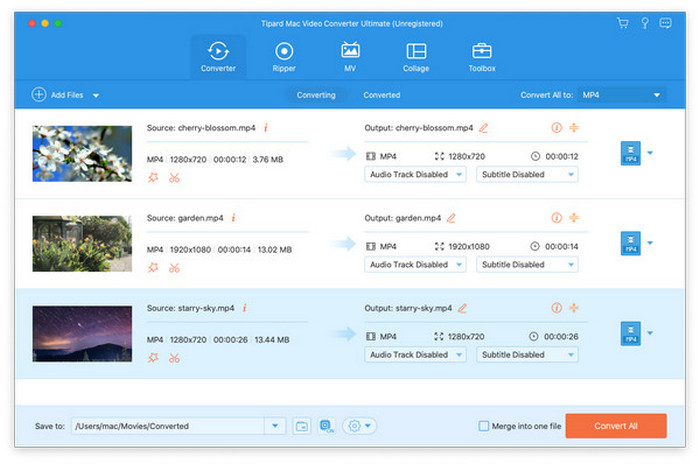
Tipard  Mac Video Converter Ultimate

Tipard Mac Video Converter Ultimate helps convert any video to other formats like MP4, MOV, AVI and more so that you could watch your videos on different devices. There is also an editing function which enables you to improve video quality greatly by enhancing video resolution and reducing video shaking. You could also rotate or clip video freely in order to meet your needs.

Key features
1. Convert video homemade DVD to popular formats on Mac
It is made to convert homemade DVD and any other video to MP4, AVI, MOV, MKV, etc. You could also convert your 4K video to other 360p, 720p, 1080p video. You are also allowed to convert music video to any audio formats such as MP3, AAC, AC3 and OGG.

2. Edit, enhance and rotate the video to meet your requirement
You can rotate the video to the correct angle and enhance the video by increasing resolution, optimizing brightness and contrast, removing video noise and reducing video shaking, all of them could let you enjoy a high quality video. Before converting your video, you are also able to edit your video as you like, such as cropping the video area size, converting 2D to 3D, adding watermark and adjusting the video effect.

3. Powerfully functions added
With Tipard Mac Video Converter Ultimate, you are able to use the Video Compressor, Media Metadata Editor and GIF Maker, 3D Maker, Video Enhancer features in Toolbox. With these features, you can adjust the metadata of your video/audio files, you can also make gif or a 3D video as you like, besides, the Video Enhancer feature enables you to improve your videos quality. Furthermore, you can also make MV and collage via this Tipard Mac Video Converter Ultimate.

4. Support various devices
This software is compatible with iPhone, iPad, iPod and Samsung, HTC, PS3, Xbox and more mobile devices, as a result, you can play any of your videos with the supported formats and enjoy them freely.

Aiseesoft Mac FoneLab 10.2.36

Type: Shareware
Cost: $63.96
Size: 51.58 MB
Release date: Jan 25 2021
Platform: Mac OS X,
Publisher’s Site:  https://www.aiseesoft.com/
Publisher’s Product Page:  https://www.aiseesoft.com/mac-iphone-data-recovery/
Country: China


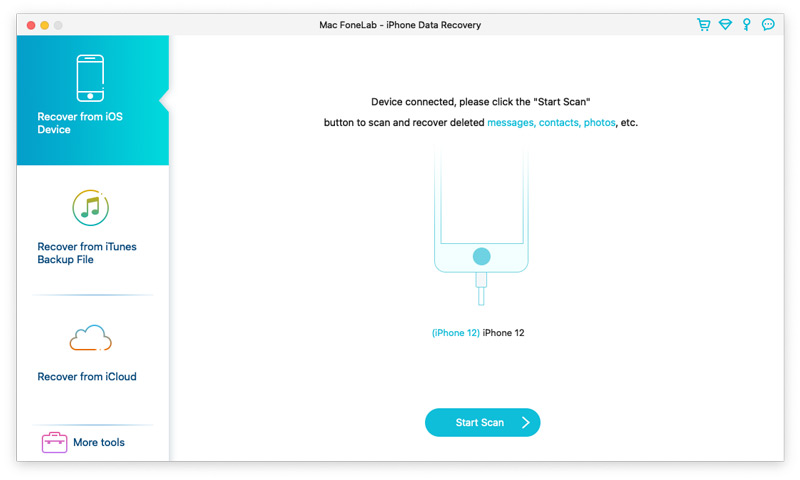
Aiseesoft Mac FoneLab

Aiseesoft Mac FoneLab is the best and easy-to-use software which can help users recover and back up various data to Mac from 12 Pro Max/12 Pro/12/12 mini, iPhone 11 Pro/11/XS/XS Max/XR/X/8/8 Plus, iPad Air, ipad mini 2, iPad 4, iPod touch 5, etc. It can also help users recover data from iTunes backup files. Besides, it supports various data such as Contacts, Messages, Call history, Whatsapp/Kik/Line/WeChat/QQ data, Calendar, Notes, Camera Roll, and Photo Stream, etc.
Key Functions:
1. Recover lost or deleted data from iOS devices directly
Recoverable data includes Contacts, Messages, Call history, Calendar, Notes, Reminder, Safari bookmark, Camera Roll, Photo Library, Photo Stream, Message attachments, Voice memos, Whatsapp data, Kik/Line/WeChat/QQ messages and photos, etc.

2. Regain data from iTunes/iCloud backup files
This Mac recovery software also enables you to recover lost data from iTunes/iCloud Backup for all Apple devices. Besides, it supports 11 types of files such as Contacts, Messages, Message attachments, Call history, Calendar and Notes, etc.

3. iOS System Recovery
This software also enables you to fix your iOS device from DFU mode, recovery mode, Apple logo, headphone mode, etc. to normal state. It also enables you to upgrade or downgrade iOS version.

4. iOS Data Backup & Restore
This software enables you to back up your iOS data to Mac and restore backup files (contacts and notes) to iOS device according to your need.

5. WhatsApp Transfer
The newly added WhatsApp Transfer feature can help users transfer WhatsApp data between iOS devices, back up WhatsApp messages, photos, videos, attachments, and restore WhatsApp from backup history or local iTunes backup. You can export WhatsApp backups in HTML and CSV formats.
