
Vidmore Player 1.1.10

Type: Shareware
Cost: $29.95
Size: 1.69 MB
Release date: Mar 31 2021
Platform: Win2000,WinXP,Win7 x32,Win7 x64,Windows 8,Windows 10,WinServer,WinOther,WinVista,WinVista x64
Publisher’s Site:  https://www.vidmore.com/
Publisher’s Product Page:  https://www.vidmore.com/vidmore-player/
Country: China
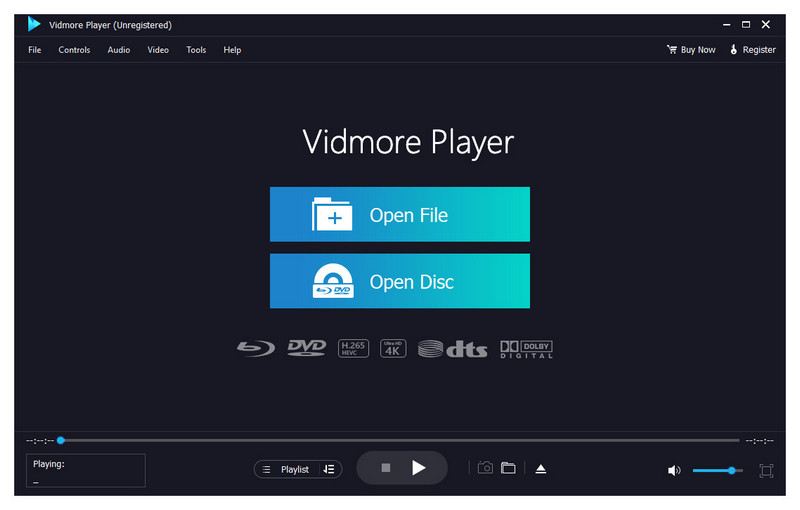

Vidmore Player

PC410, Computer Services in Carroll County Maryland
Do you have trouble in playing your Blu-ray disc/folder/ISO files and DVD disc/folder/ISO files? Are you looking for a powerful media player? Vidmore Player is your top choice. With it, you could play your Blu-rays and DVDs without any hassle.

Key functions:

1. Play Blu-ray disc/folder/ISO files
With Vidmore Player, you could play your Blu-ray disc/folder/ISO files with the lossless sound effect as well as HD image quality. It supports various Blu-ray disc types, such as BD-5, BD-9, BD-25, BD-50, etc. It provides the function to customize video effects like adjusting the hue/brightness/contrast/saturation and Gamma.

2. Play DVD disc/folder/ISO files
Do you want to play old DVD discs which you collected before? Do you want to play DVD folders? Do you want to play ISO files? Vidmore Player could accomplish this for you. It is able to play DVD disc/folder/ISO files and also lets you change the subtitle track/audio track.

Graphcat

3. Play any common videos
If you want to play any popular video and audio files, you could have a consideration of Vidmore Player. It could not only play Blu-ray disc/folder/ISO files and DVD disc/folder/ISO files, but also play other common videos like MP4, MPG, M4V, TS, MTS, M2TS, MXF, WMV, ASF, MKV, F4V, FLV, VOB, etc. In addition, you can enjoy the 4K UHD and 1080p/720 HD videos as well.

4. High output quality
With advanced audio decoding technologies like Dolby, DTS, AAC, TrueHD and more, you could enjoy the high quality of your media files. You could also click the Snapshot icon or use the shortcut key to take a screen shot when you play your movies.
UFS Explorer Standard Recovery 9.0

Type: Shareware
Cost: $69.95
Size: 16.85 MB
Release date: Sep 20 2021
Platform: Win2000,WinXP,Win7 x32,Win7 x64,Windows 8,Windows 10,WinServer,WinOther,WinVista,WinVista x64
Publisher’s Site:  https://www.sysdevlabs.com
Publisher’s Product Page:  https://www.ufsexplorer.com/ufs-explorer-standard-recovery.php
Country: Ukraine


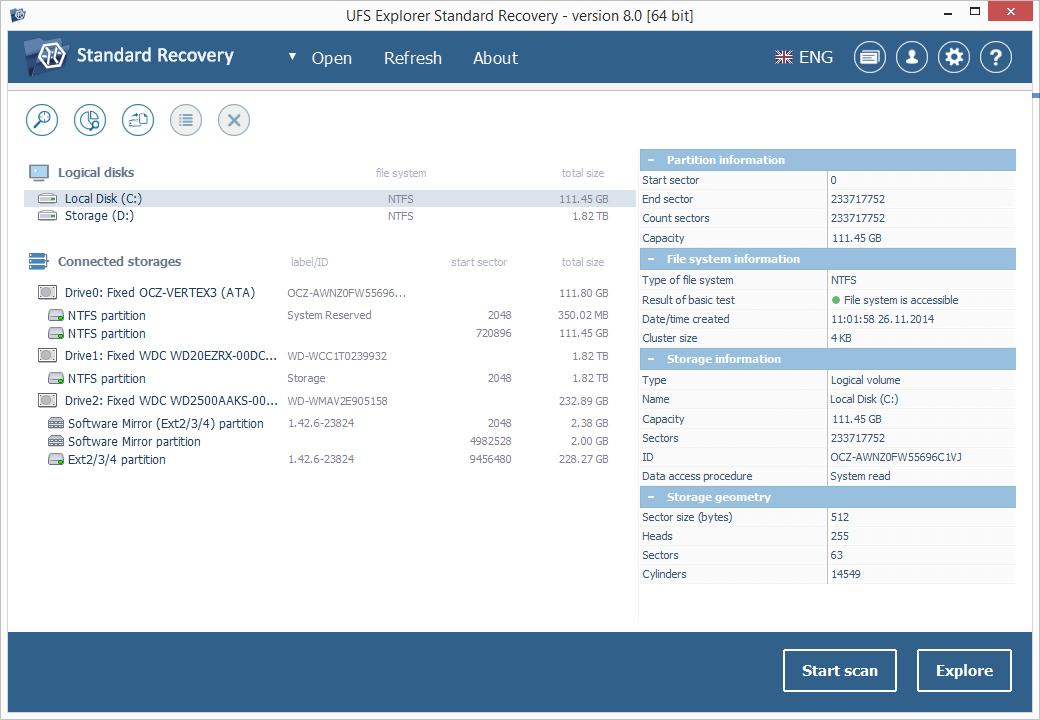
UFS Explorer Standard Recovery

UFS Explorer Standard Recovery embraces sophisticated techniques that make it easy to recover accidentally deleted files and data lost due to logical damage after disk formatting, hardware or software crashes, malware attacks, etc. The program supports a wide range of file systems used in different environments, including Windows (FAT/FAT32/exFAT and NTFS), macOS (APFS, HFS+), Linux (XFS, Ext2, Ext3, Ext4, Linux JFS, ReiserFS, UFS/UFS2, big-endian UFS, Btrfs) and BSD/Solaris (UFS, simple ZFS volumes). Spanned volumes created with mdadm, LVM, Apple Disk Utility, LDM and others are automatically recognized and assembled by the software, without any additional user actions required. The application is capable of restoring files from different devices, like your PC, USB flash drive, memory card of a photo/video camera, external hard drive, etc. In addition to that, it effectively works with disk images and virtual disks created by major virtualization software, like VMware, Hyper-V, VirtualBox, performing equally successful data recovery from both physical and virtual storages. Moreover, the application is enhanced with various supplementary possibilities. It offers an advanced file search and filters, allows previewing files of common types and sorting them by different criteria. Furthermore, the utility enables the user to select the method of disk access and define a timeout for cases when reading fails due to an I/O device error. The embedded disk imager allows adjusting the imaged area and such parameters as reading timeout, block size, direction, protocol, etc. A set of rules can also be specified for skipping damaged blocks. UFS Explorer Standard Recovery applies the most advanced algorithms to scan the device for lost data and recovers lost and deleted files while working in a safe read-only mode which prevents any modifications to the initial storage content.

CADopia 21 Professional 20.2.3407

Type: Demo
Cost: $645
Size: 248.84 MB
Release date: Oct 09 2020
Platform: Win2000,WinXP,Win7 x32,Win7 x64,Windows 8,Windows 10,WinServer,WinOther,WinVista,WinVista x64
Publisher’s Site:  http://www.cadopia.com
Publisher’s Product Page:  http://www.cadopia.com/
Country: United States of America


CADopia 21 Professional

CADopia 21 Professional (Perpetual license) is a full-featured CAD solution. The advanced features in this edition include ACIS 3D solid modeling, customization tools, PDF to DWG conversion, voice notes, and support for DGN files as underlays in addition to all standard drawing and drafting functions. Available in 12 languages. Visit www.cadopia.com for details.

The following new features and refinements are included in CADopia 21 in addition to the complete set of standard drafting features of previous releases of CADopia.

Data Extraction Wizard
Associative hatching
Improved batch printing
Layer support in PDF import
Security enhancements

The major features supported in CADopia Professional are:

Powerful CAD functionality:
AutoCAD 2.5-2018 DWG Support
Microstation DGN file Underlays
A comprehensive suite of drafting, design, and detailing tools
Supports standard CAD commands
Supports standard menu (.MNU) files
Optional Dark User Interface
Support for Digital Signature
New Layer Manager and Palette
3D solid modeling
Push & Pull for editing solid models
Filleting & Chamfering solid models
2D Spiral and 3D Helix
Redefine base point of a block
Edit block attribute properties
Dynamic custom coordinate system
Formulas in tables and export to Excel
Multileaders
Export Adobe Acrobat (PDF) files from your drawings
Import PDF files and save as DWG file
Import/export DWF files for viewing drawings on the Internet
Raster Image insertion and editing
Clipping support for references, images, and viewports
Quick input
Annotation scaling
Pattern hatch
Curved text
Drawing tab
Heads-up display toolbar
Layer state manager
Polar tracking
Ribbon interface
Design Resources
Quick grouping and ungrouping
Drawing standards verification and support for DWS files
Complex Linetype
Boundary hatching
Dimensioning and annotations
Smart Dimensions
Dimensions on Sheets to Model Geometry
Template files
Optional Network License & more.
