
Android Data Backup & Restore 5.0.0

Type: Shareware
Cost: $34.95
Size: 2.14 MB
Release date: Sep 13 2021
Platform: Win2000,WinXP,Win7 x32,Win7 x64,Windows 8,Windows 10,WinServer,WinOther,WinVista,WinVista x64
Publisher’s Site:  http://www.fonepaw.com/
Publisher’s Product Page:  https://www.fonepaw.com/android-data-backup-restore/
Country: Hong Kong


Android Data Backup & Restore

PC410, Computer Services in Carroll County Maryland
Simply Back up Your Android Phone
Restore Files from Backups in One Click
Protect your data here! Easily extract your contacts, call logs, messages, photos, videos, audios, WhatsApp, etc. from frozen or broken Samsung phones/tablets and fix bricked Android phones with safety.

Preview Backup Data in Details
After backing up phone files or before restoring those data, FonePaw Android Data Backup & Restore allows you to preview the detailed information in the backup files. For example, when you view the contacts, the names, phone numbers, e-mail addresses, etc. can be checked.
UFS Explorer Professional Recovery 9.1

Type: Shareware
Cost: $699.95
Size: 18.37 MB
Release date: Oct 18 2021
Platform: Win2000,WinXP,Win7 x32,Win7 x64,Windows 8,Windows 10,WinServer,WinOther,WinVista,WinVista x64
Publisher’s Site:  https://www.sysdevlabs.com
Publisher’s Product Page:  https://www.ufsexplorer.com/ufs-explorer-professional-recovery.php
Country: Ukraine


UFS Explorer Professional Recovery

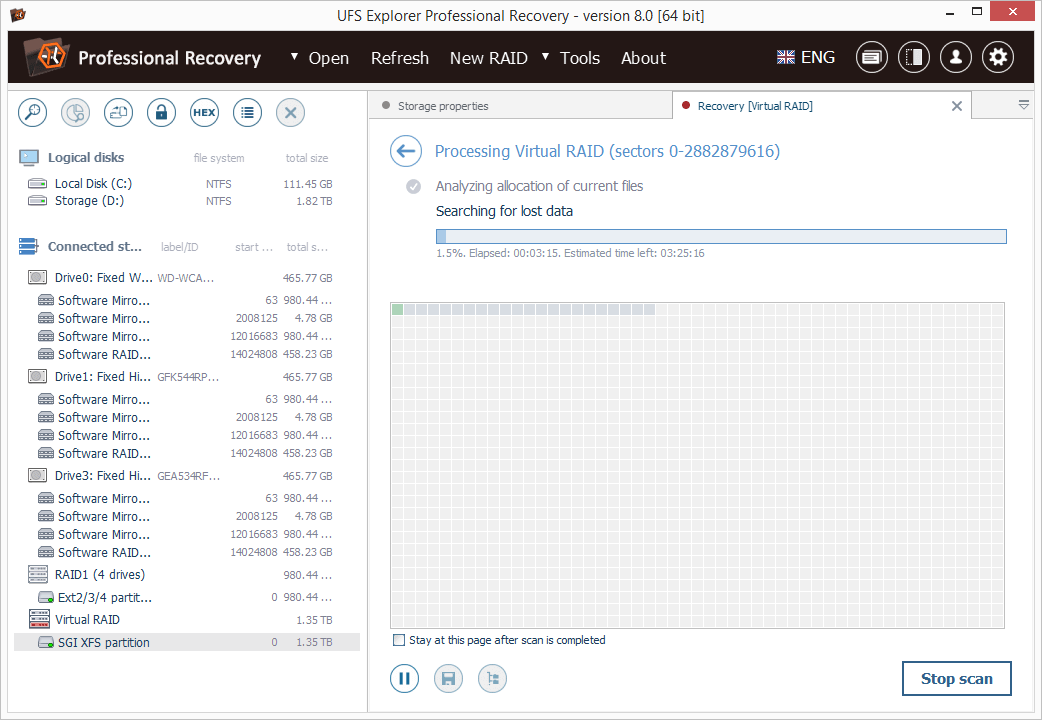
UFS Explorer Professional Recovery combines advanced disk reading and data recovery techniques with extensive means for processing defective storage media and manipulations with binary data. The application offers access to the available content and several options for the extraction of lost data from file systems applied in Windows (NTFS, FAT32, exFAT, ReFS/ReFS2), macOS (HFS+, APFS), Linux (Ext2-Ext4, XFS, JFS, ReiserFS, UFS, Btrfs), BSD (ZFS) and VMware (VMFS, VMFS6). Besides stand-alone storages, the software works with RAID-based devices of different configurations, including standard, nested, custom and specific types, like Drobo BeyondRAID, Synology SHR, RAID-Z and Btrfs-RAID. Embedded decryption tools make it possible to unlock volumes encrypted with BitLocker, LUKS, FileVault2 and APFS directly in the application. The utility also supports other modern storage technologies, including Windows LDM, Storage Spaces, deduplication, Apple Core Storage, Fusion Drive, Linux mdadm and LVM with thin provisioning, as well as various disk image formats and virtual disks. The program allows specifying different parameters as to the access and usage of a storage device, like I/0 timeout, and provides the possibility to read out the storage only once and save the processed data to a sparse image file. Drives connected to DeepSpar Disk Imager can be operated by the application via LAN without any third-party solutions. A full, partial or map-based disk image can also be created directly in the software with configurable read timeout, block size and settings for the omission of bad blocks. Reading errors occurring in the imaging process are reflected in a defects map, which can also be created on the basis of occupied file system space or by external compatible solutions. The built-in hexadecimal viewer and editor provide the opportunity to analyze the raw content of files or storages and perform the necessary corrections relying on many supplementary tools and functions.

Project Timer 3.6.0.0.0

Type: Freeware
Cost: $0
Size: 5.29 MB
Release date: Apr 09 2021
Platform: Win2000,WinXP,Win7 x32,Win7 x64,Windows 8,Windows 10,WinServer,WinOther,WinVista,WinVista x64
Publisher’s Site:  https://ontwerpbureaudunes.nl
Publisher’s Product Page:  https://www.projecttimer.com/
Country: Netherlands


Project Timer

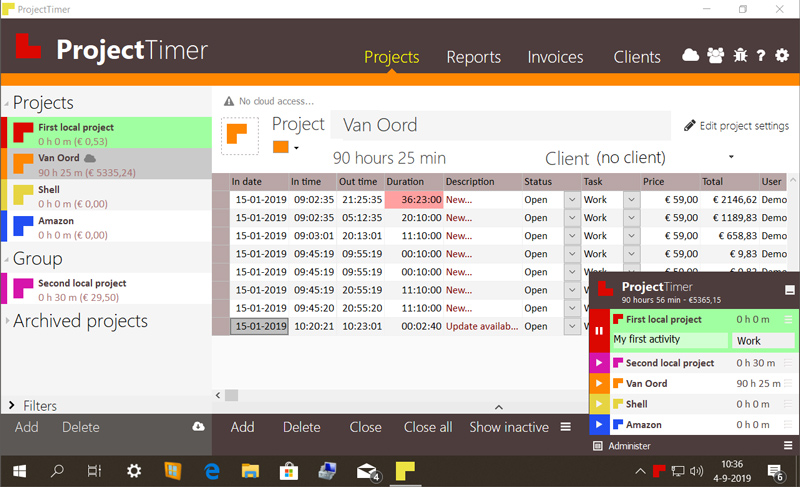
Project Timer is a simple but powerful windows application in the taskbar notification area to manage how much time you’ve spend on your projects. The use of colour will give a fast overview of which timer is running in the taskbar notification area (tray icon). This way you can quickly but non-intrusively see if the timer for the project you’re working on is running.
Activities can have different pricings per hour and the program keeps up the amount of money earned per project, as well as a summary for all your running projects.
You can export your data into reports using the browser or import it in Excel and a simple backup of the data can be zipped, mailed and imported to keep your data safe. Project Timer Pro also allows you to import hours spend by co-workers or freelancers and features extra import and export methods. Sometimes you need to edit your hours afterwards. This is no problem using the administrate panel. You can remove, add and edit activities to your projects.
Project Timer is a light, fast, simple, non-intrusive Windows taskbar application to assists you with your workflow for administrating and billing hours. It features an easy installation and clean uninstall.
The application areas are: advertising, small business, design, web design, healthcare, consulting and accounting, as long as you are working on a Windows machine.
