
Aiseesoft iPhone Unlocker for Mac 1.0.18

Type: Shareware
Cost: $39.96
Size: 29.91 MB
Release date: Jul 09 2021
Platform: Mac OS X,
Publisher’s Site:  http://www.aiseesoft.com
Publisher’s Product Page:  https://www.aiseesoft.com/iphone-unlocker/
Country: China
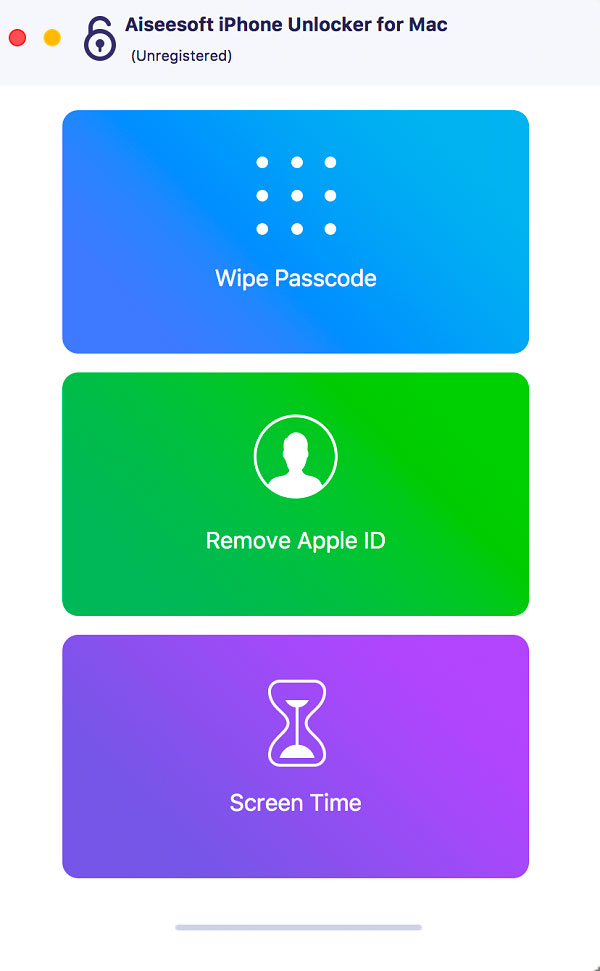

Aiseesoft iPhone Unlocker for Mac

PC410, Computer Services in Carroll County Maryland
There are various reasons for which you lose control of the lock screen passcode. If you are bothered how to bypass the lock screen when you forgot your iPhone passcode, or if you forgot the password connected to your Apple ID, or you want to remove the restrictions in Screen Time, Aiseesoft iPhone Unlocker for Mac can do you a great favor.

Key features:

1. Wipe iPhone passcode
If you are locked out of your iPhone because you forgot the passcode, whether your passcode is 4-digit, 6-digit, Touch ID and Face ID, Aiseesoft iPhone Unlocker for Mac can help you remove the passcode and unlock the iPhone easily.

2. Remove Apple ID
If you forgot your Apple ID or password, you would lose access to many Apple services. If your iOS device is configured well, this iPhone Unlocker tool allows you to remove the forgotten Apple ID and let you change a new Apple ID account to activate your iPhone.

Graphcat

3. Recover/Remove Screen Time Passcode
If you received a pop-up message saying that you have reached your limit on XX on your iPhone, you should enter the Screen Time passcode to change the settings. But what to do if you forgot the restriction passcode? You can use this iPhone Unlocker for Mac to recover the passcode and remove passcode without data loss on iPhone or iPad.
Aiseesoft Mac Blu-ray Player 6.5.30

Type: Shareware
Cost: $25
Size: 38.52 MB
Release date: Jul 05 2021
Platform: Mac OS X,
Publisher’s Site:  http://www.aiseesoft.com
Publisher’s Product Page:  https://www.aiseesoft.com/mac-blu-ray-player/
Country: China


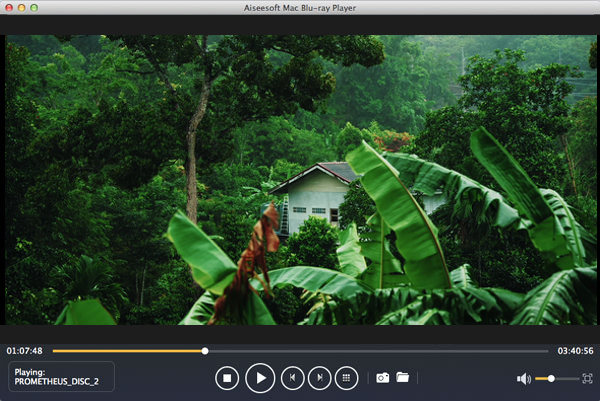
Aiseesoft Mac Blu-ray Player

Aiseesoft Mac Blu-ray Player is used to play Blu-ray disc, Blu-ray folder and Blu-ray ISO image files with high qualified image and sound. Users can freely choose the specific Blu-ray title/chapter to play. Moreover, users can enjoy any video/audio files with this player, such as MPG, MPEG, VOB, MP4, RMVB, MKV, AVI, FLV, SWF, MOD, TOD, AAC, AC3, MP3, OGG, WAV, WMA and so on.

Key Features:

1. Play any Blu-ray disc, Blu-ray folder and Blu-ray ISO image files
Adopting the most advanced technology, this player can not only play Blu-ray discs, but also play Blu-ray folder and Blu-ray ISO image files (4K supported) at high quality.

2. Play common videos
This Mac Blu-ray Player is capable of playing all popular video/audio files, like MPG, MPEG, VOB, MP4, RMVB, MKV, AVI, FLV, SWF, MOD, TOD, AAC, AC3, MP3, OGG, WAV, WMA, etc.

3. Offer outstanding HD/4k video enjoyment
This software can bring a big audio-visual feast to users. With it, it is never a dream to enjoy the amazing 4K/1080p/1080i videos with the best quality.

4. High image quality
The image presented by this player is in high quality and its smooth playing can also amaze users.

5. Easy to use
The intuitive interface simplifies its operation, so users can enjoy the latest movies on Mac freely and easily.

Vivaldi for MacOS 4.3

Type: Freeware
Cost: $0
Size: 189.78 MB
Release date: Oct 07 2021
Platform: Mac OS X,
Publisher’s Site:  http://vivaldi.com
Publisher’s Product Page:  http://vivaldi.com
Country: Norway


Vivaldi for MacOS

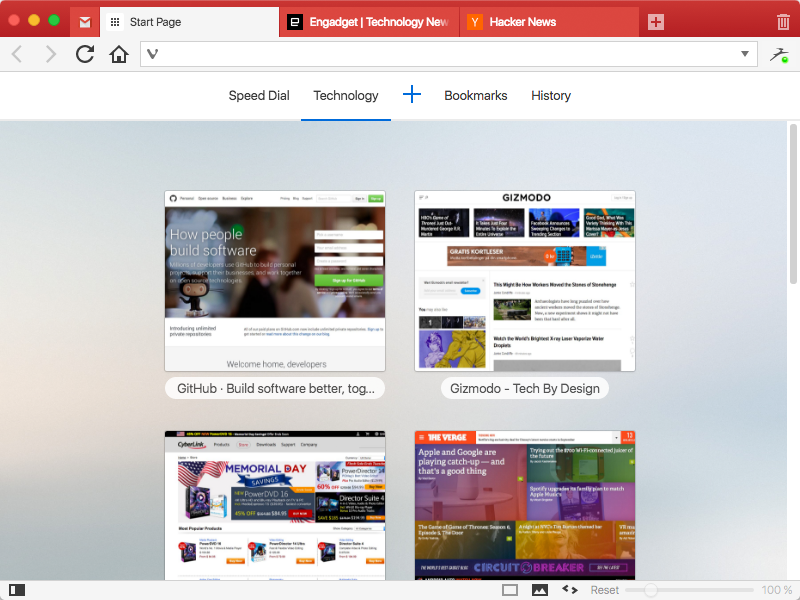
The Vivaldi browser does not track its users and offers more features than any other modern browser. Steered by Jon von Tetzchner (co-founder of Opera browser), Vivaldi is driven by the real needs of users today and ensures that they have the best tool to browse and do the job.

Users can tailor Vivaldi to suit their browsing needs with no limit to customization options. Vivaldi takes browsing to the next level with its numerous features that give users a more dynamic experience of the web. Vivaldi demonstrates that a browser can be the most useful tool to enhance time spent online and not just a means of accessing web pages.

Some of the highlight features that make Vivaldi a personal, do-it-your-way browser include:

Advanced tab management ability to group, tile, move and pin tabs.
Private and Secure Syncing across computers with end to end encrypted Synchronization.
Side Panel with easy access to bookmarks, downloads, tree-style tab manager, notes, browsing history and websites of users choice.
Built-in functionality such as the screenshot Capture tool, Notes and Image Properties.
Powerful History overview that lets users explore their browsing patterns.
Unique and customizable look and feel of the browser interface with custom Themes and more.
Keyboard Shortcuts and Mouse Gestures for quick browser commands.
Built in e-mail client and calendar.
Built in ad-blocker

For more details, visit https://vivaldi.com
