WholeClear VCF to PST Converter 6.0

Type: Shareware
Cost: $29
Size: 19.17 MB
Release date: Nov 25 2020
Platform: Win2000,WinXP,Win7 x32,Win7 x64,Windows 8,Windows 10,WinServer,WinOther,WinVista,WinVista x64
Publisher’s Site:  http://www.wholeclear.com/
Publisher’s Product Page:  https://www.wholeclear.com/converter/vcf-to-pst/
Country: United States of America


WholeClear VCF to PST Converter

PC410, Computer Services in Carroll County Maryland
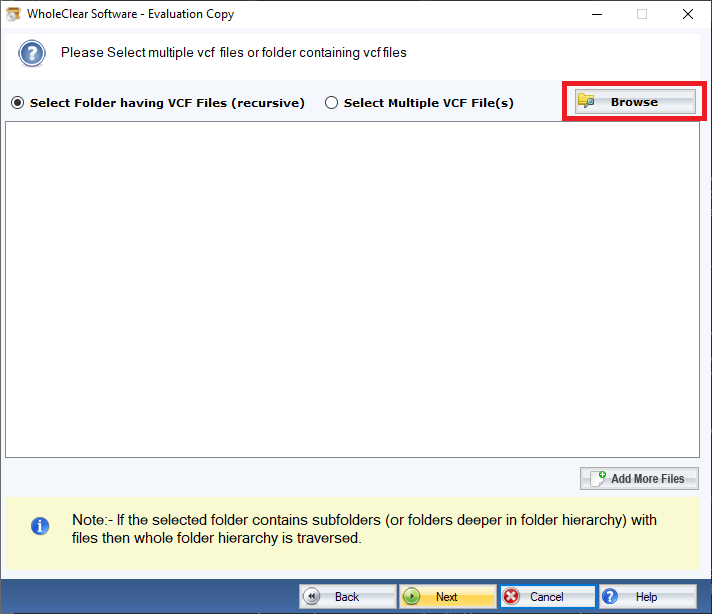
WholeClear is one of the most reliable online addresses to purchase conversion programs. The solution is capable of exporting selective VCF files to PST. However, MS Outlook supports VCF file format, but integrating VCF files to PST is difficult. It requires technical proficiency and moreover it is a time-consuming process. Therefore, using a third-party program is always one of the best alternatives. WholeClear VCF to PST Exporter is a straightforward app. It manages to export only required VCF files to PST. The prime feature of the app is bulk data migration. The app exports users specified VCF files to PST. No data is altered or going to miss while the conversion process is going on. The app makes the data migration process fast. It enables users to locate VCF files manually to upload and convert to PST file format. During conversion, the app keeps the whole content intact. All fields of VCF files exported including name, address, signature, and phone number. Since the application is straightforward, it doesnt need technical proficiency for data migration. The license of the app is available in three versions- individual, business, and enterprise. Each version has similar features. They are different in form of installation. An individual version can install on one system. The business and enterprise versions can install on multiple systems. Users have choices to choose a suitable version to meet their needs. No special technical skills you may need to operate the program. Download the free version of the app in your system to assess the ability of the software.

Video Converter Ultimate for Mac 2.0.8

Type: Shareware
Cost: $55.20
Size: 102.06 MB
Release date: Jun 09 2021
Platform: Mac OS X,
Publisher’s Site:  https://www.apeaksoft.com/
Publisher’s Product Page:  https://www.apeaksoft.com/video-converter-ultimate/
Country: China


Video Converter Ultimate for Mac

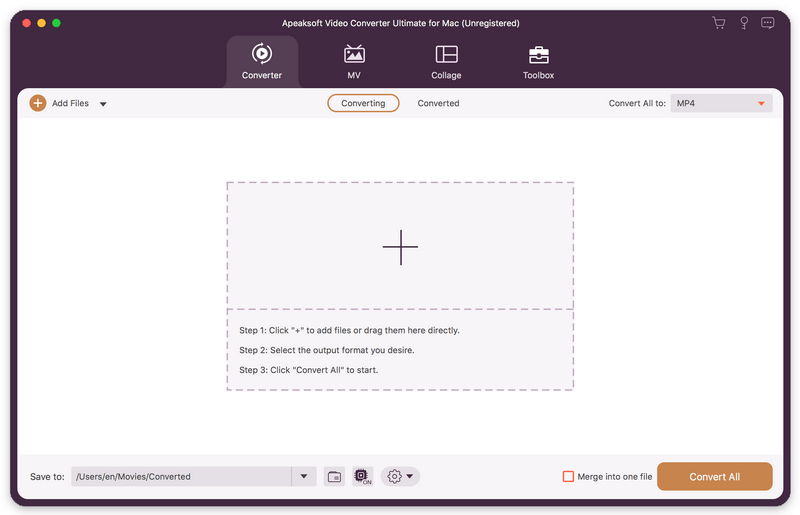
Apeaksoft Video Converter Ultimate for Mac is able to convert any media files to other popular formats like MP4, MOV, AVI, MP3, and more so that you can enjoy your videos on more portable devices. Before conversion, you could edit video effects as you like.

Key functions:

1. Convert various media files
Apeaksoft Video Converter Ultimate for Mac could convert all kinds of media files to other formats such as MP4, AVI, FLV, WebM, TS, MKV, MOV, MXF, AAC, FLAC, M4A, WAV, WMA, etc. More over, it supports many portable devices, like Samsung, iPhone and so on.

2. Convert DVD
If you have trouble in playing your DVD, Apeaksoft Video Converter Ultimate for Mac is your best choice. With it, you could convert your DVD disc, folder, ISO files to videos so that you could view them easily.

Graphcat

3. Edit your videos before conversion
Apeaksoft Video Converter Ultimate for Mac is not only a video converter but also a video editor. With the powerful video editing function, you could rotate/crop/merge/trim your videos, adjust brightness, contrast, saturation and hue, select suitable filter, add watermark, choose audio track, add/edit subtitles, etc.

4. Edit media metadata, compress file, enhance video, make GIFs and 3D files
Apeaksoft Video Converter Ultimate also provides some useful tools for users. You are able to edit the ID3 tag, compress large files to smaller size, enhance your videos. In addition, you could also make wonderful GIFs and create your own 3D files.

Apeaksoft Screen Recorder for Mac 2.0.38

Type: Shareware
Cost: $19.96
Size: 20.79 MB
Release date: Mar 18 2021
Platform: Mac OS X,
Publisher’s Site:  https://www.apeaksoft.com/
Publisher’s Product Page:  https://www.apeaksoft.com/screen-recorder/
Country: China


Apeaksoft Screen Recorder for Mac

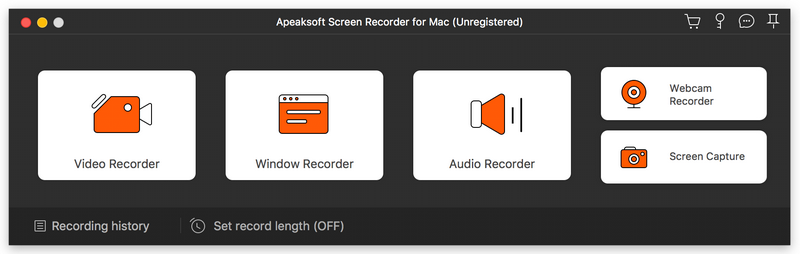
Apeaksoft Screen Recorder for Mac makes it easy to record videos and audio played on Mac. The powerful video recording function allows you to save almost all videos to your Mac, such as online streaming videos you cannot download, video tutorials you want to capture and video meetings you want to save. You could also record the microphone voice and capture the screenshot on Mac.

Key functions:

1. Record videos freely
Having trouble in downloading some videos you want? Apeaksoft Screen Recorder for Mac is your best choice. With it, you could record the videos which you could not download without any hassle. And you could change the output format before recording as you like. In addition, it also has various editing functions.

2. Record audio files easily
Apeaksoft Screen Recorder for Mac enables you to record various music, radio or online audio instead of downloading them. You can save the recorded audio in MP3, WMA, AAC, M4A for future playback. Moreover, it can record microphone voice easily, you just need to choose microphone audio and turn off system audio to easily record the voice you need. Recording system sound could also be realized with it.

3. Take snapshots easily
Apeaksoft Screen Recorder for Mac enables you to take screen capture, and you could add watermark to your screen capture. Moreover, you are able to annotate the snapshots with a text box, arrow, highlight and more.

4. Highlight the mouse cursor as you wish
This is especially useful when you make video presentations. You can highlight the mouse cursor to make your act easier to be tracked on screen. Also you can define the color and the shape of the highlight.