
Aiseesoft Screen Recorder 2.2.62

Type: Shareware
Cost: $25
Size: 2.05 MB
Release date: Oct 15 2021
Platform: Win2000,WinXP,Win7 x32,Win7 x64,Windows 8,Windows 10,WinServer,WinOther,WinVista,WinVista x64
Publisher’s Site:  https://www.aiseesoft.com
Publisher’s Product Page:  https://www.aiseesoft.com/screen-recorder/
Country: China

Aiseesoft Screen Recorder

PC410, Computer Services in Carroll County Maryland
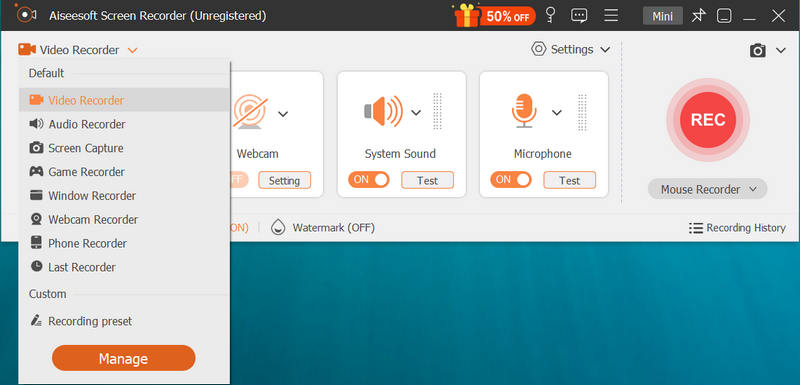
Aiseesoft Screen Recorder helps to capture almost any video played on your computer, including 4K videos. You can use this screen capture software to record various kinds of videos, like movies, video conference, video tutorials, gameplay, video calls, etc. When you record the screen, you can choose to record the sound of the video itself or record your own voice through microphone.

Key features:

1. Record any video on your computer
Aiseesoft Screen Recorder is a professional video recording application. With this recording software, you don’t have to buy another downloader because it will save more time and bandwidth to record rather than download. It is more powerful than downloader because it can save more, including game play process, video meetings and video/audio calls, etc. It even enables you to record 4K videos.

2. Record any audio source as you like
When you record a video, you can choose to record the voice of the video itself by using the system audio or record your own voice by enabling microphone voice. The former one fits for recording movies while the latter one is fit for making video presentations. If you want to record a video meeting, you should turn both on. Now, you can choose H.265 video codec, which can let you save your screen in high quality.

Graphcat

3. Edit recording and snapshots
This screen recording tool also carries lots of necessary editing features to help you get a preferred output file. You can add arrow, text, line, rectangle, ellipse and more while recording, clip recorded video/audio, trim recorded video or audio file freely to only save the useful part. You can also put your personal labels like new arrow, line, text and more on snapshot.

4. Phone Recorder
The latest upgrade adds a new feature: Phone Recorder, which allows you to mirror your iPhone screen to computer to record any video and audio from your iPhone on your computer screen.
Acronis Backup Standard 12.5.16428

Type: Shareware
Cost: $69
Size: 9.96 MB
Release date: Mar 26 2021
Platform: WinXP,Win7 x32,Win7 x64,Windows 8,Windows 10,WinOther,WinServer,WinVista,WinVista x64
Publisher’s Site:  http://www.acronis.com
Publisher’s Product Page:  https://www.acronis.com/en-us/solutions/backup/workstation/
Country: United States of America


Acronis Backup Standard

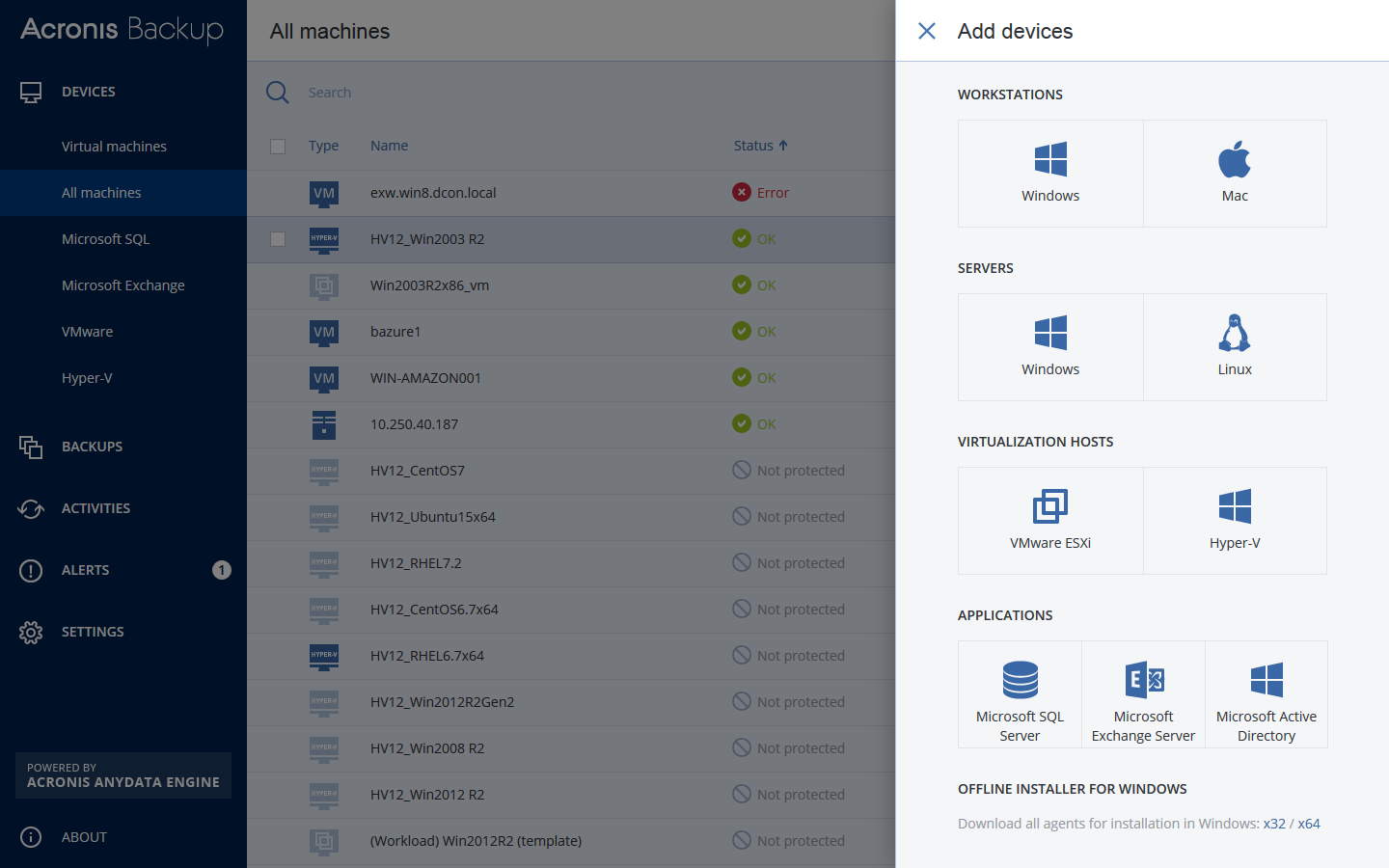
Support your workforce & restore employee data in seconds with Acronis Backup 12 – the world’s fastest, easiest backup!

– NEW! Protect all your Window PC & Mac users – both in the office and on the road
– NEW! Restore computers & tablets in seconds – 2X faster than our closest competitor
– NEW! Protect all your systems via 1 easy web console accessible from any device
– NEW! Install in 3 easy clicks, and get up and running with zero learning curve
– Capture everything – files, applications, OS – with powerful 1-click disk imaging
– Restore anything with a few simple clicks – from a single file to a full system
– Disaster-proof your data with easy auto-backup to the ultra-secure Acronis Cloud
– Restore a system to new, dissimilar hardware without complications
– Automate your backups to keep track of changes without interrupting workflows

Coolcut 1.8.2

Type: Freeware
Cost: $0
Size: 633.00 kB
Release date: Nov 17 2021
Platform: Win2000,WinXP,Win7 x32,Win7 x64,Windows 8,Windows 10,WinServer,WinOther,WinVista,WinVista x64
Publisher’s Site:  https://www.coolcut.tv/index/advertise3.html?c=21
Publisher’s Product Page:  https://www.coolcut.tv/index/advertise3.html?c=21
Country: China


Coolcut

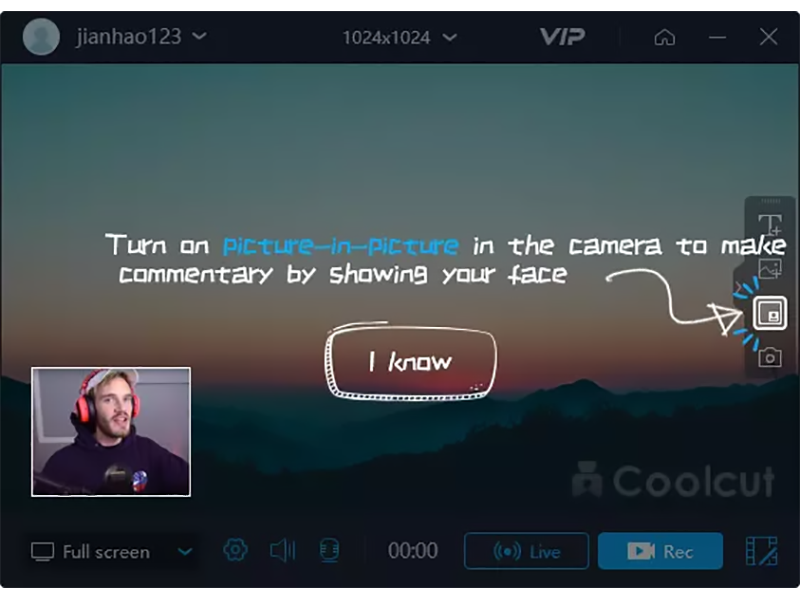
A combination of two powerful utilities, Coolcut is both an outstanding video editor and an excellent screen capture and live video recording tool. With Coolcut you can produce high-end tutorials, take screenshots of your desktop, and embellish your new videos with all kinds of transitions, effects, filters, multiple soundtracks, and audio effects, watermarks, etc., all in a convenient and intuitive timeline-based workspace and at no cost for you.
The desktop recording tool is extremely flexible, allowing you to take screenshots of your desktop and make high-quality recordings of anything taking place on your desktop. This flexibility allows you to produce tutorials and dynamic presentations, make online video and audio recordings, and save conferences, workshops, business meetings, etc., as convenient video files for later use. It comes with all the features you would expect from a professional screen recorder, with tools to add text and images to your presentations and a full set of settings to customize the quality of your recordings.
The video editor is in itself a professional tool with all the knots and bolts you find inexpensive video editing tools. Its timeline will let you place and move all kinds of media and related tracks (such as text), so you can combine and overlap them in the most convenient way just by dragging them with your mouse. The video player embedded in its interface will let you check, modify, and correct all of the changes you perform on your videos. Transitions, soundtracks, filters, text-to-speech capabilities, green screen, dubbing, speed change, and the most common editing features are all part of this impressive editor.
