
Screenrec 1.0.89.0

Type: Freeware
Cost: $0
Size: 185.00 kB
Release date: Nov 18 2020
Platform: Win2000,WinXP,Win7 x32,Win7 x64,Windows 8,Windows 10,WinServer,WinOther,WinVista,WinVista x64
Publisher’s Site:  https://screenrec.com/
Publisher’s Product Page:  https://screenrec.com/
Country: Bulgaria
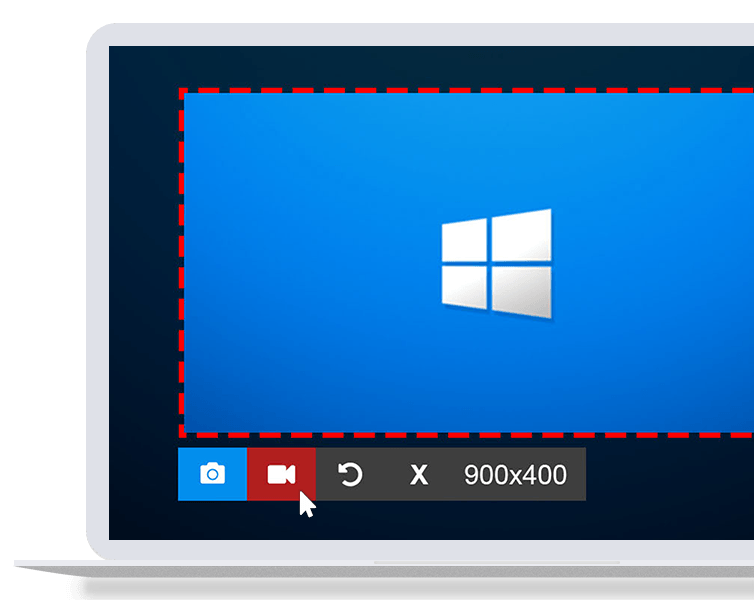

Screenrec

PC410, Computer Services in Carroll County Maryland
ScreenRec is a free, lightweight screen capture software that allows you to record your screen or take a screenshot in a click. It’s great for productivity as you can use it to send video messages instead of writing lengthy emails. Best of all, it’s insanely easy to use and there is NO learning curve. Just select screen capture area, press a button and you are done!

You can take a screenshot of your entire screen or a specific screen area and edit it with the annotation tools. You can also record your computer screen with the sound coming from your speakers or your microphone.

Thanks to the Cloud Recording technology, there is no upload time and no need to connect to DropBox, Google Drive, Youtube or Facebook etc. When you are done recording or taking a screenshot, you will immediately get a private and secure sharing link copied to your clipboard. Just press Ctrl + V to paste the link in an email, in a private chat or even publish it to your website if you like.

ScreenRec is powered by the all-in-one business video platform StreamingVideoProvider and comes with 2Gb of free private cloud storage. This makes it extremely powerful under the hood. Besides business video hosting, you also get a number of advanced features like enterprise-grade security, deep analytics and a content management system (CMS).

Graphcat

ScreenRec prevents any unauthorized downloads of your screenshots and screencasts using the 128-bit AES encryption algorithm. You can also set passwords and restrict access by location or IP address.

The Deep Analytics let you see who watched your screen recording, which parts they skipped, how many times they viewed, and more.

Using the CMS, you can organize your captures with tags and playlists.

From task assignment to bug reporting and internal training, ScreenRec is trusted by 90,000+ users to reduce the need for meetings, cut down on emails and communicate more effectively across locations and time zones.
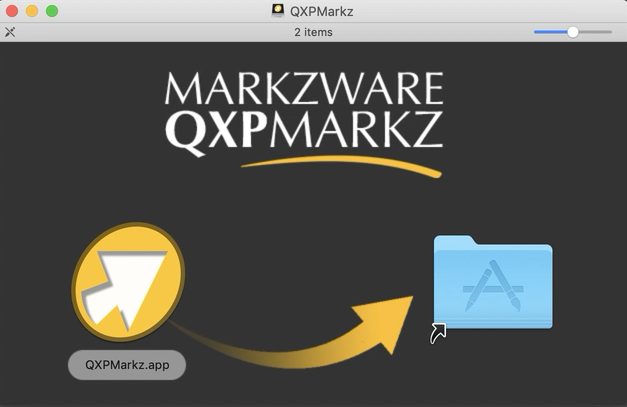

QXPMarkz 1.2.34.607

Type: Demo
Cost: $199
Size: 14.75 MB
Release date: Sep 10 2021
Platform: Mac OS X,
Publisher’s Site:  http://www.markzware.com
Publisher’s Product Page:  https://markzware.com/products/qxpmarkz/
Country: United States of America


QXPMarkz

QXPMarkz is a standalone software to preview, convert, and open QuarkXPress documents in Adobe InDesign, Affinity Publisher, Adobe Acrobat, Adobe Illustrator, older QuarkXPress versions, and many other applications. You no longer need to recreate documents from scratch – QXPMarkz gives you a big head-start on QuarkXPress to InDesign data conversion.

QXPMarkz gives you the ability to open and then convert native QuarkXPress files (.qxp, .qxd files) to different formats – all without QuarkXPress being loaded on your computer. It allows you to export QuarkXPress files to IDML, PDF, TIFF, PNG, JPEG, GIF, and other non-proprietary file types. Also, you’ll be able to open .QXP files in previous versions of QuarkXPress.

Main features:

Open an IDML version of your Quark file in InDesign, or Affinity Publisher 1.8 or greater

Export your QuarkXPress document as IDML. PDF, TIFF, PNG, JPEG or GIF

Extract the text out of your Quark file as TXT (plain text), RTF (Rich Text Format) or HTML

Open multiple files at one time

Select an application to open your converted file, either manually or as a more permanent workflow feature.

IP Tools for Excel 3.6.2.36514

Type: Shareware
Cost: $39.95
Size: 9.81 MB
Release date: Apr 01 2019
Platform: Win2000,WinXP,Win7 x32,Win7 x64,Windows 8,Windows 10,WinServer,WinOther,WinVista,WinVista x64
Publisher’s Site:  https://CheckTheNetwork.com
Publisher’s Product Page:  https://CheckTheNetwork.com/ip-tools-for-excel
Country: United States of America


IP Tools for Excel

NEW Version – IP Tools for Excel – Add-in / Plug-in for Microsoft Excel

Instant Productivity – Instant Results – in Microsoft Excel

Provides functionality to execute and display results from commands and functions: ping, nslookup, tracert, OpenTCP, OpenHTTP, GetCertificateSSL()

— Ping sweep or nslookup an entire list of IP addresses or names instantly – Very Fast Results
— Subnet Calculator in Excel

Features:

– Right click and choose command on any cell or range including entire column up to 1,048,576
– Get SSL certificate from server and test the expiry date. Any x.509 certificate field
– Nslookup – DNS lookup forward or reverse — Do they match
– Trace Route via the tracert command
– Ping any selected list of IP addresses or host names – sweep it – run continuous
– openTCP ports and scan – openHTTP to test web
– Ping packet parameters are customizable – 1 to 200k pings per address
– Launch to http or https from any list of host names or IP addresses
– Launch SSH Telnet RDP connections
– Sort IP Addresses in Excel – 192.168.45.252 does not come before 192.168.45.54
– Output directly in Excel with 1000’s of output and format options
– Set output to ANY cell
Comments
Cell Shading
Text Color
– Subnet Calculator
– IPAM
– And more

*** GUI interface for setting options and settings

Very Fast Results output with as many display options.

The installation contains also contains IP Tools for Excel Maintenance which is available from the Start Menu. Useful to enable or disable IP Tools startup in Excel. Additionally the installation provides for clean removal via Control Panel – Add Remove programs if required.

Used by network engineers, system administrators, NOC personnel, network security professionals and auditors. Plenty of positive feedback received.

try it now for FREE

Thank you.

Productive Solutions Inc. at https://checkthenetwork.com/
