
Apeaksoft Screen Recorder 1.3.38

Type: Shareware
Cost: $19.96
Size: 1.86 MB
Release date: Jun 21 2021
Platform: Win2000,WinXP,Win7 x32,Win7 x64,Windows 8,Windows 10,WinServer,WinOther,WinVista,WinVista x64
Publisher’s Site:  https://www.apeaksoft.com/
Publisher’s Product Page:  https://www.apeaksoft.com/screen-recorder/
Country: China

Apeaksoft Screen Recorder

PC410, Computer Services in Carroll County Maryland
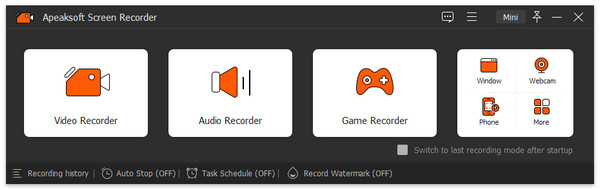
Apeaksoft Screen Recorder could capture almost any video played on your computer, including 4K videos. You can use it to record various kinds of videos, like online movies, video conference, video tutorials, game play and other videos you want to save.

Key functions:

1. Record videos on your computer
Apeaksoft Screen Recorder is professional video recording software. With it, you could record various media files, including game play process, video meetings and online streaming videos, etc. If you are a game lover, it could record your game play smoothly with high frame rate, then you could share it on Twitter, YouTube or Facebook. In addition, you could also record your webcam with it conveniently.

2. Record any audio source as you like
When you record a video, you can choose to record the voice of the video itself by using the system audio, or record your own voice by enabling microphone voice. The former one fits for recording movies while the latter one is fit for making video presentations. If you want to record a video meeting, you should turn both of them on.

Graphcat

3. Take snapshot quickly
Apeaksoft Screen Recorder could not only record media files, but also take snapshot. You could edit the snapshot or add watermark to your screenshot.

4. Various settings and highlight the mouse cursor as you want
With Apeaksoft Screen Recorder, you could customize recording area, set scheduled task, make audio settings, etc. Moreover, you could preview the recorded files before saving. It also allows you to highlight the mouse cursor to make your action easier to be tracked on screen. Also you can define the color and the shape of the highlight.
Raise Data Recovery 8.16

Type: Shareware
Cost: $24.95
Size: 15.24 MB
Release date: May 14 2021
Platform: Win2000,WinXP,Win7 x32,Win7 x64,Windows 8,Windows 10,WinServer,WinOther,WinVista,WinVista x64
Publisher’s Site:  https://www.sysdevlabs.com
Publisher’s Product Page:  https://www.raisedr.com/
Country: Ukraine


Raise Data Recovery

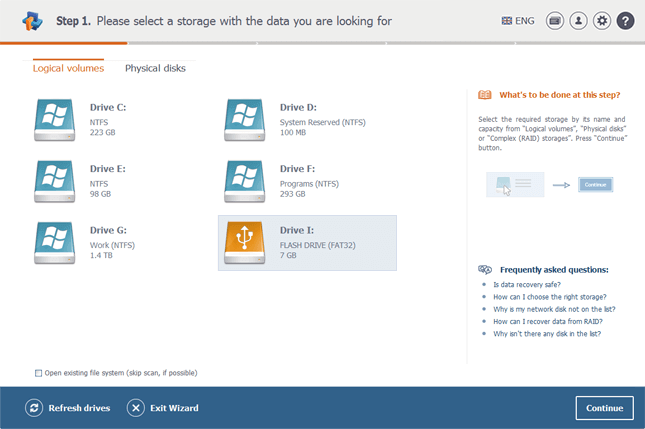
Raise Data Recovery is a handy program for smooth data recovery after logical failures, malware attacks, accidental file deletion and hardware faults. The utility can recover files from any storage device attached to the local computer and controlled by any of the file systems of Windows (FAT/FAT32, ExFAT, NTFS, ReFS), macOS (APFS, HFS+) and Linux (Ext2, Ext4, Ext4, ReiserFS, XFS, JFS). Raise Data Recovery can also be applied to RAID systems and composite volumes, including Linux LVM, Windows dynamic disks, Apple Software RAID, as well as most NAS devices. Owing to its maximum simplicity, the software doesnt require any extra user actions or skills to perform the data recovery procedure. The application automatically selects the necessary data recovery methods and quickly recovers the lost information. Raise Data Recovery employs powerful analysis, search and recovery mechanisms similar to those used in professional product series. After the user starts the scanning operation, the utility analyzes the storage space finding all the intact folders and files that have been inside the file system. The program offers such useful additional features, as preview of files, their sorting, adjustable search and in most cases, reconstructs the initial structure of directories. Several licensing options are provided depending on the purpose of use: from the free Trial License with the limitations on the size of files to be saved to the Personal license with several sub-licenses for lifting the limitations depending on the chosen set of file systems for recovery Windows, Linux or macOS. The activated set of storage formats that can be processed under any of the supported operating systems.

FaxTalk Multiline Server 10.0.b1632

Type: Demo
Cost: $149.95
Size: 25.32 MB
Release date: Jun 01 2021
Platform: Win2000,WinXP,Win7 x32,Win7 x64,Windows 8,Windows 10,WinServer,WinOther,WinVista,WinVista x64
Publisher’s Site:  https://www.faxtalk.com
Publisher’s Product Page:  https://www.faxtalk.com/faxtalk-multiline-server-network-fax-server-software/
Country: United States of America


FaxTalk Multiline Server

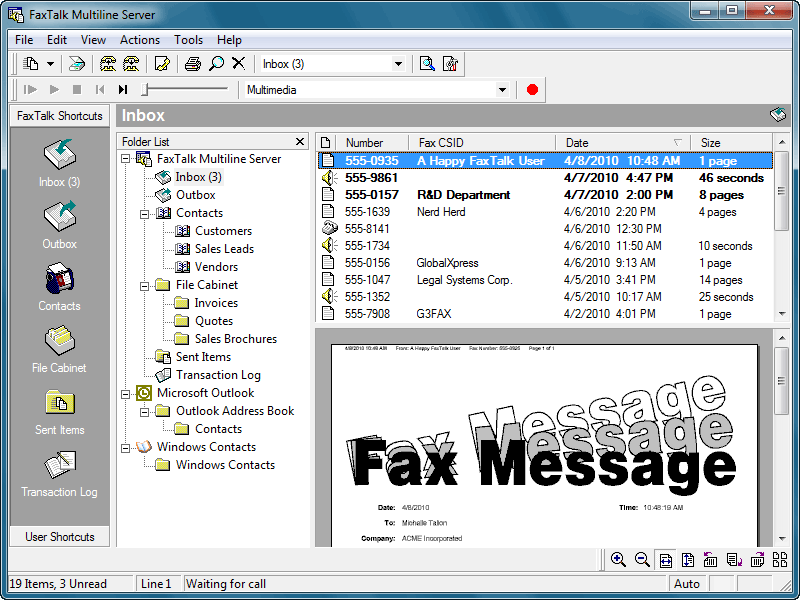
Easy to use network fax server software and broadcast fax software. With FaxTalk Multiline Server your network based users can stop waiting in line to use the fax machine and quickly and easily create and send faxes directly from their computer. Provide an affordable, reliable network based client/server faxing solution for your network based users. Avoid the expense and hassle of setting up individual fax software solutions for each user and eliminate the need for dedicated telephone lines to each computer. Users can submit faxes directly from their machine without a phone line or modem connected to their computer.

A computer acting as a "fax server" running the FaxTalk Multiline Server software would transmit the faxes submitted by users on the network. There is no need for a dedicated "server" machine to use FaxTalk Multiline Server as a fax server. Any computer with a standard fax modem connected to a telephone line can operate as the fax server on a network. If your fax volume requires additional lines you can simply add additional standard fax modems or multiport modems to handle a maximum of eight lines. Network users would use the FaxTalk FaxCenter Pro software running on each individual client machine to create and send faxes over the network to the fax server for transmission.

The FaxTalk software includes powerful fax capabilities including broadcast faxing, high-speed Super G3 (V34 Fax) support, 2D, ECM, delayed scheduling, sending faxes over the Internet to an email address, direct access to contacts from Microsoft Outlook, Windows Address Book and Windows Contacts, markup and annotation tools, ability to design custom cover pages, TWAIN scanner support, junk fax blocking, Caller ID, Distinctive Ring, forwarding of faxes to email and much more!
