
Tipard Screen Capture 2.0.8

Type: Shareware
Cost: $20
Size: 1.76 MB
Release date: Apr 01 2021
Platform: Win2000,WinXP,Win7 x32,Win7 x64,Windows 8,Windows 10,WinServer,WinOther,WinVista,WinVista x64
Publisher’s Site:  https://www.tipard.com/
Publisher’s Product Page:  https://www.tipard.com/screen-capture/
Country: China
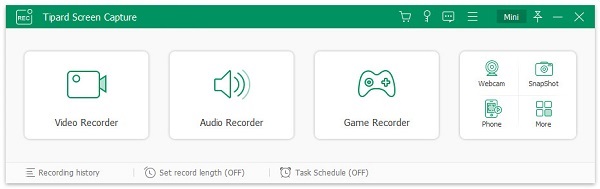

Tipard Screen Capture

PC410, Computer Services in Carroll County Maryland
Tipard Screen Capture can record screen, video, and audio you desire on computer. It allows you to select video size like full screen, customized size. It can also select the area that you want to record. Besides, you can choose to record with the system audio or microphone audio according to your needs. Apart from that, it owns cursor options for you to choose like highlight cursor or clicks or both of them. It is highly compatible with windows 10.

Key Functions:
1. Record screen, video and audio
With Tipard Screen Capture, you can record Metacafe, Vimeo, Yahoo, CBS, Niconico and other online video. Meanwhile, it enables you to record 4K UHD Video, HD Video etc. and save them as MP4 or WMV for easy playback.

2. Choose specific video size
This screen recorder software allows you to choose the video size like full screen, customized size. Meanwhile, you can select the area that you want to record. You can also adjust the frame of the software to adjust the size to record.

3. Set the audio source or microphone voice
Tipard Screen Capture allows you to choose the audio options when you record audio. You can choose the system audio or microphone audio, or select both of them according to your needs.

Graphcat

4. Edit video while recoding
Tipard Screen Capture has cursor options for you to choose like highlight cursor or highlight clicks. You are able to add arrow, text, line, rectangle, ellipse and more while recording.

5. Complete the screen capture and preview it
Tipard Screen Capture allows you to preview the video after you finish capturing it. Thus, you can get your most needed video.
AnyMP4 iOS Cleaner for Mac 1.0.6

Type: Shareware
Cost: $26.21
Size: 25.38 MB
Release date: Jul 22 2021
Platform: Mac OS X,
Publisher’s Site:  https://www.anymp4.com
Publisher’s Product Page:  https://www.anymp4.com/ios-cleaner/
Country: China


AnyMP4 iOS Cleaner for Mac

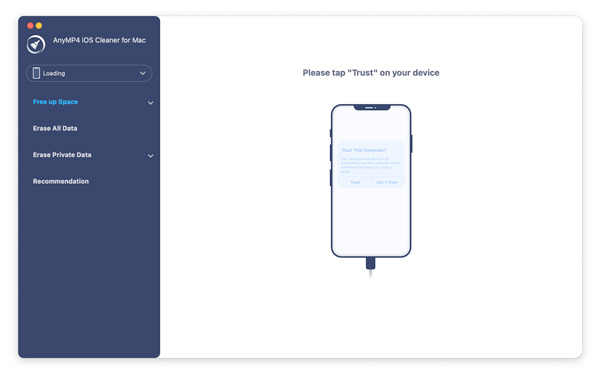
Find your iPhone/iPad/iPod Touch runs slower than before and want to find a way to clean it? Then this AnyMP4 iOS Cleaner for Mac could be a great option for you. It is a simple and professional software that can help you clean junk files, free up more space to speed up your device, uninstall applications, delete large files, compress, and export iPhone photos, etc.

Key Functions:

1. Free up more space on your iPhone/iPad/iPod Touch.

AnyMP4 iOS Cleaner for Mac can wipe data on your iOS device completely. With it, you can easily and quickly delete or clean up any unwanted data from your iPhone/iPad/iPod Touch without hassle, including junk files, temporary files, application cache files, cookies, unused applications, etc. Then you can have more memory space to execute applications, browse the internet, and play heavy games. You can enjoy better iOS performance with this iOS memory optimizer.

2. Choose different erasing levels as you like.

This AnyMP4 iOS Cleaner for Mac offers three different erasing levels. It avoids leaking your data when you resell iOS devices or give someone else as gifts. With it, you erase private data like photos, large files, contacts, call history, notes, calendars, applications completely and protect your privacy by choosing low, middle, and high erasing level. You can choose the level according to your erasing demand and situations. Data you erase will be deleted forever.

3. Additional functions.

Apart from erasing data, AnyMP4 iOS Cleaner for Mac can also do you a favor for backing up original photos to Mac when you dont want to delete your valuable photos to free up space.
Whats more, you can compress HEIC/JPG/PNG photos and save the compressed photos on your Mac.

Coolcut 1.6

Type: Freeware
Cost: $0
Size: 633.00 kB
Release date: Jan 14 2021
Platform: Win2000,WinXP,Win7 x32,Win7 x64,Windows 8,Windows 10,WinServer,WinOther,WinVista,WinVista x64
Publisher’s Site:  https://coolcut.tv/
Publisher’s Product Page:  https://coolcut.tv/
Country: China


Coolcut

1.4K ultra high-definition computer screencap to capture wonderful moments
2.Custom framerate and code rate of picture quality, perfectly record all popular games
3.Fast cutting and combination of video clips
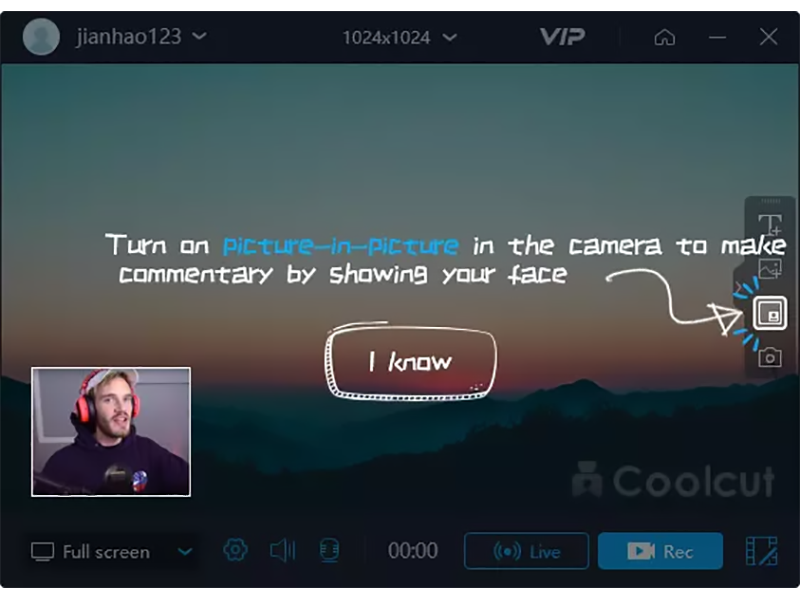
4.Use picture-in-picture track to overlap multiple video clips
5.Convert text into a voice segment by one touch
6.Ultra high-definition recording online learning coursework preparation and online films
7.Accurate recording of microphone audios to add fine background music to the works
