
Aiseesoft Total Media Converter for Mac 9.2.18

Type: Shareware
Cost: $31.20
Size: 57.58 MB
Release date: Mar 15 2021
Platform: Mac OS X,
Publisher’s Site:  https://www.aiseesoft.com
Publisher’s Product Page:  https://www.aiseesoft.com/total-media-converter-for-mac.html
Country: China
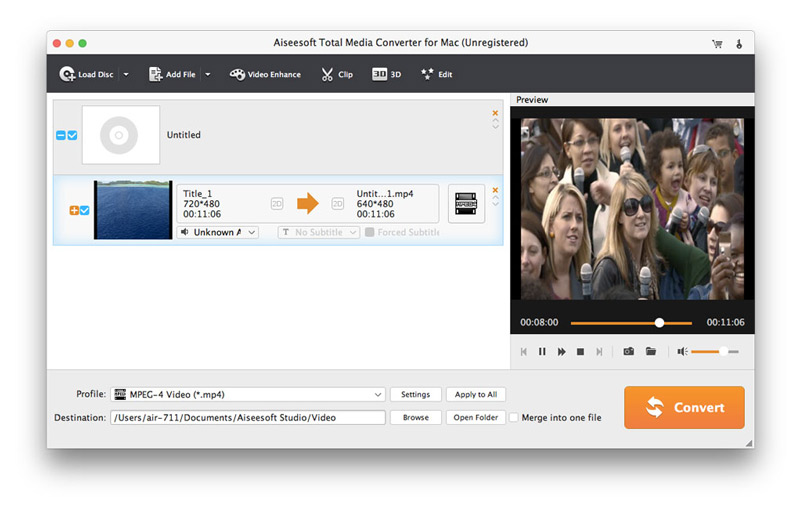

Aiseesoft Total Media Converter for Mac

PC410, Computer Services in Carroll County Maryland
Aiseesoft Total Media Converter for Mac is an all-in-one Mac media converter that not only enables you to convert homemade DVDs on Mac, but also allows you to convert any popular video and audio files to other popular formats, such as AVI, WMV, MP4, MOV, MP3, WMA, HD video and even 3D video!

Key Features:
1. Rip homemade DVD disk
This software can easily convert any homemade DVD to any other video or audio formats.

2. Convert between any video or audio
This Total Media Converter for Mac allows you to convert any video or audio files, like HD video and AVI, MPEG, WMV, MP4, H.264/AVC, MOV, MKV, AVCHD, 3GP, etc.

3. Various pre-built profiles
This Mac media converter gives you a variety of pre-built, ready-to-use profiles for fast and easy conversion of your favorite media files, so that you can play the converted video/audio files on popular personal digital devices such as all models of the iPhone, iPad, iPod touch, Apple TV, Samsung devices, HTC One, PSP, PS4, PS3, Xbox One, Xbox360, Sony Xperia, Android devices and more.

Graphcat

4. Edit media files for better audio/visual experience
You are allowed to enhance the quality of your media files easily with this Total Media Converter for Mac. For example, you can adjust a video’s brightness, saturation, contrast, hue and volume; remove black bars; cut your video clips; add a text or image watermark to your video; adjust other output parameters such as Video Encoder, Frame Rate, Video Bitrate, Audio Encoder, Sample Rate, Channel, and Audio Bitrate. In addition, choose an audio track and subtitle to the output video file.
FonePaw Video Converter Ultimate for Mac 7.0.0

Type: Shareware
Cost: $39.95
Size: 104.71 MB
Release date: Apr 04 2019
Platform: Mac OS X,
Publisher’s Site:  http://www.fonepaw.com/
Publisher’s Product Page:  https://www.fonepaw.com/video-converter/
Country: Hong Kong


FonePaw Video Converter Ultimate for Mac

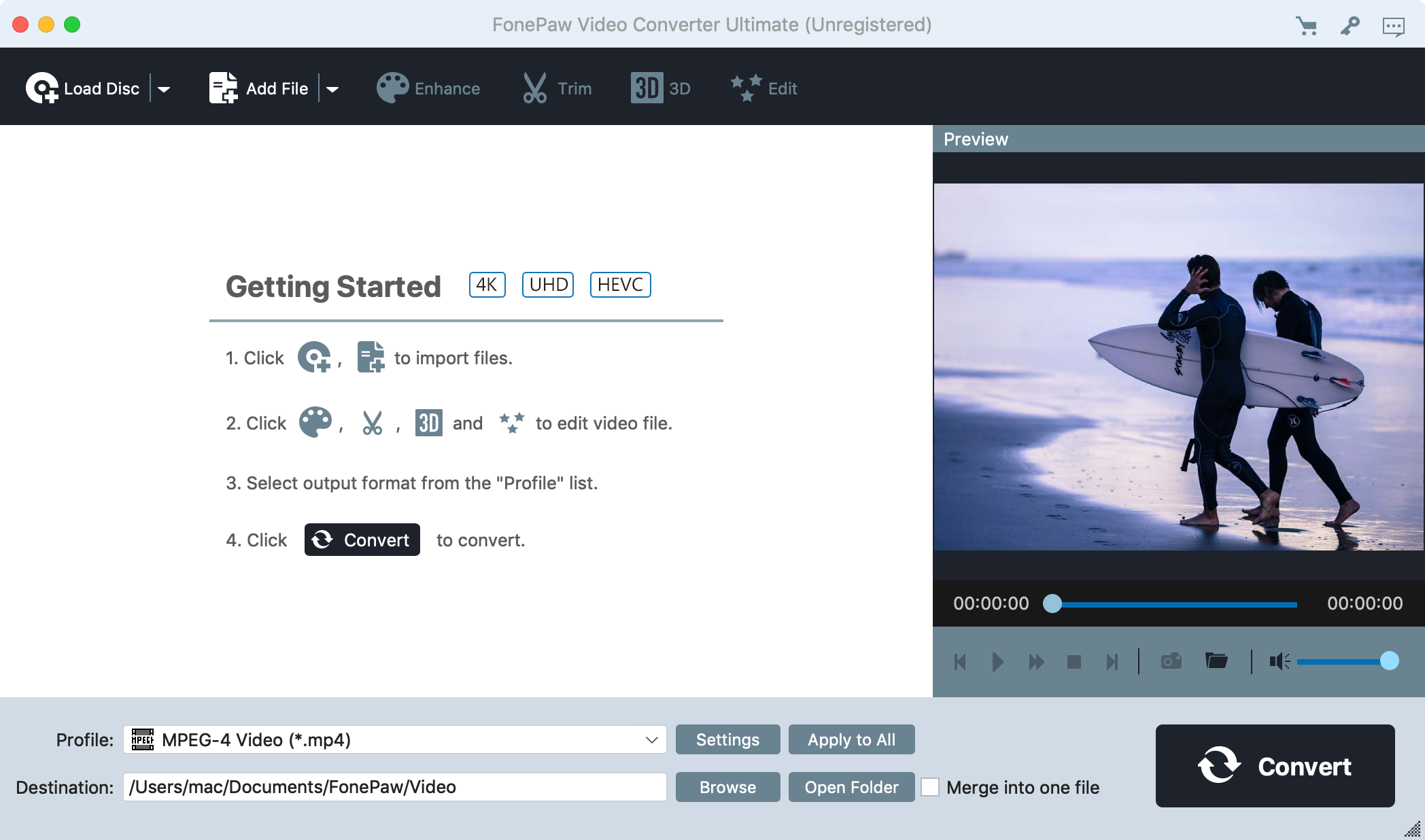
FonePaw Video Converter Ultimate is an ideal YouTube video to MP4 converter. This video converter program allows users to download YouTube online videos at ultrafast speed. After downloading, it brings the simplest way to convert YouTube video to MP4, so you can watch them on your iPad, iPod, iPhone, PSP, Samsung, BlackBerry or other MP4 portable players. You can use FonePaw Video Converter Ultimate to convert YouTube videos and other videos to whatever file format including AVI, MPEG, MP4, WMV, MOV, MTS, FLV, MP3, AAC, WMA, etc. you need. Also, it has powerful video editing function: clip, crop and custom effects options. It can be cost-effective to register and buy a full version one of this software and then you can download online video and DIY all your videos freely. Besides, It can enhance your video with better effect, e.g: upscale resolution; optimize the brightness and contract; remove noise; reduce video shaking.

Vivaldi for Windows 32 4.0

Type: Freeware
Cost: $0
Size: 71.19 MB
Release date: Jun 09 2021
Platform: Win2000,WinXP,Win7 x32,Win7 x64,Windows 8,Windows 10,WinServer,WinOther,WinVista,WinVista x64
Publisher’s Site:  http://vivaldi.com
Publisher’s Product Page:  http://vivaldi.com
Country: Norway


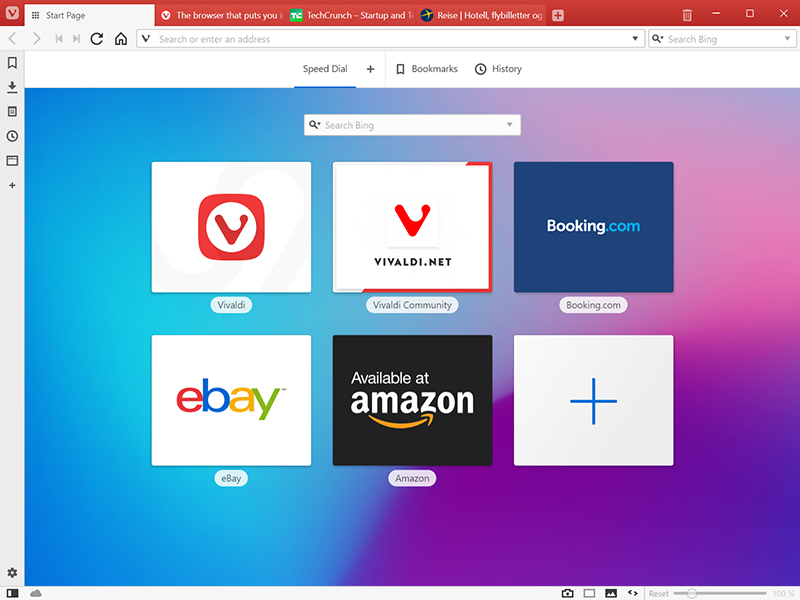
Vivaldi for Windows 32

The Vivaldi browser does not track its users and offers more features than any other modern browser. Steered by Jon von Tetzchner (co-founder of Opera browser), Vivaldi is driven by the real needs of users today and ensures that they have the best tool to browse and do the job.

Users can tailor Vivaldi to suit their browsing needs with no limit to customization options. Vivaldi takes browsing to the next level with its numerous features that give users a more dynamic experience of the web. Vivaldi demonstrates that a browser can be the most useful tool to enhance time spent online and not just a means of accessing web pages.

Some of the highlight features that make Vivaldi a personal, do-it-your-way browser include:

Advanced tab management ability to group, tile, move and pin tabs.
Private and Secure Syncing across computers with end to end encrypted Synchronization.
Side Panel with easy access to bookmarks, downloads, tree-style tab manager, notes, browsing history and websites of users choice.
Built-in functionality such as the screenshot Capture tool, Notes and Image Properties.
Powerful History overview that lets users explore their browsing patterns.
Unique and customizable look and feel of the browser interface with custom Themes and more.
Keyboard Shortcuts and Mouse Gestures for quick browser commands.
Built in e-mail client and calendar.
Built in ad-blocker

For more details, visit https://vivaldi.com
