
Apeaksoft iPhone Data Recovery for Mac 1.1.86

Type: Shareware
Cost: $31.96
Size: 53.18 MB
Release date: Jan 18 2021
Platform: Mac OS X,
Publisher’s Site:  https://www.apeaksoft.com/
Publisher’s Product Page:  https://www.apeaksoft.com/iphone-data-recovery/
Country: China

Apeaksoft iPhone Data Recovery for Mac

PC410, Computer Services in Carroll County Maryland
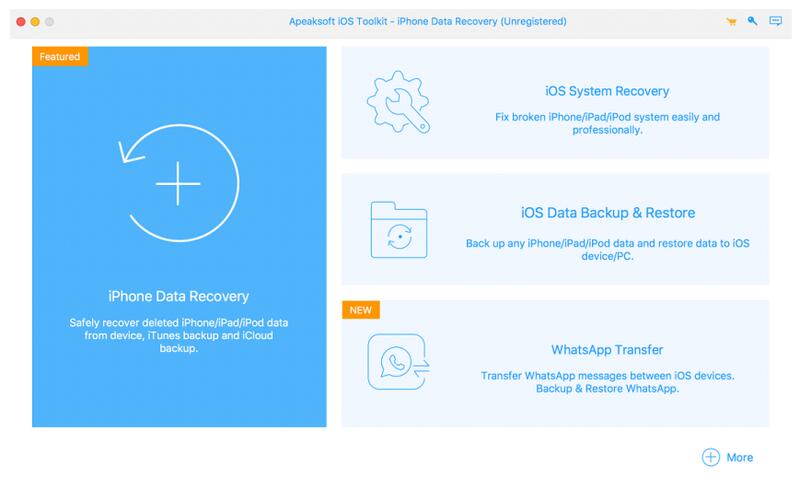
Apeaksoft iPhone Data Recovery for Mac can recover lost Messages, Contacts, Call History, Notes, QQ/Wechat data, Photos, etc. from iOS devices or from iTunes/iCloud backup files. It supports many portable iOS devices, including iPhone/iPad/iPod, etc.

Key functions:

1. Recover lost data from iOS devices
If you want to recover lost data such as Contacts, Messages, Call history, Notes, Photos, Voice memos, QQ/Wechat data, media content of Line/Kik/Viber, etc. from your iOS devices, Apeaksoft iPhone Data Recovery for Mac could do you a favor. It could recover lost data from iPhone/iPad/iPod, etc.

2. Recover data from iTunes backup files/iCloud
Apeaksoft iPhone Data Recovery for Mac can recover lost data as long as your device has been backed up with iTunes/iCloud. So even you lose your data, with it, you are able to get your lost data back conveniently.

Graphcat

3. Back up iOS data and restore the data
The iOS Data Backup and Restore function can help you back up your iOS data to computer in one click and you could also restore your data to iOS device or computer without any hassle.

4. iOS System Recovery function
iOS System Recovery function can help you fix your iOS system back to normal state in various situations including stuck in recovery/DFU mode, white Apple logo, black screen, looping on start, etc. What is more, this part also enables you to upgrade or downgrade the iOS device system.

5. Transfer WhatsApp data
With the WhatsApp Transfer function, you could transfer your WhatsApp data between two iOS devices. In addition, you are able to back up WhataApp data to computer and restore the backed up data to device.
Aiseesoft Screen Recorder 2.2.58

Type: Shareware
Cost: $25
Size: 2.05 MB
Release date: Jul 05 2021
Platform: Win2000,WinXP,Win7 x32,Win7 x64,Windows 8,Windows 10,WinServer,WinOther,WinVista,WinVista x64
Publisher’s Site:  http://www.aiseesoft.com
Publisher’s Product Page:  https://www.aiseesoft.com/screen-recorder/
Country: China


Aiseesoft Screen Recorder

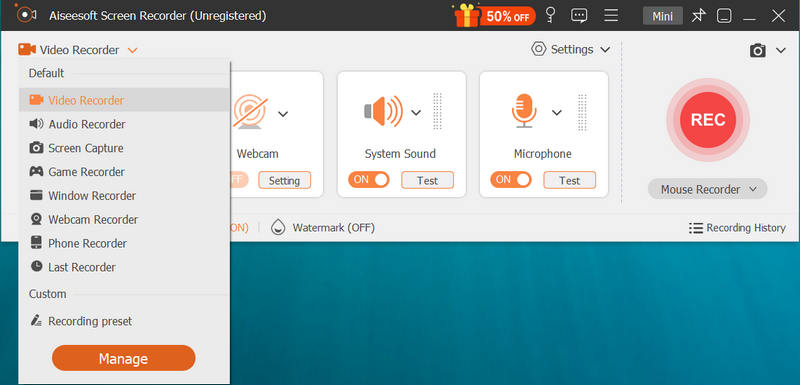
Aiseesoft Screen Recorder helps to capture almost any video played on your computer, including 4K videos. You can use this screen capture software to record various kinds of videos, like online movies, video conference, video tutorials, gameplay, and other videos you want to save. When you record the screen, you can choose to record the sound of the video itself or record your own voice through microphone.

Key features:

1. Record any video on your computer
Aiseesoft Screen Recorder is a professional video recording application. With this recording software, you don’t have to buy another downloader because it will save more time and bandwidth to record rather than download. It is more powerful than downloader because it can save more, including game play process, video meetings and online streaming videos, etc. It even enables you to record 4K videos.

2. Highlight the mouse cursor as you wish
This is especially useful when you make video presentations. You can highlight the mouse cursor to make your action easier to be tracked on screen. Also, you can define the color and shape of the highlight.

3. Record any audio source as you like
When you record a video, you can choose to record the voice of the video itself by using the system audio or record your own voice by enabling microphone voice. The former one fits for recording movies while the latter one is fit for making video presentations. If you want to record a video meeting, you should turn both on. Now, you can choose H.265 video codec, which can let you save your screen in high quality.

4. Edit recording and snapshots
This screen recording tool also carries lots of necessary editing features to help you get a preferred output file. You can add arrow, text, line, rectangle, ellipse and more while recording, clip recorded video/audio, trim recorded video or audio file freely to only save the useful part. You can also put your personal labels like new arrow, line, text and more on snapshot.

FonePaw Data Recovery for Mac 2.1.0

Type: Shareware
Cost: $39.95
Size: 19.48 MB
Release date: Nov 09 2021
Platform: Mac OS X,
Publisher’s Site:  http://www.fonepaw.com/
Publisher’s Product Page:  https://www.fonepaw.com/data-recovery/
Country: Hong Kong


FonePaw Data Recovery for Mac

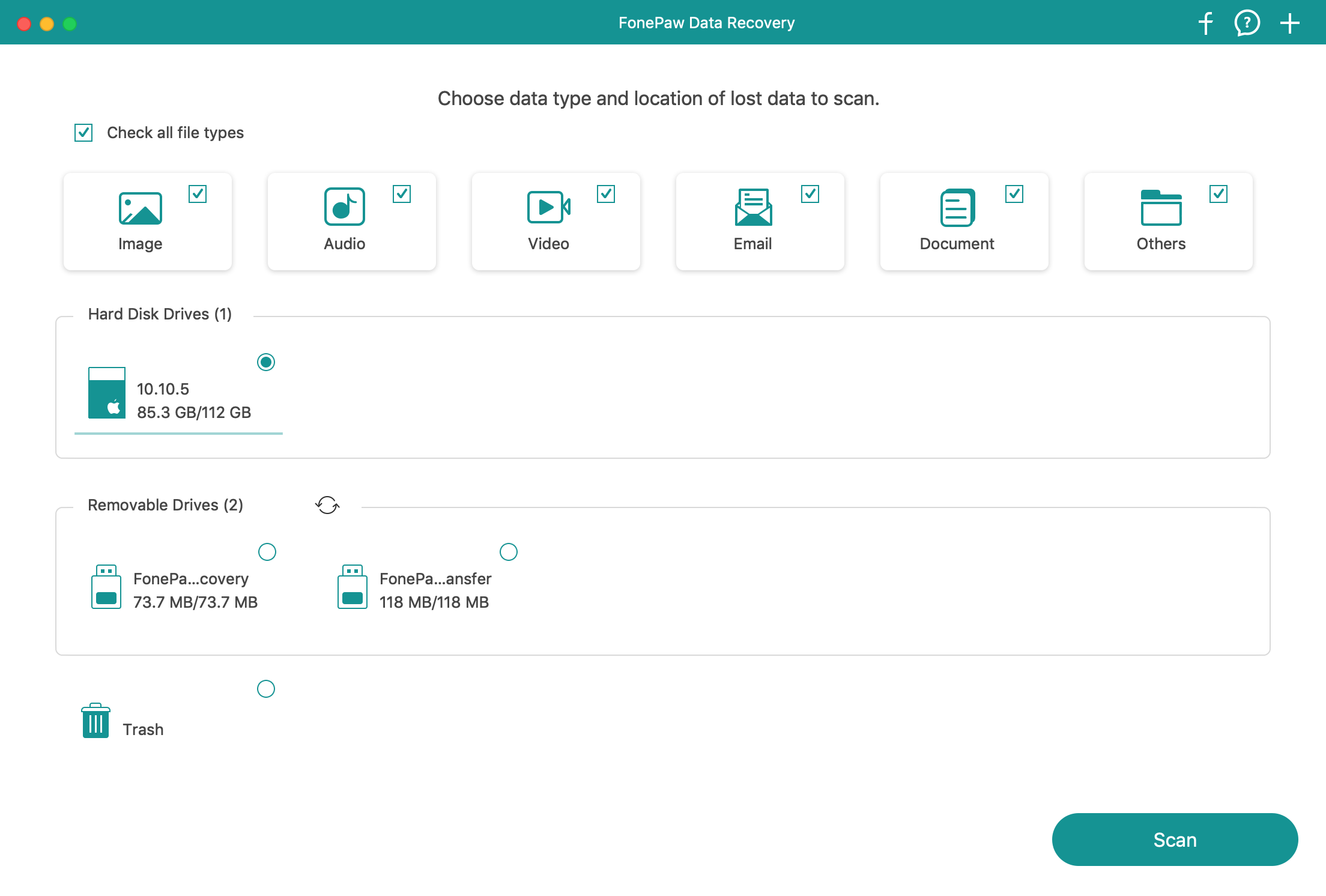
The Top Data Recovery on Mac you should keep on your computer is FonePaw Data Recovery for Mac. Only 3 clicks to recover your deleted/inaccessible/hidden/corrupted files on Macbook Air/Pro, iMac: Launch, Scan and Recover. As for scanning, you can select quick scan and deep scan to access your files, including images, videos, audios, emails, documents, etc. When you can preview after scanning, you can recover them from your hard drive, memory card, digital camera, flash drive, partition and other removable drives. Some of the scanned results cannot be previewed due to their formats but you can still retrieve them back to yourself.
