
Apeaksoft DVD Creator 1.0.62

Type: Shareware
Cost: $44.76
Size: 1.80 MB
Release date: Sep 07 2021
Platform: Win2000,WinXP,Win7 x32,Win7 x64,Windows 8,Windows 10,WinServer,WinOther,WinVista,WinVista x64
Publisher’s Site:  https://www.apeaksoft.com/
Publisher’s Product Page:  https://www.apeaksoft.com/dvd-creator/
Country: China
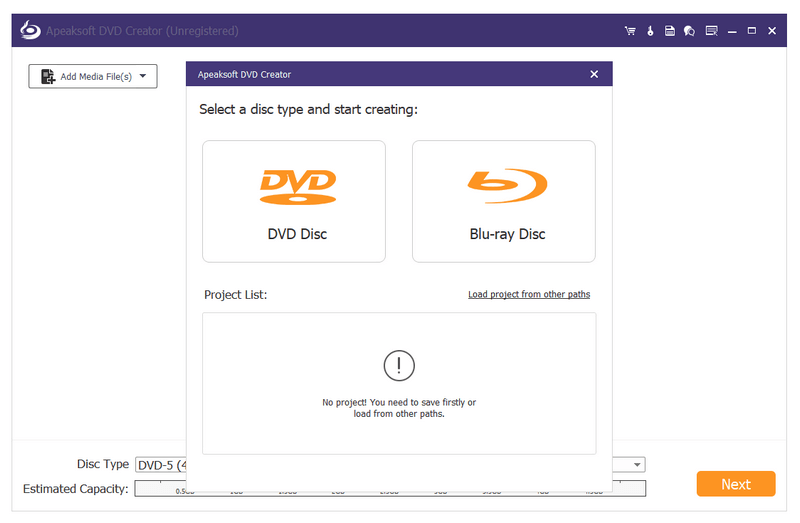

Apeaksoft  DVD Creator

PC410, Computer Services in Carroll County Maryland
Apeaksoft DVD Creator can create DVD/Blu-ray disc/folder/ISO files with all kinds of popular videos. Therefore, you can burn MP4/AVI/MKV and other videos to DVD/Blu-ray. Moreover, it can also help you add the audio track and subtitle. In addition, you can choose your preferred menu templates, frames and button styles and add background music. Furthermore, you can trim the video length, crop the video frame and add watermark to the video as you like.

Key functions:

1. Create DVD/Blu-ray with any video formats
Apeaksoft DVD Creator can not only burn videos to DVD disc/folder/ISO files but also burn videos to Blu-ray disc/folder/ISO files. It supports various video formats including MP4, AVI, WMV, MKV, MOV, M4V, TS, MTS, etc.

2. Customize DVD/Blu-ray menu
With this DVD Creator, you can choose your favorite DVD/Blu-ray menu from various menu templates and you could also create your own templates. Moreover, you can add background music, change background picture, or add opening film according to your needs.

Graphcat

3. Edit video /audio, chapter and subtitles
Apeaksoft DVD Creator is able to help you rotate, flip, crop and adjust the videos as you want. You are allowed to add watermark to your videos. With the powerful tools, you are able to merge or split chapters. Meanwhile, you could add or edit subtitles/audio track.

4. Fast speed and super high quality
Apeaksoft DVD Creator can provide you with fast burning speed and high quality. You never need to wait for long time for the creation. Just a few minutes, you can enjoy your burned videos.
SentiVeillance SDK Trial 8.0.20210512

Type: Shareware
Cost: $865
Size: 3.29 GB
Release date: May 12 2021
Platform: Win2000,WinXP,Win7 x32,Win7 x64,Windows 8,Windows 10,WinServer,WinOther,WinVista,WinVista x64
Publisher’s Site:  http://neurotechnology.com/
Publisher’s Product Page:  http://www.neurotechnology.com/sentiveillance.html
Country: Lithuania


SentiVeillance SDK Trial

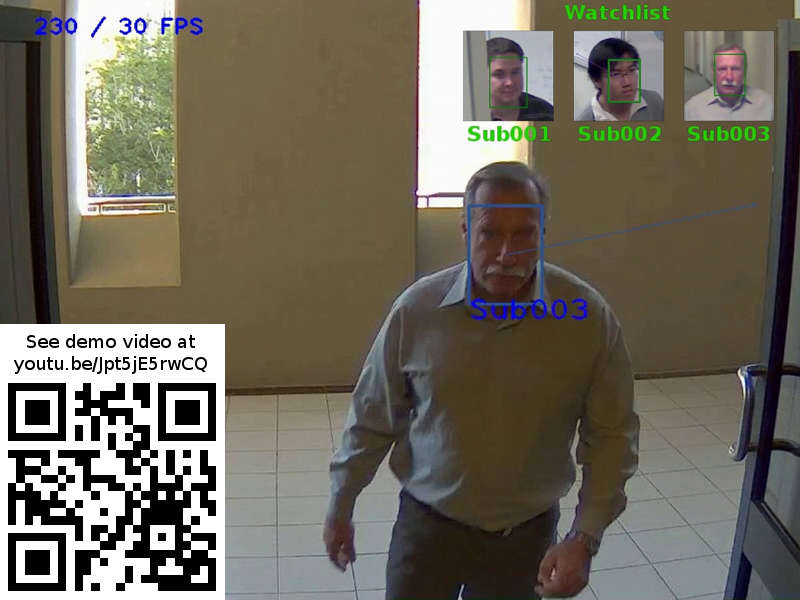
Real-time biometric facial recognition and pedestrian or vehicle tracking in live video streams. Available as SDK (software developing kit) for technology integration into small and large surveillance systems.

The proprietary technology provides automatic operation with multiple face detection, tracking, persons’ gender determination, mask wearing detection, enrollment and identification. Vehicle make and model estimation. Vehicle orientation angle estimation. Automatic license plate (number plate) recognition (ALPR/ANPR). Cloth and gender estimations for pedestrians, including face mask and partial or full nudidity detection.

Can be used in law enforcement, security, attendance control, visitor counting, traffic monitoring solutions.
Some applications may require to enroll the users in advance (such as list of employees or watch-list of unwanted persons or suspect criminals), whereas other just work on the general public passing by (i.e. detect if passers-by draw attention to certain ads or billboards).

The SDK allows to create networked applications and systems with multiple cameras and data processing nodes on Windows and Linux platforms.
Includes programming samples in Java, .NET, C, as well as all necessary components (the biometric technology, camera support, network synchronization).

The trial requires constant Internet connection.

Nero BackItUp 2021 23.0.1.29

Type: Shareware
Cost: $29.95
Size: 126.58 MB
Release date: Jul 16 2021
Platform: Win2000,WinXP,Win7 x32,Win7 x64,Windows 8,Windows 10,WinServer,WinOther,WinVista,WinVista x64
Publisher’s Site:  http://www.nero.com
Publisher’s Product Page:  https://www.nero.com/enu/products/nero-backitup/index.php
Country: Germany


Nero BackItUp 2021

Its the reliable PC backup you need, for the irreplaceable files you love.
Use Nero BackItUp now to protect all the data on your digital devices: Have your files backed up automatically, e.g. to an external hard drive or WebDAV online storage. The backups can be encrypted and secured with a password.

(1) Fully automate your backups
Relax safe in the knowledge that your files are safe: You can back up your files daily, weekly, monthly or whenever you want! Just set a time and date. You can even choose to set up a continuous file backup, and Nero BackItUp will constantly secure new data or files whenever you update them.

(2) Multiple Targets
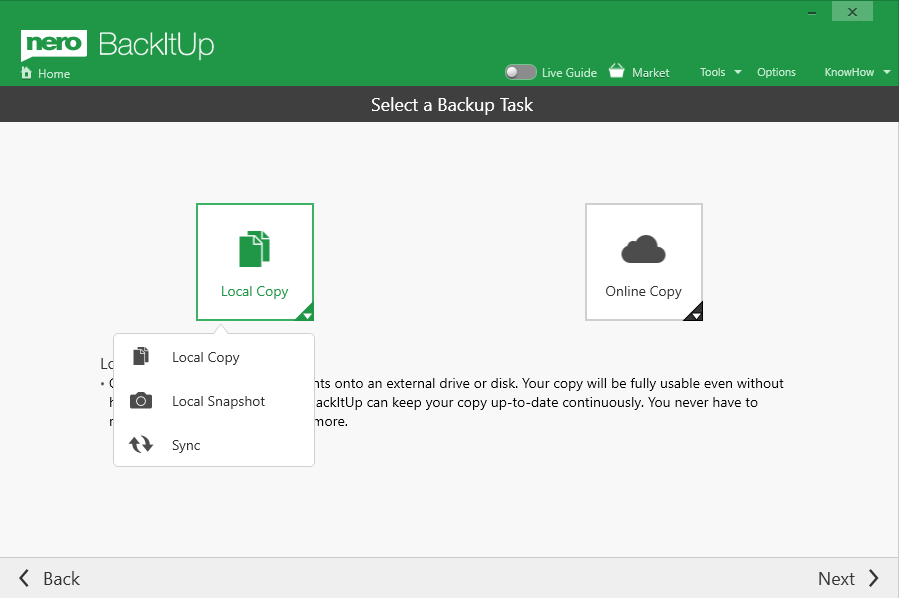
Back your files up locally to another hard disk or external USB drive, burn them, or store them on network attached storage (NAS) the choice is yours! Either way, our product will help you double-protect your files reliably. You can now also carry out your backups with OneDrive and Google Drive cloud storage. Data can of course also be restored online in this way, meaning backup and restoring with Nero BackItUp can be done using any location you want.

(3) Version management
Unlike other services that only save the latest version of your files, Nero BackItUp even saves earlier versions of files that you want to protect. If you make any changes to a file, all older versions of that file will be kept locally. So even if you delete or damage a file, its always restorable!

(4) Encryption & Compression
You can rest assured knowing that your files are safely stored thanks to hardware-accelerated AES 256-bit encryption. And with our clever compression algorithm, you can even save a bit of disk space when storing your files to a USB disk.
