
Aiseesoft Video Converter Ultimate 10.2.22

Type: Shareware
Cost: $25
Size: 2.24 MB
Release date: Jul 21 2021
Platform: Win2000,WinXP,Win7 x32,Win7 x64,Windows 8,Windows 10,WinServer,WinOther,WinVista,WinVista x64
Publisher’s Site:  http://www.aiseesoft.com
Publisher’s Product Page:  https://www.aiseesoft.com/video-converter-ultimate/
Country: China
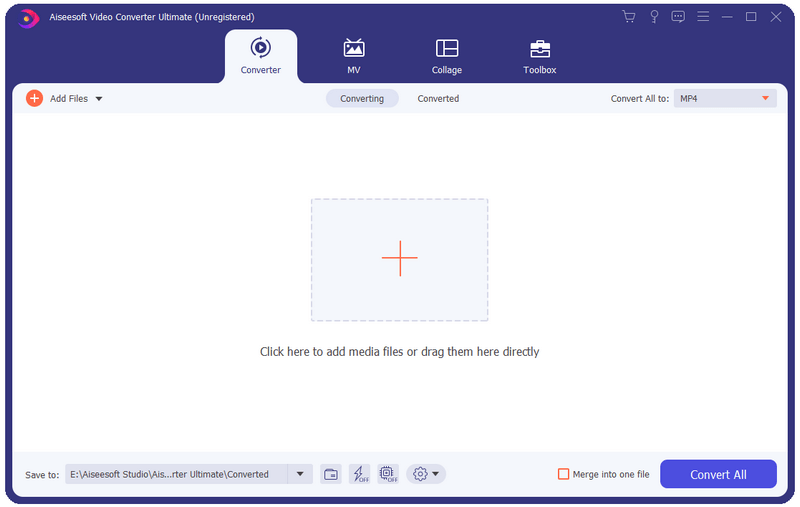

Aiseesoft Video Converter Ultimate

PC410, Computer Services in Carroll County Maryland
Aiseesoft Video Converter Ultimate is a comprehensive video converter. It can convert any video, home-made DVD to over 1,000 video/audio formats including AVI, WMV, MOV, MP4, MP3, FLAC, etc.

Key functions:

1. Convert media files to various formats
This software can convert video/audio files to almost all popular media formats including 4K and 3D files. It could also convert DVDs without any hassle.

2. Powerful editing functions
You can trim video length, enhance video quality, adjust video effects and add text or picture watermark as needed with its powerful editing feature. There are a bunch of stunning filters for you to use in one click, including whirpool, HongKong movie, orange dots, purple, plain, coordinates, warm, Stars, etc.

Graphcat

3. Video Compressor, Media Metadata Editor and GIF maker
You can compress large videos to a smaller size, add and edit ID3 tags to newly created song, create GIF image from video clips as you like.

4. MV maker
The MV feature enables you to produce a cool video in minutes even though you have less skills. It provides many profiles to help you export video in the right size of different platforms, like Facebook, Twitter, Instagram, YouTube, TikTok, Amazon, eBay, etc.

5. Split screen editor
Aiseesoft Video Converter Ultimate newly added the new feature: split-screen video editor, which allows you to put 2 different videos side by side, clarify the relationship between one thing and another, add reactions to YouTube videos, and make your video more engaging. Meanwhile, it comes with various split-screen layouts, filters, and other video-editing features.
Vivaldi for Windows 64 3.6

Type: Freeware
Cost: $0
Size: 68.11 MB
Release date: Jan 28 2021
Platform: Win2000,WinXP,Win7 x32,Win7 x64,Windows 8,Windows 10,WinServer,WinOther,WinVista,WinVista x64
Publisher’s Site:  http://vivaldi.com
Publisher’s Product Page:  http://vivaldi.com
Country: Norway


Vivaldi for Windows 64

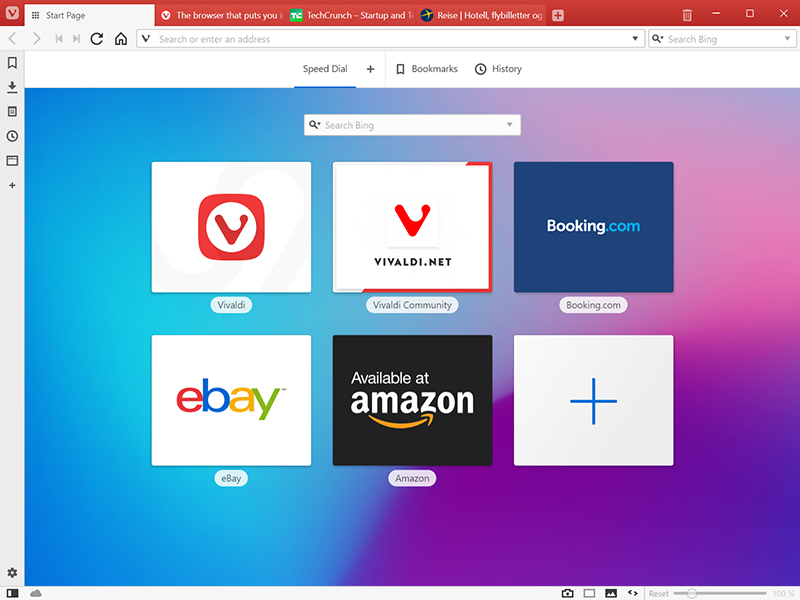
The Vivaldi browser does not track its users and offers more features than any other modern browser. Steered by Jon von Tetzchner (co-founder of Opera browser), Vivaldi is driven by the real needs of users today and ensures that they have the best tool to browse and do the job.

Users can tailor Vivaldi to suit their browsing needs with no limit to customization options. Vivaldi takes browsing to the next level with its numerous features that give users a more dynamic experience of the web. Vivaldi demonstrates that a browser can be the most useful tool to enhance time spent online and not just a means of accessing web pages.

Some of the highlight features that make Vivaldi a personal, do-it-your-way browser include:

Advanced tab management ability to group, tile, move and pin tabs.
Private and Secure Syncing across computers with end to end encrypted Synchronization.
Side Panel with easy access to bookmarks, downloads, tree-style tab manager, notes, browsing history and websites of users choice.
Built-in functionality such as the screenshot Capture tool, Notes and Image Properties.
Powerful History overview that lets users explore their browsing patterns.
Unique and customizable look and feel of the browser interface with custom Themes and more.
Keyboard Shortcuts and Mouse Gestures for quick browser commands.
Built in e-mail client and calendar.
Built in ad-blocker

For more details, visit https://vivaldi.com

Apeaksoft Video Editor for Mac 1.0.28

Type: Shareware
Cost: $28.76
Size: 44.09 MB
Release date: Jun 29 2021
Platform: Mac OS X,
Publisher’s Site:  https://www.apeaksoft.com/
Publisher’s Product Page:  https://www.apeaksoft.com/video-editor/
Country: China


Apeaksoft Video Editor for Mac

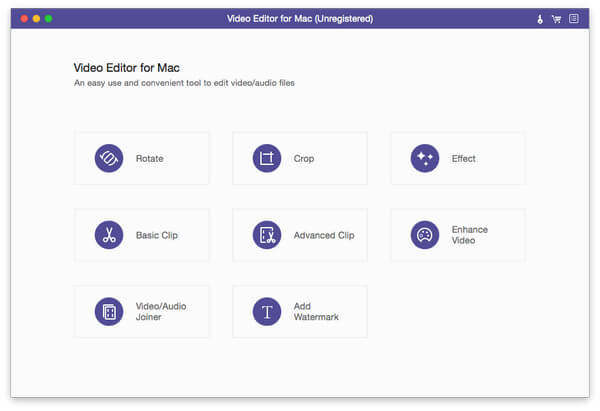
Apeaksoft Video Editor for Mac is powerful for you to deal with video editing. With it, you are able to easily crop, clip, merge or watermark videos as you like. If you want to remove the annoying letterbox from your favorite videos, its crop feature can do you a good favor.

Key functions:

1. Rotate and crop videos
With Apeaksoft Video Editor for Mac, you could rotate or flip your videos vertically or horizontally according to your need. If you want to cut off the unwanted part of your videos, the crop function could do you a favor. After selecting the crop size, you can get the part you want simply.

2. Clip your videos and add watermark to videos
Apeaksoft Video Editor for Mac allows you to clip your videos easily. It provides Basic Clip and Advanced Clip function. With the Basic Clip function, you could keep or remove the selected part from one video. Via the Advanced Clip function, you could clip the video into several parts and merge them together. Moreover, you are able to add watermark to your own videos.

3. Join video and audio files
With the Video/Audio Joiner function, you could merge several video and audio parts into one media file. Just in few minutes, you could finish this process.

4. Add video effects and enhance videos
After loading your source files, you could adjust brightness, contrast, saturation, hue as well as audio volume according to your need. Its Video Enhance function lets you to remove video noise, reduce video shaking, etc.
