
AnyMP4 iPhone Data Recovery 9.0.72

Type: Shareware
Cost: $44.96
Size: 1.68 MB
Release date: Jun 11 2021
Platform: Win2000,WinXP,Win7 x32,Win7 x64,Windows 8,Windows 10,WinServer,WinOther,WinVista,WinVista x64
Publisher’s Site:  https://www.anymp4.com
Publisher’s Product Page:  https://www.anymp4.com/iphone-data-recovery/
Country: China

AnyMP4 iPhone Data Recovery

PC410, Computer Services in Carroll County Maryland
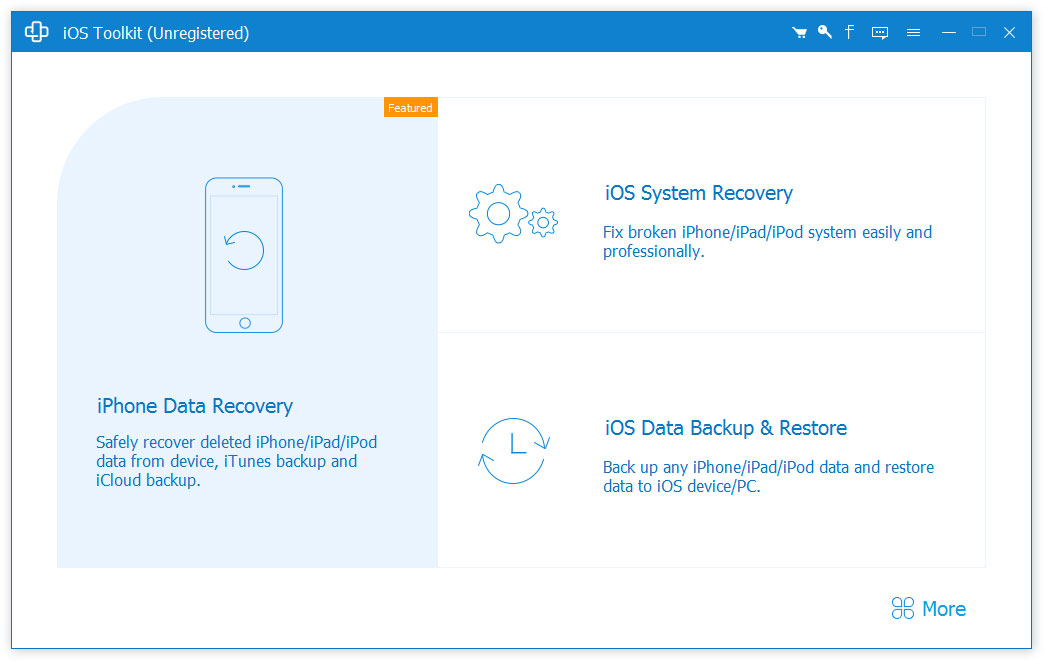
As the best iPhone Data Recovery software, AnyMP4 iPhone Data Recovery can recover lost/deleted Messages, Contacts, Call History, Calendar, Notes, WhatsApp data, Line, Line Attachments, Viber, Viber Attachments, Viber Call History, Messenger, Messenger Attachments, WeChat, WeChat Attachments, QQ, QQ Attachments from iPhone/iPad/iPod and from iTunes/iCloud backup files. It supports almost all portable iOS devices, including iPhone/iPad/iPod and so on.

Key Functions:

1. Recover lost/deleted data from iPhone/iPad/iPod directly
AnyMP4 iPhone Data Recovery is a professional data recovery program which can recover lost/deleted SMS, Contacts, Call History, Notes, WhatsApp data, Photos, Line, Line Attachments, Viber, Viber Attachments, Viber Call History, Messenger, Messenger Attachments, WeChat, WeChat Attachments, QQ, QQ Attachments from iPhone/iPad/iPod directly, etc.

2. Restore data from iTunes/iCloud backup files
AnyMP4 iPhone Data Recovery can recover lost/deleted data as long as your device has been backed up with iTunes/iCloud. So, if your data was deleted incautiously or intentionally, you can get them back.

Graphcat

3. iOS System Recovery
With this function, you can fix your abnormal phones from such as DFU/recovery/Apple logo/headphone mode to normal state and recover iOS system from blue/black/white screen problem easily.

4. iOS Data Backup & Restore
You can back up almost all types of data on iPhone/iPad/iPod devices with no limitation in one click and then restore the data to your iPhone/PC.

5. WhatsApp Transfer
With the WhatsApp Transfer function, you could transfer WhatsApp data between iOS devices. In addition, you are able to back up your WhatsApp data and restore the backed-up data to iOS devices or computer simply.
FastMove 1.2021.203.35

Type: Shareware
Cost: $29.95
Size: 10.27 MB
Release date: Dec 24 2020
Platform: Win2000,WinXP,Win7 x32,Win7 x64,Windows 8,Windows 10,WinServer,WinOther,WinVista,WinVista x64
Publisher’s Site:  http://www.webminds.com
Publisher’s Product Page:  http://fastmove.com/
Country: United States of America


FastMove

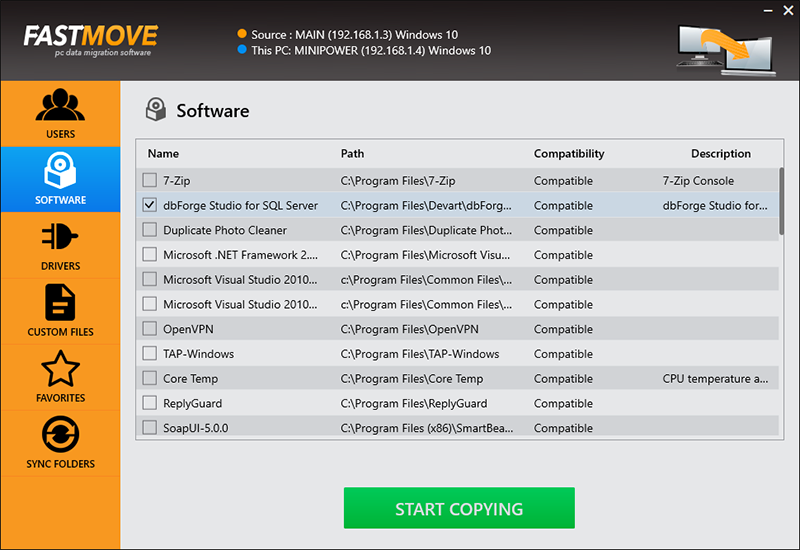
Move your files, folders, software, drivers and settings to your new Windows computer. Whether you’re transferring data between computers sharing the same OS version, moving files and settings from a Windows 7 to a Windows 10 PC, or migrating from a 32-bit to a 64-bit system, FastMove is here to do the job. Using FastMove to transfer data is very easy – all it takes is three simple steps: connect both PCs to the network, select what you want to transfer, let FastMove do the rest!

Got a new computer and want to transfer all your files, folders, software and settings to it? While you can use a simple USB drive to move files between two computers, transferring all your settings, software and drivers without any data loss is a different matter. Whether you’re moving data to a new computer or upgrading to an SSD, FastMove makes data migration fast, easy and reliable.

If you have a feeling that you’ve lost track of your files and folders, FastMove’s Sync Folders tool will put things right. With its help, you can sync and merge folders between PCs and locally. Simply select two locations, let FastMove scan them and find which files are different or missing from one location. You can then select the files you want to copy between the two folders.

With FastMove, you can transfer all your data between PCs in a quick, hassle-free way!

Vidmore Video Converter for Mac 2.2.6

Type: Shareware
Cost: $19.95
Size: 110.07 MB
Release date: Aug 05 2021
Platform: Mac OS X,
Publisher’s Site:  https://www.vidmore.com/
Publisher’s Product Page:  https://www.vidmore.com/video-converter/
Country: China


Vidmore Video Converter for Mac

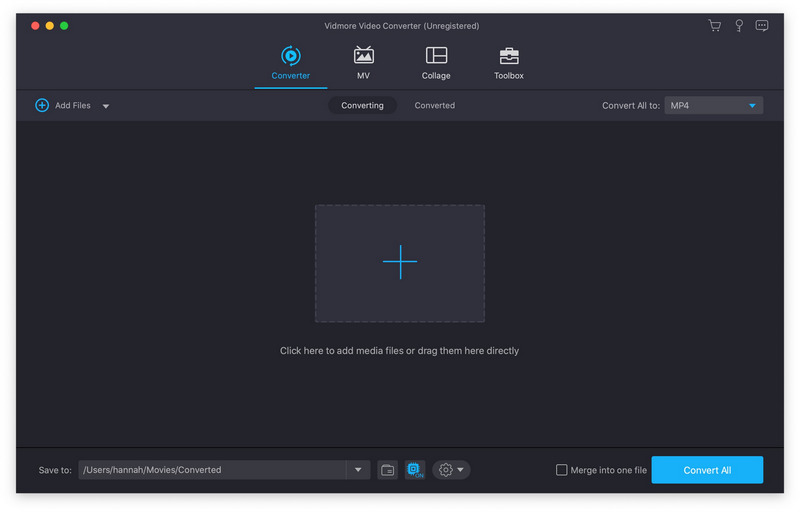
Vidmore Video Converter for Mac is powerful software which could help you convert your video and audio files to any other formats. You can easily choose an output format and convert your videos without hassle. In addition, you could also rotate, crop, clip your videos freely.

Key functions:

1. Convert video/audio files to any other formats
Vidmore Video Converter for Mac is powerful in converting your video/audio files to other formats such as AVI/MKV/MOV/MP4, etc. Moreover, it is able to convert 4K videos to other formats or convert videos to 1080p. In addition, it supports many kinds of devices, including iPhone/iPad/Samsung/Huawei/Sony and so on. Moreover, it could keep the original media metadata and quality of your videos.

2. Various video editing functions
If you want to edit your videos before conversion, with Vidmore Video Converter for Mac, you could trim/rotate/crop/merge your videos, add watermark to videos or change the brightness/contrast/saturation and hue of your files.

3. Make MV and collage
Vidmore Video Converter for Mac allows you to make your own customized MV with video clips and photos. You could also edit your MV as you like. The Collage function makes it easy to create video collage with various templates.

4. Compress large files, make GIFs and 3D files, enhance your videos
With the built-in Video Compressor function, you could compress your large files to a smaller size. In addition, you could make your own GIFs with the GIF Maker. And you could also convert common files to 3D format with the 3D Maker. With the Video Enhancer function, you could enhance your video quality simply.
