
RPM Remote Print Manager Select 32 Bit 6.2.0.526

Type: Shareware
Cost: $324
Size: 45.33 MB
Release date: Mar 22 2021
Platform: Win2000,WinXP,Win7 x32,Win7 x64,Windows 8,Windows 10,WinServer,WinOther,WinVista,WinVista x64
Publisher’s Site:  http://www.brooksnet.com/
Publisher’s Product Page:  https://www.brooksnet.com/lpd/comparing-rpm-elite-and-select
Country: United States of America
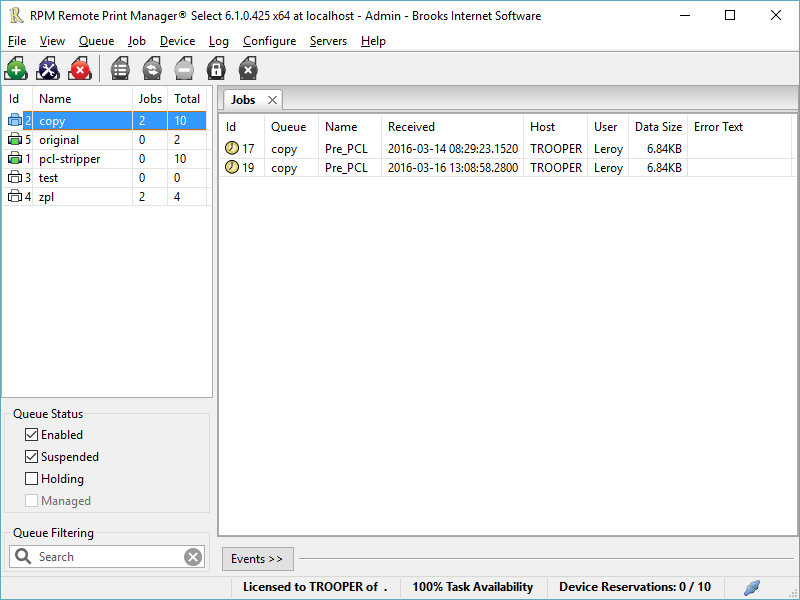

RPM Remote Print Manager Select 32 Bit

PC410, Computer Services in Carroll County Maryland
Printing should be one click away. but there are so many problems which make printing difficult if not impossible. RPM Remote Print Manager (RPM) has grown through the years from all the print problems our customers have brought to us. We are here to help you solve your printing problems.

RPM is our virtual printer product. Our customers have been using RPM for 20 years!
RPM as virtual printer

RPM does what you expect a virtual PDF printer to do, and more:

convert incoming print jobs to other formats, such as PDF, TIFF and PCL
save multiple documents into a single document
print the same job to multiple printers
in one pass, send to a printer and save to disk
print the same job multiple times, using separate paper trays

Graphcat

RPM as print server

RPM is implemented as a Windows print server. Its core capabilities include:

managing your print workflow
send print jobs to any Windows printer
send print jobs to any printer on your network using core Windows print protocols, or LPR, or direct with port 9100
archive print jobs to local folders, shared folders, or anywhere via FTP
run any local application on your print job
send your print job via email as an attachment or in the message body

RPM also provides extensive data editing, manipulation and translation.

Windows version support

RPM 6.1 supports these versions of Windows: Vista, 7, Server 2008 (including R2), Windows 8 and 8.1, Server 2012 (including R2), and Windows 10. Support for Windows XP and Server 2003 has been dropped, so we no longer test new RPM versions on these older versions of Windows.
Kruti Dev Font Typing Master 1.5.0.0

Type: Freeware
Cost: $0
Size: 3.00 MB
Release date: Dec 29 2020
Platform: Win2000,WinXP,Win7 x32,Win7 x64,Windows 8,Windows 10,WinServer,WinOther,WinVista,WinVista x64
Publisher’s Site:  https://www.typingpoint.com
Publisher’s Product Page:  https://www.typingpoint.com/kruti-dev-font/offline-kruti-dev-font-typing/Kruti-Dev-Font-Typing-Master
Country: India


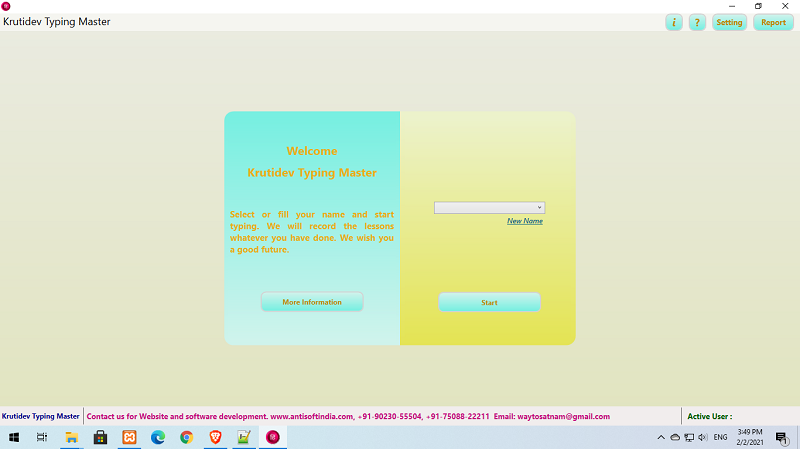
Kruti Dev Font Typing Master

you can easily Offline Kruti Dev Font Typing from home. The big advantage of offline Kruti Dev Font typing tutor is that you will not need internet to learn Kruti Dev Font typing. You can learn typing at home without the net. We are glad to know that you want to use our Kruti Dev Font typing tutor. We will try our best to help you. That is why we have prepared a good and easy Kruti Dev Font typing tutor for you. In it you can learn Kruti Dev Font typing very easily and quickly. With the help of this you can easily pass the official Kruti Dev Font typing test. Then why are you waiting, use our offline typing as soon as possible and learn Kruti Dev Font typing. Benefits of Offline Kruti Dev Font Typing: With the help of offline Kruti Dev Font typing you can easily pass any Kruti Dev Font typing test. The Kruti Dev Font language is very important in your life. If you know Kruti Dev Font typing then you can easily get jobs related to Kruti Dev Font typing. If you want to send an e-mail or message to someone, they can easily write in their language Kruti Dev Font. You will be able to do everything with Kruti Dev Font typing easily if you have learned Kruti Dev Font typing. That is why I request you to use our offline Kruti Dev Font typing tutor and learn Kruti Dev Font typing easily.

DataNumen Access Repair 3.8

Type: Shareware
Cost: $199.95
Size: 9.26 MB
Release date: Feb 23 2021
Platform: Win2000,WinXP,Win7 x32,Win7 x64,Windows 8,Windows 10,WinServer,WinOther,WinVista,WinVista x64
Publisher’s Site:  https://www.datanumen.com
Publisher’s Product Page:  https://www.datanumen.com/access-repair/
Country: Hong Kong


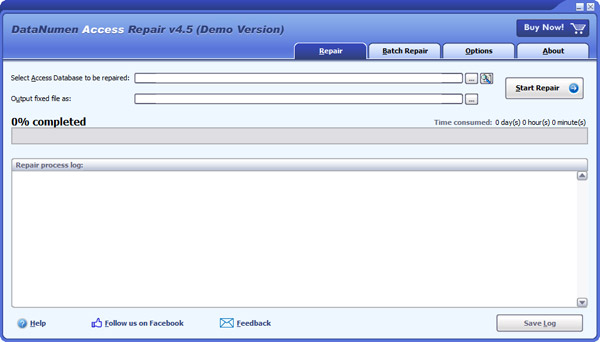
DataNumen Access Repair

DataNumen Access Repair (formerly Advanced Access Repair) is a powerful Access recovery tool. It uses advanced technologies to scan the corrupt Microsoft Access databases(.mdb and .accdb files) and recover your data in them as much as possible, so to minimize the loss in file corruption.

Main features:
1. Support to repair Microsoft Access 95 to 2019 and Access for Office 365 databases.
2. Support to recover the structure and records of the tables in Access databases.
3. Support to recover MEMO and OLE fields.
4. Support to recover deleted records and tables in Access databases.
5. Support to recover autonumber fields and indexes.
6. Support to recover relations.
7. Support to recover queries.
8. Support to recover password encrypted databases.
9. Support to fix Access mdb files on corrupted medias, such as floppy disks, Zip disks, CDROMs, etc.
10. Support to find and select the Access mdb files to be repaired on the local computer.
11. Support to repair a batch of Access mdb files.
12. Support integration with Windows Explorer, so you can repair mdb file with the context menu of Windows Explorer easily.
13. Support drag & drop operation.
14. Support command line parameters.
