Datavare NSF to MBOX Converter 1.0

Type: Shareware
Cost: $69
Size: 2.34 MB
Release date: Mar 10 2021
Platform: Win2000,WinXP,Win7 x32,Win7 x64,Windows 8,Windows 10,WinServer,WinOther,WinVista,WinVista x64
Publisher’s Site:  http://www.datavare.com
Publisher’s Product Page:  http://www.datavare.com/software/nsf-to-mbox-converter-expert.html
Country: South Africa


Datavare NSF to MBOX Converter

PC410, Computer Services in Carroll County Maryland
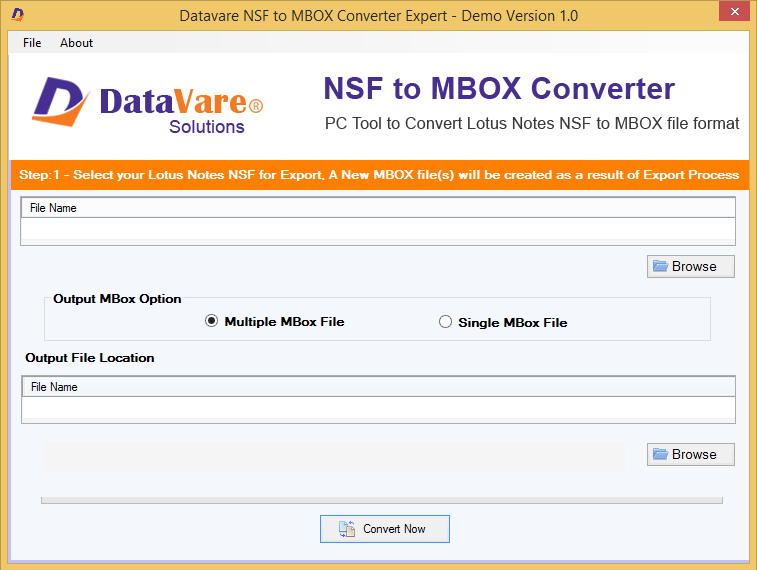
Download Datavare NSF to MBOX Converter and export all your data from Lotus Notes file to MBOX file format. The utility is programmed so that users can easily convert NSF file to MBOX file format and can simply switch from Lotus Notes to Thunderbird, Mac Mail, Entourage, Opera Mail, Eudora, Spicebird, and other MBOX supported applications. In a couple of clicks, NSF emails to MBOX format conversion with attachments is done by the software that is not possible with any manual method. Also, the utility holds all email components and email formatting throughout the conversion of NSF data to MBOX file format. There is no possibility of data loss and corruption at all during the conversion of Lotus Notes emails to MBOX file format. One can get a preview of added NSF file items prior their export into MBOX file format. This will help users to recheck the items and folder hierarchy prior the conversion. Before you start the conversion, make sure to configure Lotus Notes email client on your system. You are free to install any edition of Lotus Notes as all are well supported by the software. To test the working efficiency of the software, download trial version of Datavare NSF to MBOX Converter and export first 10 items per folder with it. After testing the software, users can confidently invest in the software. This program is comfortably installable on all editions of Windows operating systems. Free 24×7 live chat support and email facility is there to solve user queries. Money backup policy is also available for users.

Apeaksoft Blu-ray Player 1.1.8

Type: Shareware
Cost: $39.20
Size: 1.60 MB
Release date: Jan 18 2021
Platform: Win2000,WinXP,Win7 x32,Win7 x64,Windows 8,Windows 10,WinServer,WinOther,WinVista,WinVista x64
Publisher’s Site:  https://www.apeaksoft.com/
Publisher’s Product Page:  https://www.apeaksoft.com/blu-ray-player/
Country: China


Apeaksoft Blu-ray Player

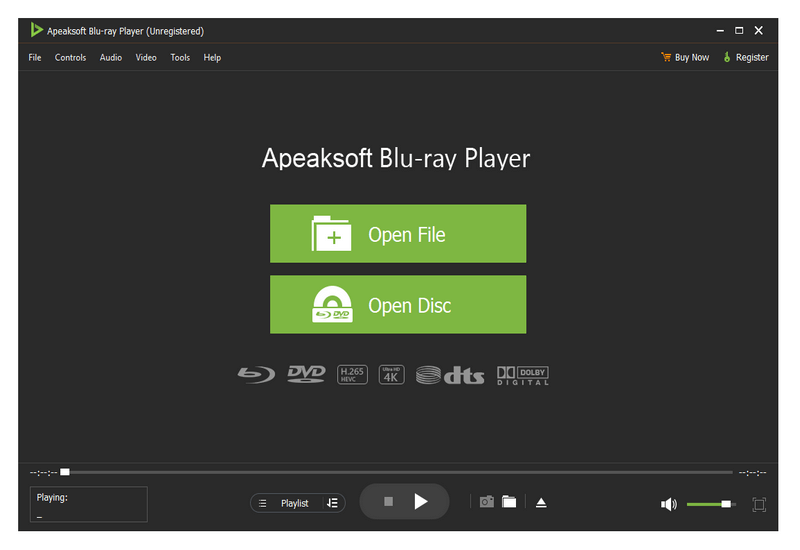
Apeaksoft Blu-ray Player can play DVD/Blu-ray disc/folder/ISO files with high image quality. Meanwhile, it can also support 4K and 1080p HD videos. Besides, it allows you to play common videos including MP4, MOV, AVI, M4V, MPEG, MKV, FLV, etc. This magical software also enables you to select your needed audio track, subtitle track as well as the video track.

Key functions:

1. Play DVD/Blu-ray disc/folder/ISO files with perfect effect
This professional Blu-ray Player can play DVD/Blu-ray disc/folder/ISO files with high-quality and it would bring you wonderful watching experience.

2. Play 4K videos, 1080p HD videos and common videos
With the assistance of Apeaksoft Blu-ray Player, you can play your 4K videos like 4K H.265 MP4, 4K H.264 TS, 4K MKV and others with high-quality. Furthermore, it is able to play 1080p videos like HD AVI Video (.avi), HD H.264/MPEG-4 AVC Video (.mp4), HD MKV Video Format (.mkv), HD MOV Video (.mov) and so on. Meanwhile, it can also play common videos like MP4, MOV, AVI, M4V, MPEG, MKV, FLV, TS etc.

Graphcat

3. Region free and various playback modes
As we all know that more and more Blu-ray discs have a region code, Apeaksoft Blu-ray Player could do you a favor in this case. With it, you could play any Blu-ray disc for region free. In addition, it provides various playback modes for users. When watching videos, you could change the screen size and move to the chapter or part you want to watch according to your need.

4. Customize your watching experience
This Blu-ray player software also allows you to adjust image and audio effect. You are able to change audio track, audio channel and audio device to get better audio effect. You can also choose video track or subtitle.

ThumbsPlus 10.SP2.4015

Type: Shareware
Cost: $59.95
Size: 49.97 MB
Release date: Jun 14 2018
Platform: Win2000,WinXP,Win7 x32,Win7 x64,Windows 8,Windows 10,WinServer,WinOther,WinVista,WinVista x64
Publisher’s Site:  http://www.thumbsplus.com
Publisher’s Product Page:  http://www.thumbsplus.com/
Country: United States of America


ThumbsPlus

ThumbsPlus is a multi-talented application that will help you organize, view, edit, print, catalog and find all of your graphic files. It supports over a hundred digital camera, raster, vector, font and multimedia file formats. It provides superb thumbnails, a comprehensive graphic database with keywords, user-defined fields, and an easy-to-use and customizable user interface.

It includes features found in no other product, such as sorting by image similarity and location of similar images. Other features include: 48-bit color and 16-bit grayscale support, contact sheets, printed catalogues, a Web Page Wizard, batch image processing, lossless JPEG rotation, watched (‘hot’) folders, automatic renaming, cataloguing of offline volumes, TWAIN support, and image galleries.

The program includes many image editing features, most available in batch as well as interactive mode, including: color adjustment, color depth, color balance, color profile, color replacement, histogram stretching, auto-correction, image stamping (text and images), alpha channel, image combination, image compare, watermarking, built-in and custom image filters, resizing, rotation, turning, mirroring, cropping, and trimming to proportion. Python scripting is also supported.

ThumbsPlus supports viewing and slide shows of raster, vector, multimedia and font files. Plug-ins are available in the Professional and Network versions for raw files from almost all digital cameras, Postscript, PDF, EPS and AI files, and EC Software IPP files.

ThumbsPlus uses a Microsoft Access (JET) database by default and includes SQLite 3 support. The Professional edition can also use the following databases: MS SQL Server 2000 and higher, MySQL, MariaDB, PostgreSQL

ThumbsPlus can share a database between multiple users and multiple computers, from a small workgroup to a large enterprise.