CleverPDF 3.0.0

Type: Freeware
Cost: $0
Size: 29.35 MB
Release date: Jan 05 2019
Platform: Win2000,WinXP,Win7 x32,Win7 x64,Windows 8,Windows 10,WinServer,WinOther,WinVista,WinVista x64
Publisher’s Site:  https://www.cleverpdf.com
Publisher’s Product Page:  https://www.cleverpdf.com/pdf-to-word
Country: China

CleverPDF

PC410, Computer Services in Carroll County Maryland
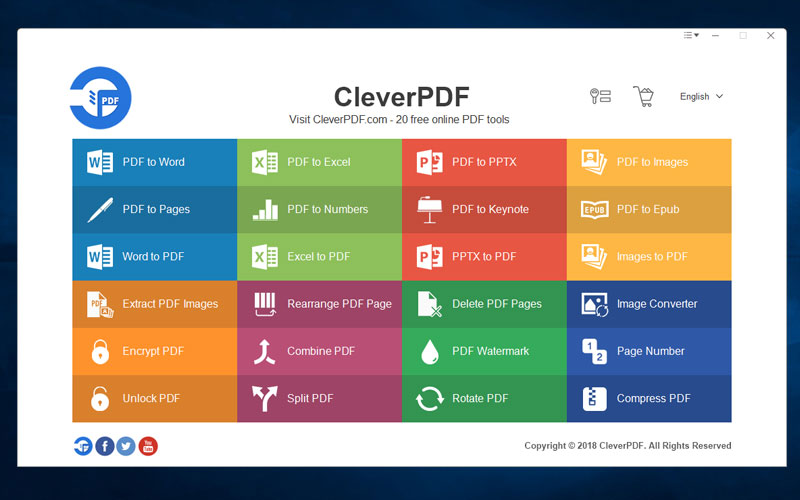
CleverPDF offers 24 PDF tools, including Convert PDF, Create PDF and PDF Utility.

– Convert PDF to other formats
PDF to Word, Excel, PPTX, iWork, EPUB, images

– Create PDF from other formats
Word to PDF, Excel to PDF, PPT to PDF, Images to PDF

– PDF Utility tools
Encrypt PDF, unlock PDF, compress PDF, combine or split PDF, rotate PDF, add PDF Watermark & PDF Numbers, delete PDF pages, reorder PDF pages, extract images form PDF and image format converter

Graphcat

Support batch processing
All the functions support batch processing, you can process multiple files at once in desktop version.

Better PDF conversion feature
Provide more flexible output options for your PDF conversion task. The powerful table detection feature helps you accurately extract table from PDF to Excel or other formats.

100% privacy safe
Process your PDF files securely on your local computer without uploading, higher safety level for your sensitive files.

Easy to use
Just like the online version, desktop version is extremely easy to use, it takes no more than 3 steps to get the job done.

It is available in English and 16 other languages.
Yetishare File Hosting Script 5.0.0

Type: Shareware
Cost: $99
Size: 42.97 MB
Release date: Oct 19 2020
Platform: WinXP,Win7 x32,Win7 x64,Windows 8,Windows 10,WinServer,WinOther,WinVista,WinVista x64,Linux,Linux Console,Linux Gnome,Linux GPL,Linux Open Source,Mac OS X,,Android,iPhone,iPad,iOS
Publisher’s Site:  https://mfscripts.com
Publisher’s Product Page:  https://yetishare.com
Country: United Kingdom


Yetishare File Hosting Script

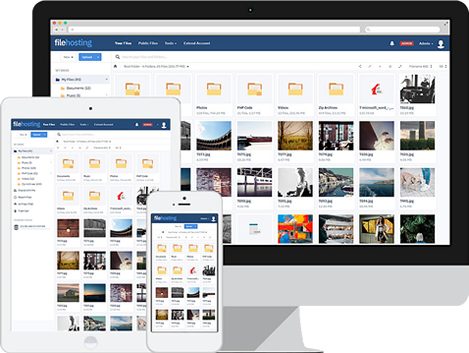
Yetishare is a PHP script that enables you to create your own professional file hosting service that you can earn a revenue from. The script has a wide range of features including over 50 supported payment gateways, a responsive admin area, file manager, user accounts, external file servers, multi-upload, a package manager, paid account upgrades, an admin file upload API and much more.

There is also a wide range of plugins available that can add additional functionality such as mobile and tablet app support, a media player, FTP upload, torrent download and more.

The software is well established, with the first release over 6 years ago and with over 3,000 active sites using it. The entire PHP code is supplied unencoded so users can make any customisations such as additional features or theme changes, as they require.

Vidmore Screen Recorder for Mac 1.0.16

Type: Shareware
Cost: $29.95
Size: 19.17 MB
Release date: Aug 13 2020
Platform: Mac OS X,
Publisher’s Site:  https://www.vidmore.com/
Publisher’s Product Page:  https://www.vidmore.com/screen-recorder/
Country: China


Vidmore Screen Recorder for Mac

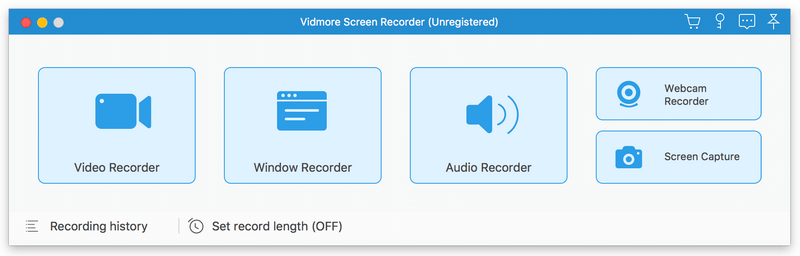
Vidmore Screen Recorder for Mac is an easy-to-use screen recording program, with it, you could record online videos that you could not download, record the audio files you want to save and so on. In addition, recording the system and microphone sound is also possible.

Key functions:

1. Record video and audio files
With Vidmore Screen Recorder for Mac, you could save any precious media files you want to use in the future. It is able to record all kinds of media files without any hassle. And it also allows you to record the system and microphone sound. In addition, you could record the full screen or select the area you want to record as you like.

2. Trim Recordings and schedule recording task
If you just want to save a part of your recordings and you do not want to record it again, please do not worry, Vidmore Screen Recorder for Mac could help you solve this easily. You just need to choose the start and end time for your clip after recording, then you could save the part you want. If you want Vidmore Screen Recorder for Mac to record the files later automatically, you could schedule the recording task by setting the task name, the starting and ending time and the duration, then it will record at the time you want.

3. Record GIF
Do you want to save media files as GIF? With Vidmore Screen Recorder for Mac, the output video or screenshot format could be saved as GIF files.

4. Powerful editing functions
You could set the output video format, video codec and video quality according to your need. Moreover, you are able to add text, arrows and shapes to your recording files. If you want to set hotkeys for start and pause recording or screen capture, all of this could be achieved with Vidmore Screen Recorder for Mac easily.