
Apeaksoft Blu-ray Player 1.1.6

Type: Shareware
Cost: $39.20
Size: 54.50 MB
Release date: Nov 30 2020
Platform: Win2000,WinXP,Win7 x32,Win7 x64,Windows 8,Windows 10,WinServer,WinOther,WinVista,WinVista x64
Publisher’s Site:  https://www.apeaksoft.com/
Publisher’s Product Page:  https://www.apeaksoft.com/blu-ray-player/
Country: China
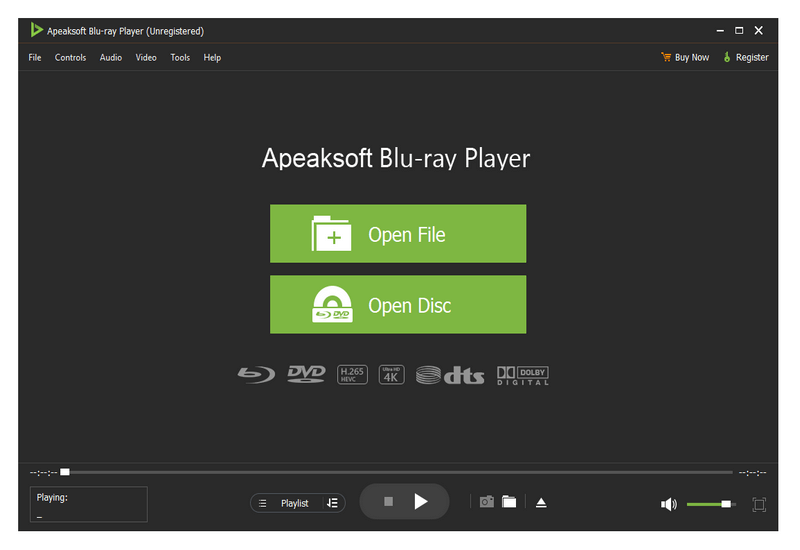

Apeaksoft Blu-ray Player

PC410, Computer Services in Carroll County Maryland
Apeaksoft Blu-ray Player can play DVD/Blu-ray disc/folder/ISO files with high image quality. Meanwhile, it can also support 4K and 1080p HD videos. Besides, it allows you to play common videos including MP4, MOV, AVI, M4V, MPEG, MKV, FLV, etc. This magical software also enables you to select your needed audio track, subtitle track as well as the video track.

Key functions:

1. Play DVD/Blu-ray disc/folder/ISO files with perfect effect
This professional Blu-ray Player can play DVD/Blu-ray disc/folder/ISO files with high-quality and it would bring you wonderful watching experience.

2. Play 4K videos, 1080p HD videos and common videos
With the assistance of Apeaksoft Blu-ray Player, you can play your 4K videos like 4K H.265 MP4, 4K H.264 TS, 4K MKV and others with high-quality. Furthermore, it is able to play 1080p videos like HD AVI Video (.avi), HD H.264/MPEG-4 AVC Video (.mp4), HD MKV Video Format (.mkv), HD MOV Video (.mov) and so on. Meanwhile, it can also play common videos like MP4, MOV, AVI, M4V, MPEG, MKV, FLV, TS etc.

Graphcat

3. Region free and various playback modes
As we all know that more and more Blu-ray discs have a region code, Apeaksoft Blu-ray Player could do you a favor in this case. With it, you could play any Blu-ray disc for region free. In addition, it provides various playback modes for users. When watching videos, you could change the screen size and move to the chapter or part you want to watch according to your need.

4. Customize your watching experience
This Blu-ray player software also allows you to adjust image and audio effect. You are able to change audio track, audio channel and audio device to get better audio effect. You can also choose video track or subtitle.
5KPlayer 6.4

Type: Freeware
Cost: $0
Size: 49.54 MB
Release date: Oct 19 2020
Platform: Win2000,WinXP,Win7 x32,Win7 x64,Windows 8,Windows 10,WinServer,WinOther,WinVista,WinVista x64
Publisher’s Site:  http://www.5kplayer.com/
Publisher’s Product Page:  http://www.5kplayer.com
Country: China


5KPlayer

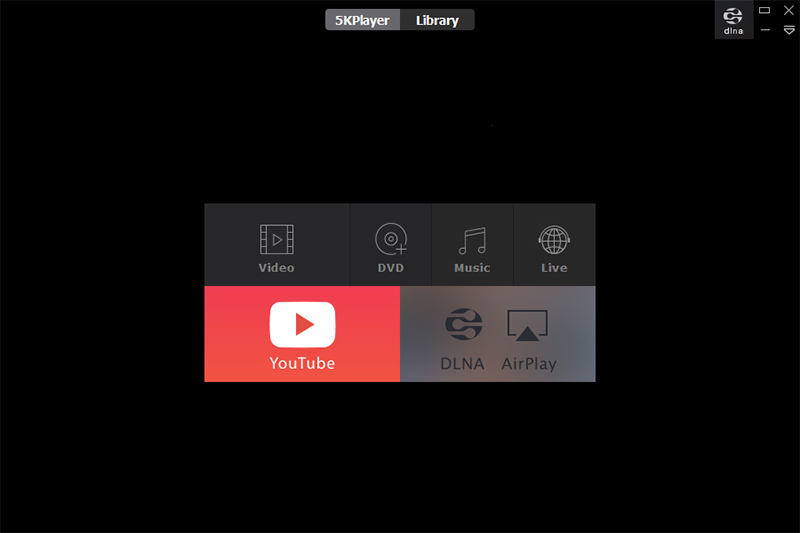
5KPlayer is an all-in-one free media player for Windows (10) that works as HD video/music player, AirPlay/DLAN streamer,video cutter and free online video/music downloader. It plays 4K/5K, 360, MKV, AV1, MP4, AVI, WMV, MP3 music, radio & DVD flawlessly. 5KPlayer also supports Apple’s AirPlay tech which allows you to stream media from iPad, iPhone to PC or from PC to Apple TV. DLNA enabled 5KPlayer allows you to share media between PC & DLNA-compatible devices like Android, TV, PS4, Xbox, etc.
Moreover, 5KPlayer is your one-stop tool to download any online video music and watch offline. With these advanced features, 5KPlayer can easily fulfill all of your music video playback demands. Just feel free to download this unique media player and enjoy a brand-new audiovisual experience.
Key features:
1. Play any media formats in Windows PC, including 4K/5K/360 degree videos, MKV, AV1, M2TS, AVCHD, AVI, MP4, WMV, DVD movies, MP3 music, etc;
2. With built-in AirPlay sender/receiver, free stream music/videos from iPhone, iPad to PC, or from PC to Apple TV or Airplay-enabled speakers;
3. Wirelessly stream video music between PC & Android, Smart TV, Xbox, PS4, etc. Other DLNA-compatible devices can access and play media in 5KPlayer’s DLNA Share List.
4. Cut, rotate video clips in several clicks and adjust the playback speed and color balance etc.
5. As a powerful online video/music downloader supporting over 300 sites, download video/music free from FaceBook, Dailymotion, Vimeo and so on;
6. Screen mirroring from iPhone/iPad/iPod to Windows PC;
7. Record iPhone/iPad screen with high quality by AirPlay mirroring;
8. Have embedded radio player to play radio from BBC, Heart, XFM, Kiss, Magic and other internet radio stations;
9. Work as an excellent file manager, easily organizing your video & music files;
10. Easy to use. Completely free and safe. No virus, malware or spyware.

Aiseesoft Screen Recorder 2.2.28

Type: Shareware
Cost: $31.20
Size: 1.70 MB
Release date: Oct 13 2020
Platform: Win2000,WinXP,Win7 x32,Win7 x64,Windows 8,Windows 10,WinServer,WinOther,WinVista,WinVista x64
Publisher’s Site:  https://www.aiseesoft.com/
Publisher’s Product Page:  https://www.aiseesoft.com/screen-recorder/
Country: China


Aiseesoft Screen Recorder

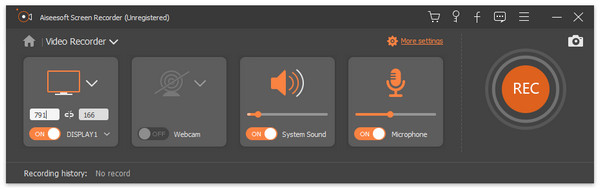
Aiseesoft Screen Recorder helps to capture almost any video played on your computer, including 4K videos. You can use this screen capture software to record various kinds of videos, like online movies, video conference, video tutorials, gameplay and other videos you want to save. When you record the screen, you can choose to record the sound of the video itself or record your own voice through microphone.

Key features

1. Record any video on your computer
Aiseesoft Screen Recorder is a professional video recording application. With this recording software, you don’t have to buy another downloader because it will save more time and bandwidth to record rather than download. It is more powerful than downloader because it can save more, including game play process, video meetings and online streaming videos, etc. It even enables you to record 4K videos.

2. Highlight the mouse cursor as you wish
This is especially useful when you make video presentations. You can highlight the mouse cursor to make your action easier to be tracked on screen. Also you can define the color and shape of the highlight.

3. Record any audio source as you like
When you record a video, you can choose to record the voice of the video itself by using the system audio, or record your own voice by enabling microphone voice. The former one fits for recording movies while the latter one is fit for making video presentations. If you want to record a video meeting, you should turn both of them on.

4. Edit recording and snapshots
This screen recording tool also carries lots of necessary editing features to help you get a preferred output file. You can add arrow, text, line, rectangle, ellipse and more while recording, clip recorded video/audio, trim recorded video or audio file freely to only save the useful part. You can also put your personal labels like new arrow, line, text and more on snapshot.
