
ActiveXperts Environmental Monitor 2021

Type: Shareware
Cost: $350
Size: 42.02 MB
Release date: Jul 02 2020
Platform: Win2000,WinXP,Win7 x32,Win7 x64,Windows 8,Windows 10,WinServer,WinOther,WinVista,WinVista x64
Publisher’s Site:  https://www.activexperts.com
Publisher’s Product Page:  https://www.activexperts.com/environmental-monitor/
Country: Netherlands
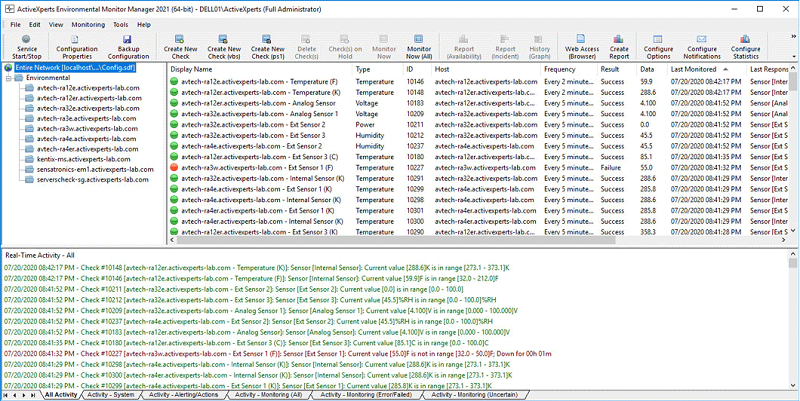

ActiveXperts Environmental Monitor

PC410, Computer Services in Carroll County Maryland
ActiveXperts Environmental Monitor is a Windows based software solution.
It offers seamless integration with popular environmental devices available today, including AVTech, Kentix and many others.

The software runs a background service on a Windows 2019/2016/2012/2008 server platform. View the results using a Windows GUI application (on server and/or workstation), or browser on a PC, tablet or mobile phone using ActiveXperts Web Access.
The Web Access component is hosted on a Windows Web Server (IIS).

The software is capable of monitoring the following topics:
Temperature – Humidity – Wetness (water leaks) – Dewpoint – HeatIndex – Power – PowerState – Voltage – Switch (On/Off) – Light – Motion – Smoke – Door (open/close) – Resistance – Movement – Vibration – Oxygen – CarbonOxide – CarbonDioxide

When a treshold exceeds, it alerts via SMS, e-mail, pager, or SNMP Trap notification. Optionally, execute a corrective action script automatically.
The product supports PowerShell and VBScript to customize or combine checks.
It features advanced reporting, graph and dashboard facilities through a Web Interface. This Web Interface is flexible and can be fully customized.

Graphcat

ActiveXperts Environmental Monitor uses a MS SQL Server or MySQL database to store all monitoring data. All historical data can be accessed at any time using a browser on a desktop PC, tablet or mobile phone.
JRiver Media Center 27.0.50

Type: Shareware
Cost: $59.98
Size: 37.98 MB
Release date: Jan 07 2021
Platform: Win2000,WinXP,Win7 x32,Win7 x64,Windows 8,Windows 10,WinServer,WinOther,WinVista,WinVista x64
Publisher’s Site:  https://www.jriver.com
Publisher’s Product Page:  https://www.jriver.com
Country: United States of America


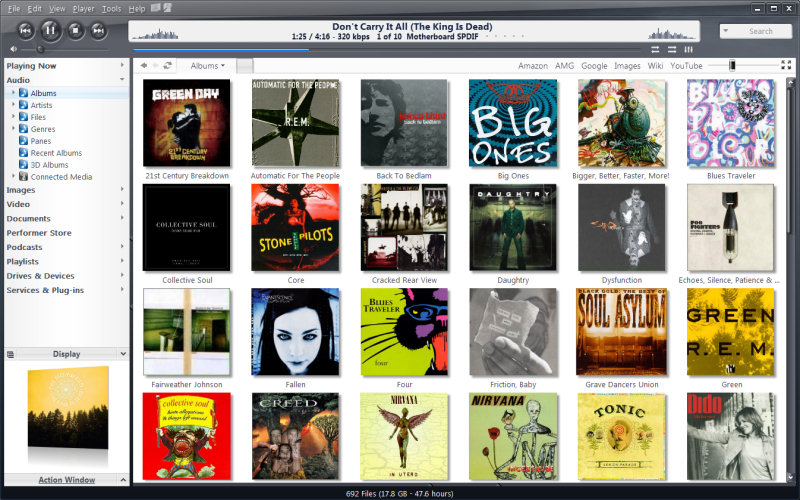
JRiver Media Center

High quality media solution for large libraries. Organize, play, tag all types of media files. Rip, Burn, serve to Xbox, PS3, UPnP, DLNA, TiVo. Audiophile quality, DSD, madVR, Ten foot mode, remote control, HD TV recording in real time. Customizable media views. 3D views. Supports iPods, cameras, 90+ media file formats. Integration with Facebook, Flickr, Audible, Amazon MP3, Google, Youtube, Wikipedia, Hulu, Last.FM, Twitter. Cover art lookup.

Three skinned interfaces. A Visualization Studio feature lets you create your own visualizations, and a DSP Studio allows personalization of the listening environment. Media Scheduler for sleep, alarm and recording functions, Media Editor for editing sound files. Smartlists based on rules. Drag-and-drop for easy Playlist creation. Unique media browsing views for faster, easier and more powerful file search and play. Tagging studio. Integrated CD labeler. Support for CD and DVD database and support for popular handheld players, Sony PSP and PlaysForSure devices.

AnyMP4 Screen Recorder 1.3.22

Type: Shareware
Cost: $29.25
Size: 1.66 MB
Release date: Jan 14 2021
Platform: Win2000,WinXP,Win7 x32,Win7 x64,Windows 8,Windows 10,WinServer,WinOther,WinVista,WinVista x64
Publisher’s Site:  https://www.anymp4.com/
Publisher’s Product Page:  https://www.anymp4.com/screen-recorder/
Country: China


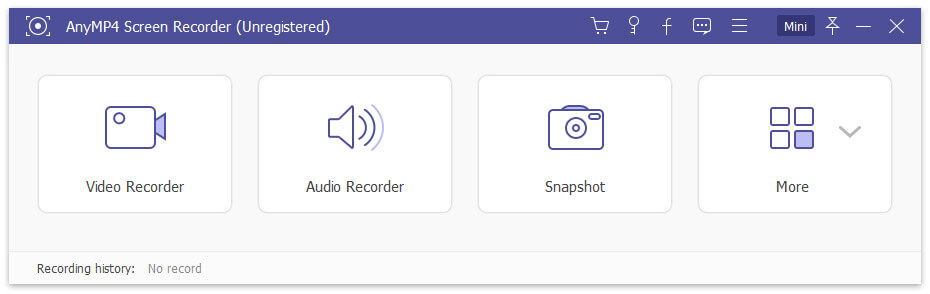
AnyMP4 Screen Recorder

AnyMP4 Screen Recorder helps to capture almost any video played on your computer, including 4K videos. You can use this screen capture software to record various kinds of videos, like online movies, video conferences, video tutorials, gameplay and other videos you want to save. When you record the screen, you can choose to record the sound of the video itself or record your own voice through microphone.

Key features:

1. Record any videos on your computer.
AnyMP4 Screen Recorder is a professional video recording product. With this recording software, you don’t have to buy another video downloader because it will save more time and bandwidth to record rather than download. It is more powerful than downloader because it can save more, including gameplay process, video meetings and online streaming videos, etc. You can record any video formats on your computer, even 4K videos.

2. Highlight the mouse cursor as you like.
This is especially useful when you make video presentations. You can highlight the mouse cursor to make your actions easier to track on screen. Also, you can define the color and the shape of the highlighted cursor.

3. Record any audio source as you like.
When you record a video, you can choose to record the system audio or record your own voice by enabling microphone voice. The former one fits for recording movies. The latter one fits for making video presentations. If you want to record a video meeting, you should turn both on.
