Category Archives: Business

Accounting & Finance, Calculators & Converters, Databases & Tools, Helpdesk & Remote PC, Inventory & Barcoding, Investment Tools, Math & Scientific Tools, Office Suites & Tools, Other, PIMS & Calendars, Project Management, Vertical Market Apps

NCheck Bio Attendance Trial for Windows 4.1.3.316

Type: Shareware
Cost: $105
Size: 141.69 MB
Release date: Dec 07 2017
Platform: Win2000,WinXP,Win7 x32,Win7 x64,Windows 8,Windows 10,WinServer,WinOther,WinVista,WinVista x64
Publisher’s Site:  http://neurotechnology.com/
Publisher’s Product Page:  http://www.neurotechnology.com/ncheck-bio-attendance.html
Country: Lithuania

NCheck Bio Attendance Trial for Windows

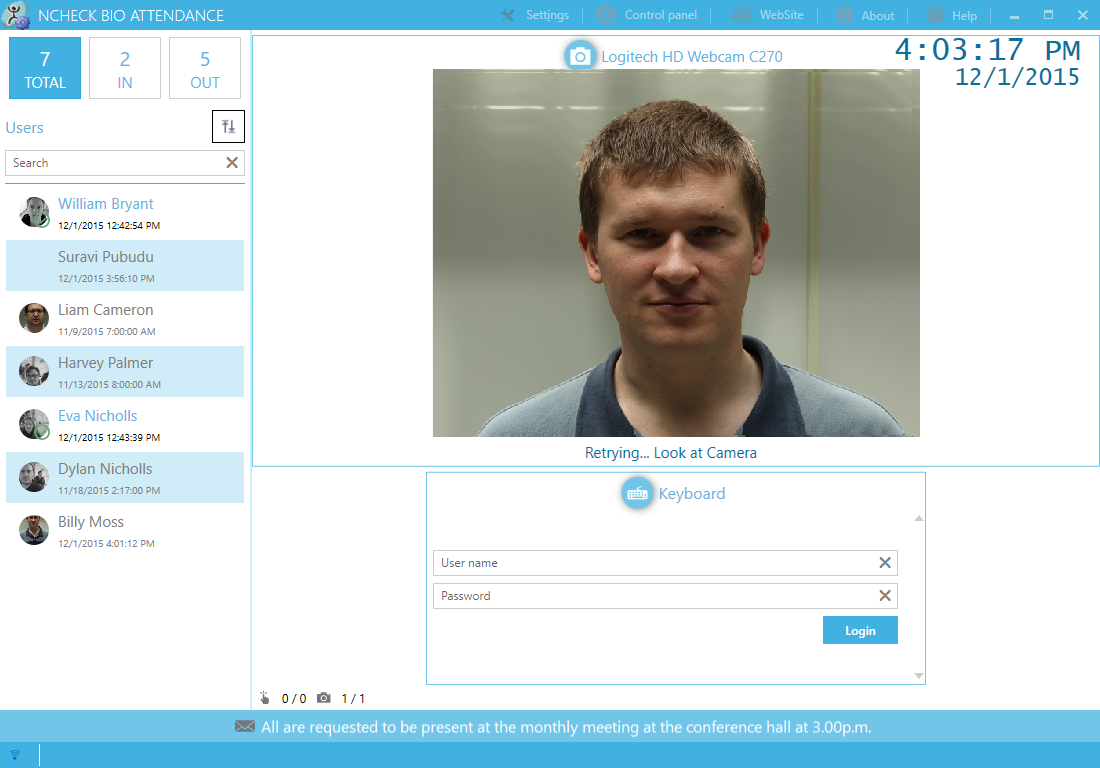
NCheck Bio Attendance is an automatic ready-to-use time tracking system with biometric fingerprint and face identification. May be used from employee attendance control to check-in at events, clubs, clinics, etc. Protection against human-factor errors or user fraud. Employee GPS logging (optional). User groups, shifts and schedule planning. Reports in XLS, PDF or CSV. Webcams and 90+ fingerprint reader models from 40+ manufacturers support.


+ Ready-to-use attendance control automation system.
+ Fingerprint, face and iris biometrics protect against errors or user fraud.
+ GPS logging for remote employee location tracking.
+ Employee groups and configurable shifts.
+ Reports generation for users’ attendance.
+ Cloud, client-server and stand-alone architectures.
+ Delayed database synchronization for remote locations.
+ Bring Your Own Device (BYOD) support.
+ Windows and Android supported.
+ Webcams, all major models of fingerprint scanners and iris scanners supported.

Graphcat<

Project Timer 1.21.0.0

Type: Shareware
Cost: $27.03
Size: 4.62 MB
Release date: Feb 16 2018
Platform: Win2000,WinXP,Win7 x32,Win7 x64,Windows 8,Windows 10,WinServer,WinOther,WinVista,WinVista x64
Publisher’s Site:  https://ontwerpbureaudunes.nl
Publisher’s Product Page:  http://www.projecttimer.com/
Country: Netherlands


Project Timer

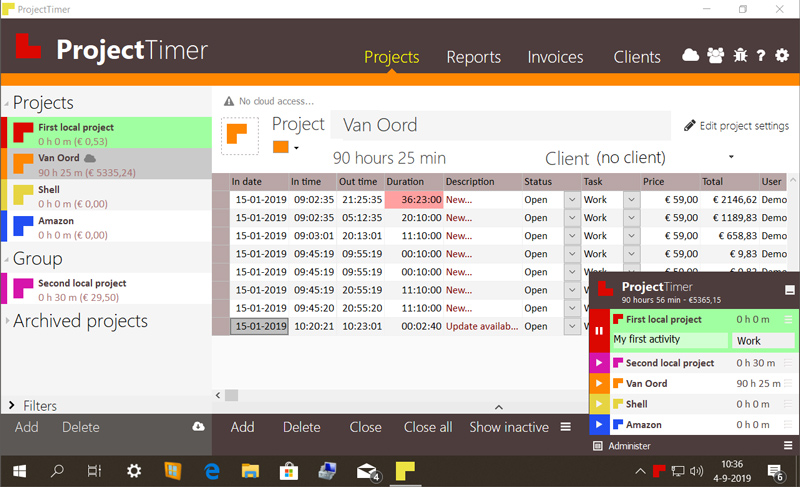
Project Timer is a simple but powerful windows application in the taskbar notification area to manage how much time you’ve spend on your projects. The use of colour will give a fast overview of which timer is running in the taskbar notification area (tray icon). This way you can quickly but non-intrusively see if the timer for the project you’re working on is running.
Activities can have different pricings per hour and the program keeps up the amount of money earned per project, as well as a summary for all your running projects.
You can export your data into reports using the browser or import it in Excel and a simple backup of the data can be zipped, mailed and imported to keep your data safe. Project Timer Pro also allows you to import hours spend by co-workers or freelancers and features extra import and export methods. Sometimes you need to edit your hours afterwards. This is no problem using the administrate panel. You can remove, add and edit activities to your projects.
Project Timer is a light, fast, simple, non-intrusive Windows taskbar application to assists you with your workflow for administrating and billing hours. It features an easy installation and clean uninstall.
The application areas are: advertising, small business, design, web design, healthcare, consulting and accounting, as long as you are working on a Windows machine.

SQLRD SSRS Data Driven Automation 7.3.20180208

Type: Shareware
Cost: $1400
Size: 508.79 MB
Release date: Feb 08 2018
Platform: Win2000,WinXP,Win7 x32,Win7 x64,Windows 8,Windows 10,WinServer,WinOther,WinVista,WinVista x64
Publisher’s Site:  https://christiansteven.com
Publisher’s Product Page:  https://go.christiansteven.com/ssrs-reports-scheduler-ssrs-reports-automation-sql-rd
Country: United States of America


SQLRD SSRS Data Driven Automation

Data Driven & Automated SSRS Reports with SQL-RD

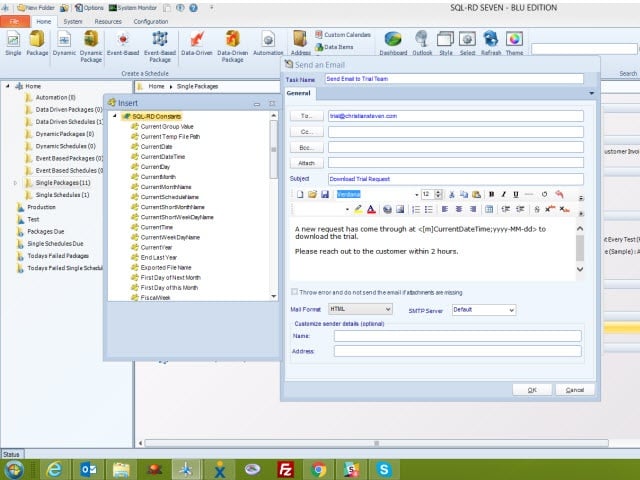
SQL-RD is a dynamic, flexible, function-rich & intuitive automation tool for scheduling, exporting, distributing & delivering your Microsoft SQL Server Reporting Services (SSRS) Reports. Automate report delivery in SSRS & send the reports to printer, fax, folder, FTP, SMS, DropBox, Sharepoint & email in a number of formats including Excel, Word, PDF, Txt, CSV & more. SQL-RD contains powerful system, event triggered, data-driven & business process workflow functions which will make an instant impact on the efficiency of your business.

Automate SQL Reports

Simply set up a ‘schedule’ stating how often you would like each report to run, whether you’d like the output in Word, Excel, HTML, RTF, Acrobat, XML or CSV & who it should be sent to. SQL-RD will do the automated delivery for you, delivering reports to folder, email, printer, fax, DropBox, Sharepoint, FTP or SFTP! You can even select, manage & schedule reports hosted in different SSRS instances.

Date & Time Scheduling

Schedule SSRS Reports to run at a specific date & time, or to run them hourly, daily, weekly, or monthly or set up your own custom frequencies e.g. 4-4-3, every other day, third Monday of the month, & so on. And the same report can be scheduled to be run multiple times with different parameters, formats, frequencies, & destinations.

Event Triggers

Respond to your business needs by setting schedules to run based on events & triggers rather than date. Add real-time monitoring to your SSRS Reports distribution process with SQL-RD’s Event Based Schedules, reports are fired off when events occur e.g. database value is present, file is modified, window is open, an email is received, etc.

Dynamic & Data Driven

Use SQL-RD’s unique Dynamic & Data Driven Schedule processes to trawl through your database to find the parameter values to use & then generate & deliver a unique report for each value.