Category Archives: Business

Accounting & Finance, Calculators & Converters, Databases & Tools, Helpdesk & Remote PC, Inventory & Barcoding, Investment Tools, Math & Scientific Tools, Office Suites & Tools, Other, PIMS & Calendars, Project Management, Vertical Market Apps

CSV2IIF 3.1.7.0

Type: Shareware
Cost: $49.99
Size: 3.13 MB
Release date: Jan 27 2018
Platform: Win2000,WinXP,Win7 x32,Win7 x64,Windows 8,Windows 10,WinServer,WinOther,WinVista,WinVista x64
Publisher’s Site:  https://www.propersoft.net/
Publisher’s Product Page:  https://www.propersoft.net/products/csv2iif?utm_source=appvisor&utm_medium=pad&utm_campaign=submit
Country: Canada
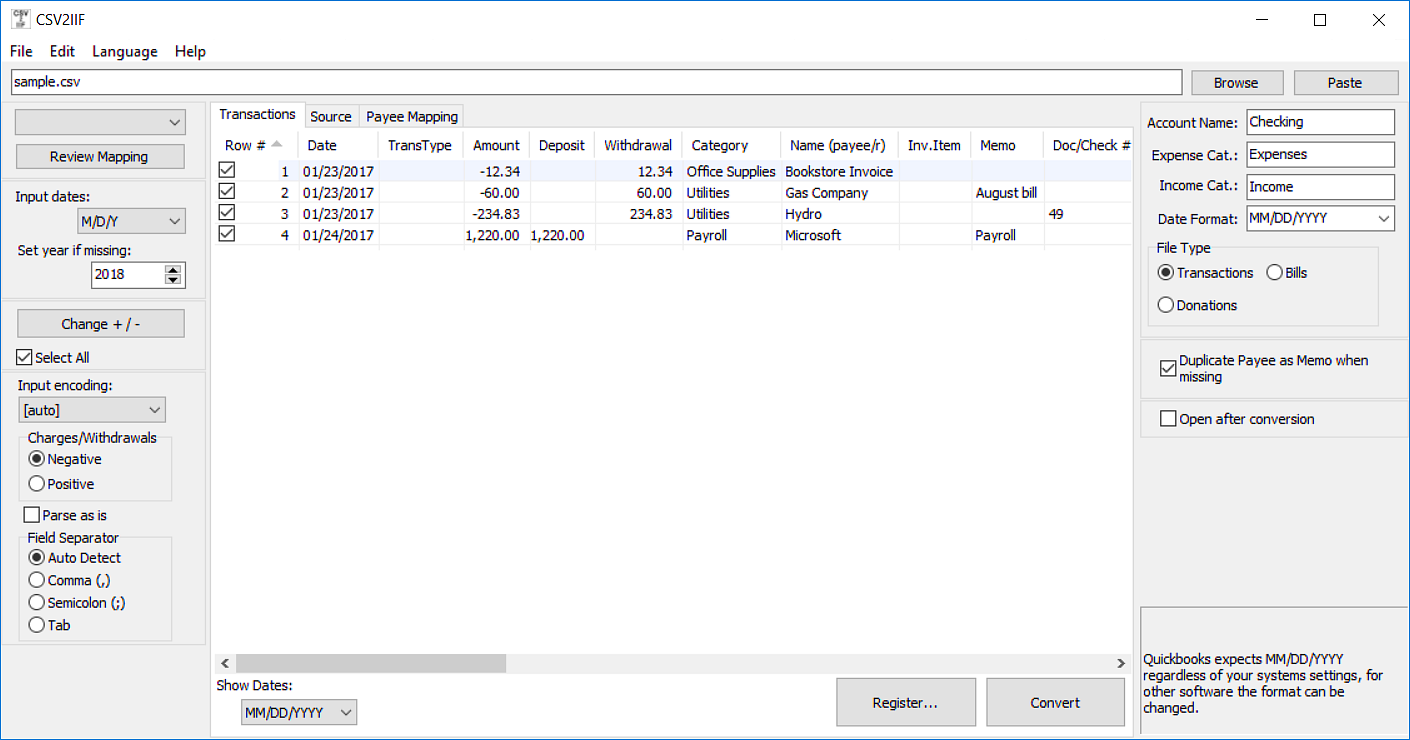

CSV2IIF

Finally, the solution to import your transactions in the IIF format. Convert CSV to IIF and import into Quickbooks. Extract transaction data from CSV or Excel files from your bank. Prepare transactions quickly in Excel and convert. Work directly in Excel and copy data into the converter and convert. Open files in XLS and XLSX or CSV formats. Review transactions in a readable view before converting. Free trial (up to 10 transactions per file converted) is available. Support is available before and after purchase. Knowledge base with the solutions for similar conversions. Question and Answers page to ask questions and get help with developers and other users. Buy with confidence: money back guarantee is provided for 14 days. Save time and avoid data entry and manual errors.

Graphcat<

CSV2CSV 3.1.7.0

Type: Shareware
Cost: $19.99
Size: 3.14 MB
Release date: Jan 27 2018
Platform: Win2000,WinXP,Win7 x32,Win7 x64,Windows 8,Windows 10,WinServer,WinOther,WinVista,WinVista x64
Publisher’s Site:  https://www.propersoft.net/
Publisher’s Product Page:  https://www.propersoft.net/products/csv2csv?utm_source=appvisor&utm_medium=pad&utm_campaign=submit
Country: Canada


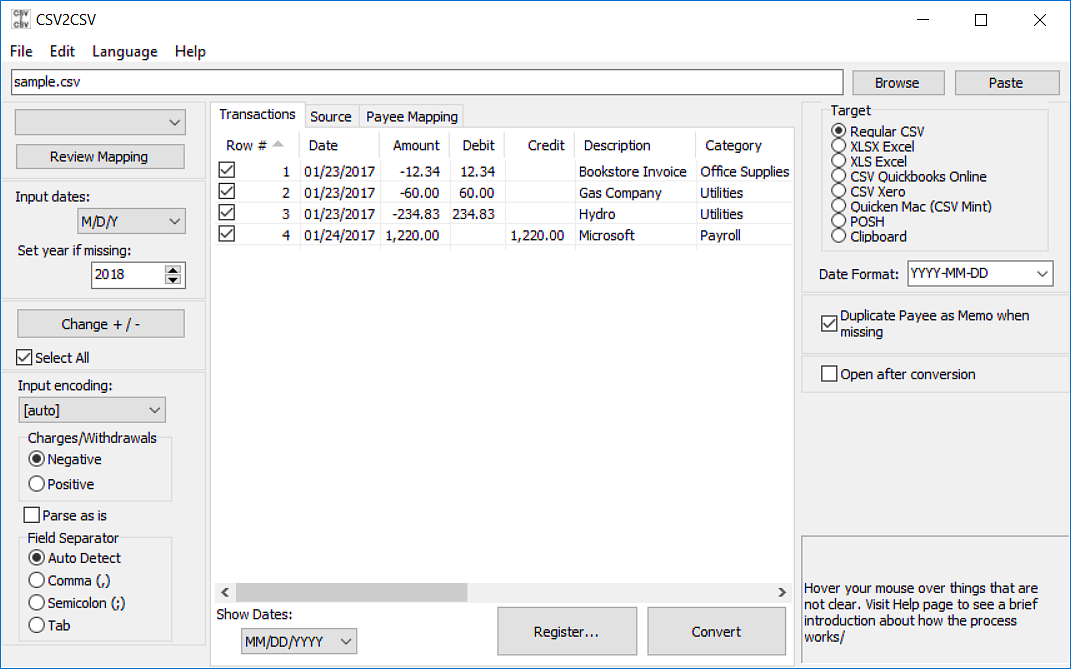
CSV2CSV

Need to import transactions into Quicken for Mac or Quickbooks Online or Xero, but the format is not supported? Convert CSV to CSV Mint/QB Online/Xero and import into Quicken Mac, QB Online, Xero, YNAB. Extract transaction data from CSV or Excel files from your bank. Prepare transactions quickly in Excel and convert. Work directly in Excel and copy data into the converter and convert. Open files in XLS and XLSX or CSV formats. Review transactions in a readable view before converting. Free trial (up to 10 transactions per file converted) is available. Support is available before and after purchase. Knowledge base with the solutions for similar conversions. Question and Answers page to ask questions and get help with developers and other users. Buy with confidence: money back guarantee is provided for 14 days. Save time and avoid data entry and manual errors.

SQLRD SSRS Data Driven Automation 7.3.20171018

Type: Shareware
Cost: $1400
Size: 546.78 MB
Release date: Oct 18 2017
Platform: Win2000,WinXP,Win7 x32,Win7 x64,Windows 8,Windows 10,WinServer,WinOther,WinVista,WinVista x64
Publisher’s Site:  https://christiansteven.com
Publisher’s Product Page:  https://go.christiansteven.com/ssrs-reports-scheduler-ssrs-reports-automation-sql-rd
Country: United States of America


SQLRD SSRS Data Driven Automation

Data Driven & Automated SSRS Reports with SQL-RD


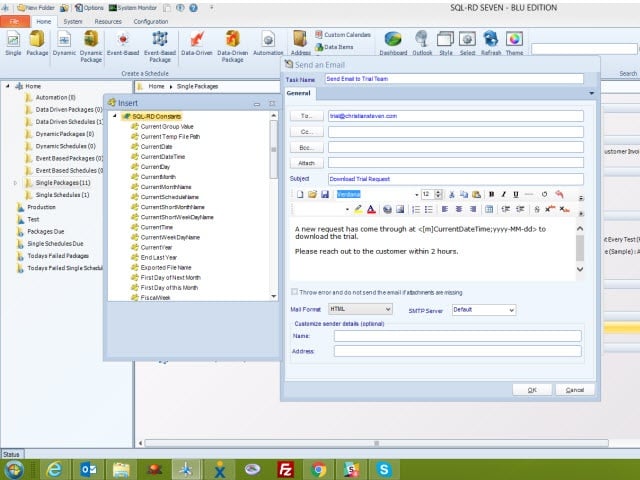
SQL-RD is a dynamic, flexible, function-rich & intuitive automation tool for scheduling, exporting, distributing & delivering your Microsoft SQL Server Reporting Services (SSRS) Reports. Automate report delivery in SSRS & send the reports to printer, fax, folder, FTP, SMS, DropBox, Sharepoint & email in a number of formats including Excel, Word, PDF, Txt, CSV & more. SQL-RD contains powerful system, event triggered, data-driven & business process workflow functions which will make an instant impact on the efficiency of your business.

Automate SQL Reports

Simply set up a ‘schedule’ stating how often you would like each report to run, whether you’d like the output in Word, Excel, HTML, RTF, Acrobat, XML or CSV & who it should be sent to. SQL-RD will do the automated delivery for you, delivering reports to folder, email, printer, fax, DropBox, Sharepoint, FTP or SFTP! You can even select, manage & schedule reports hosted in different SSRS instances.

Date & Time Scheduling

Schedule SSRS Reports to run at a specific date & time, or to run them hourly, daily, weekly, or monthly or set up your own custom frequencies e.g. 4-4-3, every other day, third Monday of the month, & so on. And the same report can be scheduled to be run multiple times with different parameters, formats, frequencies, & destinations.

Event Triggers

Respond to your business needs by setting schedules to run based on events & triggers rather than date. Add real-time monitoring to your SSRS Reports distribution process with SQL-RD’s Event Based Schedules, reports are fired off when events occur e.g. database value is present, file is modified, window is open, an email is received, etc.

Dynamic & Data Driven

Use SQL-RD’s unique Dynamic & Data Driven Schedule processes to trawl through your database to find the parameter values to use & then generate & deliver a unique report for each value.