Type: Shareware
Cost: $49
Size: 6.56 MB
Release date: Aug 13 2018
Platform: Win2000,WinXP,Win7 x32,Win7 x64,Windows 8,Windows 10,WinServer,WinOther,WinVista,WinVista x64
Publisher’s Site: https://www.vartikasoftware.com/
Publisher’s Product Page: http://www.vartikasoftware.com/product/vs-ost-to-office365-converter.html
Country: India
Cost: $49
Size: 6.56 MB
Release date: Aug 13 2018
Platform: Win2000,WinXP,Win7 x32,Win7 x64,Windows 8,Windows 10,WinServer,WinOther,WinVista,WinVista x64
Publisher’s Site: https://www.vartikasoftware.com/
Publisher’s Product Page: http://www.vartikasoftware.com/product/vs-ost-to-office365-converter.html
Country: India
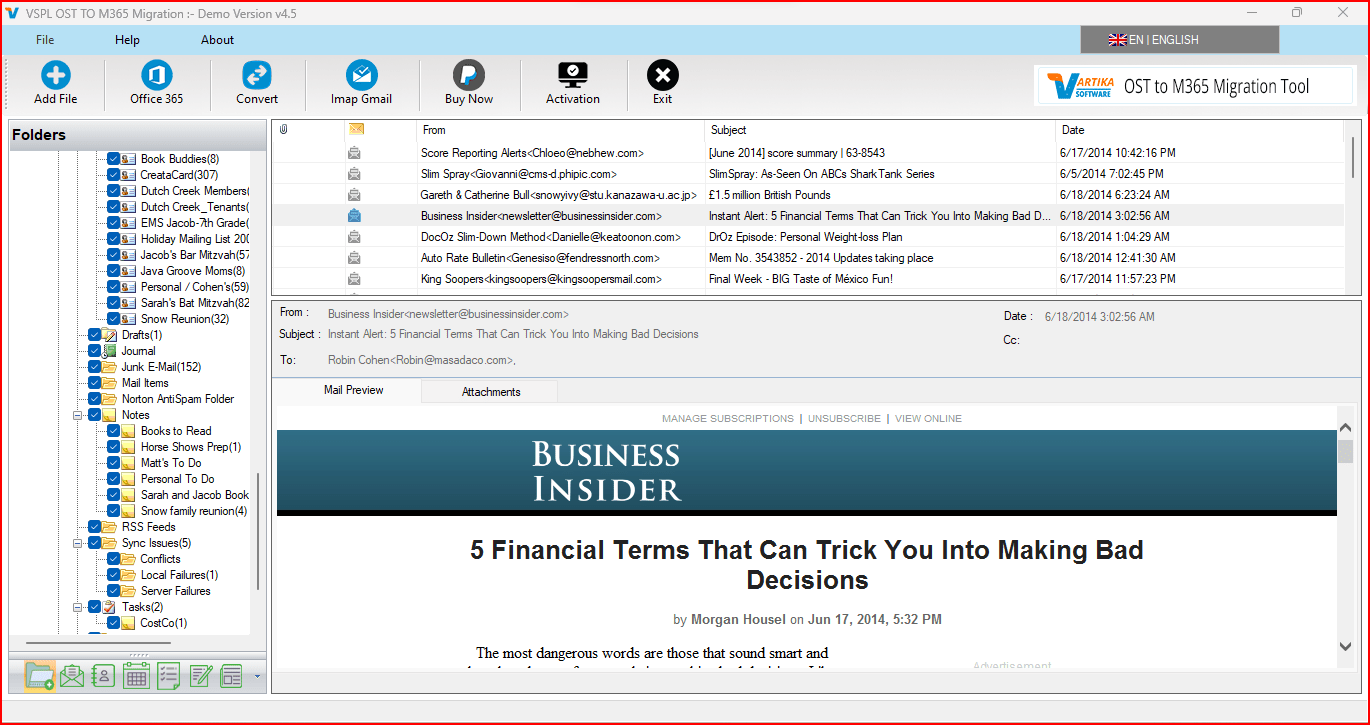

Not think more for converting the database from damaged OST file to secure office 365; just download Vartika OST to Office 365 Converter Software and browse your file that require for conversion. During conversion, there many features has been provided which are free for using and helps to makes best conversion of database. Software will allow convert selective or complete OST folders/ emails with attachments.
Often users want to convert all their MS Outlook OST file data into safe and secure Office 365 account but they are confuse in selecting the Software; here Vartika groups made possible to Move OST File to Office 365 by designing the best and professional OST to Office 365 Converter Software that performs to recover and Import OST to Office 365 with extract all emails, contacts, calendars, task, notes & others users mailboxes folders.
Office OST to office 365 Conversion Software allows users either convert complete folders or emails or convert selective folders with maintains folders structure. Office OST to Office 365 Export Software is capable to supports all types of OST file whether it is corrupted, inaccessible or password protected. Access OST file in Office 365 by converting all data with using Vartika OST to Office 365 converter.
It also let users convert their Exchange OST file data into Online Exchange without making changes database internal data. For using the software there no need to install MS Outlook application & software supports all MS Outlook versions included- 2016, 2013, 2010, 2007 & below versions.
For understanding software closely download its free demo version that will show you the complete preview of conversion and after getting satisfaction move toward for getting complete licence of OST to Office 365 Converter Software.
Often users want to convert all their MS Outlook OST file data into safe and secure Office 365 account but they are confuse in selecting the Software; here Vartika groups made possible to Move OST File to Office 365 by designing the best and professional OST to Office 365 Converter Software that performs to recover and Import OST to Office 365 with extract all emails, contacts, calendars, task, notes & others users mailboxes folders.
Office OST to office 365 Conversion Software allows users either convert complete folders or emails or convert selective folders with maintains folders structure. Office OST to Office 365 Export Software is capable to supports all types of OST file whether it is corrupted, inaccessible or password protected. Access OST file in Office 365 by converting all data with using Vartika OST to Office 365 converter.
It also let users convert their Exchange OST file data into Online Exchange without making changes database internal data. For using the software there no need to install MS Outlook application & software supports all MS Outlook versions included- 2016, 2013, 2010, 2007 & below versions.
For understanding software closely download its free demo version that will show you the complete preview of conversion and after getting satisfaction move toward for getting complete licence of OST to Office 365 Converter Software.
 <
<