Category Archives: System Utilities

Automation Tools, Backup & Restore, Benchmarking, Clipboard Tools, File & Disk Management, File Compression, Launchers & Task Managers, Other, Printer, Registry Tools, Shell Tools, System Maintenance, Text/Document Editors

Mailvita Thunderbird to PST for Mac 1.0

Type: Shareware
Cost: $29
Size: 53.17 MB
Release date: Jul 22 2019
Platform: Mac OS X
Publisher’s Site:  http://www.mailvita.com/
Publisher’s Product Page:  http://www.mailvita.com/thunderbird-to-pst-converter-for-mac/
Country: South Africa
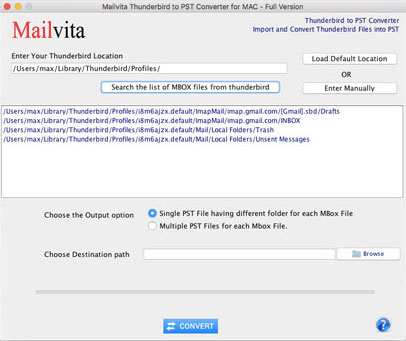

Mailvita Thunderbird to PST for Mac

Mailvita Thunderbird to PST for Mac is a one-stop solution to export email items from Thunderbird to Outlook PST format. Users when require to access Mac Thunderbird files on Outlook for Windows, this tool will surely help you by conversion of Thunderbird files to PST format. Having a swift working speed and easy steps, it is so simple task for users to convert Thunderbird to PST. Users are not required to put much efforts with this utility. Using default location, users can automatically add Thunderbird files on the software panel for conversion into PST format. The application offers users bulk conversion facility by which various folders from Thunderbird into PST can be converted at once without additional efforts. The complete folder sequences are maintained as well in their original format while converting Thunderbird to MS Outlook. The converted PST file can be viewed on all versions of Microsoft Outlook. All emails and attachments of Thunderbird are safely exported into PST format. Without using any external application, you can simply export Thunderbird to PST in a short time period. Email attributes such as to, cc, bcc, from, subject, etc. are safely exported without any trouble and data misplacement. Mailvita Thunderbird to PST for Mac provides single PST or multiple PST file for every Thunderbird file. A demo edition is provided for all users so that they can test the application properly before applying for the license version. This will help users in taking decision for purchasing this program. There is complete preservation of email formatting during the conversion process. The software can be handled without technical knowledge. There is complete assurance of safety and smooth conversion. To deal with user queries, we have a technical support team which is available 24 hours round the clock.
Graphcat<

MailVita MSG to EML Converter for Mac 1.0

Type: Shareware
Cost: $29
Size: 53.17 MB
Release date: Mar 22 2019
Platform: Mac OS X
Publisher’s Site:  http://www.mailvita.com/
Publisher’s Product Page:  http://www.mailvita.com/msg-to-eml-converter-for-mac/
Country: South Africa


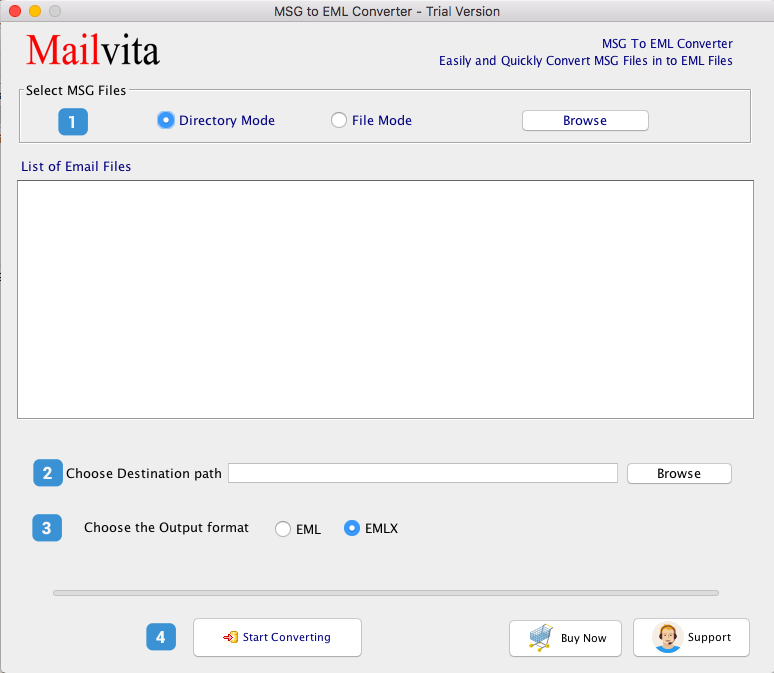
MailVita MSG to EML Converter for Mac

MailVita MSG to EML Converter for Mac is a reasonable and painless tool suitable to all users to convert Outlook MSG files to EML format. It can be used by home users and business users for MSG 2 EML Conversion. In this way, the users can open Outlook MSG files in Thunderbird, Apple Mail, Entourage etc. email clients. The software undergoes several tests to provide error-free and safe results to the users. No data loss and corruption related issues faced by the users at all with this MSG to Apple Mail Converter. Collective conversion of MSG files to EML format helps a lot to the users to save their quality time and efforts. By this, users can simply export a large amount of MSG files in Thunderbird client. The software does not make any alterations to the original files like the formatting applied by the users are retained same after MSG file conversion to EML format. Any non-tech user simply operates the application without any difficulties. Plus, nominated MSG files are migrated to EML format with this powerful program. Saving of the output files at the user-decided location to access them quickly. The application is self-sufficient to migrate MSG data to EML format and the complete export of email attributes & attachments of any format is done by MSG 2 EML Exporter taking a very short time. Once you upload MSG files for migration, the clear broadcasting of all files is displayed prior to their conversion in EML format. Any new or archive MSG files get converted with the smooth software. Two versions are provided by MSG 2 EML Conversion Tool. One is a free version that helps users to understand the software but offers limited files conversion and next is the license version by which the users can enjoy unlimited MSG files conversion to EML format. Untroubled working by the utility on all Mac OS versions. For any queries, get in touch with our customer executives.

SnaPatch 3.50.0

Type: Shareware
Cost: $500
Size: 234.24 MB
Release date: Jul 26 2019
Platform: Win2000,WinXP,Win7 x32,Win7 x64,Windows 8,Windows 10,WinServer,WinOther,WinVista,WinVista x64
Publisher’s Site:  https://www.smikar.com
Publisher’s Product Page:  https://www.smikar.com/snapatch/
Country: Australia


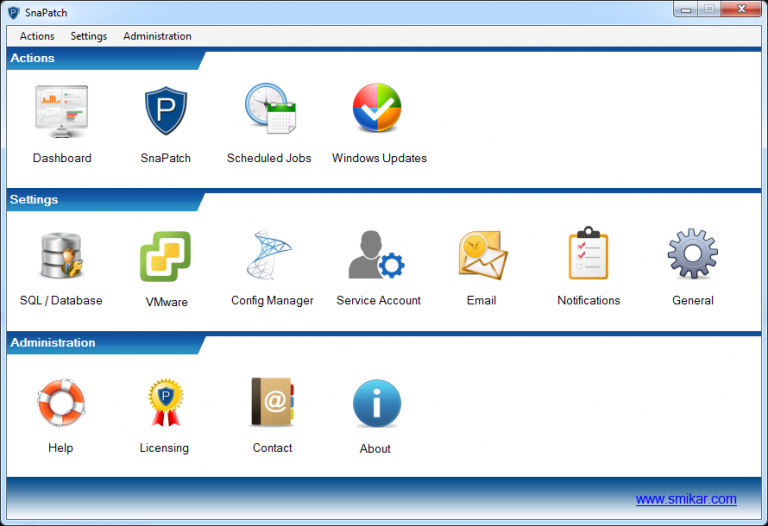
SnaPatch

SnaPatch connects and interacts with Microsoft’s System Centre Configuration Manager SCCM , VMware’s ESX and now also Microsoft’s HyperV. By bridging all of these platforms it allows us to remove the inherent risk associated with patching and updating servers. This is achieved by automatically taking snapshots of the virtual server prior to deploying any patches. This ability gives you a reliable and fast roll back if any of those updates cause an issue to your virtual machines.


SnaPatch also connects to your SCCM SQL database to pull vasts amount of information to provide you with the clearest and most up to date picture of your environment.

SCCM is a fantastic tool for deploying updates to your Windows fleet, however, it relies on companies and system administrators to have dedicated test environments to determine the possibility of a patch having a detrimental effect on any particular server or application. Even if the patch doesn’t cause any issues within a test environment, that doesn’t necessarily mean it won’t cause an issue in production. The safest and easiest way to remove this risk is to take a snapshot of the virtual server before deploying updates.

However, this is quite a time consuming and arduous task. It requires timing and dedicated resources typically working late at night. It also means having to keep track of any snapshots and ensuring they are deleted, which often doesn’t happen.

SnaPatch removes all of these issues. Everything is automated and scheduled, and runs according to your preferences. Below is a quick walk through of the steps to create a patch schedule.