Category Archives: System Utilities

Automation Tools, Backup & Restore, Benchmarking, Clipboard Tools, File & Disk Management, File Compression, Launchers & Task Managers, Other, Printer, Registry Tools, Shell Tools, System Maintenance, Text/Document Editors

Vartika Outlook PST Converter Software 25.11.0.18

Type: Shareware
Cost: $29
Size: 3.18 MB
Release date: Jun 25 2018
Platform: Win2000,WinXP,Win7 x32,Win7 x64,Windows 8,Windows 10,WinServer,WinOther,WinVista,WinVista x64
Publisher’s Site:  https://www.vartikasoftware.com/
Publisher’s Product Page:  https://www.vartikasoftware.com/product/vs-outlook-pst-converter.html
Country: India

Vartika Outlook PST Converter Software

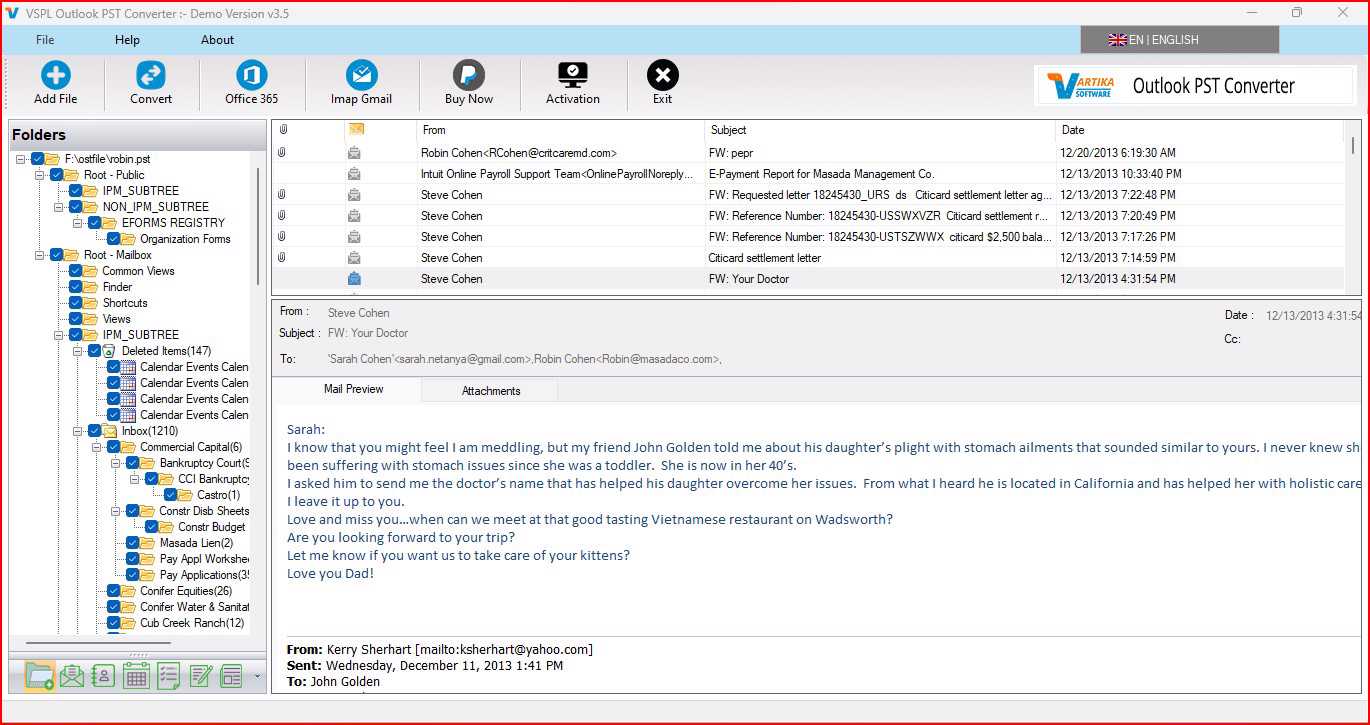
Being MS Outlook users, sometimes you would face problem when your MS Outlook created file .PST got corrupted, damaged and became un-reachable for you that time Vartika Outlook PST Converter Software can help you to overcome from this type of corruption issue. PST Recovery Software supports all MS Outlook versions included- 2019, 2016, 2013, 2010 and below versions to repair damaged, corrupted PST file and recover all MS Outlook PST mailboxes users items like- emails, contacts, calendars, notes, task, attachments, inbox items, outbox items etc. Through Outlook PST Recovery Software you can make selection of the required mailboxes folders and emails to recover and convert them into working outlook PST file. Vartika PST File Recovery Software helps users to repair outlook PST file and Convert all repaired database into new PST, MSG, EML, MHTML, HTML and other formats. Outlook PST Repair Software supports to convert PST file along with facility to split large PST file by define size from 1 GB, 2GB, 3GB, 4GB to 5GB. Vartika Outlook PST Converter Software doesnt require the dependency of MS Outlook and it is available with free demo version facility that you can download and check software repairing, recovery and conversion functionality. But make sure demo version only permit to restore limited emails if you want to restore complete recovered data you have to purchase full license of the Vartika Outlook PST Converter Software that is available affordable price.

Graphcat<

Aiseesoft MobieSync 1.0.8

Type: Shareware
Cost: $20.96
Size: 70.28 MB
Release date: Oct 10 2018
Platform: Win2000,WinXP,Win7 x32,Win7 x64,Windows 8,Windows 10,WinServer,WinOther,WinVista,WinVista x64
Publisher’s Site:  http://www.aiseesoft.com
Publisher’s Product Page:  https://www.aiseesoft.com/mobiesync/
Country: China


Aiseesoft MobieSync

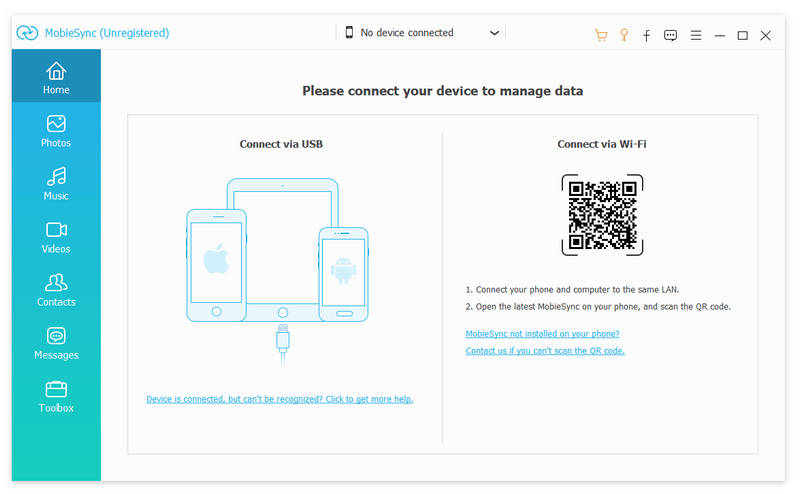
Aiseesoft MobieSync provides best solution for users to transfer iOS data to iPhone/iPad/iPod/computer and transfer files from computer to iPhone/iPad/iPod. Moreover, it carries many powerful features like Contacts Backup/Restore, Ringtone Maker, HEIC Converter and more to make sure that you can better manage iOS data. It supports iOS 6.0 and higher versions (iOS 10.3, iOS 11, iOS 12 included)


Key Features

1. Transfer file between iOS device and PC
MobieSync enables you to easily transfer all types of iOS data between iPhone/iPad/iPod and computer. Any frequently-used data type is supported, such as contact, picture, video, audio, message, voice memo, and more. It can back up all kinds of iOS files from iPhone/iPad/iPod to your computer or import various media or other files from Windows PC to your iPhone

2. Share files between iPhone/iPod/iPad
Apart from transferring files between computer and iOS devices, you are enabled to transfer files between any iOS devices for file sharing and enjoyment and the sharable file includes music, movie, picture, TV show, Podcast, iTunes U, eBook, camera roll, ringtone, etc.

3. Backup or restore Contacts
With this transfer software, you can copy their Contacts to PC for backup and they can be saved in excel, text or html format. Users can also backup the important contacts to PC in case of losing or damaging their iPhone, iPad or iPod.

4. Ringtone Maker and conveter HEIC
An easy-to-use iPhone ringtone maker and transfer to help you create M4R iPhone ringtones with your favorite music. What’s more, HEIC Converter feature can help you convert HEIC to JPEG/PNG without any quality loss.

5. Convenient operation
One-click Operation function enables you to transfer all types of iOS files, backup and restore iPhone contacts within just one click.

WinNc 8.6.0.0

Type: Shareware
Cost: $33.83
Size: 12.20 MB
Release date: May 17 2019
Platform: Win2000,WinXP,Win7 x32,Win7 x64,Windows 8,Windows 10,WinServer,WinOther,WinVista,WinVista x64
Publisher’s Site:  https://ontwerpbureaudunes.nl
Publisher’s Product Page:  https://www.winnc.com/
Country: Netherlands


WinNc

Norton Commander Filemanager

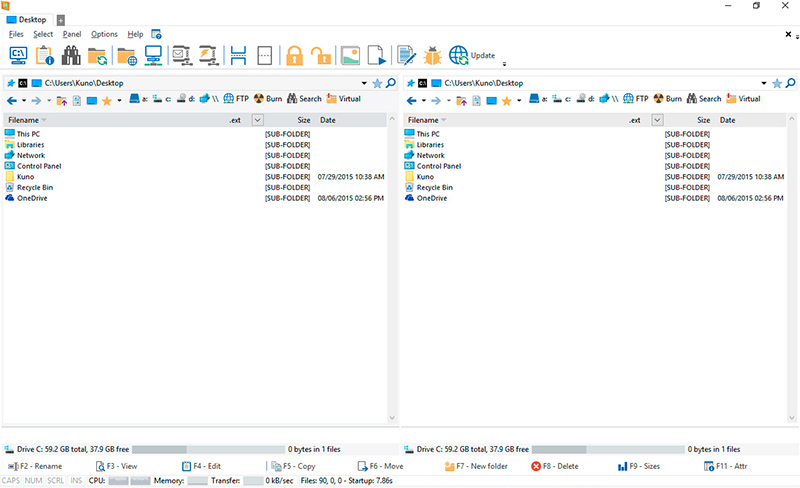
WinNc is a tabbed file manager especially developed for Windows 10. It also works on the older versions of Windows. This NC clone file manager is inspired on the dual panel concept of the old file manager Norton Commander. It has shortcuts to all the Windows special folders and the multiple tabbed interface allows you to organize your data by projects.

Projects can include files and folders from all over the disks that relate to the project tab and are stored virtually in the project folder as a link. With a new Windows 10 interface WinNc can do all the basic tasks you expect from a modern file manager like copy, move, delete, compress, uncompress and create links. WinNc uses logical colors for the file actions so you can quickly see if a file is being copied (green), being moved (orange) or being packed (yellow).

WinNc allows you to perform multiple tasks by setting the maximum parallel tasks to more than one task in the configuration panel. Otherwise WinNc will wait to start the new action until the previous action has finished. WinNc also converts audio, burns files on dvd and cd, creates and reads iso files, sets file attributes and you are able to keep you files synchronized using an internal sync module. From existing zip files it allows the creation of self extracting .exe files. It has a built in slideshow viewer, an audio preview player and a video player for quickly browsing and skipping through your media.

WinNc is available in the following languages:
English, German, Dutch, French, Spanish. (More languages available in beta version)