Category Archives: System Utilities

Automation Tools, Backup & Restore, Benchmarking, Clipboard Tools, File & Disk Management, File Compression, Launchers & Task Managers, Other, Printer, Registry Tools, Shell Tools, System Maintenance, Text/Document Editors

Digital Media Doctor for Windows PC 3.1.8.1

Type: Demo
Cost: $24.95
Size: 6.00 MB
Release date: Dec 06 2018
Platform: Win2000,WinXP,Win7 x32,Win7 x64,Windows 8,Windows 10,WinServer,WinOther,WinVista,WinVista x64
Publisher’s Site:  https://www.LC-Tech.com
Publisher’s Product Page:  https://www.lc-tech.com/pc/digital-media-doctor/
Country: United States of America


Digital Media Doctor for Windows PC

Digital Media Doctor works with most USB, FireWire and digital media readers. This software performs tests on digital media such as Palm Pilots, Digital Cameras, MP3 players, Digital Recorders and more. The application tests, benchmarks and reports on removable digital media using innovative testing algorithms.


The utility gives diagnostic tests to determine the integrity of the digital media. The included benchmark tests offer many modes of read and write to determine the performance of the digital media. Upon completion, the software displays a report on how well the media is functioning.

The diagnostic tests and benchmarking features include: Sequential Read, Random Access Read, Butterfly Read, Sequential Write, Random Access Write and Butterfly Write. Customizable options allow you to specify the number of blocks per read and length of time to test. Along with several other options, the software allows you to completely customize your own tests.

If you are concerned with the performance or reliability of your media, this application can help. The easy-to-use interface enables you to diagnose your media with just a few mouse clicks. The repair features even include: Back-up, Wipe, Format and Restore. In many cases this will fix any logical read errors on the media.

Graphcat<

Easy File Shredder 2.0.2019.228

Type: Shareware
Cost: $29.95
Size: 8.46 MB
Release date: Feb 28 2019
Platform: Win2000,WinXP,Win7 x32,Win7 x64,Windows 8,Windows 10,WinServer,WinOther,WinVista,WinVista x64
Publisher’s Site:  http://www.webminds.com
Publisher’s Product Page:  https://easyfileshredder.com
Country: United States of America


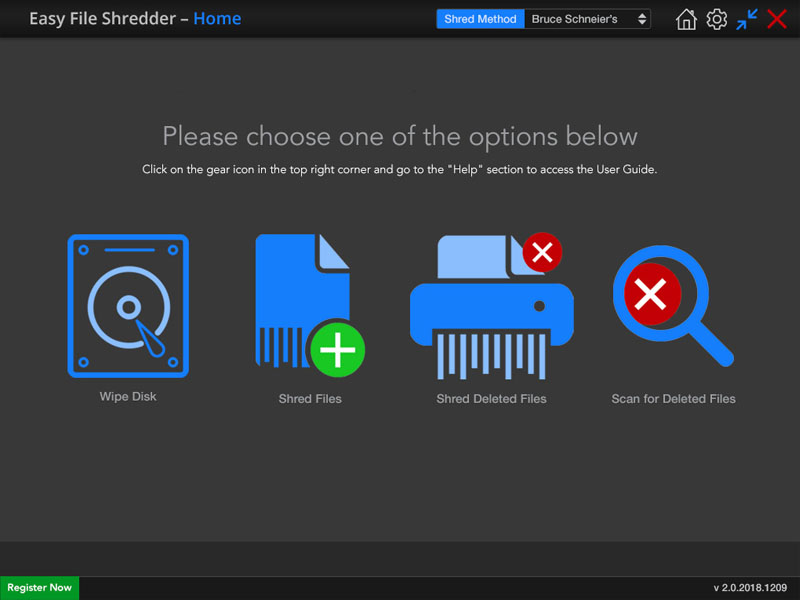
Easy File Shredder

Easy File Shredder is an all-in-one solution for individuals and businesses who want to securely shred confidential files and clean-wipe hard drive free space to protect their privacy. Easy File Shredder uses the highest industry standards to shred sensitive data, which guarantee the maximum security.

Easy File Shredder can securely delete individual files and clean-wipe your hard drive’s free space to prevent the recovery of already deleted files. Shredding the free space does not affect any existing files and is completely safe.The program has a very intuitive user interface that makes shredding sensitive data an easy three-step process. All you need to do is launch the program, select the files to shred and use one of Easy File Shredder’s algorithms. Other features include multiple preset shredding methods, custom shredding methods, system files protection and fool-proof warnings before any files are deleted.

DataKit Mac iPhone Data Cleaner 4.9.8

Type: Shareware
Cost: $49.95
Size: 30.48 MB
Release date: Dec 07 2018
Platform: Mac OS X
Publisher’s Site:  https://ios-data-recovery.com/about-us/
Publisher’s Product Page:  https://ios-data-recovery.com/iphone-cleaner/
Country: United States of America


DataKit Mac iPhone Data Cleaner

With DataKit Mac iPhone Data Cleaner, you can:
Erase All Private Data to Protect Yourself
We store our banking information, login account, emails, contacts and even fingerprints on iPhone. When you want to discard it or sell it to others, you surely should delete all things private by factory resetting your iPhone, while with a third-party recovery tool, the deleted data can be recovered, which obviously will bring you trouble. Therefore, you must make sure that those you deleted cannot be recovered. To do that, you need iPhone Data Cleaner to clear phone cache, free up storage and delete all data on your phone. And then you are free from any potential criminals getting your personal info.
You can delete and remove all data on your iPhone including contacts, messages, call history, notes, photos, calendar, reminder, safari bookmark and more. One Click and your iPhone will be back to the day when you unpack the box. If you just want to delete some data types, you can select them to erase and keep the others on iPhone.

Clean Cache and Speed Up your iPhone/iPad
Junk files, temporary files, app cache(images, logs information), web cache, cookies and more data will take huge space of your iPhone/iPad internal memory in a span that will certainly slow down your iPhone/iPad. Use iPhone Data Cleaner, you can:
Delete All App caches, Website caches, cookies with one click.
Delete Large files, junk files and system generated caches.
Speed Up your iPhone/iPad and make your device fast and smooth.

Compress Photos Quality Losslessly
It must be photos that take the most storage on our iPhone especially for those who like iPhone photographic. To spare more space for further using, you need to transfer photos from iPhone/iPad to a Computer in which way you can access them freely. With iPhone Data Cleaner, you can:
Export Photos to Computer for storage saving or backup.
Compress Photos losslessly on iPhone to spare more space on iOS Device.