Category Archives: System Utilities

Automation Tools, Backup & Restore, Benchmarking, Clipboard Tools, File & Disk Management, File Compression, Launchers & Task Managers, Other, Printer, Registry Tools, Shell Tools, System Maintenance, Text/Document Editors

FoneLab iPhone Data Recovery 9.1.36

Type: Shareware
Cost: $47.97
Size: 33.39 MB
Release date: Oct 24 2018
Platform: Win2000,WinXP,Win7 x32,Win7 x64,Windows 8,Windows 10,WinServer,WinOther,WinVista,WinVista x64
Publisher’s Site:  https://www.aiseesoft.com
Publisher’s Product Page:  https://www.aiseesoft.com/iphone-data-recovery/
Country: China

FoneLab iPhone Data Recovery

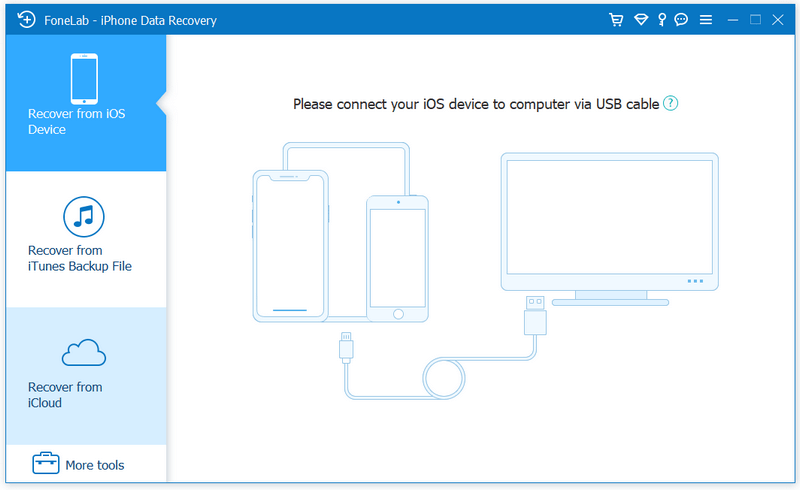
FoneLab, as the best iPhone Data Recovery software, can recover lost/deleted Messages, Contacts, Call History, Calendar, Notes, WhatsApp data, Photos, etc. from iPhone/iPad/iPod and from iTunes backup files. It supports all portable iOS devices, including iPhone XS/XS Max/ X//8 Plus/8/,6s/6s Plus/6/6 Plus, iPhone SE, iPad Pro, iPad mini 2, iPod touch, etc. And it allows you to preview your lost data before recovery.


Key Functions:

1. Recover lost or deleted data from iPhone/iPad/iPod directly
For iPhone 4/3GS, iPad 1 and iPod touch 4, FoneLab can recover your lost/deleted data before your device data is overwritten. Recoverable data includes Contacts, Messages, Call history, Calendar, Notes, Reminder, Safari bookmark, Camera Roll, Photo Library, Photo Stream, Message attachments, Voice memos.
As for XS/XS Max/ X//8 Plus/8/ iPhone 6s/6/6 Plus/5s/5c/5/4S, iPad 4/3/2/Air, iPad mini/mini 2 and iPod touch 5, it can recover deleted Contacts, Messages, Call history, Calendar, Notes, Reminder and Safari bookmark.

2. Restore data from iTunes backup files
No matter what type your device is, this iPhone data recovery can recover lost/deleted data as long as your device has been backed up with iTunes. So if your data was deleted incautiously or intentionally, you can get them back.

3. Protect iOS data from all circumstances
No matter your device is locked, broken, dropped in the water, smashed or you lost data due to jailbreak, iOS update , you can recover all lost data back.

4. Preview files before recovery
This data recovery software for iPhone/iPad/iPod allows you to preview deleted Photos, Text Messages, iMessages before recovery. It also allows you to rotate photos when previewing.

5. 100% safe and secure
After the test of all popular antivirus programs, FoneLab is proved 100% clean with no malware nor virus. At the same time, FoneLab has intuitive and simple interface which can help you easily use it with no confusion, even for novice.

Graphcat<

DataKit Mac Android Data Recovery 2.1.6

Type: Shareware
Cost: $49.95
Size: 31.60 MB
Release date: Jul 10 2018
Platform: Mac OS X
Publisher’s Site:  https://ios-data-recovery.com/
Publisher’s Product Page:  https://ios-data-recovery.com/android-data-recovery/
Country: United States of America


DataKit Mac Android Data Recovery

DataKit Mac Android Data Recovery is the best Android Data Recovery for Mac user to recover deleted/lost data on Android device. It supports to recover contact, message, photo, video, audio, WhatsApp history, document(word,excel,pdf,ppt…) on any Android devices of all manufacturers including Samsung, HTC, LG, Huawei, OnePlus, Vivo, Oppo, Xiaomi, Nokia, Sony and many others. You can recover data from internal memory or android sd card.

Features:
– Recover Lost Data on Android Device in many scenarios including wrong deletion, android OS error, forgotten password, SD card issue, Rooting Errors, ROM flashing damaged, No responding, Black screen, Factory Restore, Device Stuck and other situations.
– Recover Lost Data from internal memory, SD card memory or even broken android phone.
– Just 3 Steps to Recover Data on Android: 1. connect android device to pc; 2. select data to recover and give privilege to the program; 3. Wait for the scanning, preview and Recovery.

Please note we also embed our Broken Android Data Extraction tool and Android Data Backup & Restore into this program. For more info, please visit our home page:ios-data-recovery.com.

FileFort Backup Software Free 3.31

Type: Freeware
Cost: $0
Size: 355.00 kB
Release date: Oct 13 2016
Platform: Win2000,WinXP,Win7 x32,Win7 x64,Windows 8,Windows 10,WinServer,WinOther,WinVista,WinVista x64
Publisher’s Site:  https://www.nchsoftware.com/inventory/index.html
Publisher’s Product Page:  https://www.nchsoftware.com/backup/index.html
Country: United States of America


FileFort Backup Software Free

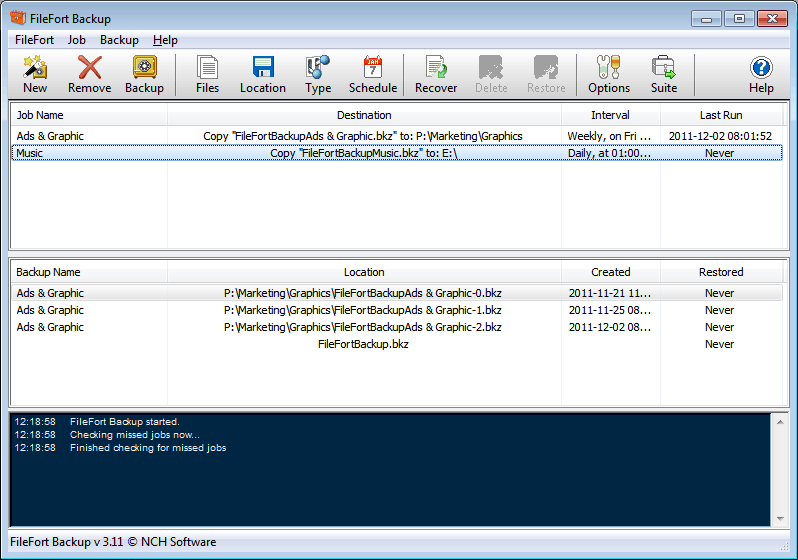
FileFort can set up scheduled file back ups with FileFort free Windows back up software. FileFort provides an easy and automatic file backup system to protect of your critical data. Save backed up files to virtually any storage media including CD, DVD, USB drives, FTP servers, or online accounts like dropbox to give you peace of mind that your data is safe and secure.

FileFort gives you complete control over your backups. You select what files to backup, where the should be saved and schedule how often the backup should run. Even have a backup copy made automatically when you plug in a USB drive.

Backup Features:

* Easy to use setup wizard to start the backup process
* Choose either manual or automatic backups
* Back up files to CD, DVD, USB drives, FTP servers, or online accounts
* Works with Dropbox and Amazon S3 accounts
* Automatically backup to a flash drive when plugged in
* Schedule files to be backed up at a particular date or time
* Simple and easy to use interface