Category Archives: System Utilities

Automation Tools, Backup & Restore, Benchmarking, Clipboard Tools, File & Disk Management, File Compression, Launchers & Task Managers, Other, Printer, Registry Tools, Shell Tools, System Maintenance, Text/Document Editors

EnCase Data Recovery 1

Type: Shareware
Cost: $99
Size: 1.78 MB
Release date: Jan 19 2018
Platform: Win2000,WinXP,Win7 x32,Win7 x64,Windows 8,Windows 10,WinServer,WinOther,WinVista,WinVista x64
Publisher’s Site:  http://www.sysinfotools.com
Publisher’s Product Page:  http://www.sysinfotools.com/recovery/encase-data-recovery.php
Country: United States of America

EnCase Data Recovery

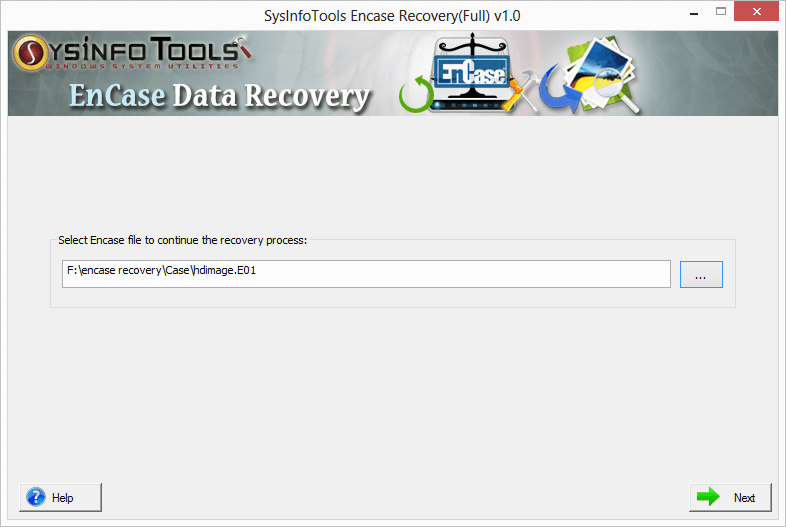
EnCase data recovery from several software products for forensic, cyber security, security analytics and e-discovery is now easy with EnCase Data Recovery software. Software has been smartly designed for Windows platforms to support complete suite of digital investigation products, and to recover maximum possible data in their original form. Via this software, users can perform EnCase data recovery from EWF file, be it a hard disk image or image of any particular file. Convert to Raw and Parse as Disk are two useful features in this tool which make EnCase data recovery easy and highly effective.


Key features of EnCase Data Recovery software are:

* Complete support of digital investigation products for EnCase data recovery;
* Auto-detect the EWF (EnCase image file format) file information;
* Convert to Raw option for saving EWF file in its actual or original form;
* Parse as Disk option for parsing/scanning the EWF file as a hard disk;
* Dual scanning modes, i.e. Standard & Advance, with parse as disk option;
* Exclusive support for GPT (GUID partition table) and MBR (master boot record) partition table formats;
* Extensive file systems support of Windows (FAT & NTFS), Mac (HFS+) and Linux (EXTX) ;
* Users are allowed to define custom settings of selected volume;
* Addition of new custom volume in case of missing volume from the hard disk drive;
* Powerful RAW recovery mode is available in Treat file system as option;
* Addition of new file signatures into new or the existing file to recover more data;
* Three recovery modes to handle different level of corruption, i.e. Standard, Advanced & Deep;
* Tree-structure preview of recovered data, and file properties can also be checked;
* Auto-search files by just entering the file names/types in the search box;
* An easy-to-use application for technical and non-technical users, contains self-instructive interface;
* Higher compatibility with all major versions of Windows-based operating systems;

Graphcat<

SysInfoTools Backup Exec BKF Repair 1

Type: Shareware
Cost: $299
Size: 3.51 MB
Release date: Jan 02 2018
Platform: Win2000,WinXP,Win7 x32,Win7 x64,Windows 8,Windows 10,WinServer,WinOther,WinVista,WinVista x64
Publisher’s Site:  https://www.sysinfotools.com
Publisher’s Product Page:  http://www.sysinfotools.com/recovery/backup-exec-bkf-repair.php
Country: United States of America


SysInfoTools Backup Exec BKF Repair

SysInfoTools Backup Exec BKF Repair tool is an advanced recovery solution for severely corrupted BKF files. It enables you to restore your crucial data from the BKF file which are unable to open by using Backup Exec (Symantec and VERITAS) as well as NT-Backup utility. The software is smartly designed to handle those corrupted BKF files which are compressed in form. It also supports recovery of corrupt BKF files which are split into multiple parts. It automatically detects the split file situation and asks you to select the next part to perform completed recovery. There are two options to scan the file: either Complete scan or Partial scan of selected BKF file. The recovery action is conducted in two modes: Standard Mode and Advanced Mode (with or without Heuristic Scanning). The software enables you to generate a log file of BKF recovery process in text format at user-defined location, and also allows users to save the snapshot of BKF recovery process which can be loaded in the future when needed. Before saving the recovered data, users can see their preview in the preview mode that ensures users about efficient BKF recovery. It works as an easy-to-use application that contains a friendly graphical user interface for both technical and non-technical users. There is no requirement for additional technical expertise.

RPM Remote Print Manager Elite 64 Bit 6.2.0.480

Type: Shareware
Cost: $750
Size: 64.12 MB
Release date: Jul 16 2018
Platform: Win2000,WinXP,Win7 x32,Win7 x64,Windows 8,Windows 10,WinServer,WinOther,WinVista,WinVista x64
Publisher’s Site:  http://www.brooksnet.com/
Publisher’s Product Page:  https://www.brooksnet.com/content/virtual-print-server
Country: United States of America


RPM Remote Print Manager Elite 64 Bit

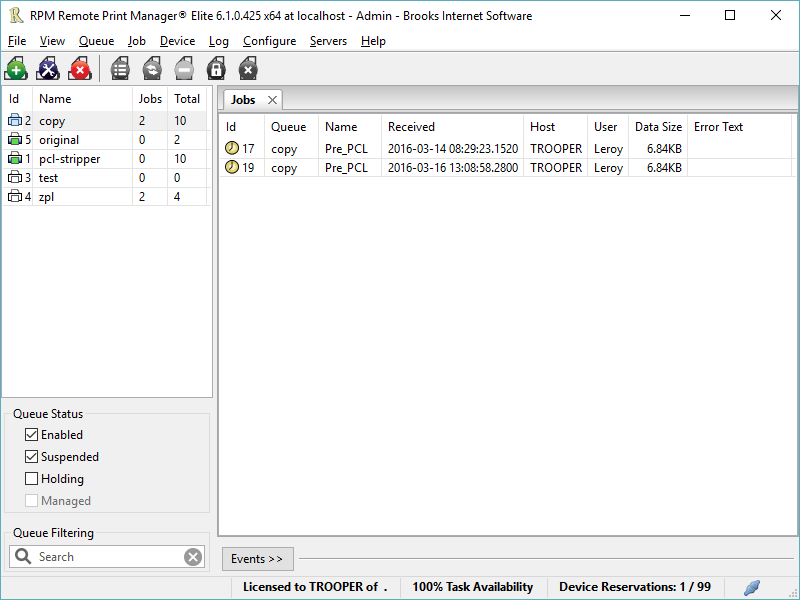
Printing should be one click away. but there are so many problems which make printing difficult if not impossible. RPM Remote Print Manager (RPM) has grown through the years from all the print problems our customers have brought to us. We are here to help you solve your printing problems.

RPM is our virtual printer product. Our customers have been using RPM for 20 years!
RPM as virtual printer

RPM does what you expect a virtual PDF printer to do, and more:

convert incoming print jobs to other formats, such as PDF, TIFF and PCL
save multiple documents into a single document
print the same job to multiple printers
in one pass, send to a printer and save to disk
print the same job multiple times, using separate paper trays

RPM as print server

RPM is implemented as a Windows print server. Its core capabilities include:

managing your print workflow
send print jobs to any Windows printer
send print jobs to any printer on your network using core Windows print protocols, or LPR, or direct with port 9100
archive print jobs to local folders, shared folders, or anywhere via FTP
run any local application on your print job
send your print job via email as an attachment or in the message body

RPM also provides extensive data editing, manipulation and translation.

Windows version support

RPM 6.1 supports these versions of Windows: Vista, 7, Server 2008 (including R2), Windows 8 and 8.1, Server 2012 (including R2), and Windows 10. Support for Windows XP and Server 2003 has been dropped, so we no longer test new RPM versions on these older versions of Windows.