Category Archives: System Utilities

Automation Tools, Backup & Restore, Benchmarking, Clipboard Tools, File & Disk Management, File Compression, Launchers & Task Managers, Other, Printer, Registry Tools, Shell Tools, System Maintenance, Text/Document Editors

SysInfoTools BKF Recovery 4.0

Type: Shareware
Cost: $85
Size: 4.29 MB
Release date: Jan 02 2018
Platform: Win2000,WinXP,Win7 x32,Win7 x64,Windows 8,Windows 10,WinServer,WinOther,WinVista,WinVista x64
Publisher’s Site:  http://www.sysinfotools.com
Publisher’s Product Page:  http://www.sysinfotools.com/recovery/bkf-recovery.php
Country: United States of America

SysInfoTools BKF Recovery

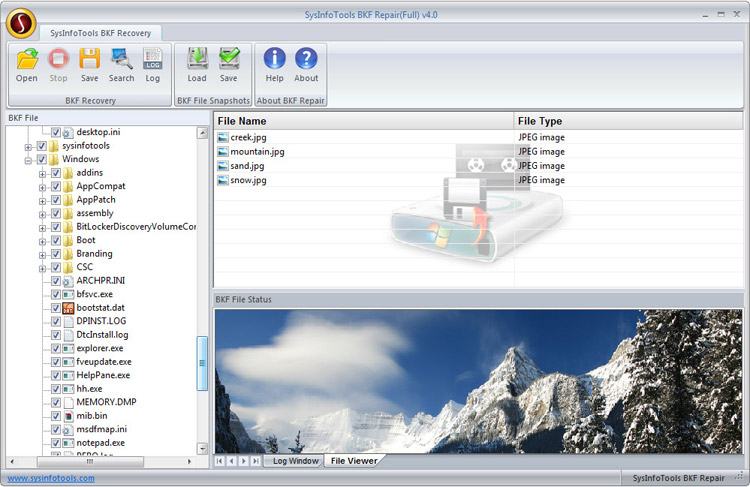
SysInfoTools BKF Recovery tool is a powerful software utility which is specially designed to perform the action of backup file recovery in the serious case of backup file corruption. This tool is endorsed by numerous administrators, users and technicians because of its scanning speed and accuracy. Besides fastest scanning speed it has a built-in preview feature which supports preview of more than 250 file types. By this way users can scan their BKF files within a minute and then save them at their desired location. It allows users to set the range for .bkf which is going to be recovered by "set complete range" & "set partial range".


Backup (.bkf) file which is created by NTBackup utility contains the copies of all the essential data and stored them safely in BKF format. Sometimes the backup files get corrupted, some of the common reasons are:

*Interrupted backup process,
*Unrecognized Media,
*Virus attack,
*Unexpected or sudden system shutdown,
*CRC failed,
*Unexpected Power Outage etc.

This tool repairs backup file which has corrupted due to any above reason. When any backup file gets corrupted, some errors messages are received by the users:

*The backup file is unusable. You must erase it. Or choose another file.
*Fails to open Bkf file
*The backup file contains unrecognized file and data cannot be used.
*"CRC failed" error, etc.

SysInfoTools BKF Recovery Tool is a perfect solution for those above errors. It has a powerful scanning algorithm to read the data from corrupt backup file. It helps users to retrieve their maximum possible data from their corrupt backup files. It can successfully restore the data of 1TB of size without making any changes or modification in the former data and the structure of the files. By this tool, the recovered file items can be renamed according to users’ choice. It presents a friendly users interface specially designed for non-technical persons.

Graphcat<

FAT Recovery 1

Type: Shareware
Cost: $99
Size: 1.60 MB
Release date: Dec 11 2017
Platform: Win2000,WinXP,Win7 x32,Win7 x64,Windows 8,Windows 10,WinServer,WinOther,WinVista,WinVista x64
Publisher’s Site:  http://www.sysinfotools.com
Publisher’s Product Page:  http://www.sysinfotools.com/recovery/fat-recovery.php
Country: United States of America


FAT Recovery

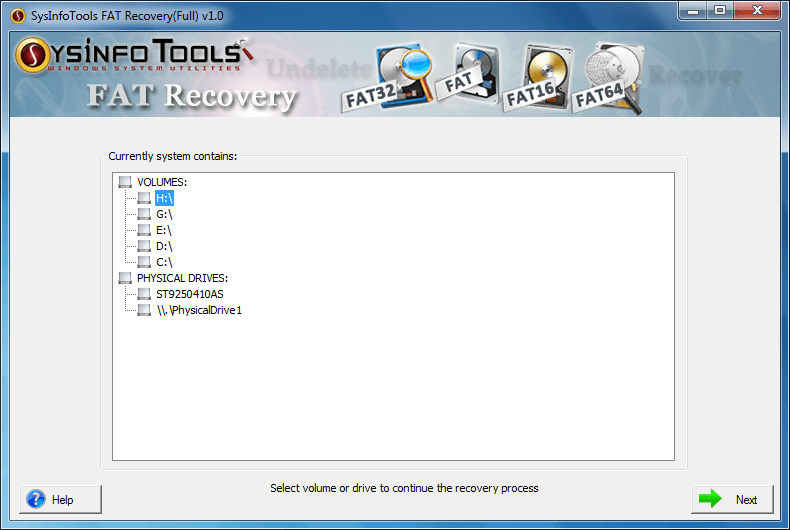
FAT Recovery tool is an outstanding solution one can have for recovering data from corrupt and damaged hard disk drive containing FAT file systems, such as: FAT12, FAT16, FAT32 & FAT64 (exFAT). It also enables users to perform recovery from accidentally formatted volumes as well as drives with so ease (in advanced mode). There are multiple scanning and recovery modes, so that users can restore their maximum possible data from corrupt drives and volumes. No prior technical expertise is required to use this software. Any technical or non-technical user can use this software with ease.

* Support corrupt/damaged FAT file systems (FAT16, FAT32 & FAT64);
* Support recovery from accidentally formatted FAT volume with ease;
* Support recovery from corrupt/damaged physical drives;
* Dual scanning modes for corrupt drives: Standard scan and Advance Scan;
* Support both common partition table formats, i.e. MBR and GPT;
* Addition of new custom volume is enabled for successful recovery;
* RAW recovery mode with adding new file signatures is available;
* Display information of selected volume which include volume name, file system & size;
* FAT data recovery in two different modes: Standard Mode & Advanced Mode;
* Present tree-structure preview of recovered files & folders, and show file properties;
* Users are enabled to save the recovered data at user-defined location;
* Auto-search the specific files in the tree structure in just no time;
* Smooth compatibility with all major versions of Windows operating system, including the latest Win 10;
* Available with free demo version for prior evaluation with preview feature

VHD Recovery 3.02

Type: Shareware
Cost: $99
Size: 1.60 MB
Release date: Oct 31 2017
Platform: Win2000,WinXP,Win7 x32,Win7 x64,Windows 8,Windows 10,WinServer,WinOther,WinVista,WinVista x64
Publisher’s Site:  http://www.sysinfotools.com
Publisher’s Product Page:  http://www.sysinfotools.com/recovery/vhd-recovery.php
Country: United States of America


VHD Recovery

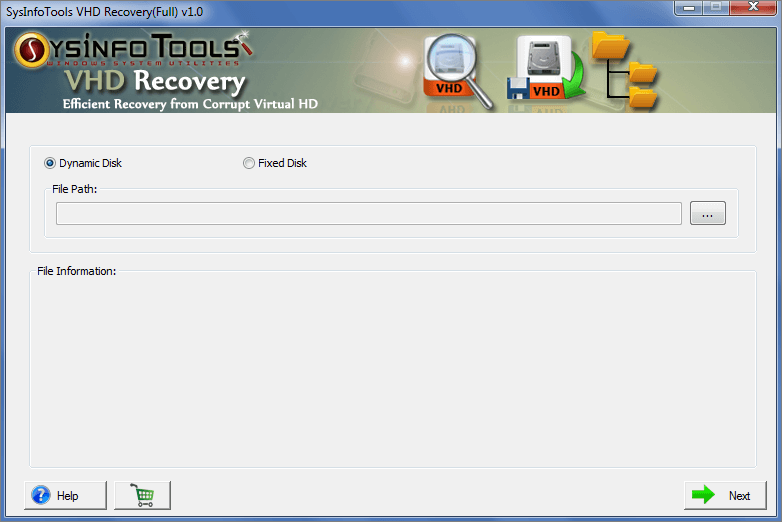
The VHD Recovery tool, provided by SysInfoTools Software, is smartly programmed for corrupt VHD files with ease. Whatever the reason behind corruption, a corrupt VHD file is always inaccessible until it gets successfully repaired. This professional software is best solution for repairing corrupt VHD files and recovering maximum possible data from them. It contains an interactive user interface which is easy to use and understand. There is no requirement for any prior technical expertise to use this software. Any technical and non-technical user can use this tool with ease. Users are strongly recommended to download demo version of this tool for free evaluation.

Below are the key features of VHD Recovery software:

* Successful recovery of maximum possible data from corrupt VHD files;
* Support corrupt VHD files saved in fixed disk and dynamic disk types;
* Support backup VHD files created by Windows Vista and later operating systems;
* MBR and GPT formats of a hard disk are highly supported;
* Two different modes for intensive scanning, i.e. standard and advanced;
* Settings customization for selected volume in enabled;
* Raw recovery mode is enabled with adding new signatures in either new or existing file option;
* Support for all popular file systems, such as: FAT, FAT16, FAT32, FAT64, NTFS, HFS+ and EXTX;
* Three different recovery modes: Standard, Advanced and Deep;
* Support recovery from formatted drive in case of FAT file system;
* Compatible with all popular Windows systems including the latest Win 10.