Category Archives: System Utilities

Automation Tools, Backup & Restore, Benchmarking, Clipboard Tools, File & Disk Management, File Compression, Launchers & Task Managers, Other, Printer, Registry Tools, Shell Tools, System Maintenance, Text/Document Editors

VisualCron 8.2.0

Type: Shareware
Cost: $399
Size: 126.98 MB
Release date: Sep 16 2016
Platform: Win2000,WinXP,Win7 x32,Win7 x64,Windows 8,Windows 10,WinServer,WinOther,WinVista,WinVista x64
Publisher’s Site:  http://www.visualcron.com/paymentinformation.aspx
Publisher’s Product Page:  http://www.visualcron.com
Country: Sweden

VisualCron

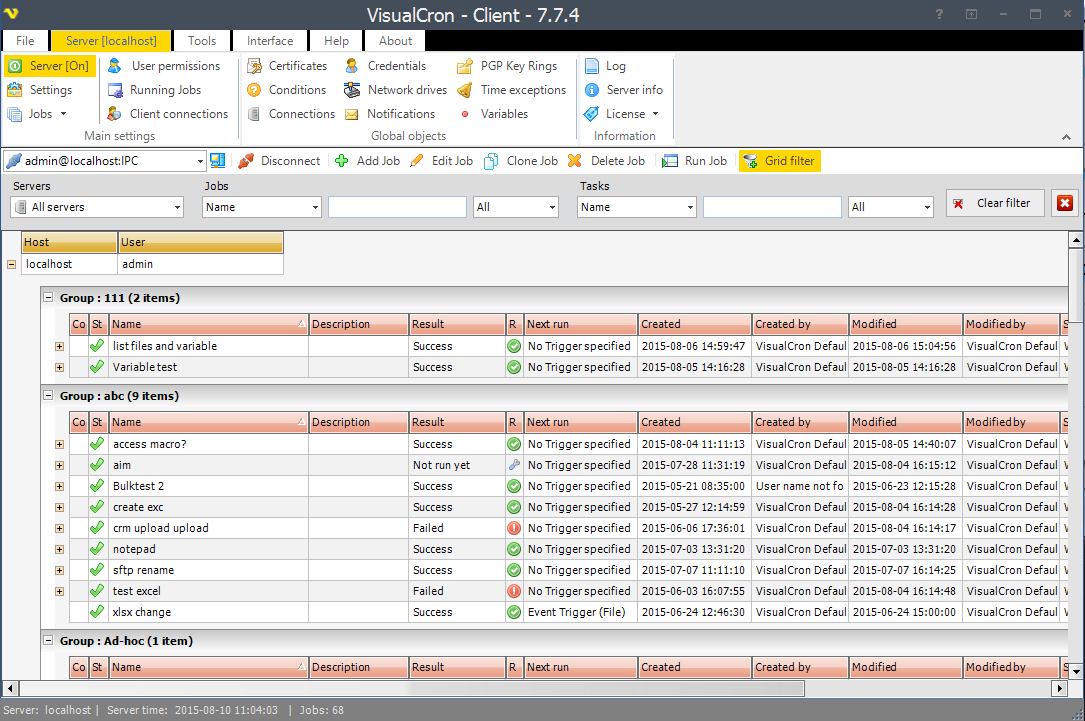
An advanced task scheduler / automation tool for Windows. Client/Server architecture. Remote, secure control across the Internet. Define jobs with tasks that start processes, copy files, execute remote scripts and send keystrokes. "Conditions" controls internal flow of tasks based on errors, last task result, if a file exists or contains a certain text. "Triggers" that starts jobs can either be based on time or system events like when a file has changed, process has started or ended, a change in the event log, etc. Real time status update in a modern, easy to use interface. "Notifications" reports the result for a job or task result in different ways; write to a file, database table or send an email, etc. Visit homepage http://www.visualcron.com for more information

Graphcat<

Acronis Access Connect 10.0.4

Type: Shareware
Cost: $795
Size: 21.00 MB
Release date: Jun 10 2016
Platform: Win2000,WinXP,Win7 x32,Win7 x64,Windows 8,Windows 10,WinServer,WinOther,WinVista,WinVista x64
Publisher’s Site:  http://www.acronis.com
Publisher’s Product Page:  http://www.acronis.com/mobility/mac-windows-compatibility/
Country: United States of America


Acronis Access Connect

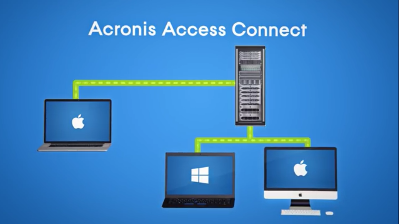
Got Mac users in the office? Because they have different communication protocols, integrating Macs into your Windows IT infrastructure can create application, file access, and network incompatibilities. Acronis Access Connect (formerly ExtremeZ-IP) is the only software that resolves Mac-to-Windows incompatibilities quickly and easily. With 1 simple network installation, give your Mac and mobile device users the power to:
– Access and share files on Windows networks
– Access Windows print servers and NAS servers easily
– Browse and access files from mobile devices (iOS, Android, Windows)
– Perform near-instant Network Spotlight searches
– Avoid file corruption, lost data, and application issues
– Prevent performance degradation and expensive downtime
– Limit related help desk calls by up to 70 percent

WinSleep by MollieSoft 1.3.6.0

Type: Shareware
Cost: $14.95
Size: 1.13 MB
Release date: Oct 24 2016
Platform: Win2000,WinXP,Win7 x32,Win7 x64,Windows 8,Windows 10,WinServer,WinOther,WinVista,WinVista x64
Publisher’s Site:  http://www.molliesoft.com
Publisher’s Product Page:  http://www.molliesoft.com/winsleep
Country: United States of America


WinSleep by MollieSoft

WINSLEEP by MollieSoft keeps your computer asleep (while not too busy) as much as possible during periods you specify.
** Runs on Windows 7, Windows 8.1 or Windows 10.
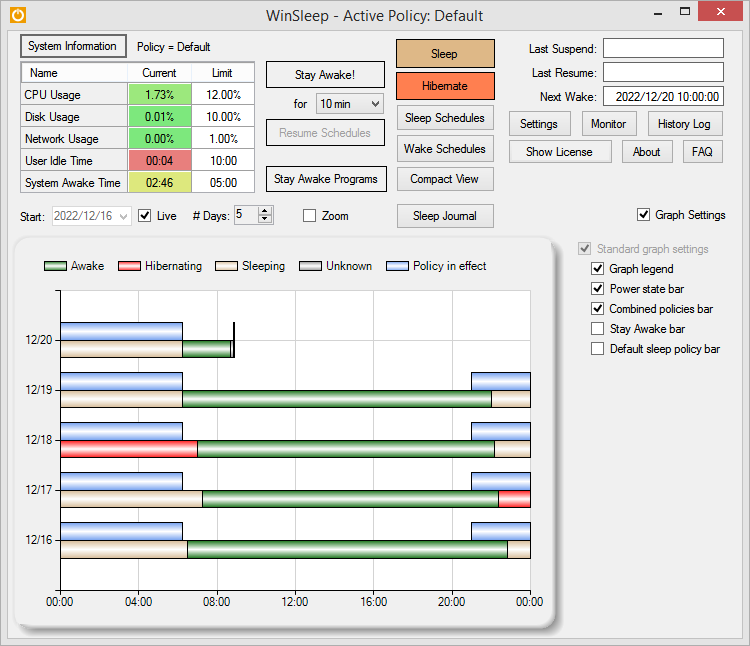
** Provides a detailed time-line graph showing when your computer was awake, asleep, or hibernating.
** Sleep Journal shows when/why your computer woke up or went to sleep.
** Provides convenient Sleep and Hibernate buttons for manual use when desired.
** Shows the current CPU/Disk/Network usage percentages for your computer.
** Define multiple sleep schedules (daily, weekly, or monthly time slot), each with a designated sleep policy with its own CPU/Disk/Network usage limits.
** Set wake schedules and an optional task (program) to be run at each wake.
** Helps prolong the life of your desktop computer. Your disk drive is not spinning, motherboard is not powered, fan is not running (and accumulating dust inside the computer casing), and your monitors are in standby mode.
** Saves money! A typical desktop uses 250 watts of electricity when awake, but only a few watts while asleep. Power companies (in the US) may bill at say 10 cents per kWH. This is .25 kWH @ 10 cents = 2.5 cents/hr you are saving while asleep. Say WinSleep sleeps your computer for half the day; this is $.30/day = $109.50 per year. The more you sleep, the more you save. (We didn’t even count the power consumption of the computer monitor here.)