Category Archives: System Utilities

Automation Tools, Backup & Restore, Benchmarking, Clipboard Tools, File & Disk Management, File Compression, Launchers & Task Managers, Other, Printer, Registry Tools, Shell Tools, System Maintenance, Text/Document Editors

LPAR2RRD 4.91-1

Type: Freeware
Cost: $0
Size: 2.05 MB
Release date: Jun 29 2016
Platform: Linux,Linux Console,Linux Gnome,Linux GPL,Linux Open Source
Publisher’s Site:  http://www.stor2rrd.com
Publisher’s Product Page:  http://www.lpar2rrd.com
Country: Czech Republic

LPAR2RRD

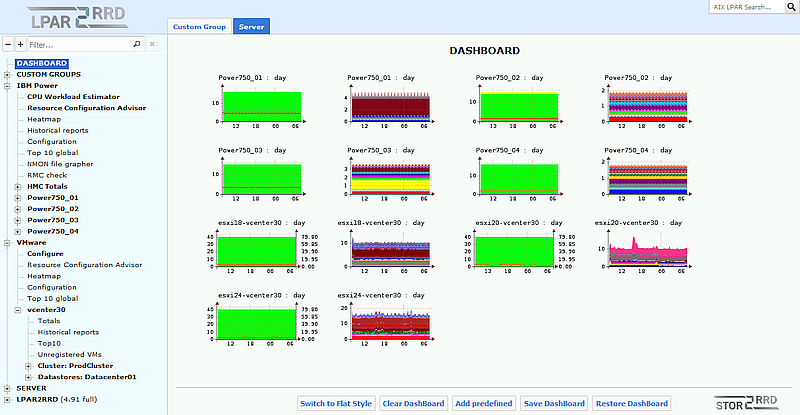
LPAR2RRD collects performance data and generates actual, historical and future trends utilization graphs of your virtual environment.
It is agentless (it receives everything from the management stations like vCenter or HMC).
The product supports IBM Power Systems and VMware virtualization platforms.
Collected data set can be extended about data provided by the OS Agents or NMON files.
OS agents are available for Linux, IBM i and AIX operating systems.
This program is free software released under GPL v3.

Graphcat<

Acronis True Image Cloud 2.6571

Type: Shareware
Cost: $99.99
Size: 5.21 MB
Release date: Jun 02 2016
Platform: Win2000,WinXP,Win7 x32,Win7 x64,Windows 8,Windows 10,WinServer,WinOther,WinVista,WinVista x64
Publisher’s Site:  http://www.acronis.com
Publisher’s Product Page:  http://www.acronis.com/en-us/personal/online-backup/
Country: United States of America


Acronis True Image Cloud

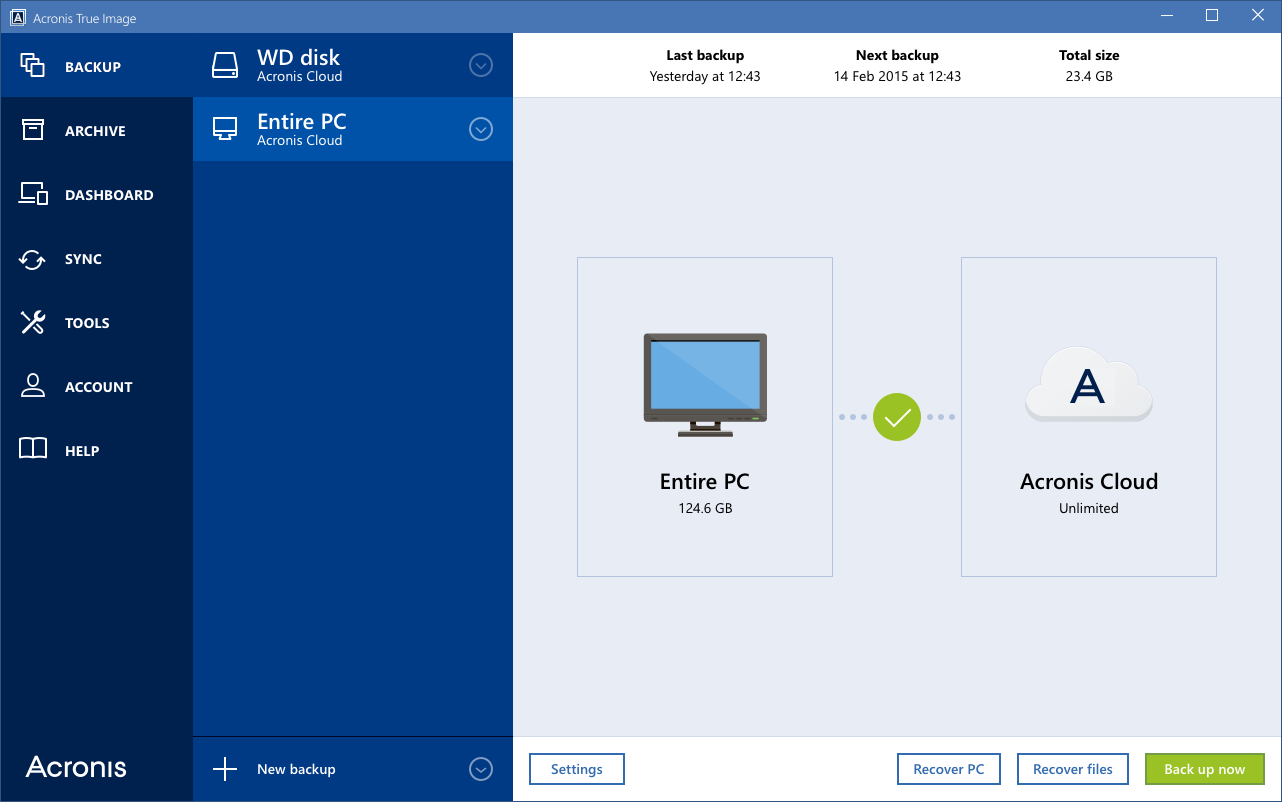
Protect your digital life with Acronis True Image Cloud, the #1 backup solution to safeguard PC, Mac, Android, iPhone, iPad, and Windows tablet devices for you, your family, and your small office. Acronis True Image is the only backup solution that provides backup and recovery for computers and mobile devices with both local and secure cloud space. You can backup, recover or move your entire computer to new hardware with the industrys fastest cloud backup and restore. Archive and access your information anytime, anywhere using an online dashboard. Now optimized for Windows 10 and latest OS X releases.


Key features:

Entire PC Backup: Local and Cloud
Multi-device Protection: PC, Mac and Mobile
Unlimited Cloud Space
Full disk-image backup
Industrys fastest backup and recovery
Flexible, quick, easy recovery
Free upgrades to next versions
Data migration (PC)
Parallels compatible (Mac)
Personal key encryption technology that protects your backups
Smart scheduling
Ease of use
Advanced backup modes
Support of most storage media
Rescue media you can create on any external drive
Full system restore from the cloud

Cacheman 10.01

Type: Shareware
Cost: $28.95
Size: 5.22 MB
Release date: Jun 06 2016
Platform: Win2000,WinXP,Win7 x32,Win7 x64,Windows 8,Windows 10,WinServer,WinOther,WinVista,WinVista x64
Publisher’s Site:  http://www.outertech.com
Publisher’s Product Page:  http://www.outertech.com/en/how-to-speed-up-your-computer
Country: Germany


Cacheman

Memory is one of the most important pieces of computer hardware as it is in constant use no matter what a PC is used for. There are a huge number of variables that can influence the speed and performance of memory, and this in turn will affect the overall performance of a computer. Cacheman (short for Cache manager) can help by making it possible to optimize system cache and take control of RAM. A computer cache is a software or hardware component that stores user data so that future requests for that data can be served faster.

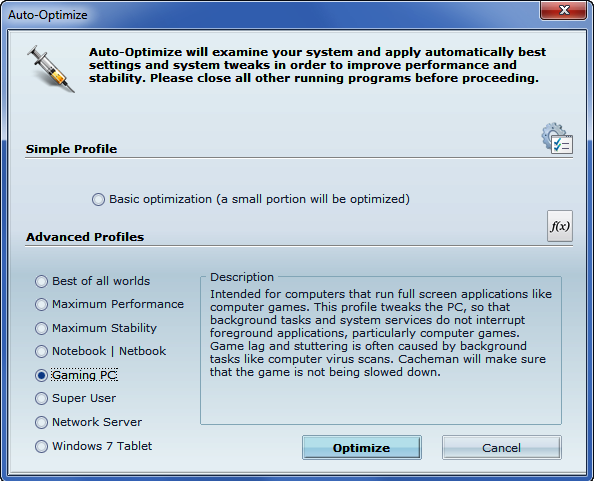
Cacheman is suitable for use by experts and novices alike, and there are a number of manual and automatic optimization settings available to suit all levels of ability. Cacheman automatically optimizes how Windows handles memory. Depending on what the PC is used for, a range of computer performance profiles is available including gaming, graphics workstation, digital audio recording, notebook, and server.

Cacheman dynamically changes the priority at which certain programs and processes are run, and can limit the amount of memory any given application is able to use. The active front-running application will get the maximum possible processing power and available system memory. Computer games, office software, web browsing, and video players will not be interrupted by background tasks like computer virus scans.

By default, Windows 10 can track and share website visits, app usage, purchases, typed words, and more. Cacheman’s auto-optimization feature modifies Windows privacy setting so that significantly less tracking data is recorded and sent back to Microsoft.