Category Archives: System Utilities

Automation Tools, Backup & Restore, Benchmarking, Clipboard Tools, File & Disk Management, File Compression, Launchers & Task Managers, Other, Printer, Registry Tools, Shell Tools, System Maintenance, Text/Document Editors

Acronis Backup for VMware 9.2.10571

Type: Shareware
Cost: $599.00
Size: 335.88 MB
Release date: Feb 24 2016
Platform: Win2000,WinXP,Win7 x32,Win7 x64,Windows 8,Windows 10,WinServer,WinOther,WinVista,WinVista x64
Publisher’s Site:  http://www.acronis.com
Publisher’s Product Page:  http://www.acronis.com/en-us/business/backup/virtual-machine?third_party=padati
Country: United States of America
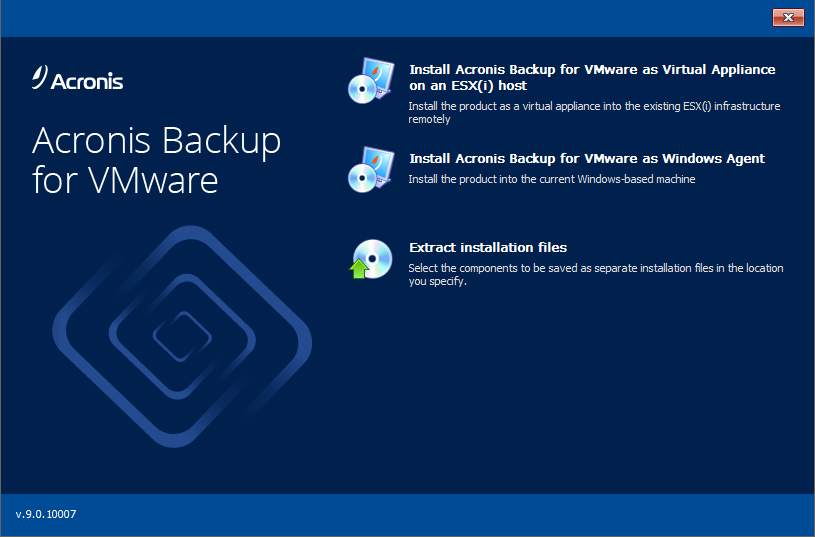

Acronis Backup for VMware

Avoid virtual server downtime and expensive data loss! Acronis Backup for VMware is the fastest, easiest, and most cost-effective virtual machine protection available. Our award-winning software helps you back up and restore your entire VMware vSphere setup easily–even if you aren’t an IT expert.


– Get up and running with almost zero learning curve
– Protect everything in one easy step
– Recover lost data 100x faster than other backup methods
– Save on time and storage with smart backup technology
– Monitor your VMware backups via any mobile device
– Manage your VMware backups directly from vSphere
– Enjoy unlimited P2V/V2V migrations FREE

Keep it simple and keep it safe with Acronis Backup for VMware!

Graphcat<

Battery Monitor 6.6

Type: Freeware
Cost: $0
Size: 792.00 kB
Release date: Jan 13 2016
Platform: Win2000,WinXP,Win7 x32,Win7 x64,Windows 8,Windows 10,WinServer,WinOther,WinVista,WinVista x64
Publisher’s Site:  http://www.myfavoritegadgets.info/
Publisher’s Product Page:  http://www.myfavoritegadgets.info/monitors/BatteryMonitor/BatteryMonitor.html
Country: Ukraine


Battery Monitor

Battery Monitor is a small widget that shows on the desktop the current battery details of your notebook, as the name implies. It comes bundled with numerous customization preferences, in order to please even picky users. The interface is based on a small frame that can be moved to any spot on the screen, with the help of the mouse cursor. Plus, you can make it stay on top of other windows and adjust its opacity level. Therefore, Battery Monitor is unintrusive, and you can quickly get a glimpse on battery details while working in other apps. The main frame shows a meter bar and percent level, battery status, remaining time, charge rate and current charge. Battery Monitor also features sound notifications for critical battery levels and full battery mode. It is possible to change the frame size, make it hide when working from the AC adapter, choose the capacity display unit (mWh or mAh), enable animation while charging, as well as specify a power plan for switching to the battery and back to the AC. As far as sounds are concerned, you can enable them when the laptop is plugged or unplugged, disable them when the flyout opens or closes, disable additional sounds, establish the two battery critical levels for sound alerts and select custom WAV files, and more. Sound settings can be restored to their default values. Other options of Battery Monitor let you hide the battery picture, status, remaining time, charge/discharge rate, current charge, power plans, title and copyright marker, as well as select custom colors for any of these fields. The small widget is very light on the system resources, using a minimum amount of CPU and RAM. It has a good response time and delivers accurate information, without causing the OS to hang, crash or pop up error dialogs. All in all, Battery Monitor comprises numerous options and configurable settings to please all types of users.

RPM Remote Print Manager Elite 64 Bit 6.1.0.425

Type: Shareware
Cost: $750
Size: 57.81 MB
Release date: Mar 18 2016
Platform: Win2000,WinXP,Win7 x32,Win7 x64,Windows 8,Windows 10,WinServer,WinOther,WinVista,WinVista x64
Publisher’s Site:  http://www.brooksnet.com/
Publisher’s Product Page:  https://www.brooksnet.com/lpd/compare-rpm-6-elite-and-select.html
Country: United States of America


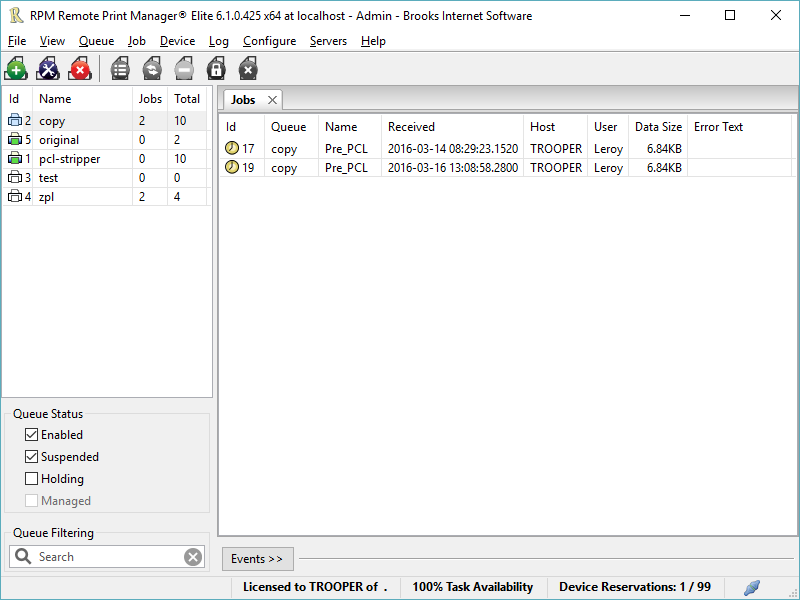
RPM Remote Print Manager Elite 64 Bit

Printing should be one click away. but there are so many problems which make printing difficult if not impossible. RPM Remote Print Manager (RPM) has grown through the years from all the print problems our customers have brought to us. We are here to help you solve your printing problems.

RPM is our virtual printer product. Our customers have been using RPM for 20 years!
RPM as virtual printer

RPM does what you expect a virtual PDF printer to do, and more:

convert incoming print jobs to other formats, such as PDF, TIFF and PCL
save multiple documents into a single document
print the same job to multiple printers
in one pass, send to a printer and save to disk
print the same job multiple times, using separate paper trays

RPM as print server

RPM is implemented as a Windows print server. Its core capabilities include:

managing your print workflow
send print jobs to any Windows printer
send print jobs to any printer on your network using core Windows print protocols, or LPR, or direct with port 9100
archive print jobs to local folders, shared folders, or anywhere via FTP
run any local application on your print job
send your print job via email as an attachment or in the message body

RPM also provides extensive data editing, manipulation and translation.

Windows version support

RPM 6.0 supports these versions of Windows: Windows 2003, XP, Windows 7 and 2008, Windows 8, Windows Server 2012 and Server 2012 R2. We have used RPM on Windows 10 but have not stress tested it yet.